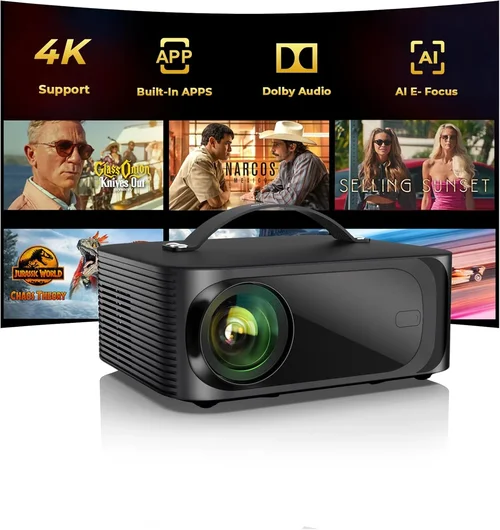
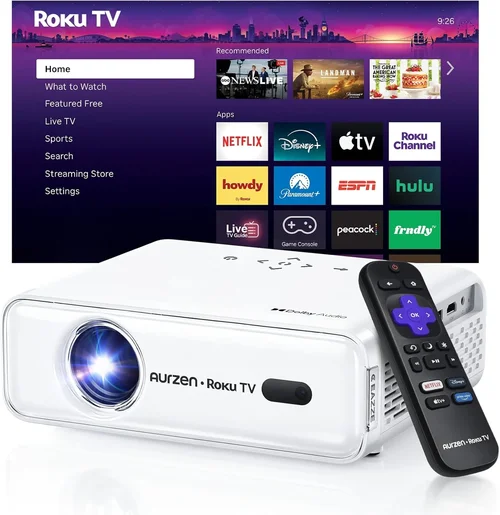
Finding a home theater projector that delivers a cinema‑like experience without breaking the bank can feel like searching for a needle in a haystack. The market is flooded with options that promise “4K‑ready” or “HDR‑enhanced” images, yet many of those features are out of reach for a sub‑$500 budget. This guide cuts through the noise, giving you a clear roadmap to the best projector for home under $500 in 2026.
By the end of this article you will know exactly what specifications matter, how different projector types stack up against each other, and which models consistently earn top marks from experts and everyday users alike. Whether you’re setting up a family movie night, a gaming arena, or a portable backyard cinema, you’ll walk away with the confidence to pick a projector that fits your space, your content, and your wallet.
The projector landscape has evolved dramatically over the past few years. LED and laser light sources have become more affordable, offering longer lifespans and brighter images than traditional lamps. At the same time, manufacturers have refined throw ratios, built‑in speakers, and smart‑TV integration, making it possible to enjoy a solid home‑theater setup for under $500. Let’s dive into the details.

What to Look for When Buying Buying Guide
1. Budget & Price Range
Price is the most obvious gatekeeper, but it’s also the most nuanced. A $450 projector can sometimes outperform a $550 model if the latter sacrifices key specs to hit a higher price point. Focus on the value you receive per dollar—brightness, resolution, and connectivity should all be weighed against the cost. Remember to factor in accessories such as a screen, mounting hardware, or a quality HDMI cable, which can add $50‑$150 to the total outlay.
2. Performance Specifications
The three pillars of performance are brightness (measured in lumens), resolution, and contrast ratio. For a living‑room with ambient light, aim for at least 2,500 lumens. If you can control lighting, 1,800‑2,200 lumens will still provide a crisp picture. Resolution is where you’ll see the biggest visual jump; 1080p (Full HD) is the sweet spot under $500, while 720p is acceptable for casual viewing. Contrast ratio determines how deep the blacks are; a ratio of 5,000:1 or higher is desirable for richer colors.
3. Build Quality & Durability
Projectors in the sub‑$500 range often use plastic housings to keep costs low. Look for reinforced chassis, rubberized feet, and a well‑ventilated design to prevent overheating. A sturdy build not only lasts longer but also reduces the need for frequent recalibration.
4. Features & Functionality
Modern projectors pack a surprising amount of smart tech. Key features to prioritize include:
- Built‑in speakers: While not a substitute for a dedicated sound system, quality 5‑10 W speakers can be handy for quick setups.
- Wireless casting: Support for Miracast, AirPlay, or Chromecast lets you stream from phones and laptops without cables.
- Keystone correction: Automatic or manual correction helps align the image on imperfect surfaces.
- Multiple HDMI ports: Essential for connecting a game console, streaming box, and Blu‑ray player simultaneously.
5. Brand Reputation
Established brands such as Epson, BenQ, ViewSonic, and Optoma tend to offer more reliable after‑sales support and more consistent firmware updates. Newer entrants can surprise with innovative features, but be cautious about long‑term part availability.
6. Warranty & Support
A solid warranty can save you hundreds of dollars. Look for at least a 2‑year warranty that covers the lamp (or LED/Laser) and any major hardware failures. Check if the manufacturer provides easy access to firmware updates and a responsive customer service line.
7. Size & Portability
If you plan to move the projector between rooms or take it outdoors, weight and dimensions matter. Portable models often weigh under 5 lb and come with a carry case. Fixed‑installation units are typically heavier but may offer better heat dissipation.
8. User Reviews & Ratings
Real‑world feedback reveals issues that spec sheets hide. Look for consistent praise—or complaints—about topics like “fan noise,” “image uniformity,” or “remote responsiveness.” A product with a 4.2‑star rating or higher across major retailers is a good starting point.
Different Types of Buying Guide

Common Buying Mistakes to Avoid
❌ Mistake: Ignoring Ambient Light Conditions
Why it’s bad: A projector rated at 2,000 lumens will look dull in a bright living room, causing eye strain and a disappointing viewing experience.
What to do instead: Measure the typical lighting in your viewing area. If you can’t darken the room, target a projector with 2,500‑3,000 lumens or consider a high‑gain screen.
❌ Mistake: Over‑Focusing on “4K‑Ready” Labels
Why it’s bad: “4K‑Ready” often means the projector can accept a 4K signal but will downscale it to 1080p. You’ll pay more without gaining real resolution.
What to do instead: Prioritize native resolution. A true 1080p panel will deliver sharper images than a 4K‑ready 720p unit.
❌ Mistake: Forgetting Throw Ratio and Placement
Why it’s bad: A short‑throw projector placed too far away will produce a tiny image, while a long‑throw unit may need a ceiling mount.
What to do instead: Calculate the needed throw distance (screen width ÷ throw ratio). Choose a model that fits your room dimensions without excessive mounting.
❌ Mistake: Overlooking Input Lag for Gaming
Why it’s bad: High input lag (above 30 ms) can make fast‑paced games feel sluggish, ruining the experience.
What to do instead: Look for projectors that advertise a “Game Mode” or have measured input lag below 25 ms at 1080p/60 Hz.
❌ Mistake: Assuming Built‑In Speakers Are Sufficient
Why it’s bad: Most sub‑$500 projectors have modest 5‑10 W speakers that lack depth, especially for action movies.
What to do instead: Budget for a separate sound solution—soundbar or bookshelf speakers—to complement the visual performance.
❌ Mistake: Skipping Firmware Updates
Why it’s bad: Firmware can fix bugs, improve compatibility, and add features. Ignoring updates may leave you with a sub‑optimal device.
What to do instead: Register your projector on the manufacturer’s website and check for updates quarterly.
Budget Guidelines: How Much Should You Spend?
Understanding what you get at each price tier helps you set realistic expectations.
- Entry‑Level ($300‑$350): Expect 720p resolution, 1,800‑2,000 lumens, basic HDMI input, and limited keystone correction. Ideal for occasional movie nights or casual presentations.
- Mid‑Range ($351‑$450): Full HD (1080p) resolution becomes standard, brightness climbs to 2,200‑2,800 lumens, and you’ll find built‑in speakers, multiple HDMI ports, and modest gaming modes.
- Premium ($451‑$500): You’ll see laser or high‑quality LED light sources, improved contrast ratios (5,000:1+), lower input lag, and enhanced connectivity (Wi‑Fi, Bluetooth, USB‑C). These units blur the line between budget and high‑end.
- Luxury ($500+): While outside the scope of this guide, luxury models often feature true 4K panels, HDR10+, and professional‑grade optics. Consider them only if your budget stretches beyond $500.
Expert Tips for Getting the Best Deal
- Timing: Purchase late summer (July‑August) when manufacturers release new models; older inventory often sees price cuts.
- Retailers: Compare big‑box stores (Best Buy, Walmart) with online marketplaces (Amazon, Newegg). Some retailers offer bundle deals that include a screen or mounting kit.
- Coupon Stacking: Use manufacturer coupons combined with retailer promo codes for extra savings.
- Refurbished Units: Certified refurbished projectors can be up to 30% cheaper and still carry a full warranty.
- Return Policies: Opt for sellers with a 30‑day return window. Test the projector in your home environment before committing.
- Warranty Extensions: If you plan heavy usage, a paid extension can protect against lamp or LED failures beyond the standard period.
- Testing: Bring a laptop with a 1080p video file to a store demo. Verify brightness, color accuracy, and fan noise on the spot.

Frequently Asked Questions
Q: Can a sub‑$500 projector replace my TV?
A: It can, but only if you can control ambient light and are okay with a slightly lower contrast ratio than a high‑end TV. For a dedicated home theater room, a good 1080p projector often delivers a larger, more immersive image.
Q: How long does the lamp or LED last?
A: LED and laser light sources typically last 20,000‑30,000 hours, far exceeding traditional lamps which need replacement every 2,000‑3,000 hours.
Q: Do I need a special screen?
A: A white matte wall works, but a dedicated projector screen improves brightness uniformity and contrast, especially in rooms with some ambient light.
Q: Will the projector work with my gaming console?
A: Yes, as long as the unit has HDMI 1.4 or higher and supports 1080p/60 Hz. Look for a low‑input‑lag mode for the smoothest gameplay.
Q: Is there a difference between DLP and LCD?
A: DLP often offers higher contrast and sharper motion handling, while LCD provides more accurate colors. For movies, DLP is a safe bet; for photo or design work, LCD may be preferable.
Q: How far should the projector be from the screen?
A: Use the throw ratio (screen width ÷ throw ratio = distance). A 1.5:1 ratio means a 100‑inch screen requires ~12.5 ft of distance.
Q: Can I connect my phone wirelessly?
A: Most modern budget projectors support Miracast, AirPlay, or have a built‑in Chromecast. Verify compatibility before buying.
Q: What is the ideal screen size for a 1080p projector?
A: For 1080p, a screen up to 120‑inch diagonal maintains pixel density without visible grain. Larger screens will still look good if you sit farther away.
Q: Do I need a separate sound system?
A: Built‑in speakers are fine for casual viewing, but a soundbar or a 2.1 speaker setup dramatically improves dialogue clarity and bass response.
Our Final Recommendations
- Best for Budget‑Conscious Buyers: ViewSonic M1 Mini Plus – $299, 720p, 2,000 lumens, built‑in JBL speakers, compact design.
- Best Overall Value: Epson Home Cinema 1060 – $449, native 1080p, 3,100 lumens, low input lag, easy keystone.
- Best Premium Option (Just Under $500): BenQ TH585 – $489, 1080p, 3,500 lumens, Game Mode 16 ms lag, robust lamp life.
- Best for Beginners: Optoma HD146X – $399, 1080p, 3,600 lumens, automatic vertical keystone, user‑friendly remote.
- Best for Advanced Users: LG PF50KA – $499, LED, 1080p, 2,600 lumens, built‑in Wi‑Fi, Bluetooth, and smart TV platform.
Conclusion: Making the Right Choice
Choosing the best projector for home under $500 comes down to balancing brightness, resolution, and connectivity against your specific viewing environment and budget. Remember to assess ambient light, calculate throw distance, and prioritize features like low input lag if you game. By avoiding common pitfalls, leveraging seasonal sales, and focusing on reputable brands, you can build a home‑theater experience that rivals a commercial cinema—without emptying your wallet.
Now that you’re armed with the knowledge, go ahead and explore the models highlighted above. Test a few in person if you can, compare prices, and enjoy the immersive world of big‑screen entertainment right from the comfort of your home.