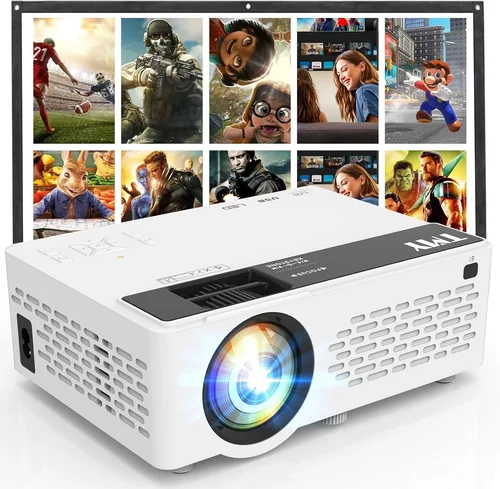
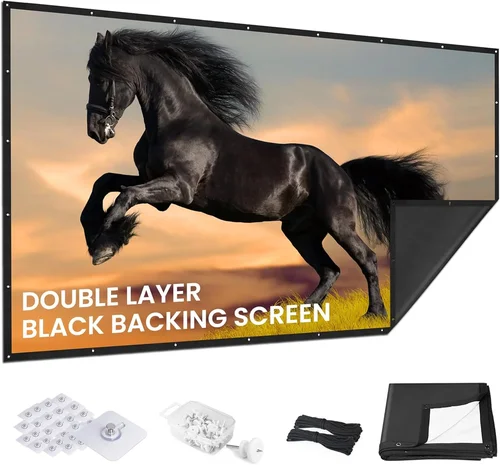
Choosing a projector screen can feel like navigating a maze, especially when you want solid performance without blowing your budget. A good screen does more than just hold a picture—it enhances contrast, improves color accuracy, and makes every movie night feel like a mini‑theater experience. This guide zeroes in on the best projector screen under $500 for 2026, breaking down everything you need to know so you can buy with confidence.
In the next few minutes you’ll learn how to evaluate screen material, decide on the right size, understand fixed vs. portable frames, and spot the hidden costs that often trip up shoppers. We’ll also compare the top categories, flag common pitfalls, and hand‑pick a few models that consistently outperform the competition—all while staying comfortably below the $500 ceiling.
The projector‑screen market has exploded over the past three years. Manufacturers now offer ultra‑smooth matte white fabrics, high‑gain gray options, and even motorized pull‑down screens at entry‑level prices. At the same time, consumer expectations have risen: home‑theater enthusiasts demand sharper images, gamers look for low lag and minimal ghosting, and office users need easy‑install solutions that double as presentation tools. This guide reflects those trends and helps you match the right screen to your specific use case.

What to Look for When Buying Buying Guide
1. Budget & Price Range
Sticking to a $500 cap forces you to prioritize value. Some screens may look cheap but lack essential features like a sturdy frame or proper tensioning. Aim for a balance: a screen that feels solid, offers a decent gain (1.0–1.2 for most rooms), and includes a reliable mounting system. Remember, a higher price does not always equal better performance; many mid‑range screens outperform expensive models because they use superior materials.
2. Performance Specifications
The two specs that matter most are gain and viewing angle. Gain describes how much light the screen reflects; a gain of 1.0 is neutral, while 1.2 reflects 20 % more light—great for dim rooms. Viewing angle indicates how the image holds up when you sit off‑center; a 160° angle is ideal for larger seating arrangements. Also check the screen’s color accuracy (white screens are neutral, while gray screens boost contrast).
3. Build Quality & Durability
A well‑tensioned screen stays flat, preventing the “wavy” effect that ruins image clarity. Look for aluminum or steel frames with reinforced corners, and a screen surface that resists creasing and tearing. If you opt for a portable model, verify that the roller mechanism is smooth and that the fabric folds without permanent creases.
4. Features & Functionality
Fixed frames provide the flattest surface, but pull‑down or motorized screens add flexibility—especially in multipurpose rooms. Consider whether you need black backing (helps deepen blacks in dark rooms), ambient light rejection (ALR) technology (useful in brighter spaces), or a dual‑purpose screen that works for both projection and TV use. Some screens also come with built‑in cable management trays, which keep your setup tidy.
5. Brand Reputation
Established brands like Elite Screens, Silver Ticket, and VIVO have proven track records for quality control and customer support. Newer entrants can surprise with innovative materials, but they may lack extensive warranty coverage. Reading long‑term user reviews can reveal whether a brand consistently delivers on durability and performance.
6. Warranty & Support
A solid warranty—ideally two years for the screen and one year for the frame—protects you from manufacturing defects. Look for brands that offer responsive support channels (phone, email, live chat) and easy return policies. Some retailers even provide free replacement parts for rollers and tensioning cables.
7. Size & Portability
The screen size should match your projection distance and room layout. A common rule of thumb: the throw distance (distance from projector to screen) should be roughly 1.5‑2.5 times the screen width. If you need to move the screen between rooms or store it away, a portable pull‑down or tripod‑mounted option is essential.
8. User Reviews & Ratings
Beyond the specs, real‑world feedback tells you how a screen performs over months of use. Look for consistent praise about flatness, ease of installation, and durability. Be wary of reviews that mention “fabric tearing after a few months” or “roller stuck,” as these signal potential quality issues.
Different Types of Buying Guide

Common Buying Mistakes to Avoid
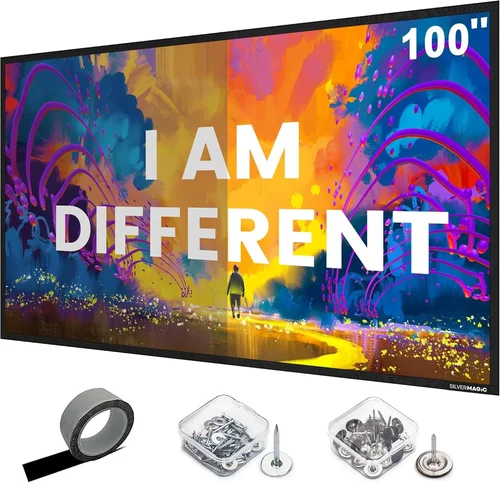
❌ Mistake: Ignoring Room Lighting Conditions
Why it’s bad: A matte white screen looks great in a dark room but washes out in daylight, forcing you to crank up projector brightness and lose contrast.
What to do instead: Assess the typical ambient light level. If you can’t control it, consider a gray screen with a gain of 0.8‑1.0 or an ALR screen that rejects ambient light.
❌ Mistake: Choosing the Wrong Size
Why it’s bad: Too large a screen can cause image distortion; too small, and you’ll waste potential resolution.
What to do instead: Measure your throw distance and use the projector’s recommended screen size chart. A 100‑inch diagonal works well for most 8‑foot throw distances.
❌ Mistake: Overlooking Tensioning
Why it’s bad: Loose fabric creates ripples, which blur details and degrade the viewing experience.
What to do instead: Look for screens with built‑in tensioning systems or frame designs that keep the surface taut.
❌ Mistake: Forgetting Installation Hardware
Why it’s bad: A great screen can become a nightmare if you need extra brackets, wall anchors, or a ceiling mount that isn’t included.
What to do instead: Verify what’s in the box. If mounting hardware is absent, budget a few extra dollars for a quality mount.
❌ Mistake: Assuming All Screens are Universal
Why it’s bad: Some screens are designed for specific projector types (short‑throw vs. long‑throw) or have a limited gain range.
What to do instead: Match the screen’s gain and aspect ratio to your projector’s specifications.
❌ Mistake: Ignoring Warranty Details
Why it’s bad: A short warranty can leave you stuck with a defective screen after the first year.
What to do instead: Choose brands that offer at least a two‑year warranty on the screen surface and frame.
Budget Guidelines: How Much Should You Spend?
- Entry-Level ($150‑$250): Expect basic manual pull‑down screens with matte white fabric, minimal frame reinforcement, and limited gain (0.8‑1.0). Ideal for casual movie nights or occasional presentations.
- Mid-Range ($250‑$400): You’ll find fixed‑frame matte white or gray screens with proper tensioning, better roller mechanisms, and often a higher gain (1.1‑1.3). This tier balances performance and price.
- Premium ($400‑$500): Includes motorized ALR screens, high‑gain gray options, and superior frame construction. Features like blackout backing, anti‑crease rollers, and upgraded warranties are common.
- Luxury ($500+): While beyond our focus, luxury models offer cinema‑grade ALR technology, motorized remote control, and professional‑grade tensioning—usually for dedicated home‑theater enthusiasts.
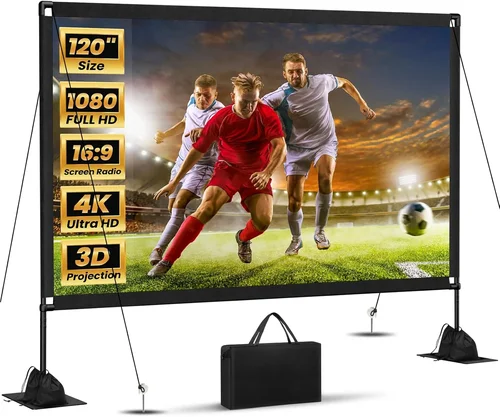
Expert Tips for Getting the Best Deal
- Timing is everything: New models launch in early spring; older inventory is discounted in late summer.
- Shop reputable retailers: Amazon, B&H, and Best Buy often have price‑match guarantees.
- Bundle with a projector: Some sellers offer a screen‑plus‑projector bundle that saves up to $100.
- Check for open‑box or refurbished: These units are usually in like‑new condition and come with full warranties.
- Read the fine print on returns: A 30‑day return window is essential for testing fit and tension.
- Test the screen flatness: When possible, unroll the screen in a well‑lit room and look for any ripples before finalizing the purchase.
- Consider future upgrades: Choose a screen size that leaves room for a larger projector or a higher‑resolution source down the line.

Frequently Asked Questions
Q: Do I need a motorized screen under $500?
A: Motorized options exist below $500, but they often sacrifice some build quality. If you value convenience and have a stable mounting surface, a motorized screen can be worth the extra cost. Otherwise, a manual pull‑down screen offers comparable image quality at a lower price.
Q: What gain is best for a bright living room?
A: For rooms with ambient light, a gray screen with a gain of 0.8‑1.0 helps preserve contrast. If you can control lighting, a matte white screen with a gain of 1.1‑1.2 provides a brighter image without washing out colors.
Q: Can I use a home‑theater screen for presentations?
A: Absolutely. Many screens are dual‑purpose, offering a neutral white surface that works well for both video and slide decks. Just ensure the screen size matches the typical viewing distance for presentations (usually 80‑100 inches).
Q: How do I mount a fixed‑frame screen safely?
A: Use a stud finder to locate wall studs, then secure the frame with heavy‑duty brackets and lag bolts. A level is essential to keep the screen perfectly vertical.
Q: Is a 16:9 screen always better than 4:3?
A: It depends on your content. Most modern movies and games are 16:9, so that aspect ratio is the safest bet. If you watch a lot of older TV shows or retro games, a 4:3 screen can reduce black bars.
Q: Will a gray screen work with a projector that has low brightness?
A: Gray screens reflect less light, so they require a brighter projector (2500 lumens or more) to maintain image brightness. Pair a gray screen with a high‑lumens projector for best results.
Q: How long should a projector screen last?
A: With proper care, a quality screen can last 5‑10 years. Avoid sharp objects, keep the screen clean with a soft, dry cloth, and retract it gently to prevent creases.
Q: Do I need a special screen for 4K projectors?
A: Not necessarily. Most 4K projectors work fine on a good matte white screen. However, a high‑gain or ALR screen can help showcase the extra detail in brighter environments.
Our Final Recommendations
- Best for Budget‑Conscious Buyers: VIVO 100‑Inch Manual Pull‑Down Gray Screen – Offers a 0.8 gain gray surface, sturdy steel frame, and easy installation for under $220.
- Best Overall Value: Elite Screens Spectrum Series 120‑Inch Fixed‑Frame Matte White – Features a tensioned 1.1 gain surface, aluminum frame, and a two‑year warranty at $389.
- Best Premium Option: Silver Ticket 100‑Inch Motorized ALR Screen – Ambient‑light rejection technology, remote control, and 1.0 gain for $479.
- Best for Beginners: PULU 84‑Inch Portable Tripod Screen – Quick set‑up, lightweight, and includes a tripod stand for $165.
- Best for Advanced Users: Screen Innovations 120‑Inch Fixed‑Frame Gray Screen – High‑contrast 0.9 gain gray surface, reinforced frame, and precision tensioning for $498.
Conclusion: Making the Right Choice
Finding the best projector screen under $500 boils down to matching your room’s lighting, your projector’s brightness, and your lifestyle preferences. By focusing on gain, viewing angle, build quality, and the right type of frame, you can secure a screen that elevates movies, games, and presentations without breaking the bank.
Take the time to measure your space, read a handful of user reviews, and consider whether you need portability or a permanent installation. With the recommendations and tips in this guide, you’re equipped to make a confident decision that will deliver crisp, vibrant images for years to come.
Ready to upgrade your viewing experience? Browse the models above, compare prices, and enjoy a cinema‑quality screen without exceeding $500.