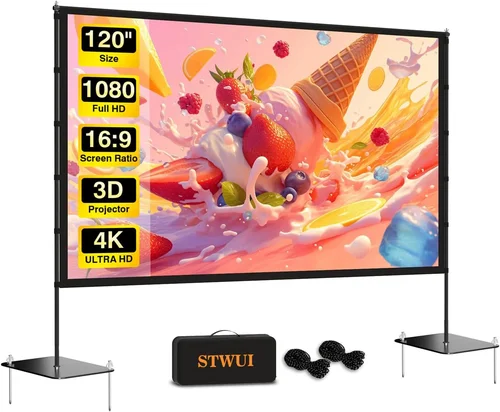
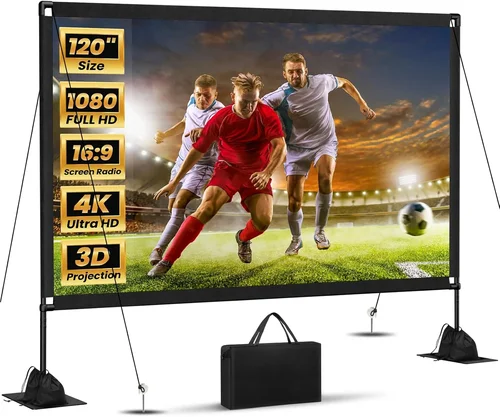
Choosing a projector screen that delivers a crisp, vibrant picture without breaking the bank can feel like navigating a maze. The market is flooded with options that promise cinema‑level performance, yet many of them sit well above the $500 mark. That’s why this guide zeroes in on the best projector screens for under $500 – a sweet spot where quality meets affordability.
In the pages that follow, you’ll discover the most important criteria to evaluate, the different screen types that fit a range of rooms, common pitfalls to sidestep, and a step‑by‑step budgeting roadmap. By the end, you’ll have a clear picture of which screen will give you the biggest bang for your buck, whether you’re setting up a home theater in a spare bedroom or a portable setup for backyard movie nights.
The projector‑screen landscape has evolved dramatically over the past few years. Advances in gain technology, matte‑white finishes, and tension‑mount systems have made it possible to snag a professional‑grade screen for a fraction of its former price. This guide reflects the latest 2026 models, user feedback, and industry benchmarks, ensuring you’re armed with up‑to‑date information before you click “add to cart.”

What to Look for When Buying Buying Guide
1. Budget & Price Range
While the headline says “under $500,” it’s helpful to break that range into sub‑tiers. An entry‑level screen around $150‑$250 often offers a basic matte‑white surface and a simple frame, whereas a $400‑$500 model may include a higher gain coating, a sturdier frame, or a portable, tensioned design. Knowing how much you’re willing to stretch determines which features become non‑negotiable and which can be compromised.
2. Performance Specifications
The performance of a screen is measured primarily by its gain and color accuracy. Gain indicates how much light the screen reflects; a 1.0 gain is neutral, 1.2‑1.5 is brighter (good for ambient light), and 0.8‑0.9 is darker (ideal for dark rooms). Also consider the screen’s Viewing Angle – a wider angle means the picture stays uniform even when you sit off‑center. Look for a screen that matches your projector’s lumen output and your room’s lighting conditions.
3. Build Quality & Durability
Even on a budget, a flimsy frame can lead to warping, creases, or premature wear. Aluminum or steel frames with reinforced corners provide long‑term stability. For pull‑down or portable screens, check that the roller mechanism is smooth and that the screen fabric resists stretching. A solid build ensures the screen stays flat, preserving image geometry.
4. Features & Functionality
Features that add convenience without inflating price include:
- Fixed‑Frame vs. Pull‑Down: Fixed frames stay taut and are best for permanent setups; pull‑down screens are portable and space‑saving.
- Acoustic Transparency: If you plan to place speakers behind the screen, a perforated acoustic‑transparent surface lets sound pass while maintaining picture quality.
- Black‑Back vs. White‑Back: Black‑back screens improve contrast in rooms with some ambient light, but they’re typically pricier.
5. Brand Reputation
Established brands such as Elite Screens, Silver Ticket, and VIVO have proven track records for delivering consistent quality. Newer entrants can surprise with innovation, but it’s wise to verify their warranty terms and read multiple user reviews before committing.
6. Warranty & Support
A solid warranty (at least 2‑years) protects you against manufacturing defects. Look for brands that offer easy return processes and responsive customer service. Some manufacturers even provide replacement fabric kits, which can extend the screen’s life considerably.
7. Size & Portability
Screen size is a function of both your projection distance and the room’s dimensions. Common home‑theater sizes range from 84” to 120”. For portable use, consider a 100” pull‑down screen that folds into a compact case. Remember that a larger screen demands more projector brightness to maintain image quality.
8. User Reviews & Ratings
Real‑world feedback reveals issues that specs sheets can’t. Look for recurring themes in reviews—such as “fabric creases after a few months” or “excellent brightness in daylight.” Prioritize screens with a high average rating (4 stars or above) and a substantial number of reviews.
Different Types of Buying Guide
Common Buying Mistakes to Avoid
❌ Mistake: Ignoring Ambient Light Conditions
Why it’s bad: Selecting a low‑gain screen for a bright living room will result in a washed‑out image, forcing you to crank up projector brightness and shorten lamp life.
What to do instead: Assess your room’s typical lighting. If you can’t control daylight, aim for a screen with a gain of 1.2‑1.5 or consider an ambient‑light‑rejecting (ALR) surface.
❌ Mistake: Oversizing the Screen for the Throw Distance
Why it’s bad: A screen that’s too large for your projector’s throw distance will appear dim and may suffer from focus issues.
What to do instead: Use your projector’s throw‑ratio chart to calculate the optimal screen width. Most manufacturers provide a simple calculator on their websites.
❌ Mistake: Skipping the Frame Quality Check
Why it’s bad: Cheap plastic frames can warp, causing the screen to ripple and distort the picture.
What to do instead: Look for aluminum or steel frames with reinforced corners. Even a modest price increase can dramatically improve longevity.
❌ Mistake: Forgetting About Speaker Placement
Why it’s bad: Placing rear speakers directly behind a non‑acoustic‑transparent screen blocks sound, leading to muffled audio.
What to do instead: Choose an acoustic‑transparent screen if you plan a 5.1 or 7.1 setup, or mount speakers on the ceiling or side walls.
❌ Mistake: Assuming All Matte White Screens Are the Same
Why it’s bad: Matte white fabrics differ in texture, gain, and durability. Some cheap options develop permanent creases after a few rolls.
What to do instead: Read product specifications for gain, material (PVC‑coated polyester is common), and user feedback on fabric resilience.
❌ Mistake: Overlooking Warranty Details
Why it’s bad: A screen that fails after six months may leave you with costly replacement options if the warranty is limited.
What to do instead: Prioritize screens offering at least a two‑year warranty and check if the manufacturer covers fabric defects and frame issues.
Budget Guidelines: How Much Should You Spend?
- Entry-Level ($150‑$250): Expect a basic fixed‑frame matte‑white screen, 1.0 gain, and a simple aluminum frame. Ideal for first‑time buyers or secondary rooms.
- Mid‑Range ($250‑$400): You’ll find higher‑gain fabrics (1.2‑1.3), reinforced frames, and optional pull‑down mechanisms. Some models include acoustic transparency.
- Premium ($400‑$500): This tier offers ALR or black‑back surfaces, superior tension systems, and robust warranty packages. Perfect for bright rooms or semi‑permanent installations.
- Luxury ($500+): While beyond the scope of this guide, luxury screens provide cinema‑grade gain control, motorized operation, and ultra‑thin profiles.
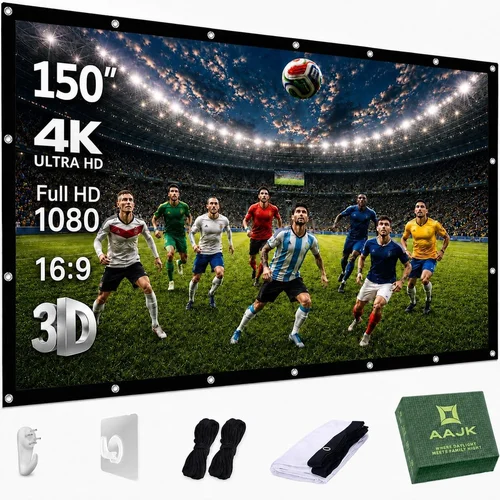
Expert Tips for Getting the Best Deal
- Timing is everything: Late summer is when manufacturers push older inventory to make room for new models. Look for “clearance” tags.
- Shop reputable retailers: Stores like B&H, Best Buy, and specialized AV shops often include extended warranties or bundle deals (e.g., screen + mounting brackets).
- Bundle with projector purchases: Some projector manufacturers offer a discount on compatible screens when bought together.
- Check return policies: A 30‑day return window lets you test the screen with your projector and ensure proper fit.
- Inspect the fabric on arrival: Look for any creases, discoloration, or frame warping before signing off on the delivery.
- Consider second‑hand: High‑quality screens like Elite Screens are built to last; gently used units can be found on eBay or local classifieds for a fraction of the price.
- DIY mounting: If you’re handy, purchasing a screen without a pre‑installed mount can save $30‑$50.

Frequently Asked Questions
Q: Do I need a motorized screen under $500?
A: Motorized mechanisms typically push the price above $500, especially for larger sizes. For most budget setups, a manual pull‑down or fixed frame offers comparable picture quality without the extra cost.
Q: How does screen gain affect my viewing experience?
A: Gain measures reflectivity. A 1.0 gain reflects the same amount of light that hits it, delivering accurate colors. Higher gain (1.2‑1.5) brightens the image in ambient light but can narrow the viewing angle. Choose based on room lighting and seating arrangement.
Q: Can I use a projector screen outdoors?
A: Yes, but look for a screen with a weather‑resistant frame and a matte‑white or ALR surface that can handle sunlight. Portable pull‑down screens with a sturdy frame are ideal for occasional backyard movies.
Q: What is the difference between black‑back and white‑back screens?
A: Black‑back screens have a dark backing that absorbs stray light, improving contrast in bright rooms. White‑back screens are cheaper and work well in dark environments but can suffer from washed‑out blacks when ambient light is present.
Q: Do I need acoustic‑transparent fabric for a 2.1 speaker setup?
A: Not necessarily. Acoustic‑transparent screens are most beneficial for full‑surround (5.1/7.1) systems where rear speakers sit directly behind the screen. For a 2.1 setup, placing speakers on either side of the screen works fine.
Q: How do I calculate the ideal screen size for my room?
A: A common rule is to multiply the viewing distance (in inches) by 0.84 for a 1080p projector, or 0.6 for a 4K projector. For example, if you sit 10 feet (120 inches) away, a 100‑inch diagonal screen works well for 1080p.
Q: Is it worth buying a screen with a higher gain if my projector is very bright?
A: If your projector outputs 3000+ lumens, a higher‑gain screen can help maintain vivid colors in well‑lit rooms. However, be mindful of the narrower viewing angle that comes with higher gain.
Q: Will a cheap screen affect my projector’s warranty?
A: No. The projector’s warranty is independent of the screen. However, using an incompatible screen (e.g., too low gain for a high‑lumens projector) may reduce perceived performance, which some users mistakenly attribute to the projector.
Our Final Recommendations
- Best for Budget‑Conscious Buyers: VIVO 100‑Inch Pull‑Down Projector Screen – $179. Offers a 1.1 gain matte‑white surface, sturdy aluminum frame, and easy ceiling mounting.
- Best Overall Value: Elite Screens Sable Frame 120‑Inch – $329. Fixed‑frame with 1.2 gain, tensioned PVC‑coated fabric, and a sleek black border that hides imperfections.
- Best Premium Option (under $500): Silver Ticket 120‑Inch Acoustic‑Transparent Screen – $449. Provides 1.0 gain, 95% acoustic transparency, and a robust steel frame—perfect for 5.1 setups.
- Best for Beginners: ProjectorScreen.com 84‑Inch Fixed Frame – $199. Simple assembly, decent gain, and a friendly price point for first‑time home‑theater owners.
- Best for Advanced Users: JWS PL‑120‑ALR 120‑Inch Ambient Light Rejecting – $489. Black‑back ALR surface delivers deep blacks even with daylight, and the frame includes a motorized tilt for fine‑tuning.
Conclusion: Making the Right Choice
Investing in a quality projector screen under $500 doesn’t mean you have to settle for subpar performance. By understanding your room’s lighting, projector’s brightness, and desired screen size, you can pinpoint a screen that maximizes image fidelity while staying within budget. Remember to evaluate gain, frame construction, and any extra features such as acoustic transparency or ambient‑light rejection.
Take the time to read user reviews, verify warranty coverage, and compare specifications across the categories outlined above. With the right screen, your home‑theater experience will feel cinematic without the premium price tag. Ready to upgrade? Browse the recommended models, apply the pro‑tips to snag the best deal, and enjoy movie nights that rival the theater.