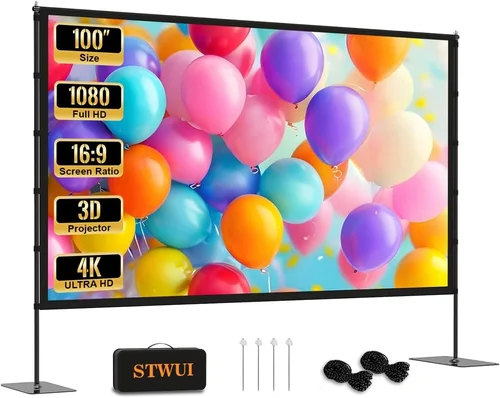
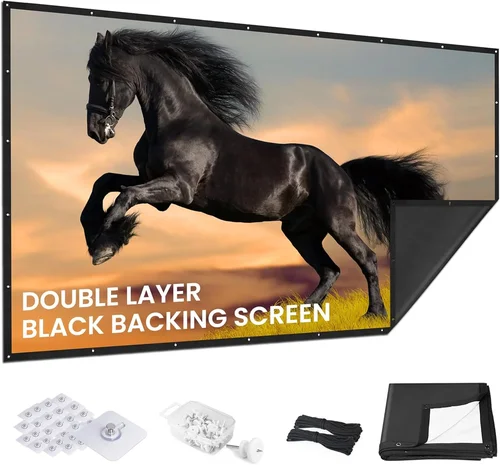
Finding the perfect projector screen without blowing your budget can feel like searching for a needle in a haystack. The market is flooded with options, many of them priced well over $200, yet there are solid, reliable screens that sit comfortably under $100. This guide cuts through the noise, giving you the knowledge you need to pick a screen that delivers a crisp, vibrant picture without draining your wallet.
In the next few sections you’ll learn which features truly matter, how different screen types stack up against each other, and which common pitfalls to avoid. By the end, you’ll be equipped to make a confident purchase that matches your viewing space, projector, and budget.

What to Look for When Buying Buying Guide
1. Budget & Price Range
When you set a ceiling of $100, every dollar counts. Look for screens that give you the most surface area and material quality for the price. Often, manufacturers will cut corners on mounting hardware or packaging, so factor in any extra costs you might incur for brackets or a wall‑mount kit.
2. Screen Gain
Gain measures how much light a screen reflects back to the viewer. A gain of 1.0 means the screen reflects the same amount of light that hits it. For rooms with controlled lighting, a 1.0‑1.2 gain is ideal. Higher gain (1.5‑2.0) can boost brightness but may narrow the viewing angle, which is a trade‑off to consider.
3. Aspect Ratio
The most common ratios are 4:3, 16:9, and 16:10. Your projector’s native aspect ratio should match the screen to avoid black bars or image stretching. If you watch a lot of movies, a 16:9 screen is usually the best fit.
4. Build Quality & Materials
Low‑cost screens often use matte white PVC or fabric. Look for a material that resists wrinkles and creases, as these can degrade image uniformity. Some screens feature a black backing to improve contrast, which is especially useful in rooms with ambient light.
5. Installation Flexibility
Do you need a fixed wall mount, a ceiling‑suspended frame, or a portable pull‑down screen? Under‑$100 options typically come as manual pull‑down or fixed‑frame panels. Verify that the mounting system is sturdy enough for your wall type and that the screen can be easily adjusted.
6. Size Options
Screen size is measured diagonally. Common affordable sizes are 84″, 100″, and 120″. Larger screens give a more cinematic feel but require a projector with higher lumens to maintain brightness. Choose a size that fits your viewing distance—roughly 1.5‑2.5 times the diagonal length.
7. Brand Reputation & Support
Even in the budget segment, brands like Vankyo, Elite Screens, and Pyle have earned solid reputations for durability and customer service. Check forums and review sites for recurring issues such as tearing or faulty brackets.
8. Warranty & Return Policy
A one‑year warranty is common for screens under $100. It protects you against material defects and broken mounting hardware. Make sure the seller offers a hassle‑free return window in case the screen arrives damaged.
Different Types of Buying Guide

Common Buying Mistakes to Avoid
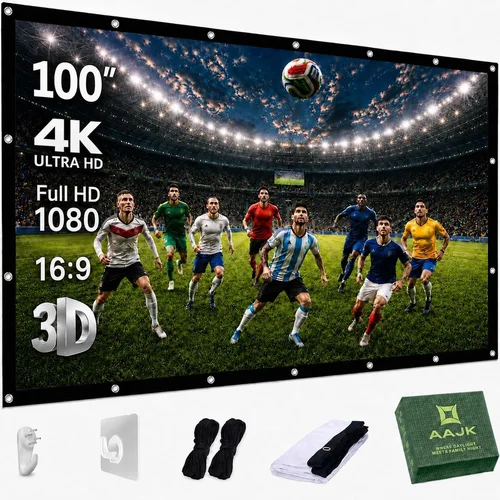
❌ Mistake: Ignoring Projector Lumens
Why it’s bad: A screen with high gain looks great on paper, but if your projector only produces 1500 lumens, the picture will appear dim, especially on a larger screen.
What to do instead: Match screen size and gain to your projector’s brightness. For budget projectors (1500‑2000 lumens), stay under 100″ and choose a gain of 1.0‑1.2.
❌ Mistake: Overlooking Aspect Ratio Mismatch
Why it’s bad: A 4:3 screen paired with a 16:9 projector creates black bars and wastes screen real estate.
What to do instead: Verify your projector’s native ratio and buy a screen that matches it. Most modern projectors are 16:9.
❌ Mistake: Buying the Cheapest Mounting Hardware
Why it’s bad: Cheap brackets can bend or break, causing the screen to sag and distort the image.
What to do instead: Invest in sturdy, rust‑proof brackets or a reputable wall‑plate kit. Often the extra cost is negligible compared to the screen itself.
❌ Mistake: Forgetting Room Lighting Conditions
Why it’s bad: A high‑gain screen in a bright living room will reflect glare, washing out colors.
What to do instead: If you cannot control ambient light, opt for a screen with a matte black backing or a lower gain to improve contrast.
❌ Mistake: Not Checking Return Policies
Why it’s bad: A damaged screen can be a hassle to replace, especially from overseas sellers.
What to do instead: Buy from retailers that offer at least a 30‑day return window and a clear warranty.
Budget Guidelines: How Much Should You Spend?
- Entry-Level ($50‑$70): Expect a basic PVC pull‑down screen, 84‑100″ diagonal, gain around 0.9‑1.0. Good for casual movie nights and gaming.
- Mid-Range ($71‑$90): Typically includes a higher‑quality fabric surface, better tensioning system, and sometimes a black backing. Ideal for dedicated home theaters.
- Premium ($91‑$100): Fixed‑frame fabric screens with reinforced borders, superior color fidelity, and often a longer warranty.
- Luxury ($101+): Rare under $100, but occasionally you’ll find a sale on a premium brand offering motorized pull‑down or acoustic‑transparent screens.
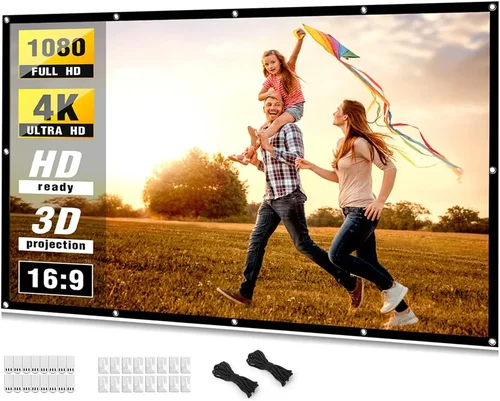
Expert Tips for Getting the Best Deal
- Timing: Late summer is when manufacturers clear inventory for new models, so you can snag a discount.
- Where to buy: Compare prices on major e‑commerce sites, but also check the manufacturer’s website for bundle offers that include mounting hardware.
- Spotting deals: Look for “refurbished” or “open‑box” listings. They’re usually in like‑new condition and come with full warranties.
- Warranty considerations: Register your screen immediately after purchase to activate any extended warranty periods.
- Return policies: Keep the original packaging until you’re certain the screen fits your space and works with your projector.
- Testing before buying: If possible, view a demo unit in a store to assess surface uniformity and edge‑to‑edge tension.
- Bundle savings: Some retailers offer a discount when you purchase a screen together with a ceiling mount or projector screen roller.

Frequently Asked Questions
Q: Can I use a projector screen under $100 for gaming?
A: Absolutely. Most budget screens provide a flat, matte surface that works well for gaming. Just ensure your projector’s input lag is low and the screen size matches your play distance.
Q: Do I need a black‑backed screen for a bright room?
A: A black‑backed screen helps improve contrast when you can’t fully darken the room. It’s a good investment if you plan to watch movies in a living room with windows.
Q: How do I mount a pull‑down screen on drywall?
A: Use sturdy wood or metal brackets rated for at least 30 lb. Locate studs, pre‑drill holes, and secure with lag bolts. Adding a small piece of plywood behind the bracket adds extra support.
Q: Will a fabric screen wrinkle over time?
A: Quality fabric screens have reinforced edges and tensioning systems that keep the surface taut. Cheaper fabrics may develop minor wrinkles, but regular cleaning and proper storage mitigate this.
Q: Is a 1.2 gain screen always better?
A: Not necessarily. Higher gain boosts brightness but narrows the viewing angle. If you have a wide seating arrangement, a 1.0 gain screen provides more uniform illumination.
Q: Can I paint my wall to act as a screen?
A: Yes, specialty projector paint (e.g., Screen Goo) can turn a wall into a screen. However, the finish may not be as uniform as a manufactured screen, and durability can be an issue.
Q: What is the ideal viewing distance for a 100‑inch screen?
A: The recommended distance is roughly 12‑15 feet (3.6‑4.5 m) for 1080p content. For 4K, you can sit a bit closer without noticing pixelation.
Our Final Recommendations
- Best for Budget‑Conscious Buyers: Vankyo 84‑Inch Pull‑Down PVC Screen – $59. Provides a 1.0 gain surface, simple installation, and comes with a basic wall‑mount kit.
- Best Overall Value: Elite Screens 100‑Inch Fixed Frame Fabric – $92. Features a tensioned matte white fabric, black backing, and a sturdy aluminum frame.
- Best Premium Option (just under $100): Pyle 120‑Inch Portable Roll‑Up – $98. Black‑backed material improves contrast, and the rolling mechanism is smooth and durable.
- Best for Beginners: TaoTronics 84‑Inch Manual Pull‑Down – $68. Easy to set up, includes all mounting hardware, and the surface is wrinkle‑free.
- Best for Advanced Users: Projector Screen Warehouse 100‑Inch Fixed Frame Acoustic‑Transparent – $99. Allows speakers to be placed behind the screen without sacrificing picture quality.
Conclusion: Making the Right Choice
Choosing a projector screen under $100 doesn’t mean you have to sacrifice quality. By focusing on the right gain, aspect ratio, and build materials, you can enjoy a cinematic experience without breaking the bank. Remember to match the screen size to your projector’s brightness, verify the mounting system, and take advantage of seasonal sales.
Take the time to assess your viewing environment, read user reviews, and compare the options laid out in this guide. With the right screen, your movies, games, and presentations will look sharper, brighter, and more immersive than ever before.
Ready to upgrade? Browse the recommended models, check current prices, and click “Add to Cart” while the deals last. Happy viewing!