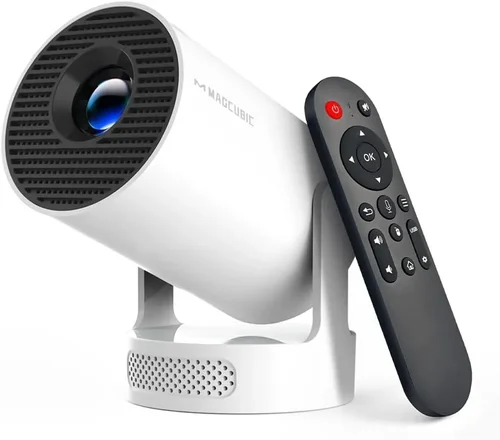
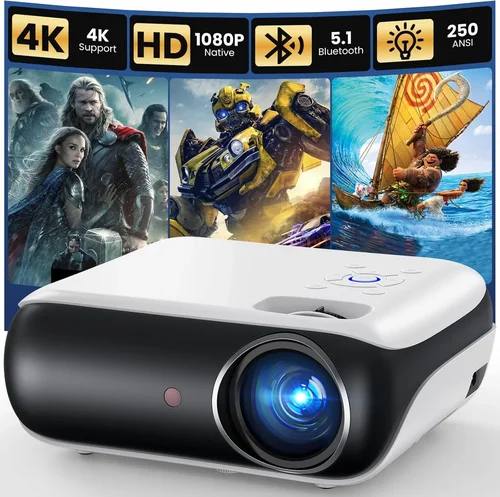
Choosing a projector that costs less than $300 can feel like hunting for a needle in a haystack. The market is crowded, specs are often confusing, and the line between “good enough” and “disappointing” is razor‑thin. That’s why we created this guide – to cut through the noise, translate technical jargon into everyday language, and help you walk away with a device that truly fits your lifestyle.
In the pages that follow you’ll learn how to evaluate brightness, resolution, and connectivity without needing an engineering degree. We’ll compare the main projector families, flag the most common buyer’s mistakes, and lay out a clear budget roadmap. By the end, you’ll know exactly which models deserve a spot on your shopping list and how to secure the best possible price.
The budget‑friendly projector segment has matured dramatically over the past few years. Advances in LED and laser light sources, plus smarter chipsets, mean you can now enjoy crisp 1080p‑class images, low fan noise, and wireless streaming—all for under $300. Yet not every “budget” model delivers the same value. Understanding the trade‑offs is the key to making an informed purchase.

What to Look for When Buying Buying Guide
1. Budget & Price Range
Even within the sub‑$300 bracket there is a wide price spread. A $120 unit will likely compromise on brightness and may lack essential ports, while a $280 model often includes a more robust lamp, better contrast, and added features like Bluetooth audio. Start by setting a hard ceiling, then decide which features you’re willing to sacrifice. Remember, a lower price tag can sometimes be offset by cheaper accessories (screen, cables) that you’ll need anyway.
2. Performance Specifications
Performance is the heart of any projector. Focus on three core specs:
- Brightness (lumens): For dimly lit rooms, 1,500–2,000 ANSI lumens is sufficient. If you plan to use the projector in a living room with some ambient light, aim for 2,200+ lumens.
- Resolution: Native 1080p (1920×1080) is rare under $300, but many models use a 720p panel with “Full HD” upscaling. For crisp text and movies, prioritize native 720p or higher.
- Contrast Ratio: A higher contrast ratio means deeper blacks and more vivid colors. Look for at least 2,000:1; anything lower will look washed out.
3. Build Quality & Durability
Cheap plastics can warp, and low‑quality fans can become noisy after a few months. Check for a solid chassis, reinforced lens housing, and a fan that operates below 30 dB. If possible, read long‑term user reviews that mention heat management and overall durability.
4. Features & Functionality
Modern projectors pack a lot of convenience tools. Consider the following:
- Connectivity: HDMI is a must; USB‑C, VGA, and AV inputs add flexibility.
- Wireless Options: Built‑in Wi‑Fi or Miracast lets you stream from phones and laptops without cables.
- Built‑in Speakers: While most budget units have modest 2 W speakers, they’re handy for casual movie nights.
- Keystone Correction & Lens Shift: These features simplify setup on non‑ideal surfaces.
5. Brand Reputation
Brands that have a history of projector manufacturing (Epson, BenQ, ViewSonic) often provide more reliable firmware updates and better after‑sales support. Newer entrants can offer aggressive pricing, but weigh this against the availability of spare parts and community troubleshooting.
6. Warranty & Support
A solid warranty (minimum 1‑year) is a safety net against early failures. Look for manufacturers that cover the lamp/LED, and check if they have a local service center. Extended warranties are sometimes worth the extra cost if you plan heavy usage.
7. Size & Portability
If you need a projector for travel, camping, or rotating between rooms, size and weight matter. Mini‑projectors under 1 kg are easy to slip into a backpack, but they often sacrifice brightness. Larger “home theater” units deliver more lumens but require a stable surface.
8. User Reviews & Ratings
Aggregated ratings on sites like Amazon, Best Buy, and specialist forums give a real‑world snapshot. Pay attention to recurring complaints (e.g., overheating, remote lag) rather than isolated negative reviews.
Different Types of Buying Guide

Common Buying Mistakes to Avoid
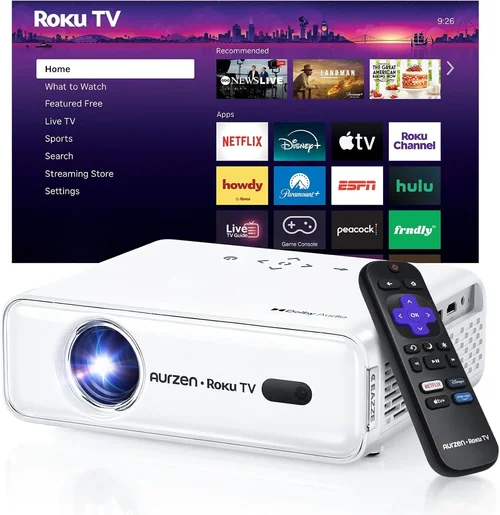
❌ Mistake: Ignoring Ambient Light Conditions
Why it’s bad: A projector rated at 1,500 lumens will look brilliant in a dark home theater but will appear dim in a living room with windows.
What to do instead: Measure the typical lighting in your intended space. If you cannot control ambient light, target at least 2,200 lumens and consider a short‑throw model that can sit closer to the screen.
❌ Mistake: Over‑focusing on Resolution Alone
Why it’s bad: A 1080p panel with poor contrast can look worse than a 720p unit with deep blacks.
What to do instead: Balance resolution with brightness and contrast. For movies, contrast matters more; for presentations, crisp text (resolution) is key.
❌ Mistake: Forgetting About Throw Distance
Why it’s bad: Placing a long‑throw projector too close results in a blurry, oversized image.
What to do instead: Check the throw ratio (e.g., 1.2:1). Use an online calculator to determine the optimal distance for a 100‑inch screen.
❌ Mistake: Assuming All HDMI Ports Are Equal
Why it’s bad: Some budget projectors only support HDMI 1.4, limiting 4K input and HDR.
What to do instead: Verify the HDMI version. HDMI 2.0 or higher is ideal for future‑proofing, even if you currently use 1080p sources.
❌ Mistake: Skipping the Fan Noise Test
Why it’s bad: A noisy fan can ruin movie immersion and distract during presentations.
What to do instead: Look for fan noise specs (dB). Under 30 dB is generally acceptable for indoor use.
❌ Mistake: Not Accounting for Lamp/LED Lifespan
Why it’s bad: Replacing a lamp can cost $80‑$120, eroding the savings of a cheap unit.
What to do instead: Prefer LED or laser light sources, which often last 20,000+ hours and rarely need replacement.
Budget Guidelines: How Much Should You Spend?
Entry‑Level ($120‑$180): Expect 1,200–1,800 lumens, native 720p, basic HDMI, and minimal keystone correction. Great for casual movie nights in a dark room or backyard camping.
Mid‑Range ($181‑$250): Brightness climbs to 2,200–2,800 lumens, contrast improves, and you’ll often find built‑in speakers plus wireless casting. This tier balances performance and price for most households.
Premium ($251‑$300): Look for hybrid laser‑LED light engines, higher contrast ratios (3,000:1+), and advanced features like lens shift and dual‑mode HDMI. Ideal for gaming and small home‑theater setups.
Luxury ($301+): While outside our primary focus, these models deliver true 1080p or 4K resolution, HDR support, and professional‑grade optics. Consider only if your budget can stretch.
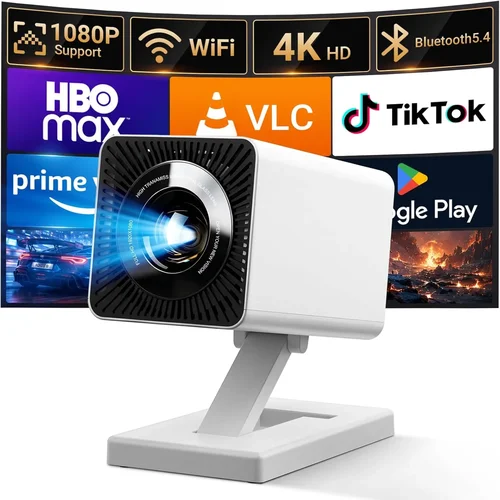
Expert Tips for Getting the Best Deal
- Timing: Late summer (July‑August) often sees inventory clearance as manufacturers prepare new models for the holiday season.
- Where to Buy: Compare big‑box stores (Best Buy, Walmart) with online marketplaces (Amazon, Newegg). Online often offers better bundles (screen + HDMI cable).
- Spotting Deals: Look for “refurbished” units with manufacturer warranties—these can be 15‑30% cheaper.
- Warranty Considerations: Register your product within 30 days to unlock extended support or free lamp replacements.
- Return Policies: Choose retailers with a 30‑day hassle‑free return window; you’ll need time to test brightness in your own environment.
- Testing Before Buying: If possible, view a demo in a store. Bring a smartphone with a video to compare image quality on the spot.
- Bundle Savings: Some sellers include a 100‑inch screen or a portable tripod for free—evaluate if you truly need those accessories.

Frequently Asked Questions
Q: Can a $300 projector replace a TV for everyday watching?
A: Yes, if you control ambient light and use a suitable screen. Brightness above 2,200 lumens and a contrast ratio of 2,500:1 will give a picture comparable to a mid‑range TV, especially for movies and sports.
Q: Do I need a separate sound system?
A: Built‑in speakers are adequate for casual viewing, but for immersive experiences consider a soundbar or Bluetooth headphones. Most budget projectors support Bluetooth audio.
Q: How long does an LED lamp last?
A: LED light sources typically last 20,000‑30,000 hours, which translates to 5‑7 years of daily 3‑hour use before any noticeable dimming.
Q: Is keystone correction essential?
A: It simplifies setup on non‑perfectly square walls. However, digital keystone can reduce image sharpness slightly. If you can position the projector squarely, you may turn it off for the best picture.
Q: Will a projector work with a gaming console?
A: Absolutely. Look for HDMI 2.0, low input lag (<30 ms), and a refresh rate of at least 60 Hz. Some models even advertise “Game Mode” to enhance performance.
Q: What screen size is realistic for a $250 projector?
A: With 2,500 lumens you can comfortably project a 100‑inch (16:9) image in a dimly lit room. Larger screens require higher brightness or a darker environment.
Q: Are there any safety concerns with projector heat?
A: Modern budget projectors include thermal protection that shuts down the unit if temperatures exceed safe limits. Ensure adequate ventilation and avoid placing the projector on soft surfaces.
Our Final Recommendations
Best for Budget‑Conscious Buyers: ViewSonic M1 Mini Plus – $149. Compact LED design, 500 lumens, built‑in Harman Kardon speakers, and wireless casting. Ideal for dorm rooms and travel.
Best Overall Value: Epson VS260 – $229. 3,200 lumens, 720p native resolution, HDMI + VGA, and a solid lamp life of 5,000 hours. Delivers bright images for both movies and presentations.
Best Premium Option: BenQ TH585 – $299. 3,500 lumens, 720p, low input lag (16 ms), and dedicated Game Mode. Perfect for gamers who want a large‑screen experience without breaking the bank.
Best for Beginners: Anker Nebula Capsule II – $279. Android TV OS, 720p, 200 lumens, and a built‑in battery for up to 2.5 hours of unplugged use. Plug‑and‑play simplicity.
Best for Advanced Users: Optoma GT1080e – $299. Short‑throw 1080p, 3,800 lumens, and a robust 3‑year warranty. Allows placement close to the wall while delivering a massive image.
Conclusion: Making the Right Choice
Finding the best projector under $300 boils down to matching your environment, usage habits, and feature priorities with the specifications that truly matter. Start by defining your lighting conditions, then balance brightness, resolution, and connectivity. Avoid common pitfalls like ignoring ambient light or overlooking lamp lifespan, and use the budgeting and buying‑tip sections to stretch every dollar.
Remember, the “best” projector isn’t the one with the highest lumens alone—it’s the one that fits seamlessly into your daily routine and delivers a satisfying viewing experience. Use the recommendations above as a launchpad, test a few models if you can, and you’ll be set for countless movie nights, game sessions, and presentations without overspending.
Ready to upgrade your home entertainment? Browse the models we highlighted, compare prices, and enjoy the big‑screen feeling without breaking the bank.