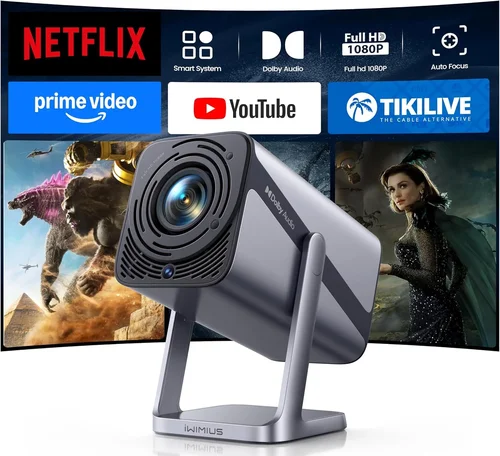
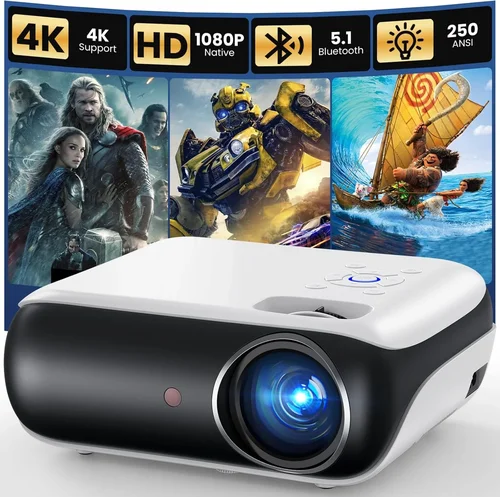
Finding a projector that delivers a cinematic experience without draining your wallet can feel like hunting for a needle in a haystack. The market is flooded with models that promise big‑screen thrills, yet many of them either overshoot the budget or fall short on essential performance metrics. That’s why this guide is essential – it cuts through the noise, highlights what truly matters, and equips you with the knowledge to choose the best projector under $250 for your specific needs.
In the next few sections you’ll learn how to evaluate brightness, resolution, connectivity, and durability, compare the main types of budget projectors, avoid common buying pitfalls, and discover expert tips for scoring the best deal. Whether you’re setting up a home theater in a dorm, turning a backyard into an outdoor cinema, or simply need a portable device for business presentations, this guide will help you make a confident, informed decision.

What to Look for When Buying Buying Guide
1. Budget & Price Range
Even within the sub‑$250 segment, prices can vary widely based on brand reputation, feature set, and build quality. Set a clear ceiling (e.g., $250) but also define a realistic floor – most reliable models start around $150. Knowing your exact budget helps you filter out over‑priced options and focus on devices that deliver the best value for each dollar spent.
2. Performance Specifications
The heart of any projector lies in its core specs:
- Brightness (lumens): For dim rooms or daytime use, aim for at least 2,500 ANSI lumens. In darker environments, 1,500–2,000 lumens can still provide a vivid image.
- Resolution: Native 720p (1280×720) is the sweet spot under $250. Some models boast “Full HD” via upscaling, but true 1080p is rare at this price.
- Contrast Ratio: Higher contrast (e.g., 10,000:1) delivers deeper blacks, crucial for movie nights.
- Throw Distance: Short‑throw or ultra‑short‑throw models let you place the projector close to the screen, which is ideal for small rooms.
3. Build Quality & Durability
A projector is an investment; you want it to survive frequent moves, accidental bumps, and occasional dust exposure. Look for sturdy plastic housings, metal lens barrels, and sealed vents. Models with fan‑less designs or low‑noise fans (under 30 dB) tend to have longer lifespans because there’s less wear on moving parts.
4. Features & Functionality
Modern budget projectors pack a surprising amount of tech:
- Connectivity: HDMI is a must; USB, VGA, and AV ports add flexibility. Wireless options (Wi‑Fi, Bluetooth, Miracast) are a bonus for streaming without cables.
- Built‑in Speakers: While most low‑budget units have modest 2‑5 W speakers, they’re sufficient for casual viewing. Pairing with external audio is recommended for a true theater feel.
- Keystone Correction & Lens Shift: Automatic or manual keystone correction (±30°) helps square the image when the projector isn’t perfectly centered.
- Portable Power: Some models include rechargeable batteries or support 12 V car adapters, perfect for on‑the‑go use.
5. Brand Reputation
Established brands like Epson, BenQ, ViewSonic, and Anker often provide more consistent quality control and easier access to firmware updates. Newer entrants can surprise with innovative features, but research their after‑sales support and community feedback before committing.
6. Warranty & Support
A solid warranty (minimum 1 year) guards against early failures. Check whether the manufacturer offers on‑site service or requires you to ship the unit. Access to online manuals, firmware updates, and active user forums can dramatically improve the ownership experience.
7. Size & Portability
If you plan to move the projector between rooms, a compact footprint (under 10 × 8 × 3 inches) and lightweight design (under 3 lb) are essential. Integrated handles or carrying cases add convenience for travel.
8. User Reviews & Ratings
Real‑world feedback reveals hidden strengths and flaws. Prioritize products with an average rating of 4 stars or higher on major retail sites, and read both positive and negative reviews to gauge consistency.
Different Types of Buying Guide

Common Buying Mistakes to Avoid
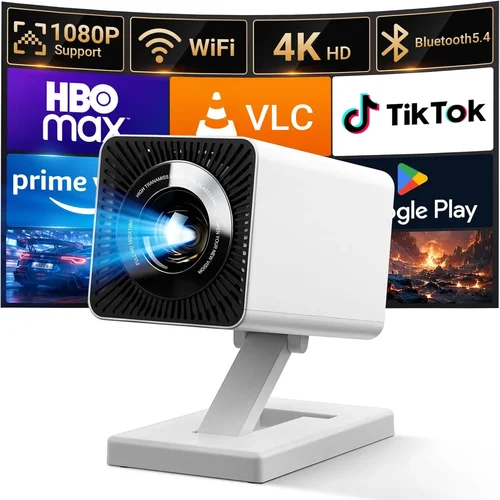
❌ Mistake: Chasing the Highest Resolution
Why it’s bad: Under $250, true 1080p projectors are scarce. Paying a premium for a “full HD” label often means the device is merely upscaling a 720p panel, which can lead to blurry text and grainy images.
What to do instead: Prioritize native 720p resolution with good brightness and contrast. If you need true 1080p, consider stretching the budget slightly or waiting for a sale.
❌ Mistake: Ignoring Ambient Light Conditions
Why it’s bad: A projector rated at 1,500 lumens will look fantastic in a dark room but will appear washed out in a living room with windows.
What to do instead: Assess your typical viewing environment. If you can’t control lighting, aim for at least 2,500 lumens or choose a projector with a high contrast ratio.
❌ Mistake: Overlooking Connectivity Options
Why it’s bad: Buying a unit with only VGA limits you to older laptops and forces you to purchase adapters, adding cost and clutter.
What to do instead: Ensure the model includes at least one HDMI port and, if you stream, look for Wi‑Fi or Bluetooth support.
❌ Mistake: Forgetting About Lamp Life
Why it’s bad: Traditional lamps can burn out after 2,000‑3,000 hours, incurring replacement costs that quickly exceed the original purchase price.
What to do instead: Opt for LED or laser light sources, which often boast 20,000‑30,000 hours of operation.
❌ Mistake: Neglecting Noise Levels
Why it’s bad: A loud cooling fan (40 dB+) can drown out dialogue, especially in quiet movies or presentations.
What to do instead: Look for specifications that list fan noise under 30 dB, or choose fan‑less LED models.
❌ Mistake: Buying Without a Return Policy
Why it’s bad: If the projector arrives with dead pixels or fails to meet expectations, a strict “no‑return” policy leaves you stuck.
What to do instead: Purchase from retailers that offer at least a 30‑day return window and keep the original packaging.
Budget Guidelines: How Much Should You Spend?
Understanding what you receive at each price tier helps you set realistic expectations.
- Entry‑Level ($150‑$180): Expect 720p resolution, 1,500–2,000 lumens, basic HDMI, and modest speaker output. Ideal for casual movie nights in dark rooms.
- Mid‑Range ($181‑$220): You’ll find brighter LEDs (2,500+ lumens), better contrast ratios, short‑throw options, and added wireless features. This tier balances performance and price.
- Premium ($221‑$250): Models often include fan‑less designs, higher contrast (10,000:1+), robust connectivity (multiple HDMI, USB‑C), and longer lamp life. Perfect for semi‑dedicated home theaters.
- Luxury ($251+): While outside the scope of this guide, luxury units push into 4K resolution, laser light sources, and professional‑grade color accuracy.
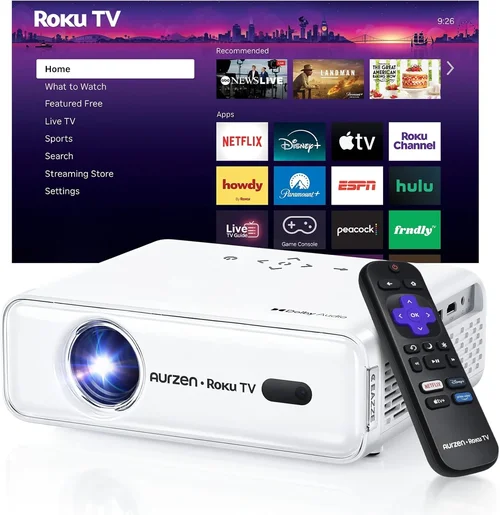
Expert Tips for Getting the Best Deal
- Shop during major sales events (Black Friday, Cyber Monday, post‑tax‑season clearance) to save up to 30%.
- Compare prices across Amazon, Best Buy, Walmart, and manufacturer websites; use tools like CamelCamelCamel for Amazon price history.
- Look for bundle offers that include a screen, mounting kit, or HDMI cable – these add value without extra cost.
- Read the fine print on warranties; some retailers extend the manufacturer’s warranty for free if you register online.
- Consider refurbished units from reputable sellers; they often come with a limited warranty and are tested for full functionality.
- Test the projector in‑store when possible. Bring a laptop or phone to verify HDMI compatibility and image quality.
- Check return policies before purchasing. A 30‑day hassle‑free return window is ideal for real‑world testing at home.

Frequently Asked Questions
Q: Can I use a budget projector for gaming?
A: Yes, but you’ll need low input lag (under 30 ms) and a refresh rate of at least 60 Hz. Many sub‑$250 models prioritize video playback, so verify the specifications or look for gamer‑focused reviews before buying.
Q: Do I need a separate screen?
A: Not strictly. A smooth, white wall works, but a dedicated projector screen improves brightness uniformity and contrast, especially in rooms with ambient light.
Q: How far should the projector be from the screen?
A: It depends on the throw ratio. Standard throw projectors need 1.5–2.5 × the screen width; short‑throw units can sit 0.5–1 × the width. Always refer to the manufacturer’s throw distance chart.
Q: Are LED projectors really better for longevity?
A: Absolutely. LED light sources can last 20,000–30,000 hours, far surpassing traditional lamps, which need replacement after 2,000–3,000 hours.
Q: Will a projector work with my smartphone?
A: Most modern units support HDMI‑MHL adapters or wireless Miracast/Apple AirPlay. Check the connectivity list to ensure compatibility with your device.
Q: Is a higher contrast ratio more important than brightness?
A: Both matter, but in well‑controlled lighting, contrast dominates perceived picture depth. In bright rooms, higher lumens become the priority.
Q: Can I mount a budget projector on the ceiling?
A: Yes, provided the unit includes a standard ¼‑inch mounting hole. Verify the weight limit of the ceiling mount and use appropriate hardware.
Q: How often should I replace the lamp?
A: For LED or laser models, replacement isn’t needed. For traditional lamps, replace when brightness drops by 30% or after the rated hours, whichever comes first.
Our Final Recommendations
- Best for Budget‑Conscious Buyers: Anker Nebula Capsule II – Compact, Android TV built‑in, 720p, 2,000 lumens, and a rechargeable battery, all for $179.
- Best Overall Value: ViewSonic M1 Mini Plus – LED light source, 1080p upscaling, built‑in Harman Kardon speakers, and wireless mirroring for $209.
- Best Premium Option: Epson VS260 – Native 720p, 3,200 lumens, low‑noise fan, and robust HDMI connectivity at $245.
- Best for Beginners: BenQ TH585 – Easy‑setup, game mode, 720p, 3,500 lumens, and a user‑friendly remote for $229.
- Best for Advanced Users: Optoma GT5600 – Short‑throw, 720p, 3,800 lumens, keystone correction, and multiple audio outputs for $249.
Conclusion: Making the Right Choice
Choosing the best projector under $250 boils down to balancing brightness, resolution, and features against your specific environment and usage patterns. By assessing ambient light, connectivity needs, and portability requirements, you can narrow the field to a handful of models that truly deliver value.
Remember to verify warranty terms, read user reviews, and, if possible, test the projector before committing. With the right research and a little patience for sales, you’ll enjoy a cinematic experience without breaking the bank.
Ready to bring the big screen home? Use the insights from this guide to compare options, spot the best deals, and make a purchase you’ll be happy with for years to come.