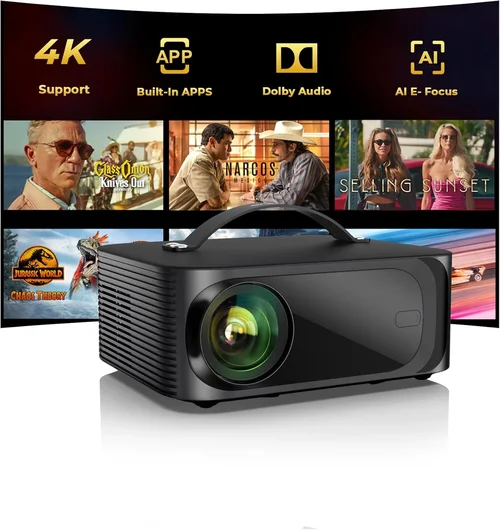
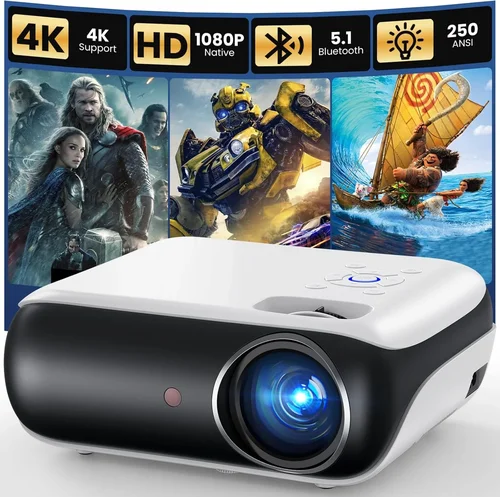
Choosing a projector for home‑movie nights can feel like navigating a maze of specs, prices, and brand promises. With a budget of under $500, the market is crowded with options that range from basic, throw‑away units to surprisingly capable cinema‑grade machines. This guide cuts through the noise, giving you a clear, step‑by‑step roadmap so you can pick a projector that delivers big‑screen thrills without breaking the bank.
In the pages that follow you will learn which technical specs truly matter for movies, how to match a projector to your viewing environment, and which models consistently earn top marks from experts and everyday users alike. By the end, you’ll be equipped to make a confident purchase that turns any room into a personal theater.

What to Look for When Buying Buying Guide
1. Budget & Price Range
Even within the sub‑$500 segment, prices can vary dramatically based on resolution, lamp life, and added features. Set a firm ceiling—say $450—to leave room for accessories like a screen or mounting hardware. Remember that “cheapest” does not always mean “best value.” A slightly higher upfront cost can translate into lower long‑term expenses if the lamp lasts longer or the unit includes better warranty coverage.
2. Performance Specifications
The heart of any projector lies in its brightness, contrast ratio, and resolution. For movies, aim for at least 2,500 lumens (ANSI) if you plan to use the projector in a dimly lit living room; brighter rooms may require 3,000 lumens or more. A contrast ratio of 10,000:1 or higher ensures deep blacks and vibrant colors—crucial for cinematic immersion. While true 1080p is rare under $500, a native 720p panel with good upscaling can still deliver crisp images when paired with a quality screen.
3. Build Quality & Durability
Projectors are mechanical devices with moving parts (lamp, cooling fans). Look for a solid chassis, preferably metal or high‑grade polycarbonate, and read user reviews for signs of overheating or premature lamp failure. Models that offer sealed optics or dust‑proof designs tend to hold up better over years of use.
4. Features & Functionality
Modern projectors pack a lot of convenience tools: built‑in speakers, HDMI‑ARC, USB playback, wireless screen mirroring, and keystone correction. For movie lovers, HDMI 2.0 (or higher) is essential for 4K‑compatible sources, even if the projector itself is 720p. Auto‑keystone and lens shift make installation easier, while a decent built‑in speaker can be a handy backup if you don’t have a sound system.
5. Brand Reputation
Brands that specialize in home entertainment—such as Epson, BenQ, Optoma, and ViewSonic—have a track record of reliable optics and responsive support. Lesser‑known manufacturers may offer lower prices, but they often lack firmware updates and robust warranty networks.
6. Warranty & Support
A solid warranty (minimum 2‑years) safeguards you against early lamp failures and manufacturing defects. Check whether the warranty covers the lamp, as lamp replacement can cost $80‑$150. Look for brands that provide easy online claim processes and have local service centers.
7. Size & Portability
If you plan to move the projector between rooms or take it to a friend’s house, weight and footprint matter. Portable “pico” projectors are ultra‑light but usually sacrifice brightness. A mid‑weight unit (around 5‑7 lb) offers a sweet spot: easy to reposition yet powerful enough for a home theater.
8. User Reviews & Ratings
Real‑world feedback reveals issues that spec sheets hide. Look for consistent praise on picture quality, lamp longevity, and ease of setup. Pay attention to recurring complaints—such as fan noise or flickering—because they often indicate design flaws.
Different Types of Buying Guide

Common Buying Mistakes to Avoid
❌ Mistake: Choosing the Highest Brightness Without Context
Why it’s bad: A 4,000‑lumens projector sounds impressive, but if the unit uses a low‑quality lamp, the image may appear washed out, and the contrast will suffer.
What to do instead: Match brightness to your ambient light conditions and prioritize contrast ratio. In a dim room, 2,500–3,000 lumens with a 10,000:1 contrast ratio is often superior to a brighter but flatter image.
❌ Mistake: Ignoring Lamp Life and Replacement Costs
Why it’s bad: A cheap projector may have a lamp rated for only 2,000 hours. Frequent replacements add up quickly.
What to do instead: Look for lamps rated 4,000‑5,000 hours or consider LED/Laser models that last 20,000+ hours.
❌ Mistake: Overlooking Input Lag for Streaming Devices
Why it’s bad: High input lag can cause noticeable delay when using a streaming stick or gaming console.
What to do instead: Choose a projector with a “Game Mode” or low‑lag setting, typically under 30 ms.
❌ Mistake: Forgetting About Audio Needs
Why it’s bad: Built‑in speakers are often tinny and underpowered for movies.
What to do instead: Budget for an external soundbar or a small AV receiver; ensure the projector has an audio out (3.5 mm or HDMI ARC).
❌ Mistake: Buying Without Testing Installation Space
Why it’s bad: A projector may require a throw distance you can’t achieve in your room, leading to a tiny image or the need for a costly ceiling mount.
What to do instead: Measure your room’s throw distance and use online calculators to verify image size before purchasing.
Budget Guidelines: How Much Should You Spend?
- Entry‑Level ($250‑$350): Expect 720p native resolution, 2,500 lumens, and basic connectivity (HDMI, USB). Good for occasional movie nights in a dark room.
- Mid‑Range ($350‑$450): You’ll find 720p or “full‑HD‑enhanced” panels, higher contrast, better color accuracy, and built‑in speakers that are at least usable.
- Premium ($450‑$500): Models may offer true 1080p, laser or long‑life LED light sources, advanced keystone/lens‑shift, and superior warranty terms.
- Luxury ($500+): While beyond the scope of this guide, stepping over $500 unlocks true 4K, HDR, and cinema‑grade optics.
Expert Tips for Getting the Best Deal
- Timing: Late summer (July‑August) often sees discounts as retailers clear inventory for new models.
- Where to buy: Compare Amazon, Best Buy, and manufacturer websites. Some brands offer bundle deals that include a screen or mounting kit.
- Spotting deals: Look for “refurbished” units with a full warranty—these can be 20‑30% cheaper and are factory‑tested.
- Warranty considerations: Extend the warranty only if the cost is less than 10% of the projector’s price; otherwise, invest in a quality surge protector.
- Return policies: Verify a 30‑day return window; a brief in‑home test can save you from a mismatched throw distance.
- Testing before buying: If possible, view a demo at a local electronics store. Bring a 1080p source (phone or laptop) to check image quality.
- Accessorizing smartly: A 100‑inch white screen can dramatically improve contrast versus a painted wall, often for under $100.

Frequently Asked Questions
Q: Do I need a “true” 1080p projector for movies?
A: Not necessarily. Many sub‑$500 projectors have 720p native resolution but employ sophisticated upscaling that delivers a pleasing 1080p‑like picture, especially on a 100‑inch screen. If you watch mostly streaming services that stream at 720p or 1080p, a high‑quality 720p unit is sufficient.
Q: Can I use a projector with a regular TV wall?
A: Yes, but a smooth, matte white surface works best. Textured walls cause hot‑spotting and reduced contrast. An inexpensive projector screen or a matte poster board can make a big difference.
Q: How far should the projector be from the screen?
A: The throw distance depends on the projector’s lens. Most budget models have a throw ratio of 1.2‑1.5, meaning you need 1.2‑1.5 ft of distance for each foot of image width. Use the manufacturer’s calculator to confirm.
Q: Will a portable LED projector work in a bright living room?
A: LED projectors excel in darkness due to their high contrast, but they often cap at 2,000‑2,500 lumens, making them less suitable for well‑lit spaces. Dim the lights or use blackout curtains for best results.
Q: Is HDMI ARC important?
A: HDMI ARC simplifies audio connections by allowing the projector to send audio back to a soundbar or AV receiver over the same HDMI cable. It’s handy if you plan a full‑surround setup.
Q: How often will I need to replace the lamp?
A: Lamp life varies by model and usage. Expect 2,000‑4,000 hours for traditional lamps; LED and laser units often last 20,000+ hours, effectively “lifetime” for most home users.
Q: Do I need a separate remote?
A: Most projectors include a basic remote, but for a smoother experience, consider a universal remote or a smartphone app (many brands offer iOS/Android control apps).
Our Final Recommendations
- Best for Budget‑Conscious Buyers: BenQ TH585 – 3,500 lumens, 720p, low input lag, and a solid 2‑year lamp warranty. Ideal for dark rooms and casual gamers.
- Best Overall Value: Epson Home Cinema 1060 – 3,200 lumens, excellent color accuracy, and a flexible lens‑shift mechanism. Provides cinema‑like contrast at a $399 price point.
- Best Premium Option (under $500): Optoma HD146X – 3,600 lumens, 1080p enhancement, and a robust 2‑year warranty. Great for both movies and occasional sports viewing.
- Best for Beginners: ViewSonic PA503W – Simple setup, automatic keystone, and user‑friendly menu. Perfect for first‑time projector owners.
- Best for Advanced Users: LG PF50KA – Laser light source, 1080p native, built‑in battery for true portability, and smart TV functionality. A versatile choice for tech‑savvy enthusiasts.
Conclusion: Making the Right Choice
Finding the best projector under $500 for movies is less about chasing the highest specs and more about aligning the projector’s strengths with your viewing habits, room conditions, and budget. Prioritize a balance of brightness, contrast, and lamp longevity, and don’t overlook practical factors like warranty, connectivity, and portability.
Take the time to measure your space, read user reviews, and compare the models highlighted above. When you match the right projector to your needs, you’ll transform ordinary movie nights into unforgettable cinematic experiences—all without spending a fortune.