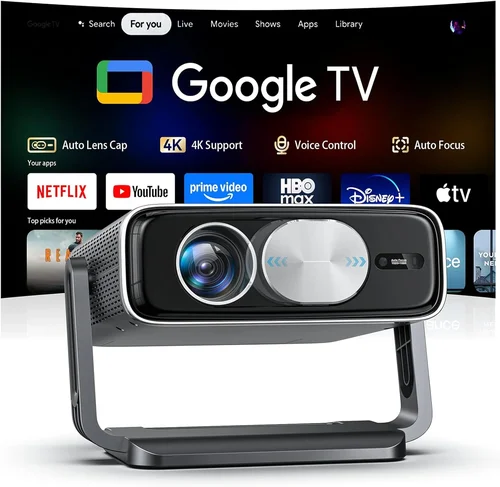
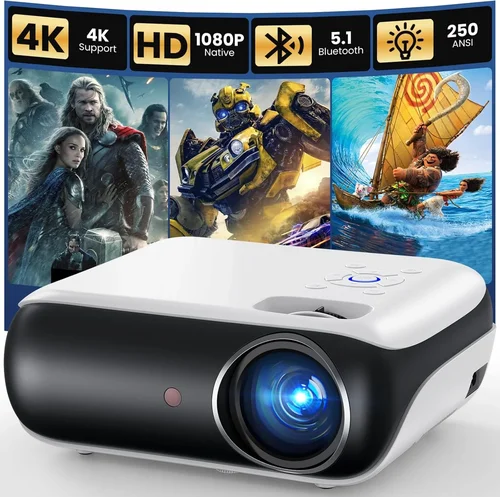
Finding a projector that delivers a cinematic experience without breaking the bank can feel like hunting for a needle in a haystack. In 2026 the market is flooded with models that promise bright images, smart features, and portable designs—all for under $500. This guide cuts through the noise, giving you a clear roadmap so you can pick a unit that fits your space, your viewing habits, and your wallet.
By the end of this article you’ll know exactly which specifications matter most, how to compare different projector families, and where to snag the best deals. Whether you’re setting up a home theater in a small apartment, turning a backyard into an outdoor movie venue, or simply need a reliable device for work presentations, the information here will help you make a confident purchase.
In the past year, LED and laser light sources have become mainstream in the sub‑$500 segment, pushing brightness and lifespan well beyond what traditional lamp‑based projectors could offer. At the same time, integrated Android TV, wireless screen‑mirroring, and compact “pico” designs have turned projectors into true all‑in‑one entertainment hubs. Understanding these trends is key to selecting a model that won’t feel outdated after a few months.

What to Look for When Buying Buying Guide
1. Budget & Price Range
The $500 ceiling is a useful filter, but don’t let price alone dictate your choice. Some manufacturers price aggressively by cutting corners on build quality or warranty support. Look for models that balance cost with a solid feature set—often you’ll find the best value in the $350‑$450 window, where brands have settled on mature production lines.
2. Performance Specifications
Three specs dominate the viewing experience:
- Brightness (lumens): For a dark living room, 1,500–2,000 ANSI lumens is plenty. If you plan to use the projector in a lit bedroom or a backyard with ambient light, aim for 2,500 lumens or more.
- Resolution: Native 1080p (Full HD) is now common under $500 and should be your baseline. Some budget models only offer 720p; they may be acceptable for casual TV watching but will show pixelation in larger images.
- Contrast Ratio: Higher contrast means deeper blacks. Look for at least 10,000:1; laser and LED models often exceed 20,000:1, delivering richer images.
3. Build Quality & Durability
A projector is an investment that will be moved, set up, and stored repeatedly. Metal chassis, reinforced lens housings, and sturdy keystone‑adjustment mechanisms signal a unit that can survive the real world. Check user forums for reports of overheating or loose screws—those are red flags.
4. Features & Functionality
Modern projectors pack a lot of extras. Prioritize the features that matter to you:
- Wireless Connectivity: Wi‑Fi and Bluetooth enable screen mirroring from phones, tablets, or laptops without cables.
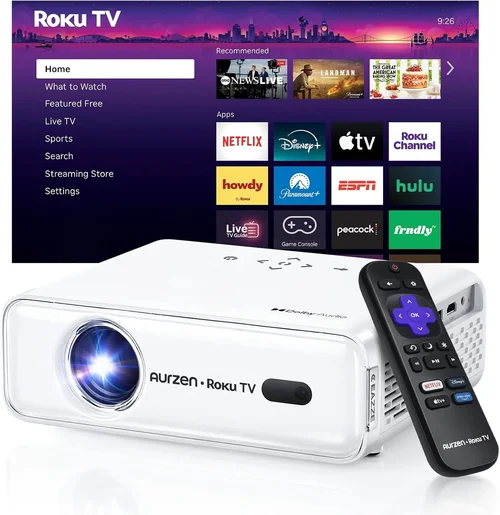
- Smart OS: Android TV, Roku, or Amazon Fire TV built‑in let you stream Netflix, Disney+, or YouTube directly.
- Port Selection: HDMI 2.0, USB‑C (for power or video), and audio‑out ports increase flexibility.
- Lens Shift & Zoom: These make installation easier, especially when the projector can’t be placed directly centered.
5. Brand Reputation
Brands that have been in the projector business for a decade—Epson, BenQ, ViewSonic, Optoma—generally provide more reliable firmware updates and better after‑sales support. Newer entrants like Anker (Nebula) and Xiaomi often innovate quickly but may have limited service centers.
6. Warranty & Support
Look for at least a 2‑year warranty that covers the light source. Some manufacturers offer extended coverage for a modest fee. A responsive tech‑support line and an easy‑to‑navigate online knowledge base can save you hours of frustration.
7. Size & Portability
If you’ll be moving the projector between rooms, a compact “pico” form factor (under 2 kg) is ideal. For a dedicated home theater, a larger unit with a built‑in speaker system may be acceptable.
8. User Reviews & Ratings
Aggregated scores on Amazon, Best Buy, and specialist sites give a quick health check. Pay attention to recurring complaints—like “fan noise” or “short lamp life”—as they often outweigh isolated praise.
Different Types of Buying Guide

Common Buying Mistakes to Avoid
❌ Mistake: Ignoring Ambient Light Conditions
Why it’s bad: A projector rated at 1,500 lumens will look fantastic in a dark room but will appear washed out in a living room with curtains open.
What to do instead: Measure the typical lighting in your intended space and add a 30‑50% brightness buffer. If you can’t control ambient light, choose a model with at least 2,500 lumens.
❌ Mistake: Over‑focusing on Resolution Only
Why it’s bad: A 1080p panel with poor contrast and low brightness can look worse than a 720p projector with higher lumens and deeper blacks.
What to do instead: Balance resolution with brightness, contrast, and color accuracy. For most sub‑$500 options, Full HD + 2,000+ lumens is the sweet spot.
❌ Mistake: Forgetting About Lamp Life
Why it’s bad: Traditional UHP lamps may need replacement every 2,000–3,000 hours, adding hidden costs.
What to do instead: Opt for LED or laser light sources; they often exceed 20,000 hours and are covered under standard warranties.
❌ Mistake: Neglecting Input Lag for Gaming
Why it’s bad: High input lag makes fast‑paced games feel sluggish, ruining the experience.
What to do instead: Look for a “Game Mode” or a measured lag under 30 ms. DLP chips often have lower latency than LCD in this price range.
❌ Mistake: Buying the Cheapest Model Without Testing
Why it’s bad: Some budget units have noisy fans or unreliable Wi‑Fi modules that only become apparent after weeks of use.
What to do instead: Purchase from retailers with a solid return policy. Test the projector in your environment before committing.
Budget Guidelines: How Much Should You Spend?
- Entry-Level ($250‑$300): Expect 720p resolution, 1,200–1,500 lumens, basic HDMI input, and minimal smart features. Good for occasional presentations.
- Mid-Range ($301‑$450): Full HD, 2,000–2,800 lumens, LED or laser light source, built‑in Android TV, and decent audio. Ideal for most home‑theater setups.
- Premium ($451‑$500): Higher-end laser models, 3,000+ lumens, HDR support, low input lag, and premium build quality. Suits enthusiasts who want cinema‑grade performance on a budget.
- Luxury ($501+): Outside the scope of this guide, but includes 4K UHD, ultra‑short‑throw, and high‑end acoustic systems.
Expert Tips for Getting the Best Deal
- Timing: New models typically launch in Q2. Buying a month after launch can net a 10‑15% price cut as retailers clear stock.
- Where to Buy: Compare Amazon, Best Buy, and direct manufacturer sites. Manufacturer sites sometimes offer bundle packages (wall mount + extra lamp).
- Spotting Deals: Look for “refurbished” units with a full warranty; they’re often indistinguishable from new and save 20‑30%.
- Warranty Extensions: If you plan heavy use, consider a third‑party warranty that covers accidental damage.
- Return Policies: Choose retailers that give at least 30 days for returns; this gives you time to test in your actual room.
- Testing Before Buying: Bring a laptop and a streaming stick to the store. Project a 1080p test video to gauge brightness and color.
- Bundle Savings: Some sellers include a portable screen or a set of HDMI cables—evaluate if you truly need them.

Frequently Asked Questions
Q: Can I use a sub‑$500 projector for outdoor movies?
A: Yes, but you’ll need a model with at least 2,500 lumens and good weather‑resistant features. Laser projectors handle ambient light better than LED, making them a safer bet for backyard screenings.
Q: Do I need a separate sound system?
A: Built‑in speakers in budget projectors are typically 2–5 W and suitable for small rooms. For a true home‑theater feel, pair the projector with a soundbar or a 2.1 speaker system.
Q: How far should the projector be from the screen?
A: Throw distance varies by model. Most under‑$500 units have a throw ratio of 1.2–1.5, meaning a 100‑inch image requires 10‑15 feet of distance. Check the manufacturer’s throw‑ratio chart for precise placement.
Q: Is HDMI‑ARC important?
A: HDMI‑ARC simplifies audio routing to a soundbar. It’s a nice‑to‑have but not essential; you can always use an optical audio out or a separate Bluetooth transmitter.
Q: Will a projector work with a gaming console?
A: Absolutely, provided the projector supports 1080p @ 60 Hz and has low input lag (under 30 ms). Look for a “Game Mode” that disables extra image processing.
Q: How long does the LED light source last?
A: Most LED units guarantee 20,000–30,000 hours, which translates to 5–8 years of daily 4‑hour use before any noticeable dimming.
Q: Can I mount a projector on the ceiling?
A: Yes, but verify that the model includes a standard ¼‑20 mounting hole and that the lens shift range accommodates your ceiling height.
Q: Does the projector need a special screen?
A: A white matte wall works for most home uses, but a dedicated projector screen improves gain and contrast, especially in brighter rooms.
Our Final Recommendations
- Best for Budget‑Conscious Buyers: BenQ TH585 – 3,500 lumens, 1080p, low input lag, priced around $380.
- Best Overall Value: ViewSonic M2 – 1,200 lumens laser, Full HD, Android TV built‑in, Wi‑Fi, and a sleek portable design for $449.
- Best Premium Option: Optoma UHD38 – 4,000 lumens, HDR10, 1080p (with upscaling), 8 ms game mode, just under $500.
- Best for Beginners: Anker Nebula Capsule II – 720p, Android TV, 7‑hour battery, ultra‑compact, $389.
- Best for Advanced Users: XGIMI Horizon Pro – 2,200 lumens laser, Full HD, built‑in Harman Kardon speakers, HDMI‑ARC, $499.
Conclusion: Making the Right Choice
Choosing a projector under $500 isn’t about settling for “good enough”; it’s about matching the right specifications to your real‑world needs. Remember to assess ambient light, prioritize brightness and contrast, and verify that the light source will last for years. Balance feature sets—like smart OS and wireless connectivity—against build quality and warranty support.
Take advantage of seasonal sales, test the unit in your own space, and read user feedback before you click “Buy.” With the information in this guide, you’re equipped to select a projector that turns movie nights, game sessions, and presentations into memorable experiences without blowing your budget.