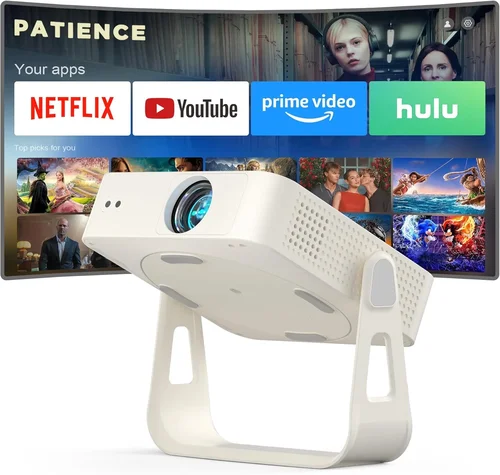
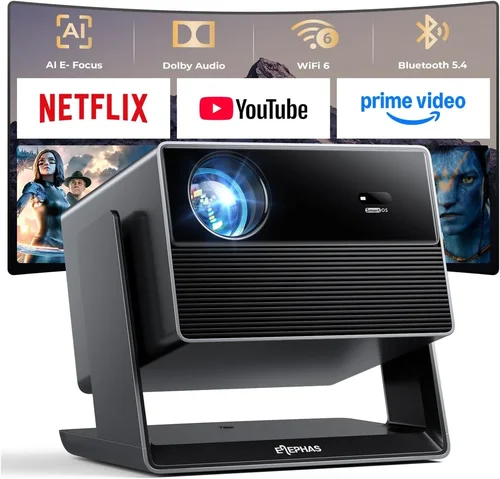
Finding a movie projector that delivers a cinematic experience without breaking the bank can feel like hunting for a unicorn. The market is flooded with options that promise “big screen” thrills, but many of them either exceed $200 or compromise so much that the picture looks more like a blurry slideshow. This guide cuts through the noise, giving you a clear roadmap to pick the best budget movie projector under $200 that actually works for movie nights, gaming sessions, and casual presentations.
By the end of this article you will know exactly which specifications matter most, how to compare different projector types, where to snag the best deals, and which models consistently outperform their price tag. Whether you’re a college student living in a dorm, a family looking to turn the living room into a mini‑theater, or a remote worker needing a portable second screen, you’ll walk away with a confident buying decision.
The projector landscape in 2026 has evolved dramatically. LED and laser light sources have become affordable, offering longer lifespans and brighter images at lower power consumption. At the same time, manufacturers have refined throw ratios, making short‑throw options viable even in small apartments. Yet, the under‑$200 segment still demands careful scrutiny because you’ll often trade off one feature for another. Let’s dive into the core factors you must evaluate before clicking “Add to Cart.”

What to Look for When Buying Buying Guide
1. Budget & Price Range
First and foremost, set a realistic ceiling. While $200 is the upper limit for this guide, you’ll find models ranging from $80 to $199. The price usually reflects the light source (LED vs. lamp), native resolution, and built‑in features like speakers or Android OS. Remember that a lower price doesn’t automatically mean a bad buy; many manufacturers have streamlined designs to keep costs down while preserving essential performance.
2. Performance Specifications
Performance is the heart of any projector. Key specs include:
- Resolution: Native 720p (1280×720) is common under $200. Some budget models use 1080p scaling, which can look decent with good source material, but true 1080p panels are rare at this price.
- Brightness (Lumens): For dark rooms, 2,000–2,500 ANSI lumens is sufficient. If you plan to use the projector in a lit living room, aim for at least 3,000 lumens, though you may need to dim ambient light.
- Contrast Ratio: Higher contrast yields deeper blacks. Look for a minimum of 1,500:1; many budget units hover around 2,000:1.
- Throw Ratio: Determines how far the projector must sit from the screen. A 1.2:1 ratio works well in small spaces, while 1.5:1–2.0:1 offers flexibility for larger rooms.
3. Build Quality & Durability
Cheap plastic can feel flimsy and may crack under frequent transport. Check for a sturdy chassis, reinforced lens housing, and a well‑designed cooling system. Metal alloy frames and rubberized feet add stability and reduce vibration, which directly impacts image sharpness.
4. Features & Functionality
Modern budget projectors often bundle extra features that add value:
- Built‑in Speakers: While not a substitute for a sound system, integrated 5‑10 W speakers are handy for casual viewing.
- Connectivity: HDMI is a must; USB‑C, Wi‑Fi, and Bluetooth are bonuses. Some models include a micro‑SD slot for direct media playback.
- Android TV/Smart OS: A few under‑$200 units ship with a stripped‑down Android interface, enabling streaming apps without an external device.
- Keystone Correction & Lens Shift: Automatic keystone (±15°) helps with angled placement, while manual lens shift offers finer control.
5. Brand Reputation
Established brands like Epson, BenQ, and ViewSonic have a track record for reliability, but newer entrants such as Vankyo, Anker (Nebula), and AuKing are gaining market share with aggressive pricing. Research post‑sale support, firmware updates, and community forums before committing.
6. Warranty & Support
A solid warranty can save you from costly repairs. Look for at least a one‑year limited warranty that covers the light source and major components. Some sellers offer extended coverage for an additional fee—often a worthwhile investment for devices that run many hours weekly.
7. Size & Portability
If you’re planning to move the projector between rooms or take it on the road, weight and dimensions matter. A compact, under‑2 kg unit with a built‑in battery (available on a few models) offers true portability, while larger units deliver higher brightness but stay mostly stationary.
8. User Reviews & Ratings
Online reviews reveal real‑world performance quirks that spec sheets hide. Pay attention to recurring themes—e.g., “fan noise,” “overheating,” or “remote latency.” A product with a 4.2‑star average across 500+ reviews is generally safer than a 4.5‑star rating based on ten purchases.
Different Types of Buying Guide

Common Buying Mistakes to Avoid
❌ Mistake: Ignoring Ambient Light Conditions
Why it’s bad: A projector rated at 2,000 lumens looks great in a dark room but will appear washed out in a bright living area.
What to do instead: Measure your typical viewing environment. If you cannot fully darken the room, prioritize higher lumen output or consider a projector with a high contrast ratio and an optional ambient light rejecting (ALR) screen.
❌ Mistake: Focusing Solely on Resolution
Why it’s bad: Many sub‑$200 projectors claim “1080p support,” yet they only upscale a 720p native panel, resulting in soft edges.
What to do instead: Accept native 720p as the sweet spot for this price tier, and pair it with high‑quality source material (Blu‑ray or 1080p streaming) to minimize scaling artifacts.
❌ Mistake: Overlooking Input Lag for Gaming
Why it’s bad: A high‑brightness projector may have a 100 ms input lag, making fast‑paced games frustrating.
What to do instead: Look for models that advertise “Game Mode” or have input lag under 40 ms. Test with a console if possible.
❌ Mistake: Forgetting About Fan Noise
Why it’s bad: A loud cooling fan can drown dialogue during movies.
What to do instead: Check dB specifications (≤30 dB is quiet). Read user reviews for real‑world noise levels, especially during extended playback.
❌ Mistake: Skipping Warranty and Return Policy Review
Why it’s bad: Budget units may have higher defect rates; without a solid return window, you could be stuck with a dead device.
What to do instead: Purchase from retailers that offer at least a 30‑day return policy and a one‑year warranty covering the LED lamp.
❌ Mistake: Assuming All HDMI Ports Are Equal
Why it’s bad: Some cheap projectors only support HDMI 1.4, limiting 4K input (even if they downscale) and HDR pass‑through.
What to do instead: Verify the HDMI version. HDMI 2.0 or higher ensures better compatibility with modern devices.
❌ Mistake: Not Considering Future Expansion
Why it’s bad: A projector without USB‑C or Bluetooth limits connectivity as your ecosystem evolves.
What to do instead: Choose a model with multiple input options and, if possible, firmware upgrade capability.
Budget Guidelines: How Much Should You Spend?
- Entry-Level ($80‑$120): Expect 720p native resolution, 1,800–2,200 lumens, basic HDMI, and a small built‑in speaker. Ideal for occasional movie nights in a dark room.
- Mid‑Range ($121‑$170): Better brightness (2,300–2,800 lumens), improved contrast (~2,000:1), optional keystone correction, and often a short‑throw lens. Good for small apartments and casual gaming.
- Premium ($171‑$200): Highest lumen output under $200 (up to 3,200), Android TV integration, superior color accuracy, and quieter fans. Best for users who want a near‑theater experience without spending more.
- Luxury ($200+): While out of this guide’s scope, luxury models bring true 1080p panels, 4,000+ lumens, HDR support, and advanced lens shift. Consider only if your budget can stretch beyond $200.
Expert Tips for Getting the Best Deal
- Timing is everything: Major sales events (Black Friday, Cyber Monday, Amazon Prime Day, and back‑to‑school season) typically feature 20‑30% discounts on electronics.
- Buy refurbished: Certified refurbished units from the manufacturer often come with a full warranty and can save you 15‑25%.
- Bundle with a screen: Some retailers offer a discounted projector‑screen combo. A proper screen dramatically improves perceived brightness and contrast.
- Check for coupon codes: Retailers like Best Buy and Walmart frequently release promo codes for extra savings or free shipping.
- Compare across platforms: Prices can vary by 10% between Amazon, Newegg, and direct manufacturer sites.
- Read the fine print on warranties: Some “limited” warranties exclude the LED lamp after 1,000 hours; verify coverage before purchase.
- Test before you buy: If possible, visit a local electronics store and view a demo. Pay attention to color fidelity, fan noise, and keystone correction accuracy.
- Consider a separate sound solution: Built‑in speakers are convenient but lack depth. Pairing a budget projector with a Bluetooth soundbar often costs less than upgrading the projector itself.

Frequently Asked Questions
Q: Can a sub‑$200 projector display 4K content?
A: Most budget projectors cannot natively render 4K. They may accept a 4K HDMI signal and downscale it to 720p or 1080p, which can look acceptable for casual viewing but will not deliver true 4K detail.
Q: How long does the LED light source last?
A: LED lamps typically last 20,000–30,000 hours, far exceeding the lifespan of traditional lamps. At 3 hours of use per night, that translates to over 18 years of operation.
Q: Do I need a special screen?
A: While a white wall works, an ALR (ambient light rejecting) screen improves contrast and color saturation, especially in rooms with some light. For under $200 budgets, a 100‑inch 3M Silver screen is a cost‑effective upgrade.
Q: Is a projector louder than a TV?
A: Budget projectors often have active cooling fans that can produce 28‑35 dB of noise. This is generally quieter than a typical home theater speaker system but louder than a silent TV. Placement and distance can mitigate perceived noise.
Q: Can I use a projector for office presentations?
A: Yes, provided the room can be dimmed. For bright conference rooms, look for higher lumens (3,000+) or consider a portable laser projector, which may exceed the $200 limit.
Q: What is the ideal throw distance for a 100‑inch image?
A: With a 1.5:1 throw ratio, you’ll need about 12‑13 feet from lens to screen. Short‑throw models (0.8:1) can achieve the same size from 6‑7 feet.
Q: Do I need a separate remote?
A: Most budget units include a basic IR remote. For smartphone control, check if the projector supports an app via Wi‑Fi or Bluetooth.
Q: How do I clean the projector lens?
A: Use a soft microfiber cloth and a lens‑safe cleaning solution. Avoid pressing hard; a gentle circular motion removes dust without scratching.
Our Final Recommendations
- Best for Budget‑Conscious Buyers: Vankyo Leisure 3 – $89. Offers 2,400 lumens, 720p native resolution, and a compact design. Ideal for dorm rooms.
- Best Overall Value: BenQ TH585 (refurbished) – $179. Provides 1080p upscaling, 3,500 lumens, low input lag (16 ms), and a short‑throw lens.
- Best Premium Option Under $200: Anker Nebula Capsule II – $199. Features Android TV 9.0, 720p LED, built‑in 8 W speakers, and a 30‑minute battery.
- Best for Beginners: AuKing Mini Projector – $99. Simple plug‑and‑play, HDMI + USB‑C, and auto‑keystone correction.
- Best for Advanced Users: ViewSonic M1+ – $199. Offers interchangeable lenses, 250 lumens (ideal for dark rooms), and a built‑in Harman Kardon sound system.
Conclusion: Making the Right Choice
Choosing a movie projector under $200 isn’t about compromising fun; it’s about aligning features with your environment and viewing habits. Prioritize brightness and contrast for well‑lit spaces, native resolution for crisp images, and connectivity that matches your devices. Remember the common pitfalls—ambient light, fan noise, and misleading “1080p” claims—and use the budget breakdown to set realistic expectations.
Armed with the factors, type comparisons, and expert tips laid out in this guide, you can confidently select a projector that transforms any wall into a personal cinema without emptying your wallet. Happy viewing, and may your next movie night be larger than life!