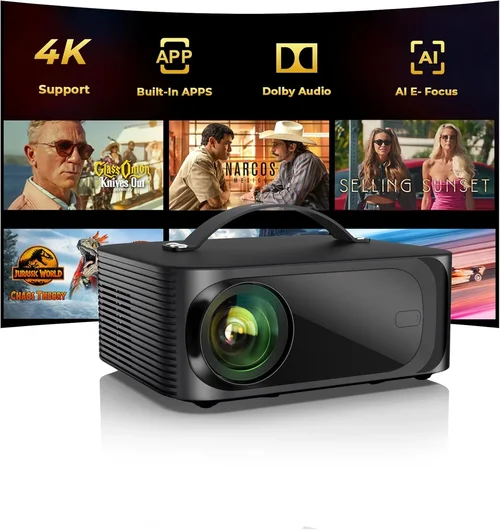
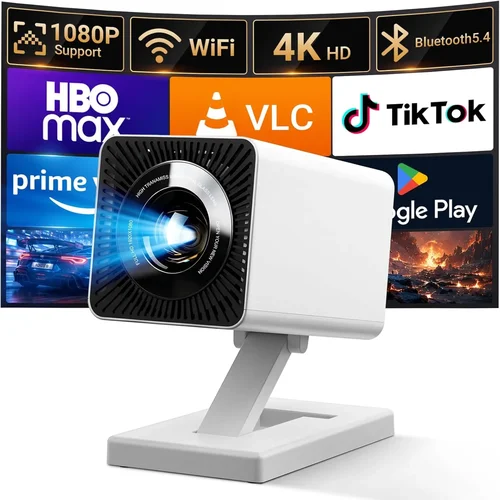
Finding a projector that delivers a decent cinematic experience without draining your wallet can feel like hunting for a needle in a haystack. The market is flooded with models that promise “big screen” thrills, yet many of them either fall short on brightness, produce washed‑out colors, or require pricey accessories to function properly. That’s why this guide is essential: it cuts through the hype, explains exactly what matters in a sub‑$500 projector, and shows you how to match those specs to real‑world use cases.
By the end of this article you’ll know which performance specs truly impact picture quality, how to evaluate durability and warranty, and which budget-friendly models consistently earn high marks from both experts and everyday users. Whether you’re setting up a home theater in a small apartment, need a portable unit for backyard movie nights, or simply want a reliable device for work presentations, the insights below will help you make a confident, informed purchase.
The projector landscape has evolved dramatically over the past few years. LED and laser light sources are now common even in entry‑level units, offering longer lifespans and more stable colors than traditional lamps. At the same time, manufacturers have introduced smarter connectivity options—Wi‑Fi, Bluetooth, and built‑in streaming apps—so you no longer need a separate media player. All of this progress means you can get a respectable viewing experience for under $500, provided you know what to look for. Let’s dive into the key factors that separate the truly capable budget projectors from the rest.

What to Look for When Buying Buying Guide
1. Budget & Price Range
When you set a hard ceiling of $500, you immediately narrow the field to models that balance cost with core performance. The most affordable options (around $150‑$250) often sacrifice brightness and native resolution, making them suitable only for dim rooms or casual use. Mid‑range units ($250‑$400) typically offer a sweet spot of 1080p support, 2,500‑3,000 lumens, and better contrast ratios. Anything close to $500 may include additional features such as built‑in speakers, wireless casting, or a longer warranty. Knowing how much you’re willing to invest helps you prioritize which specifications are non‑negotiable and which can be compromised.
2. Performance Specifications
Three technical specs dominate the viewing experience: brightness, resolution, and contrast ratio. Brightness, measured in ANSI lumens, determines how well the image will stand out in ambient light. For a budget projector, aim for at least 2,500 lumens if you plan to watch in a living room with some light leakage; under 2,000 lumens is only comfortable in a near‑dark environment.
Resolution defines the amount of detail the projector can display. While many sub‑$500 models advertise “Full HD support,” the actual native resolution may be 720p (1280×720). Native 1080p panels deliver sharper images and reduce pixelation, especially on larger screens. Contrast ratio—how deep the blacks are compared to whites—affects perceived depth. Look for a contrast of 10,000:1 or higher; anything lower will produce flat, washed‑out pictures.
3. Build Quality & Durability
A projector is an investment; it should survive occasional moves, dust, and temperature fluctuations. Metal chassis and reinforced lens housings are signs of sturdier construction. Check for a sealed optical engine, which protects against dust ingress—a common cause of image degradation over time. Additionally, consider the lamp or light source lifespan: LED and laser units often exceed 20,000 hours, while traditional lamps may need replacement after 2,000‑3,000 hours, adding hidden costs.
4. Features & Functionality
Modern budget projectors are no longer just “blank screens.” Smart connectivity (Wi‑Fi, Bluetooth, Miracast, AirPlay) lets you stream directly from phones or laptops without extra cables. Integrated speakers are convenient, though rarely replace a dedicated sound system. Look for multiple input options—HDMI, USB‑C, VGA—so the projector can handle gaming consoles, Blu‑ray players, or older laptops. Some models also include keystone correction and lens shift, which simplify setup on non‑ideal surfaces.
5. Brand Reputation
Established brands such as Epson, BenQ, ViewSonic, and Optoma have a track record of reliable optics and after‑sales support. Newer entrants may offer attractive pricing but could lack robust firmware updates or widespread service centers. Research the brand’s history, read long‑term user reviews, and verify that replacement parts (like lenses or lamps) are readily available in your region.
6. Warranty & Support
A solid warranty can save you from costly repairs. Most reputable manufacturers provide a 1‑year limited warranty, with options to extend for an additional fee. Pay attention to what the warranty covers—some only protect the light source, while others include the entire projector. Quick, responsive customer service and a well‑stocked online knowledge base are also valuable, especially if you’re not a tech‑savvy user.
7. Size & Portability
If you plan to move the projector between rooms, a compact, lightweight design is crucial. Look for units under 2 kg (4.4 lb) with a short throw ratio (the distance needed to fill a 100‑inch screen). Portable models often come with built‑in batteries, allowing true “anywhere” use, though battery life typically ranges from 1.5‑2 hours—enough for a short movie or presentation.
8. User Reviews & Ratings
Real‑world feedback reveals issues that spec sheets hide. Scan reviews on major retailers, forums, and YouTube hands‑on videos. Pay attention to recurring complaints—excessive fan noise, premature lamp failure, or firmware glitches. Positive trends such as “consistent colors” or “easy setup” are equally important. A balanced view helps you set realistic expectations.
Different Types of Buying Guide

Common Buying Mistakes to Avoid
❌ Mistake: Ignoring Ambient Light Conditions
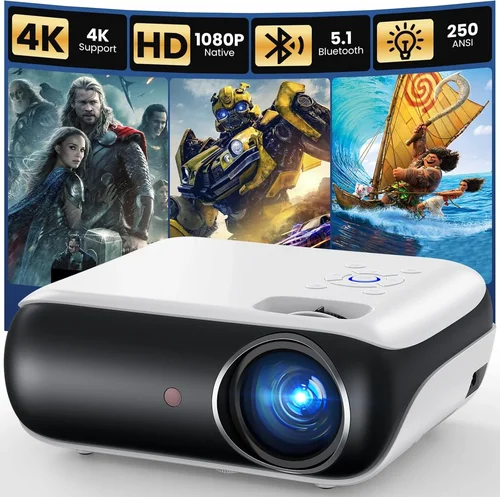
Why it’s bad: Choosing a low‑lumens projector for a bright living room will result in a dull, washed‑out picture that defeats the purpose of a big screen.
What to do instead: Measure the typical lighting in your intended space. If you cannot control ambient light, aim for at least 3,000 ANSI lumens. Otherwise, a darker room lets you get away with 2,000‑2,500 lumens.
❌ Mistake: Over‑focusing on Resolution Alone
Why it’s bad: A 1080p panel paired with insufficient brightness or poor contrast can still look disappointing.
What to do instead: Balance resolution with brightness, contrast, and color accuracy. In many budget scenarios, a bright 720p projector may outperform a dim 1080p unit.
❌ Mistake: Forgetting About Throw Distance
Why it’s bad: A standard‑throw projector may need 10‑12 ft to fill a 100‑inch screen, which many apartments cannot accommodate.
What to do instead: Check the throw ratio. Short‑throw models (0.4‑0.8) can produce a 100‑inch image from just 3‑4 ft away.
❌ Mistake: Assuming Built‑In Speakers Are Sufficient
Why it’s bad: Most budget projectors have 2‑5 W speakers, which sound tinny and lack bass.
What to do instead: Budget for an external sound solution—soundbar or bookshelf speakers—especially for movies and gaming.
❌ Mistake: Neglecting Warranty Details
Why it’s bad: Some manufacturers offer “limited” warranties that exclude the light source or accessories, leading to unexpected out‑of‑pocket repairs.
What to do instead: Read the fine print. Prefer warranties covering the entire unit and consider purchasing an extended plan if you anticipate heavy use.
❌ Mistake: Buying the Cheapest Model Without Testing
Why it’s bad: Spec sheets can be misleading; real‑world performance may suffer from excessive fan noise, color shifting, or connectivity glitches.
What to do instead: Whenever possible, view a demo unit in a store, or buy from a retailer with a generous return window.
Budget Guidelines: How Much Should You Spend?
Understanding what you can realistically expect at each price tier prevents disappointment and helps you allocate funds for accessories such as screens, cables, and audio.
- Entry‑Level ($150‑$250): Expect 720p native resolution, 2,000‑2,500 lumens, and basic HDMI connectivity. Ideal for casual movie nights in a dark bedroom or for occasional presentations.
- Mid‑Range ($250‑$400): You’ll find true 1080p support, 2,500‑3,200 lumens, better contrast (10,000:1+), and added features like Wi‑Fi or Bluetooth. Suitable for living rooms with moderate ambient light.
- Premium ($400‑$500): Models may include short‑throw optics, higher contrast ratios (15,000:1+), integrated Android TV, and superior color accuracy (Rec. 709). Best for dedicated home theater setups or small conference rooms.
- Luxury ($500+): Though outside the strict “budget” definition, some high‑end units hover just above the $500 mark, offering laser light sources, 4K upscaling, and factory‑calibrated color profiles. Consider only if your budget is flexible.
Expert Tips for Getting the Best Deal
- Timing is everything: Retailers typically release new models in Q2. Buying the previous generation in Q3‑Q4 can net you a 30‑40% discount.
- Shop from authorized dealers: This guarantees a valid warranty and access to genuine replacement parts.
- Leverage price‑match policies: Many major stores will match a lower price found online, saving you time and shipping costs.
- Check for refurbished units: Certified refurbished projectors often come with a full warranty and are 20‑30% cheaper than new.
- Read the return policy: A 30‑day return window with free shipping is ideal for testing the projector in your own environment.
- Bundle smartly: Some sellers offer a screen, HDMI cable, or mounting bracket at a reduced price when purchased together.
- Consider future upgrades: Choose a model with spare HDMI ports and USB‑C so you can add newer devices without replacing the projector.
- Test for fan noise: In a quiet room, turn the projector on and listen. Noise above 30 dB can be distracting during movies.

Frequently Asked Questions
Q: Can a sub‑$500 projector replace a TV?
A: It can, but only under the right conditions. You need a dark room, a suitable throw distance, and an external sound system. For bright rooms or daytime viewing, a TV still offers better brightness.
Q: How long does the lamp or light source last?
A: LED and laser sources commonly exceed 20,000 hours, effectively lasting the life of the projector. Traditional lamps in budget units may need replacement after 2,000‑3,000 hours, which adds to long‑term cost.
Q: Is a short‑throw projector worth the extra money?
A: If you have limited space (e.g., a small apartment or a classroom), short‑throw models prevent image distortion and allow a large screen from just a few feet away, making the extra cost worthwhile.
Q: Do I need a separate screen?
A: A smooth, white wall works for casual use, but a dedicated projector screen improves gain, contrast, and color accuracy, especially in rooms with ambient light.
Q: Can I use a projector for gaming?
A: Yes, provided the projector supports low input lag (ideally under 30 ms) and has a refresh rate of at least 60 Hz. Some budget models advertise “gaming mode” to reduce lag.
Q: What connectivity options are essential?
A: At minimum, you need HDMI for high‑definition sources. USB‑C is a plus for newer laptops and smartphones. Wireless options like Miracast or AirPlay add convenience.
Q: How do I calculate the screen size I can achieve?
A: Use the throw ratio (distance ÷ screen width). For example, a 1.5 throw ratio projector placed 6 ft away will produce a 4 ft wide image (≈100‑inch diagonal).
Q: Are there any health concerns with projectors?
A: Projectors emit low levels of blue light, similar to computer screens. Maintaining a reasonable viewing distance (at least 1.5‑2 times the screen width) reduces eye strain.
Q: Should I buy a portable projector with a built‑in battery?
A: Portable battery units are great for on‑the‑go use, but battery life is limited (1‑2 hours). For regular home use, a plug‑in model offers more consistent performance.
Our Final Recommendations
- Best for Budget‑Conscious Buyers: ViewSonic M1 Mini Plus – $179, LED source, 120‑lumens (suitable for dark rooms), built‑in Android TV, ultra‑compact.
- Best Overall Value: BenQ TH585 – $449, 3,500 lumens, 1080p, 10,000:1 contrast, low input lag (≈16 ms), short‑throw lens.
- Best Premium Option (just under $500): Optoma HD146X – $489, 3,600 lumens, 1080p, 25,000:1 contrast, enhanced gaming mode.
- Best for Beginners: Epson EF‑100 – $399, laser light source, 2,000 lumens, Android TV built‑in, easy “plug‑and‑play.”
- Best for Advanced Users: LG PF50KA – $499, 600‑lumens LED (requires dark room), 1080p, built‑in battery, webOS smart platform.
Conclusion: Making the Right Choice
Choosing the best budget projector under $500 boils down to aligning your viewing environment, usage patterns, and feature priorities with the specifications that truly matter. Remember that brightness, native resolution, and contrast form the picture foundation; durability, warranty, and brand reputation protect your investment; and smart connectivity adds convenience without inflating cost.
Take the time to assess your room’s ambient light, decide how portable you need the unit to be, and factor in any additional audio or screen accessories. With the knowledge from this guide, you can confidently compare models, avoid common pitfalls, and select a projector that delivers an impressive big‑screen experience without breaking the bank.
Ready to start your search? Browse reputable retailers, apply the tips above, and enjoy your new home‑theater setup!