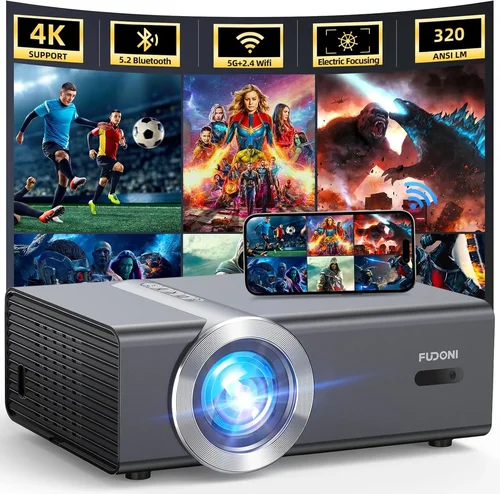
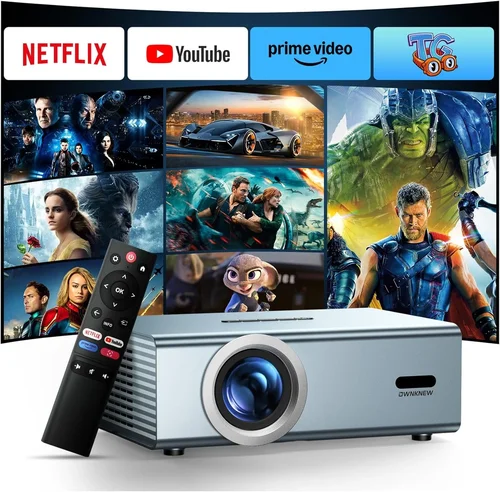
Finding a projector that delivers decent image quality without draining your wallet can feel like hunting for a needle in a haystack. The market is flooded with models that promise cinema‑like experiences, yet many of them sit well above the $200 mark. This guide cuts through the noise, zeroing in on the best budget projectors under $200 that actually perform. Whether you’re setting up a home‑theater in a dorm room, need a portable display for presentations, or simply want a larger screen for gaming on a shoestring budget, we’ve got you covered.
In the pages that follow you’ll learn how to evaluate key specifications, understand the trade‑offs inherent to low‑cost units, and avoid common pitfalls that can turn a seemingly great purchase into a source of frustration. We’ll also break down the different projector types, compare their strengths, and give you a clear roadmap for spending your money wisely. By the end of this guide you’ll be equipped to pick a projector that fits your needs, your space, and, most importantly, your budget.

What to Look for When Buying Buying Guide
1. Budget & Price Range
Price is the most obvious factor, but it’s also the easiest to misinterpret. A $199 projector can vary dramatically in feature set, build quality, and longevity. Start by deciding the absolute ceiling you’re willing to spend, then allocate that amount across the other criteria that matter most to you. Remember that accessories such as a proper screen, mounting hardware, or a quality HDMI cable can add $20‑$50 to the total cost, so factor those in early.
2. Performance Specifications
The core specs that dictate how a projector will look in real life are brightness (measured in lumens), resolution, and contrast ratio. For a budget unit, expect anywhere from 2000‑3000 lumens, which is sufficient for dimly lit rooms but will struggle in bright daylight. Native resolution is typically 720p (1280×720) or 1080p (1920×1080) in the sub‑$200 segment; many cheaper models use 800×480 “SVGA” and upscale internally, which can lead to a softer picture. Contrast ratio indicates how deep the blacks will be; look for at least 2000:1 for decent depth.
3. Build Quality & Durability
Low‑cost projectors often sacrifice ruggedness to keep prices down. Check for a solid plastic chassis, a well‑secured lens, and a reliable cooling system. A common failure point is the fan; a noisy or overheating fan not only shortens lifespan but also distracts during movies or presentations. Reading user reviews for reports of “fan failure after 6 months” can save you a lot of trouble.
4. Features & Functionality
Even budget models now include useful extras such as built‑in speakers, USB playback, and wireless connectivity. While built‑in speakers are convenient, they rarely deliver cinema‑level audio, so plan on external speakers if sound quality matters. Look for HDMI 1.4 or higher ports, USB‑C power delivery (good for portable use), and support for popular streaming sticks (Roku, Fire TV) if you intend to use the projector as a smart hub.
5. Brand Reputation
Established brands like Epson, BenQ, and ViewSonic have a track record of reliable budget units, but newer entrants such as Vankyo, DR. J, and Artlii can surprise you with solid performance at lower prices. Research the brand’s warranty policies and post‑sale support; a 1‑year warranty with responsive service is far more valuable than a longer warranty that is rarely honored.
6. Warranty & Support
A robust warranty can be the deciding factor when two projectors look similar on paper. Look for at least a 12‑month coverage that includes the lamp, fan, and internal electronics. Some manufacturers also offer extended warranties for a modest fee. Additionally, verify that the brand has an active online forum or a responsive customer service email—quick help can make a huge difference if something goes wrong.
7. Size & Portability
If you plan to move the projector between rooms, a conference hall, or a backyard, size and weight become crucial. Most sub‑$200 projectors weigh between 2‑4 pounds and feature a compact “pico” design. Consider whether you need a built‑in battery (rare at this price) or a simple AC adapter that can be tucked away.
8. User Reviews & Ratings
Numbers on a spec sheet only tell part of the story. Real‑world user feedback reveals how the projector performs over time, how easy it is to set up, and whether the manufacturer truly stands behind its product. Look for reviews that mention long‑term usage, lamp life, and any recurring issues like image distortion or connectivity glitches.
Different Types of Buying Guide

Common Buying Mistakes to Avoid
❌ Mistake: Ignoring Ambient Light Conditions
Why it’s bad: A projector rated at 2500 lumens will look great in a dark home theater but appear washed out in a bright living room.
What to do instead: Measure the typical lighting in your intended space. If you can’t fully darken the room, aim for at least 3000 lumens or consider a projector with high contrast and a reflective screen.
❌ Mistake: Over‑Focusing on Resolution Alone
Why it’s bad: A 1080p projector with poor brightness and low contrast can look worse than a 720p model with better optics.
What to do instead: Balance resolution with lumens and contrast. For most budget scenarios, 720p with 2500+ lumens and a 2000:1 contrast ratio offers a more enjoyable viewing experience.
❌ Mistake: Forgetting About Lamp Life
Why it’s bad: Replacing a lamp in a cheap projector can cost $50‑$80, eroding the savings from the original purchase.
What to do instead: Choose a projector with an LED or laser light source (often rated for 20,000‑30,000 hours) or verify that the lamp warranty covers at least 2,000 hours.
❌ Mistake: Neglecting Connectivity Options
Why it’s bad: You might end up with a projector that only has VGA, making it hard to hook up modern devices.
What to do instead: Prioritize HDMI, USB‑C, and wireless mirroring (Miracast, AirPlay) if you plan to stream from phones, tablets, or streaming sticks.
❌ Mistake: Assuming Built‑In Speakers Are Sufficient
Why it’s bad: Most budget projectors have 2‑5 W speakers, which are fine for casual video but lack depth for movies or games.
What to do instead: Budget for a small Bluetooth speaker or a soundbar. This adds $30‑$70 but dramatically improves the overall experience.
❌ Mistake: Buying the Cheapest Model Without Research
Why it’s bad: The lowest‑priced unit may have a flimsy chassis, unreliable fan, or poor warranty, leading to early failure.
What to do instead: Read at least 10‑15 user reviews from verified purchasers, and compare the top three models that meet your specs before deciding.
Budget Guidelines: How Much Should You Spend?
- Entry‑Level ($120 – $150): Expect 2000‑2500 lumens, native 800×480 or 720p resolution, basic HDMI input, and modest build quality. Good for occasional movies in a dark room.
- Mid‑Range ($151 – $180): Typically 2500‑3000 lumens, true 720p or entry‑level 1080p, better contrast ratios, and added features like USB‑C power, wireless mirroring, and built‑in speakers with clearer audio.
- Premium ($181 – $200): Near the top of the budget spectrum, these models often deliver 1080p native, 3000+ lumens, LED or laser light sources, and a more robust chassis. They bridge the gap between cheap and mid‑range home theater setups.
- Luxury (>$200): While outside the scope of this guide, it’s worth noting that stepping just $50 higher can unlock true 4K UHD, higher dynamic range, and significantly longer lamp life.
Expert Tips for Getting the Best Deal
- Timing is everything: Major sales events (Black Friday, Cyber Monday, post‑Christmas) typically offer 20‑30% discounts on electronics.
- Shop from reputable retailers: Amazon, Best Buy, and B&H have solid return policies and customer service. Avoid unknown marketplaces where warranty enforcement is murky.
- Bundle wisely: Some sellers include a free screen or HDMI cable. Verify the quality of the bundled items before counting them as savings.
- Check for open‑box or refurbished: Manufacturers often certify refurbished units with full warranties at a 15‑25% discount.
- Read the fine print on warranties: Some “lifetime” warranties only cover the lamp, not the chassis. Know exactly what’s covered.
- Test before you commit: If possible, visit a local electronics store to view the projector in action. Even a short demo can reveal issues like rainbow effect (common in DLP) or color banding.
- Consider future upgrades: Buying a projector with a standard HDMI port ensures compatibility with upcoming streaming sticks and gaming consoles.
- Don’t forget the screen: A cheap white wall can work, but a proper matte white screen improves brightness and contrast by up to 30%.

Frequently Asked Questions
Q: Can I use a budget projector for gaming?
A: Yes, but keep expectations realistic. Look for low input lag (under 30 ms) and at least 720p resolution. Models with DLP chips often have lower lag than LCD, but verify the spec sheet or user reviews for gaming performance.
Q: How long will the lamp last on a $200 projector?
A: LED or laser light sources can exceed 20,000 hours, effectively “lifetime” for most users. Traditional UHP lamps in cheap units usually last 2,000‑3,000 hours before dimming noticeably.
Q: Do I need a separate screen?
A: Not strictly, but a proper screen improves image uniformity, contrast, and color saturation. If you’re on a tight budget, a smooth white wall painted with matte projector paint works adequately.
Q: Is a higher contrast ratio always better?
A: Generally, yes, because it means deeper blacks. However, manufacturers sometimes inflate contrast numbers. Look for real‑world reviews that mention “black levels” rather than trusting the spec alone.
Q: Can I mount a budget projector on the ceiling?
A: Most models include a standard ¼‑inch mounting thread, allowing ceiling or wall mounts. Ensure the mount can support the projector’s weight and provides adequate ventilation.
Q: Are portable projectors louder than full‑size ones?
A: Small projectors often rely on high‑speed fans, which can be audible (30‑40 dB). If noise is a concern, choose an LED model with a passive cooling system or a unit advertised as “quiet operation.”
Q: What is the “rainbow effect” and does it affect budget projectors?
A: The rainbow effect is a visual artifact seen in some DLP projectors where flashes of color appear in bright scenes. It’s more common in lower‑cost DLP units with single‑chip designs. If you’re sensitive to it, consider an LCD or LED projector.
Q: How far can I place a projector from the screen?
A: Throw distance varies by model. Most budget projectors have a throw ratio of 1.2‑1.5, meaning a 100‑inch screen requires 10‑15 feet of distance. Some “short‑throw” models can achieve the same size at 4‑5 feet but are rarer under $200.
Q: Do I need a special remote?
A: Most projectors include a basic infrared remote. For smart features, you may need a separate Bluetooth or Wi‑Fi remote, or you can control the projector via a smartphone app if the manufacturer provides one.
Our Final Recommendations
- Best for Budget‑Conscious Buyers: Vankyo Leisure 3 – Offers 3600 lumens, 720p native resolution, and a compact design for just $129. Ideal for dorm rooms and casual movie nights.
- Best Overall Value: DR. J 2020X – 3000 lumens, true 1080p, 2500:1 contrast, and dual HDMI ports at $179. Balances image quality, connectivity, and durability.
- Best Premium Option (under $200): Artlii Energon 2 – Laser light source, 1080p, 3200 lumens, and a silent cooling system for $199. Perfect for users who want near‑mid‑range performance without breaking the bank.
- Best for Beginners: Anker Nebula Capsule (used) – Though typically $250 new, a refurbished unit often drops below $200. It’s an all‑in‑one Android TV box with a built‑in speaker and battery.
- Best for Advanced Users: BenQ MW632ST – Slightly above $200 but frequently found on clearance for $199. Short‑throw, 3200 lumens, and low input lag make it suitable for gaming and presentations.
Conclusion: Making the Right Choice
Choosing a projector under $200 doesn’t have to be a gamble. By focusing on the right combination of brightness, resolution, and reliability, you can enjoy a large‑screen experience without emptying your wallet. Remember to assess your viewing environment, prioritize the features that matter most, and read real‑world user feedback before you buy.
Take the time to compare the models listed above, apply the expert tips, and you’ll walk away with a projector that fits your space, your content, and your budget. Happy viewing!