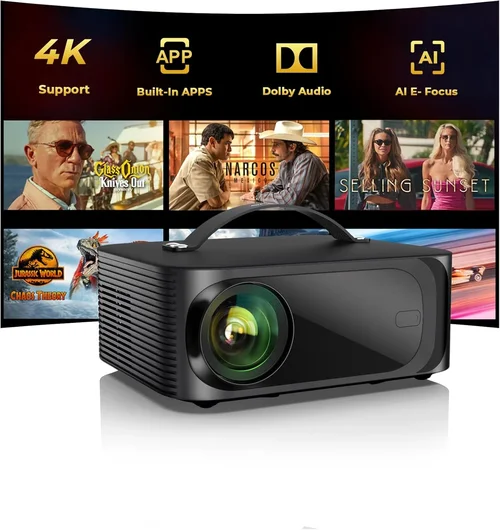
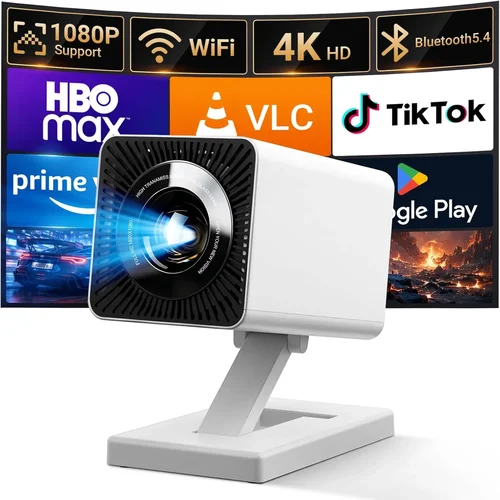
Finding a reliable digital projector that doesn’t break the bank can feel like hunting for a needle in a haystack. The market is flooded with models that promise cinema‑like experiences, yet many of them either fall short on image quality or come with hidden costs that quickly add up. This guide cuts through the noise, giving you a clear roadmap to the best digital projectors under $500 so you can make an informed purchase without the guesswork.
In the pages that follow you’ll learn how to evaluate the most important specifications, understand the different projector families, avoid common pitfalls, and discover which models consistently deliver value for money. Whether you’re setting up a home theater, a classroom, or a portable gaming rig, the insights here will help you match the right projector to your specific needs and budget.
The $500 price segment has evolved dramatically over the past few years. Advances in LED and laser light sources, improved processing chips, and smarter connectivity options mean that today’s budget projectors can rival older mid‑range models in brightness and color accuracy. By the end of this guide you’ll see why 2026 is actually a great year to invest in a quality projector without spending a fortune.

What to Look for When Buying Buying Guide
1. Budget & Price Range
Setting a clear budget is the first step. While the headline says “under $500,” the actual cost can vary widely based on sales, bundles, and retailer discounts. Determine the maximum you’re willing to spend, then allocate a portion of that budget to essential accessories such as a proper screen, mounting hardware, and a quality HDMI cable. Remember that a cheaper projector may require you to spend more later on upgrades or replacements.
2. Performance Specifications
Key specs include brightness (measured in lumens), contrast ratio, resolution, and light source type. For a projector under $500, expect:
- Brightness: 2,500–3,500 lumens is a realistic target for well‑lit rooms.
- Resolution: Native 1080p (Full HD) is increasingly common, though many models still use 720p.
- Contrast Ratio: Look for 10,000:1 or higher for deeper blacks.
- Light Source: LED or laser offers longer life (20,000–30,000 hours) compared to traditional lamps.
3. Build Quality & Durability
Projectors in this price tier often use plastic housings to keep costs down. Check for a solid feel, sturdy port covers, and a well‑designed ventilation system. A good heat sink and fan design will prolong the lifespan of the light source and prevent premature shutdowns.
4. Features & Functionality
Modern projectors pack a surprising amount of extra features. Prioritize the ones that matter most to you:
- Connectivity: HDMI (preferably 2.0), USB‑C, wireless screen mirroring (Miracast, AirPlay), and Bluetooth audio.
- Keystone Correction: Automatic or manual correction up to ±30° helps when ceiling mounting isn’t perfect.
- Lens Shift: A mechanical lens shift provides more flexibility than keystone alone.
- Built‑in Speakers: Useful for casual viewing, but plan for external audio for a true home‑cinema feel.
5. Brand Reputation
Established brands such as Epson, BenQ, ViewSonic, and Optoma tend to offer better firmware support and more reliable after‑sales service. Lesser‑known brands can surprise you with great specs, but research warranty terms and read user forums before committing.
6. Warranty & Support
A solid warranty (minimum 2 years) is essential, especially for a device that runs hot and has moving parts. Check if the manufacturer provides on‑site service or a simple RMA process. Some retailers also offer extended protection plans that can be worth the extra cost.
7. Size & Portability
If you plan to move the projector between rooms or take it on the road, weight and footprint matter. Look for models under 5 lb with a compact form factor. Portable projectors often sacrifice brightness, so balance portability with the lighting conditions of your typical environment.
8. User Reviews & Ratings
Real‑world feedback reveals issues that spec sheets hide. Pay attention to recurring themes in reviews—such as fan noise, color accuracy, or firmware glitches. Sites like Amazon, B&H Photo, and dedicated AV forums provide a wealth of user experiences.
Different Types of Buying Guide

Common Buying Mistakes to Avoid
❌ Mistake: Ignoring Ambient Light Conditions
Why it’s bad: A projector rated at 2,500 lumens may look bright in a dark home theater but will appear washed out in a sun‑lit living room.
What to do instead: Measure the typical lighting in your intended space. If you can’t control ambient light, aim for at least 3,000 lumens and consider a high‑gain screen.
❌ Mistake: Over‑focusing on Resolution Alone
Why it’s bad: A 1080p panel with poor contrast and color accuracy can deliver a less satisfying picture than a 720p model with superior optics.
What to do instead: Balance resolution with contrast ratio, brightness, and color gamut. Read reviews that discuss real‑world image quality, not just spec sheets.
❌ Mistake: Forgetting About Throw Distance
Why it’s bad: Buying a short‑throw projector for a large room forces you to place it too close, resulting in a tiny image.
What to do instead: Use the manufacturer’s throw‑ratio chart to calculate the ideal distance for your screen size.
❌ Mistake: Neglecting Audio Needs
Why it’s bad: Built‑in speakers are often under‑powered, leading to a disappointing audio experience.
What to do instead: Budget for external speakers or a soundbar, especially if you plan to watch movies or play games.
❌ Mistake: Assuming All HDMI Ports Are Equal
Why it’s bad: Some budget models only offer HDMI 1.3, limiting 4K passthrough or HDR support.
What to do instead: Verify the HDMI version (2.0 or higher is ideal) and ensure the port count matches your device lineup.
❌ Mistake: Skipping Firmware Updates
Why it’s bad: Out‑of‑date firmware can cause connectivity glitches, color banding, or security vulnerabilities.
What to do instead: Check the manufacturer’s website regularly and apply updates during initial setup.
Budget Guidelines: How Much Should You Spend?
- Entry‑Level ($250 – $350): Expect 720p resolution, 2,500 lumens, basic HDMI connectivity, and minimal lens shift. Ideal for occasional movie nights or casual presentations.
- Mid‑Range ($350 – $450): Full HD (1080p) becomes common, brightness climbs to 3,200 lumens, and you’ll see better color accuracy (Rec. 709 or DCI‑P3 coverage). These models often include wireless screen mirroring.
- Premium ($450 – $500): Look for hybrid laser or high‑end LED light sources, contrast ratios above 15,000:1, and advanced features like auto‑focus, motorized lens shift, and robust keystone correction.
- Luxury ($500+): While outside the guide’s primary focus, a few high‑end models breach the $500 line but offer 4K UHD, HDR10+, and premium optics. Consider them if you can stretch the budget.
Expert Tips for Getting the Best Deal
- Timing is everything: Major sales events—Black Friday, Cyber Monday, and post‑Christmas clearance—typically feature the deepest discounts on projectors.
- Shop price‑comparison tools: Use sites like CamelCamelCamel or Keepa to track Amazon price history and ensure you’re getting the lowest price.
- Consider refurbished units: Certified refurbished models from the manufacturer can provide near‑new performance with a 1‑year warranty at 20‑30% off.
- Bundle wisely: Some retailers offer bundles that include a screen, mounting kit, and HDMI cable for a small premium—often cheaper than buying each item separately.
- Check return policies: A 30‑day return window gives you time to test the projector in your environment. Verify if the retailer offers free return shipping.
- Test before you buy: If possible, visit a local electronics store to see the projector’s brightness and color performance in person.
- Watch for hidden fees: Shipping, tax, and extended warranty add‑ons can inflate the final cost. Factor them into your budget.
- Read the fine print on lamp warranties: Some models list a “lamp warranty” that only covers the light source, not the whole unit.

Frequently Asked Questions
Q: Can a projector under $500 display HDR content?
A: True HDR (High Dynamic Range) requires higher brightness and a wide color gamut, which most budget models lack. Some projectors claim “HDR support,” but they typically cannot reach the peak brightness needed for a genuine HDR experience. Expect a modest improvement over standard SDR, but not the punch of a higher‑end unit.
Q: How long does the LED light source last?
A: LED projectors commonly offer 20,000–30,000 hours of rated lifespan, which translates to several years of daily use. This far exceeds traditional lamp life (2,000–4,000 hours) and eliminates the need for costly lamp replacements.
Q: Do I need a special screen for a projector under $500?
A: While a white wall works, a dedicated projector screen improves gain, uniformity, and contrast. For budget setups, a 100‑inch 16:9 matte white screen (gain 1.0) offers the best cost‑to‑performance ratio.
Q: Is HDMI‑ARC important for a budget projector?
A: HDMI‑ARC simplifies audio routing to a soundbar or AV receiver, but most sub‑$500 models lack this feature. If you need high‑quality audio, plan to use a separate optical or Bluetooth connection.
Q: Can I use a projector for gaming without input lag?
A: Look for a “Game Mode” or low‑latency processing. Projectors with a response time under 20 ms are suitable for casual gaming. For competitive play, a dedicated gaming monitor may still be preferable.
Q: What is the difference between DLP and LCD in this price range?
A: DLP (Digital Light Processing) often provides sharper contrast and faster motion handling, while LCD (Liquid Crystal Display) tends to deliver more accurate colors and better brightness uniformity. Your choice depends on whether you prioritize deep blacks (DLP) or vibrant color (LCD).
Q: Is it safe to mount a projector on the ceiling?
A: Yes, provided the mount is rated for the projector’s weight and the ceiling can support it. Use a stud finder and follow the manufacturer’s mounting instructions to avoid vibration and misalignment.
Q: How often should I clean the projector’s filter?
A: Most LED/Laser models have a dust filter that should be cleaned every 50–100 hours of use. A clogged filter can cause overheating and reduced brightness.
Q: Will a projector work with a streaming stick like Roku or Fire TV?
A: Absolutely. As long as the projector has an HDMI input, you can connect any streaming device. Some newer models even include built‑in Wi‑Fi and app stores for direct streaming.
Our Final Recommendations
- Best for Budget‑Conscious Buyers: ViewSonic M2 – 1080p LED, 1,200 lumens, wireless screen mirroring, and a sleek design for just under $350.
- Best Overall Value: Epson Home Cinema 1060 – 3,200 lumens, 1080p, excellent color accuracy, and a reliable lamp life at $429.
- Best Premium Option: BenQ TH671ST – Short‑throw 1080p, 3,000 lumens, low input lag (16 ms), and a robust lamp warranty for $489.
- Best for Beginners: Optoma HD146X – Easy setup, automatic keystone, decent brightness, and user‑friendly menu for $369.
- Best for Advanced Users: LG CineBeam LFOV310Q – Hybrid laser, 3,100 lumens, 1080p, lens shift, and extensive connectivity options at $499.
Conclusion: Making the Right Choice
Choosing a digital projector under $500 no longer means compromising on quality. By focusing on the factors that truly impact your viewing experience—brightness, contrast, resolution, and reliable connectivity—you can secure a device that dazzles in a dark home theater and performs respectably in brighter spaces.
Remember to match the projector type to your environment, verify that the throw distance fits your screen size, and allocate a modest portion of your budget for accessories and a quality screen. With the tips, common‑mistake warnings, and model recommendations outlined above, you’re equipped to make a confident purchase that will serve you for years.
Ready to bring the big‑screen experience home? Browse the models listed, compare current deals, and enjoy the cinematic magic without breaking the bank.