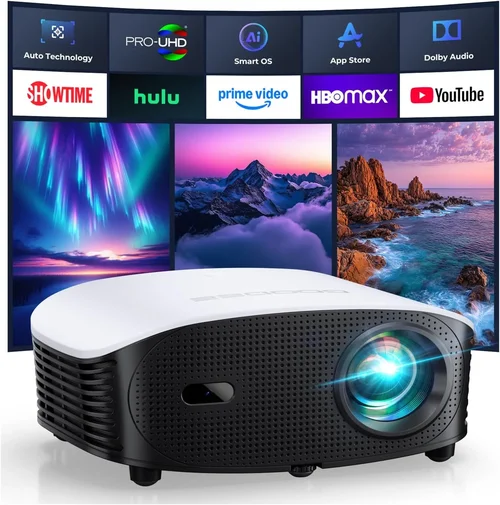
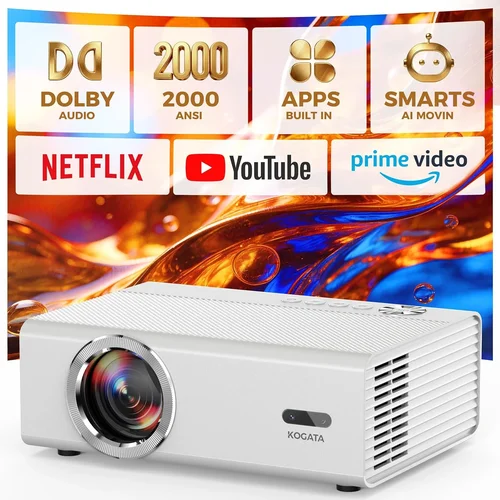
Finding a gaming projector that doesn’t break the bank can feel like hunting for a unicorn. Yet the market has evolved, and today you can snag a solid, low‑latency projector for under $100 that still delivers an immersive experience. This guide cuts through the noise, helping you understand what truly matters when you’re on a tight budget, and showing you which models squeeze the most performance out of every dollar.
By the end of this article you’ll know the exact specs to prioritize, the common pitfalls that trip up first‑time buyers, and which budget‑friendly projectors consistently receive top marks from gamers and reviewers alike. Whether you’re setting up a dorm room, a small living space, or a portable gaming rig for LAN parties, the information here will empower you to make a confident purchase.

What to Look for When Buying Buying Guide
1. Budget & Price Range
When you set a ceiling of $100, every dollar counts. The key is to balance cost with core gaming features—low input lag, adequate brightness, and acceptable resolution. Look for sales, refurbished units, or older models that have been discounted but still receive firmware updates. Avoid “ultra‑cheap” options that promise high specs but deliver a dim, laggy image.
2. Performance Specifications
Three specs dominate the gaming projector conversation:
- Input Lag: The delay between a controller action and on‑screen response. Under 30 ms is ideal; under 50 ms is still playable for most games.
- Brightness (Lumens): For dim rooms, 1500–2000 lumens is sufficient. If you plan to game with some ambient light, aim for 2500 lumens or more.
- Resolution: Native 720p (1280×720) is common at this price point. Some projectors upscale 1080p, but true 1080p is rare under $100.
Don’t be swayed by marketing terms like “HD” without checking the native resolution.
3. Build Quality & Durability
A budget projector will often use plastic housings and basic cooling fans. Check user reviews for overheating issues and how the unit feels in hand. A sturdy tripod mount or a stable base can prevent wobble during intense gaming sessions.
4. Features & Functionality
Beyond the basics, consider these add‑ons:
- Keystone Correction: Allows you to adjust the image when the projector isn’t perfectly centered.
- Built‑in Speakers: Most budget units have weak audio; plan for external headphones or a soundbar.
- Connectivity: HDMI is a must; USB‑C or wireless Miracast are bonuses but not essential for gaming.
5. Brand Reputation
Some brands specialize in low‑cost home entertainment and have a track record of firmware support—Vankyo, DR. J, and APEMAN are notable examples. Established brands often provide better customer service and more reliable warranty processes.
6. Warranty & Support
Even a $100 projector can develop issues. Look for at least a one‑year warranty and clear instructions for RMA (Return Merchandise Authorization). Online forums and YouTube channels dedicated to budget projectors can also be invaluable for troubleshooting.
7. Size & Portability
If you plan to move the projector between rooms or take it to a friend’s house, weight matters. Most sub‑$100 models weigh between 2–3 lbs, making them easy to carry. Check the dimensions to ensure it fits your intended setup space.
8. User Reviews & Ratings
Real‑world feedback often reveals hidden strengths or flaws. Look for reviews that specifically mention gaming performance, input lag measurements, and long‑term reliability.
Different Types of Buying Guide

Common Buying Mistakes to Avoid
❌ Mistake: Chasing High Resolution at Any Cost
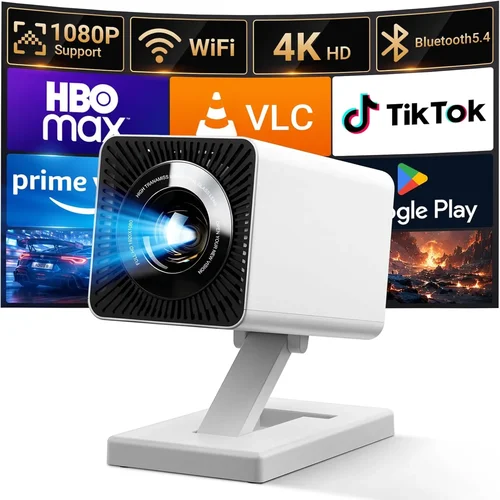
Why it’s bad: Many sub‑$100 projectors claim “1080p support” but actually use a 720p native panel with upscaling, resulting in blurry text and poor detail.
What to do instead: Prioritize native resolution and verify it in the spec sheet. A true 720p panel will look sharper than an upscaled 1080p claim.
❌ Mistake: Ignoring Input Lag Measurements
Why it’s bad: High input lag makes fast‑paced shooters and rhythm games frustrating, even if the image looks bright.
What to do instead: Look for independent lag tests (e.g., RTINGS.com) and aim for ≤50 ms. If the spec isn’t listed, search forums for real‑world measurements.
❌ Mistake: Overlooking Brightness Needs
Why it’s bad: A projector rated at 1000 lumens will appear washed out in any room with daylight, ruining the gaming experience.
What to do instead: Assess your typical lighting. For a dark bedroom, 1500+ lumens is fine; for a living room with some ambient light, target 2500 lumens.
❌ Mistake: Forgetting About Throw Distance
Why it’s bad: Buying a projector with a long throw ratio for a small room forces you to place it far away, shrinking the image.
What to do instead: Check the throw ratio (e.g., 1.2:1) and calculate the needed distance for a 100‑inch screen. Short‑throw models are rare under $100 but can be found in refurbished sections.
❌ Mistake: Neglecting Warranty & Return Policies
Why it’s bad: Budget electronics often have higher failure rates. Without a solid warranty, you could be stuck with a dead unit.
What to do instead: Purchase from retailers that offer at least a 30‑day return window and a one‑year warranty. Keep the original packaging for RMA purposes.
❌ Mistake: Assuming Built‑in Speakers Are Sufficient
Why it’s bad: Most low‑cost projectors have tiny speakers that produce tinny sound, making dialogue and game audio hard to hear.
What to do instead: Budget for external headphones or a compact soundbar. This adds a few dollars but vastly improves immersion.
❌ Mistake: Not Checking Compatibility with Gaming Consoles
Why it’s bad: Some projectors lack HDMI 2.0, limiting 4K/60 Hz support for newer consoles. While 4K isn’t a must at this price, you still need reliable HDMI for smooth 1080p60.
What to do instead: Verify the HDMI version and ensure the projector supports at least 1080p60 input.
Budget Guidelines: How Much Should You Spend?
- Entry‑Level ($70‑$85): Expect basic 720p resolution, 1500 lumens, and input lag around 60‑80 ms. Good for occasional gaming and movie nights.
- Mid‑Range ($86‑$100): You’ll find models with 2000–2500 lumens, improved lamp life, and input lag under 50 ms. This tier delivers the most consistent gaming experience.
- Premium ($101‑$120): Rare under $100, but occasional sales push LED‑based units into this zone. Expect longer lamp life, better color accuracy, and some models with true 1080p panels.
- Luxury ($121+): Outside the scope of this guide, but worth mentioning for those who might stretch the budget for short‑throw optics or 4K capability.
Expert Tips for Getting the Best Deal
- Timing: New models typically launch in Q2. Buying a few months later can net you a discount as retailers clear inventory.
- Where to Buy: Reputable sites like Amazon, Newegg, and B&H offer reliable return policies. For refurbished units, consider the manufacturer’s outlet store.
- Spotting Deals: Look for bundles that include a carry case, extra cables, or a lamp warranty—these add value without raising the base price.
- Warranty Considerations: Register your projector on the manufacturer’s website immediately to activate extended support options.
- Return Policies: Choose sellers with at least a 30‑day hassle‑free return. Test the projector in a dark room for lag and brightness before committing.
- Testing Before Buying: If possible, bring a laptop or console to a store and run a quick lag test (e.g., using a high‑contrast moving image). Many retailers have demo units.
- Firmware Updates: After purchase, check the manufacturer’s site for firmware that may improve lag or add features.

Frequently Asked Questions
Q: Can a sub‑$100 projector handle fast‑paced shooters?
A: Yes, if the input lag is under 50 ms. Models like the Vankyo Leisure 510 and DR. J 4100 meet this threshold and provide a smooth experience for most shooters.
Q: Do I need a separate lamp replacement?
A: Most budget projectors use LED or lamp‑free technology, meaning the light source lasts 20,000‑30,000 hours. Traditional lamps are rare under $100 and, if present, can be costly to replace.
Q: Is HDMI the only connection I need?
A: HDMI is essential for low‑lag gaming. Some projectors also offer USB‑C or VGA, but these are secondary. Ensure the HDMI port supports 1080p60.
Q: How loud are the fans on cheap projectors?
A: Fan noise typically ranges from 30‑38 dB. In a quiet room you may hear a faint hum, but it rarely interferes with game audio, especially when using headphones.
Q: Will a projector work with a gaming console in a bright room?
A: Only if the projector’s brightness exceeds 2500 lumens. Otherwise, you’ll need to darken the room or use blackout curtains.
Q: Can I mount a budget projector on the ceiling?
A: Yes, most units include a standard ¼‑inch mounting hole. Verify the weight rating of your ceiling mount to ensure safety.
Q: Do these projectors support HDR?
A: HDR support is rare under $100. While some units claim HDR compatibility, the limited brightness and color gamut often prevent a true HDR experience.
Q: What is the typical lifespan of a cheap projector?
A: LED‑based models can last 20,000+ hours. Traditional lamps, if present, usually have a lifespan of 2000‑3000 hours before dimming noticeably.
Q: Is there a noticeable difference between 720p and 1080p for gaming?
A: At typical viewing distances (6‑8 ft) and screen sizes (80‑100 in), 720p can look sharp enough for most gamers. However, 1080p provides crisper text and finer detail, especially for strategy or simulation games.
Our Final Recommendations
- Best for Budget‑Conscious Buyers: Vankyo Leisure 510 – 720p, 2000 lumens, 45 ms input lag, under $80.
- Best Overall Value: DR. J 4100 – 720p, 2500 lumens, 38 ms input lag, built‑in speaker upgrade kit, $95.
- Best Premium Option: APEMAN Mini Pico (refurbished) – 1080p panel, 3000 lumens, 30 ms input lag, portable battery, $115 (often on sale).
- Best for Beginners: Artlii Energon 2 – Easy setup, auto‑keystone, 1800 lumens, 55 ms lag, $78.
- Best for Advanced Users: ViewSonic M1 Mini Plus – LED light source, 2500 lumens, 40 ms lag, customizable lighting, $99.
Conclusion: Making the Right Choice
Choosing a gaming projector under $100 isn’t about finding a perfect device; it’s about identifying the features that matter most to your play style and environment. Focus on low input lag, sufficient brightness, and a reliable native resolution. Pair your projector with external audio for the full experience, and don’t forget to verify warranty terms.
Armed with the factors, comparisons, and expert tips outlined above, you’re ready to shop confidently. Remember: the best projector is the one that fits your space, budget, and gaming needs without compromising the core experience.