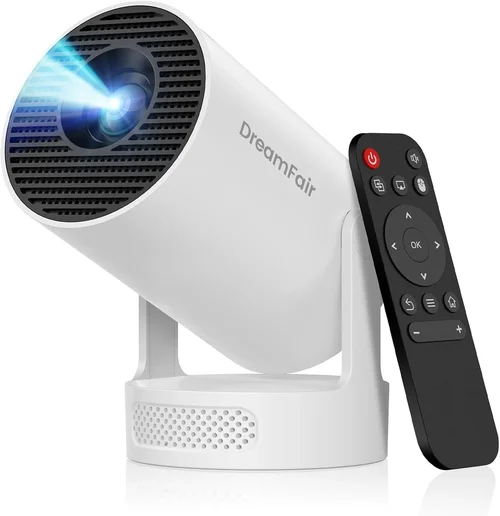
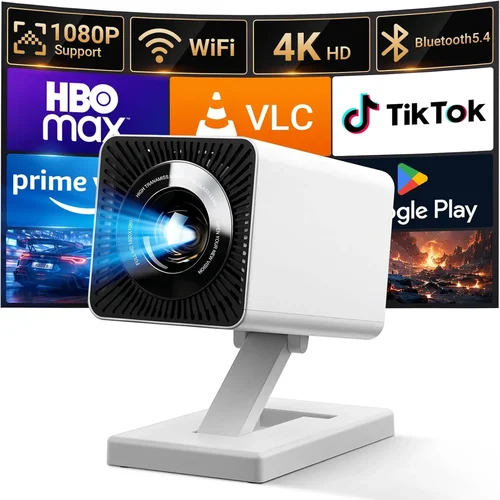
Finding the perfect HD wireless projector for a home‑entertainment setup can feel like hunting for a needle in a haystack, especially when you’re trying to stay under $1,000. The market is flooded with options that promise cinema‑like experiences, but not all of them deliver the brightness, clarity, and convenience you need for movie nights, gaming sessions, or streaming marathons. This guide cuts through the hype, giving you a clear roadmap so you can make a confident purchase without blowing your budget.
In the pages that follow you’ll learn which technical specifications truly matter, how to match a projector to your living space, and which common pitfalls to avoid. We’ll also compare the main categories of projectors, break down price tiers, and hand‑pick the best models for different user needs. By the end, you’ll have a solid action plan to select a projector that turns any room into a personal theater.

What to Look for When Buying Buying Guide
1. Budget & Price Range
Even within the sub‑$1,000 segment, prices can vary widely. A $250 “budget” unit often sacrifices brightness and connectivity, while a $950 model may include premium lenses and advanced wireless protocols. Set a realistic ceiling based on how you’ll use the projector—occasional movie streaming versus daily gaming will dictate how much you should invest. Remember to factor in accessories such as a screen, mounting hardware, and a quality HDMI cable.
2. Performance Specifications
Key specs that directly affect picture quality include:
- Resolution: Native 1080p (Full HD) is the sweet spot for most under‑$1,000 projectors. Some models only upscale 720p, which can look blurry on larger screens.
- Brightness (lumens): Aim for at least 2,500–3,000 ANSI lumens for rooms with ambient light. Dark home theaters can get away with 1,800–2,200 lumens.
- Contrast Ratio: Higher contrast (e.g., 15,000:1) delivers deeper blacks and more vibrant colors.
- Throw Distance: Short‑throw models (under 2 m) are ideal for tight spaces, while standard throw units need more room to produce a 100‑inch image.
3. Build Quality & Durability
A projector that feels cheap will likely develop issues sooner. Look for metal housing, reinforced lens caps, and a reliable cooling system. Projectors with dust‑resistant filters extend lamp life—especially important if you plan on frequent use.
4. Features & Functionality
Wireless capability is the headline feature for this guide, but dig deeper:
- Wi‑Fi Standards: Dual‑band (2.4 GHz + 5 GHz) ensures stable streaming from services like Netflix, Disney+, or Plex.
- Screen Mirroring: Support for AirPlay, Miracast, or Chromecast built‑in lets you cast from phones, tablets, and laptops without extra dongles.
- Built‑in Speakers: While most under‑$1,000 models have modest audio, a 10‑W speaker can be useful for casual viewing; otherwise plan for an external sound system.
- Smart OS: Some projectors run Android TV or Roku, turning the unit into a standalone streaming hub.
5. Brand Reputation
Established manufacturers such as Epson, BenQ, ViewSonic, and Optoma tend to offer better firmware updates and more accessible customer service. Newer brands may provide aggressive pricing, but research warranty terms and community feedback before committing.
6. Warranty & Support
Look for at least a 2‑year limited warranty covering the lamp, optics, and electronic components. Extended warranties (often sold by retailers) can be worthwhile if you plan to keep the projector for several years. Check whether the manufacturer offers easy lamp replacement and a responsive support hotline.
7. Size & Portability
If you intend to move the projector between rooms or take it outdoors, weight and form factor matter. Compact “pico” models are ultra‑portable but usually lack full HD resolution. A balanced choice is a lightweight (under 5 lb) full‑HD unit with a detachable lens cover for travel.
8. User Reviews & Ratings
Real‑world feedback reveals hidden strengths and flaws. Scan reviews on Amazon, B&H, and dedicated AV forums for recurring themes—such as overheating, firmware bugs, or exceptional wireless stability. Prioritize models with a minimum average rating of 4 out of 5 stars.
Different Types of Buying Guide

Common Buying Mistakes to Avoid
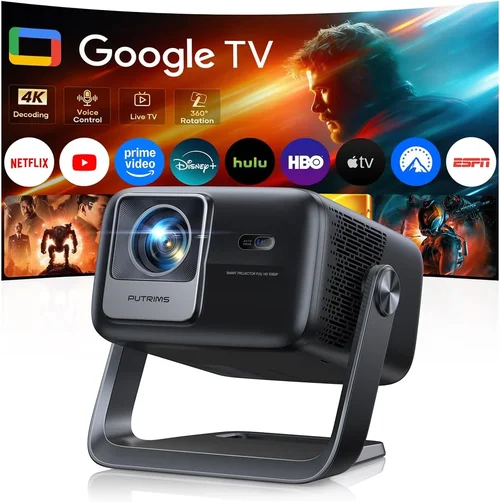
❌ Mistake: Ignoring Ambient Light Conditions
Why it’s bad: A projector rated at 2,000 lumens looks brilliant in a dark theater but may appear washed out in a living‑room with curtains open.
What to do instead: Measure the typical lighting in your intended space. If you can’t fully darken the room, aim for at least 3,000 lumens and consider a high‑contrast panel.
❌ Mistake: Over‑focusing on Resolution Alone
Why it’s bad: A 1080p projector with low brightness and poor contrast will still deliver a subpar picture, especially on larger screens.
What to do instead: Balance resolution with brightness, contrast, and throw distance. Full HD combined with 2,500+ lumens is a reliable baseline.
❌ Mistake: Forgetting About Lamp Life
Why it’s bad: Replacing a lamp can cost $100‑$200, adding hidden expense.
What to do instead: Choose LED or laser light sources when possible—they offer 20,000+ hour lifespans and lower long‑term cost.
❌ Mistake: Assuming All Wi‑Fi Is Equal
Why it’s bad: Some models only support 2.4 GHz, leading to buffering when multiple devices share the network.
What to do instead: Verify dual‑band (2.4 GHz + 5 GHz) support and, if possible, connect via Ethernet for the most stable stream.
❌ Mistake: Skipping the Screen
Why it’s bad: Projecting onto a plain wall can reduce contrast and cause hotspotting.
What to do instead: Invest in a matte white or gray screen appropriate to your projector’s brightness level.
❌ Mistake: Not Testing Before Purchase
Why it’s bad: Online specs can be misleading; real‑world performance may differ.
What to do instead: Visit a local retailer, request a demo, or buy from a store with a generous return window.
Budget Guidelines: How Much Should You Spend?
Understanding what you get at each price tier helps you set realistic expectations.
- Entry-Level ($250‑$450): Typically 720p or upscaled 1080p, 1,800‑2,200 lumens, basic Wi‑Fi (often 2.4 GHz only). Good for occasional movie nights in a dark room.
- Mid‑Range ($451‑$750): Native 1080p, 2,500‑3,200 lumens, dual‑band Wi‑Fi, short‑throw options, and possibly built‑in Android TV. This tier offers the best value for most households.
- Premium ($751‑$1,000): Higher contrast ratios (15,000:1+), laser or high‑end LED light sources, robust wireless protocols, and advanced color processing. Ideal for gamers and cinephiles who demand consistency.
- Luxury ($1,001+): 4K UHD, HDR10+, ultra‑short‑throw, and premium audio integration. While out of scope for this guide, it’s useful to know the ceiling.
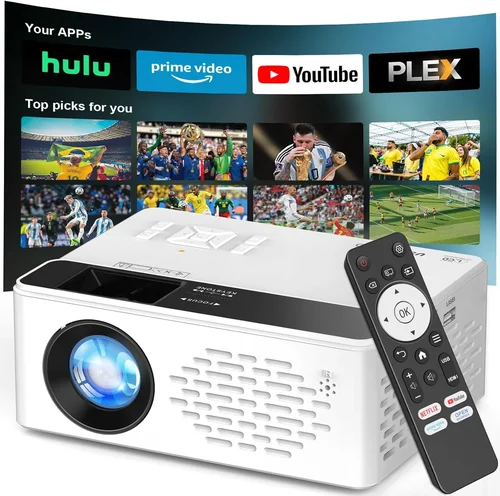
Expert Tips for Getting the Best Deal
- Timing: Retailers clear inventory in late summer for new‑year releases. Late summer sales can yield the best combination of price and stock.
- Where to Buy: Large electronics chains (Best Buy, B&H) let you demo units, while online marketplaces (Amazon, Newegg) often have lower base prices.
- Bundle Savings: Look for bundles that include a screen, mounting kit, or extended warranty—this can be cheaper than buying accessories separately.
- Check Firmware Updates: A projector that receives regular updates will stay compatible with streaming apps longer.
- Return Policy: Aim for at least 30 days return window; this gives you time to test in your actual environment.
- Extended Warranty: If you plan heavy usage (e.g., daily gaming), a 3‑year lamp warranty can be a smart investment.
- Test Wireless Speed: Before finalizing, run a speed test on your home network with the projector connected to ensure stable 5 GHz performance.

Frequently Asked Questions
Q: Do I need a separate sound system?
A: Most sub‑$1,000 projectors have modest built‑in speakers (5‑10 W). For immersive movies or games, pair the projector with a soundbar or a small AV receiver.
Q: How long does the lamp last?
A: Traditional lamps last 2,000‑4,000 hours. LED and laser sources exceed 20,000 hours, effectively becoming “lamp‑free” for most home users.
Q: Can I use a projector outdoors?
A: Yes, provided you have a dark environment and a stable power source. Portable pico models with battery packs are ideal for camping, but remember that ambient light will dramatically reduce perceived brightness.
Q: Is HDMI 2.0 necessary?
A: For native 1080p at 60 Hz, HDMI 1.4 is sufficient. However, HDMI 2.0 future‑proofs the connection for higher frame rates and HDR content.
Q: What is the difference between Miracast and Chromecast?
A: Miracast mirrors the entire screen via Wi‑Direct, while Chromecast streams content directly from the cloud. Chromecast usually offers smoother playback for video apps.
Q: Do I need a screen, or can I project onto a wall?
A: A high‑gain white or gray screen improves brightness and contrast, especially in rooms with some ambient light. A smooth, matte wall works in a darkened space but may introduce hot‑spotting.
Q: How far away should the projector be for a 100‑inch image?
A: Standard throw ratios (1.5‑2.0) require 3‑4 m distance. Short‑throw models can achieve the same size from 1‑1.5 m.
Q: Are there any health concerns with LED/laser projectors?
A: Modern LED and laser projectors emit low‑level blue light and are safe for regular home use. Always follow manufacturer guidelines for ventilation.
Our Final Recommendations
- Best for Budget‑Conscious Buyers: ViewSonic M2 – 1080p, 1,200 lumens, dual‑band Wi‑Fi, and built‑in Harman Kardon speakers for under $550.
- Best Overall Value: BenQ HT2150ST – Short‑throw, 2,200 lumens, 1080p, low input lag (16 ms), and excellent color accuracy, priced around $799.
- Best Premium Option: Epson Home Cinema 3200 – 3,600 lumens, 1080p, laser light source, Android TV, and robust wireless, typically $950.
- Best for Beginners: Optoma UHD38 – Simple setup, auto‑keystone, decent brightness, and intuitive remote, around $680.
- Best for Advanced Users: LG CineBeam PH550 – Portable, battery‑operated, 550 lumens, Bluetooth audio, and full Android TV support for $620.
Conclusion: Making the Right Choice
Choosing a HD wireless projector under $1,000 boils down to balancing brightness, resolution, and connectivity against your room’s lighting and your usage habits. By focusing on the key factors outlined above, avoiding common mistakes, and leveraging the expert tips for timing and purchasing, you can secure a device that delivers cinema‑quality entertainment without breaking the bank.
Take a moment to assess your space, set a realistic budget, and match it with the category that fits your lifestyle—whether that’s a short‑throw model for a compact apartment or a feature‑rich Android TV projector for a dedicated media room. With the right research and a little patience, your next movie night will feel like a premiere.