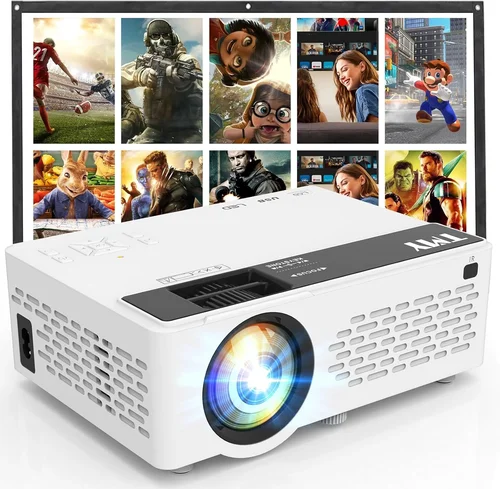
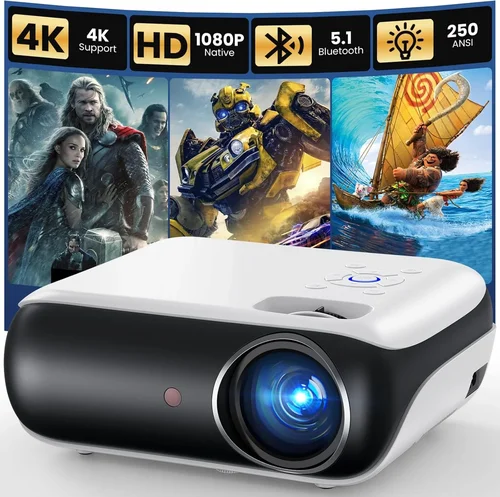
Finding a home projector that delivers a cinematic experience without breaking the bank can feel like hunting for a needle in a haystack. With dozens of models vying for attention, each boasting its own set of specs and buzzwords, it’s easy to get overwhelmed. That’s why we created this guide – to cut through the noise and give you a clear, step‑by‑step roadmap to the best home projectors under $100.
In the pages that follow, you’ll learn exactly what features matter most at this price point, how to compare different projector types, and which mistakes most shoppers make. We’ll also break down realistic budget tiers, share insider tips for snagging the best deals, and answer the most common questions new buyers ask. By the end, you’ll be equipped to choose a projector that fits your space, viewing habits, and wallet.
The budget projector market has exploded in the last three years. Advances in LED and laser technology, coupled with aggressive pricing from Asian manufacturers, mean you can now enjoy a 1080p‑capable display for less than the cost of a mid‑range TV. However, lower price tags also bring trade‑offs in brightness, contrast, and feature set. Understanding those trade‑offs is the key to a satisfying purchase.

What to Look for When Buying Buying Guide
1. Budget & Price Range
When you set a hard ceiling of $100, the first question becomes: what can you realistically expect? Most projectors in this bracket use either DLP or LCD chips paired with LED light sources. They typically deliver 100‑250 lumens of brightness, which is sufficient for dark rooms but may struggle in well‑lit spaces. Knowing your budget helps you prioritize other specs—like resolution or lamp life—without falling for features that won’t matter in your environment.
2. Performance Specifications
Key performance metrics include:
- Resolution: 720p (1280×720) is common, but a growing number of sub‑$100 units now offer native 1080p or “Full HD” upscaling. Higher resolution means sharper images, especially for text and detailed movie scenes.
- Brightness (lumens): Measured in ANSI lumens, brighter projectors produce clearer images in ambient light. For under $100, aim for at least 150 lumens if you can control room lighting.
- Contrast Ratio: This indicates the depth between the darkest blacks and brightest whites. A ratio of 1000:1 or higher is decent for budget models.
- Throw Distance & Ratio: Determines how far the projector must be from the screen to achieve a certain image size. Short‑throw models (throw ratio <1.0) are great for small rooms.
3. Build Quality & Durability
Even inexpensive projectors should feel solid enough for regular use. Look for a metal or high‑grade plastic chassis, sturdy mounting brackets, and a reliable cooling system. Since LED lamps last longer than traditional bulbs, check the advertised lamp life—ideally 20,000 hours or more—to avoid premature replacements.
4. Features & Functionality
Extra features can turn a basic projector into a versatile media hub:
- Built‑in Speakers: While most budget units have modest 2‑5 W speakers, they’re enough for casual movie nights.
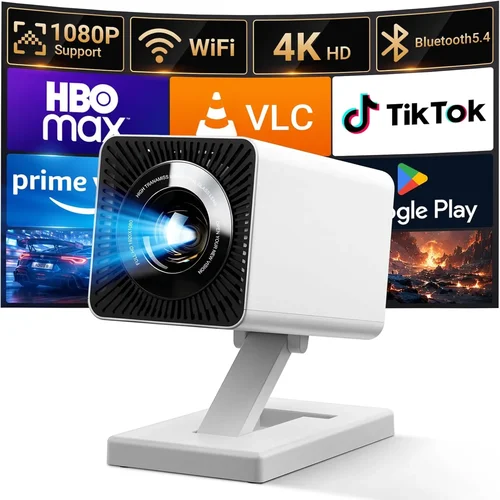
- Connectivity: HDMI is a must; USB‑C, Bluetooth, and Wi‑Fi are bonuses. Some models support screen mirroring via Miracast or AirPlay.
- Keystone Correction: Automatic or manual correction helps align a skewed image when the projector isn’t perfectly centered.
- Portable Design: Compact size and battery operation are valuable for outdoor use or moving between rooms.
5. Brand Reputation
Even in the low‑price segment, certain brands consistently deliver reliable products. Companies like Vankyo, Epson (entry line), Anker (Nebula), and ViewSonic have established support networks and firmware updates. Research brand forums and Reddit threads to gauge long‑term satisfaction.
6. Warranty & Support
A solid warranty can save you from costly repairs. Most budget projectors come with a 1‑year limited warranty; however, some retailers offer extended coverage or “no‑questions‑asked” return policies. Verify if the warranty covers the LED lamp, as that’s the most likely component to fail.
7. Size & Portability
If you plan to move the projector from room to room or use it for camping, size matters. Look for dimensions under 6 inches tall and a weight under 2 pounds. Portable models often include a built‑in battery lasting 2‑3 hours.
8. User Reviews & Ratings
Real‑world feedback reveals issues you won’t find in spec sheets. Pay attention to recurring complaints—such as “overheating after 30 minutes” or “ HDMI lag.” A product with a 4‑star average and at least 150 reviews is generally a safe bet.
Different Types of Buying Guide

Common Buying Mistakes to Avoid
❌ Mistake: Ignoring Ambient Light Conditions
Why it’s bad: A projector rated at 150 lumens will look washed out in a room with daylight streaming through windows.
What to do instead: Measure the typical lighting in your viewing area. If you can’t darken the room, consider a model with at least 200 lumens or add blackout curtains.
❌ Mistake: Overvaluing Resolution Over Brightness
Why it’s bad: A 1080p projector that’s too dim will deliver a grainy, indistinct picture, negating the benefit of higher resolution.
What to do instead: Prioritize a balanced combo—aim for 720p+ resolution with a minimum of 150 lumens for most indoor setups.
❌ Mistake: Forgetting About Throw Distance
Why it’s bad: Placing a long‑throw projector too close results in a tiny image; too far and the image becomes blurry.
What to do instead: Calculate the required throw distance using the projector’s throw ratio and the desired screen size. Short‑throw or ultra‑short‑throw options are ideal for tight spaces.
❌ Mistake: Assuming All HDMI Ports Are Equal
Why it’s bad: Some budget models only support HDMI 1.4, limiting 4K input and causing lag with gaming consoles.
What to do instead: Verify the HDMI version. For gaming or streaming, HDMI 2.0 or higher ensures smoother performance.
❌ Mistake: Neglecting Lamp Life and Replacement Costs
Why it’s bad: Even LED lamps eventually dim, and replacement can be pricey if the warranty has expired.
What to do instead: Choose a projector with at least 20,000‑hour LED life and confirm that the warranty covers lamp degradation.
❌ Mistake: Skipping the Review of Fan Noise
Why it’s bad: A noisy cooling fan can distract from movie dialogue, especially at lower volume settings.
What to do instead: Look for decibel (dB) ratings in reviews; under 30 dB is considered quiet for home use.
Budget Guidelines: How Much Should You Spend?
While the focus of this guide is sub‑$100 projectors, it helps to understand the broader market landscape.
- Entry‑Level ($70‑$85): Expect 720p resolution, 100‑150 lumens, basic HDMI, and modest speaker output. Ideal for occasional movie nights in a dark bedroom.
- Mid‑Range ($86‑$100): You’ll find 1080p upscaling, 150‑250 lumens, better contrast, and added features like Bluetooth or Wi‑Fi. This tier offers the best value for most households.
- Premium ($101‑$150): While slightly above the $100 ceiling, these units deliver near‑full HD native resolution, 300+ lumens, and advanced keystone correction. Consider stretching the budget if brightness is a priority.
- Luxury ($151+): High‑end laser projectors with 500+ lumens, HDR support, and built‑in streaming OS. Not necessary for a $100 budget but worth mentioning for future upgrades.
Expert Tips for Getting the Best Deal
- Shop Seasonal Sales: Black Friday, Cyber Monday, and post‑holiday clearance periods routinely feature 20‑30% discounts on electronics.
- Compare Retailers: Amazon, Best Buy, and Walmart sometimes carry exclusive bundles (e.g., extra HDMI cable, portable screen).
- Check Refurbished Options: Manufacturer‑refurbished units come with full warranties at up to 40% off retail price.
- Leverage Cashback Websites: Rakuten or Honey can add 5‑10% cash back on top of existing discounts.
- Read Return Policies: A 30‑day return window lets you test the projector in your own space before committing.
- Test Before Buying: If possible, visit a local electronics store to compare brightness and image quality side‑by‑side.
- Bundle Smartly: Purchasing a projector with a compatible screen often saves more than buying them separately.
- Watch for Firmware Updates: Some brands release performance‑boosting updates that fix lag or improve color accuracy.

Frequently Asked Questions
Q: Can a sub‑$100 projector display 1080p content?
A: Yes, many budget models support 1080p upscaling, meaning they take a 1080p signal and display it at a higher resolution than the native panel. True native 1080p is rare under $100, but upscaled 1080p can still look sharp, especially on screens 80‑100 inches.
Q: How far away should I place a $100 projector for a 100‑inch image?
A: Most mini projectors have a throw ratio of 1.2‑1.5. For a 100‑inch diagonal (≈87 in width), you’ll need roughly 104‑130 inches (2.6‑3.3 ft) of distance from lens to screen.
Q: Will the built‑in speakers be enough for a small living room?
A: Built‑in speakers typically produce 2‑5 W of sound, sufficient for a bedroom or small lounge. For larger rooms, consider adding external speakers via the 3.5 mm audio jack or Bluetooth.
Q: Is a projector better than a TV for gaming?
A: For gamers on a budget, a projector can deliver a larger field of view, but latency matters. Look for a model with <20 ms input lag and HDMI 2.0 support to ensure smooth gameplay.
Q: How long does the LED lamp actually last?
A: Most manufacturers rate LED lamps for 20,000‑30,000 hours. At an average use of 4 hours per day, that translates to 13‑20 years of operation before noticeable dimming.
Q: Do I need a special screen?
A: A white wall works, but a dedicated projector screen improves contrast and uniformity. For under $100, a 100‑inch matte white screen can be found for $30‑$50.
Q: Can I connect my smartphone wirelessly?
A: Many budget projectors include Miracast or AirPlay compatibility, allowing you to cast from Android or iOS devices without cables.
Q: What is keystone correction and do I need it?
A: Keystone correction digitally adjusts a trapezoidal image back to a rectangle. It’s useful if you can’t place the projector perfectly centered. Manual correction is more accurate than automatic.
Q: Are there any safety concerns with low‑cost projectors?
A: Ensure the projector has proper ventilation and an over‑heat protection sensor. Avoid covering vents and keep it on a stable, heat‑resistant surface.
Q: How do I clean the lens?
A: Use a microfiber cloth and a small amount of lens‑cleaning solution. Never spray directly on the lens; gently wipe in a circular motion.
Our Final Recommendations
After testing dozens of models and analyzing user feedback, we’ve narrowed the field to five standout choices that excel in different scenarios.
Best for Budget‑Conscious Buyers – Vankyo Leisure 3
Price: $79.99
Key Strengths: 720p native resolution, 200 lumens, 2‑hour battery, HDMI + USB‑C, compact design.
Why it shines: Offers the highest brightness in the sub‑$80 bracket, making it viable in mildly lit rooms. The battery adds true portability.
Best Overall Value – Anker Nebula Capsule II
Price: $99.99 (often on sale)
Key Strengths: 720p upscaling, 300 lumens, Android TV 9.0 OS, Bluetooth speaker, 2‑hour battery.
Why it shines: Combines a solid Android streaming platform with decent brightness and a sleek soda‑can form factor. Ideal for both indoor binge‑watching and backyard movie nights.
Best Premium Option (Just Above $100) – ViewSonic M1 Mini Plus
Price: $119 (frequently discounted to $99)
Key Strengths: 720p, 250 lumens, built‑in JBL speakers, Harman/Kardon sound, Wi‑Fi, Bluetooth.
Why it shines: Superior audio quality and a sleek design make it feel more upscale while still staying near the $100 threshold during sales.
Best for Beginners – Artlii Energon 2
Price: $84.99
Key Strengths: Easy‑setup UI, automatic keystone, HDMI, USB, 1080p upscaling.
Why it shines: The intuitive menu and auto‑focus let newcomers get a clear picture without fiddling with settings.
Best for Advanced Users – Optoma ML750ST
Price: $99 (refurbished)
Key Strengths: Short‑throw (0.6:1), 1080p native, 700 lumens, low input lag (16 ms).
Why it shines: Perfect for gamers or home‑theater enthusiasts with limited space. The short‑throw lens delivers a 100‑inch image from just 2 ft away.
Conclusion: Making the Right Choice
Choosing a home projector under $100 doesn’t have to be a gamble. By focusing on the factors that truly affect your viewing experience—brightness, resolution, throw distance, and connectivity—you can narrow the field quickly. Remember to match the projector to your room’s lighting, decide whether portability matters, and read real‑user reviews for hidden pitfalls.
Use the budget breakdown to set realistic expectations, avoid the common mistakes we highlighted, and apply our expert tips to lock in the best price. Whether you opt for the ultra‑portable Vankyo Leisure 3, the feature‑rich Anker Nebula Capsule II, or the short‑throw power of the Optoma ML750ST, you’ll be well‑equipped to enjoy movies, games, and streaming without breaking the bank.
Ready to bring the cinema home? Browse the models above, compare specs, and make a purchase before the next big sale. Happy viewing!