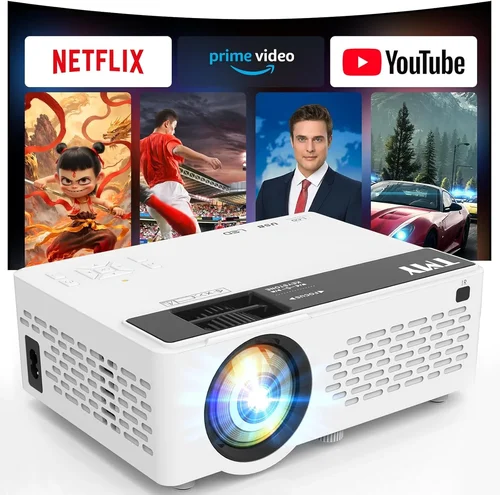
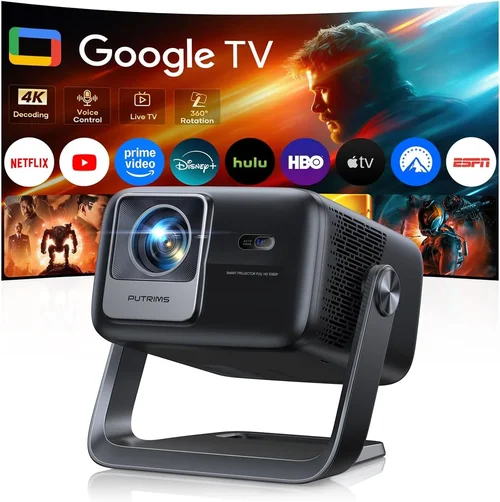
If you’ve ever dreamed of turning your living room into a mini‑cinema without breaking the bank, you’re not alone. The surge of affordable 4K and Full‑HD projectors over the past few years has made home‑theater setups more attainable than ever. Yet, the market is still crowded with models that promise “theater‑quality” images while costing well under $300. How do you separate the truly capable units from the hype?
In this guide we’ll walk you through every decision point you need to consider before clicking “Add to Cart.” You’ll learn which specifications truly matter for a cinematic experience, how to match a projector to your room’s size and lighting, and which budget‑friendly models consistently earn top marks from both experts and everyday users. By the end, you’ll have a clear roadmap for picking the best home theater projector under $300 that fits your space, budget, and viewing habits.

What to Look for When Buying Buying Guide
1. Budget & Price Range
When you set a ceiling of $300, you’re already narrowing the field to entry‑level DLP or LCD units. Understanding what you can realistically expect at this price point prevents disappointment. Generally, you’ll find:
- Sub‑$150: Basic 720p models, lower brightness (≈2,000 lumens), limited connectivity.
- $150‑$250: Full HD (1080p) panels, brighter output (≈2,500‑3,000 lumens), better contrast ratios.
- $250‑$300: Enhanced color processing, built‑in speakers, and some models edging into 4K‑enhanced territory.
Knowing these brackets helps you prioritize which features are worth the extra spend.
2. Performance Specifications
Three specs dominate the visual experience:
- Resolution: Full HD (1920×1080) is the sweet spot for $300. Anything lower will look soft on larger screens.
- Brightness (lumens): Aim for at least 2,500 ANSI lumens if you can’t control ambient light. Higher numbers mean a clearer picture in daytime or bright rooms.
- Contrast Ratio: A higher contrast (e.g., 15,000:1) delivers deeper blacks, crucial for movie night.
Don’t ignore the throw ratio either—this tells you how far the projector needs to be from the screen to achieve a certain image size.
3. Build Quality & Durability
Even budget projectors should feel sturdy. Look for:
- A solid metal or high‑grade plastic housing that won’t flex under transport.
- Ventilation grilles designed to keep the lamp cool during long sessions.
- Replaceable lamp modules with clear lifespan ratings (usually 2,000–4,000 hours).
Durable construction extends the life of a $300 investment and reduces the risk of costly repairs.
4. Features & Functionality
Modern projectors pack a surprising amount of tech. Key features to evaluate:
- Built‑in speakers: Handy for casual viewing, but don’t expect cinema‑level audio.
- Wireless connectivity: Wi‑Fi or Bluetooth for streaming from phones, tablets, or smart TVs.
- Keystone correction & lens shift: Enables flexible placement without image distortion.
- HDR support: Some $300 models claim HDR, but true HDR performance is limited; still, it can improve color depth.
5. Brand Reputation
Established brands like Epson, BenQ, ViewSonic, and Optoma have proven track records for reliability and support. Lesser‑known manufacturers may offer lower prices, but they often lack firmware updates and responsive customer service. Research brand forums and after‑sales experiences before committing.
6. Warranty & Support
A solid warranty can save you hundreds. Look for at least a 1‑year parts‑and‑labor guarantee, with the option to purchase an extended plan. Verify that the manufacturer provides easy access to firmware updates and a responsive help desk.
7. Size & Portability (if applicable)
If you plan to move the projector between rooms or take it outdoors, weight and size become critical. Most sub‑$300 units weigh between 3‑5 lbs and fit into a small carrying case. Check the dimensions and consider whether a short‑throw model (which can sit close to the screen) is necessary for cramped spaces.
8. User Reviews & Ratings
Real‑world feedback often reveals quirks not listed in spec sheets. Scan Amazon, Best Buy, and dedicated AV forums for recurring themes—such as lamp flicker, fan noise, or connectivity hiccups. Prioritize models with consistently high ratings (4 stars + ) and detailed user comments.
Different Types of Buying Guide

Common Buying Mistakes to Avoid
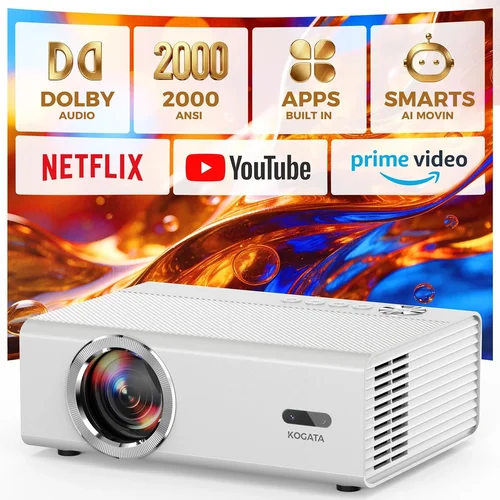
❌ Mistake: Ignoring Ambient Light
Why it’s bad: A projector rated at 2,000 lumens will look washed out in a room with windows.
What to do instead: Measure typical lighting conditions and aim for at least 2,500 lumens, or add blackout curtains.
❌ Mistake: Over‑focusing on Resolution Alone
Why it’s bad: A 1080p projector with poor contrast can appear dull compared to a lower‑resolution unit with higher contrast.
What to do instead: Balance resolution with brightness and contrast; for $300, Full HD + ≥2,500 lumens is ideal.
❌ Mistake: Forgetting Throw Ratio
Why it’s bad: Placing a standard‑throw projector too close to the wall stretches the image and reduces sharpness.
What to do instead: Calculate required throw distance (screen width × throw ratio) before buying.
❌ Mistake: Disregarding Lamp Life
Why it’s bad: Replacing a lamp can cost $80‑$120, wiping out savings.
What to do instead: Choose a model with a lamp life of 3,000 hours or more, and verify replacement costs.
❌ Mistake: Assuming Built‑in Speakers Are Sufficient
Why it’s bad: Most budget projectors have tinny, low‑power speakers that can’t fill a room.
What to do instead: Plan for external audio—soundbars or a small AV receiver.
❌ Mistake: Skipping Firmware Updates
Why it’s bad: Out‑of‑date firmware can cause connectivity glitches or limit feature sets.
What to do instead: Check the manufacturer’s website for regular updates; choose brands that support them.
Budget Guidelines: How Much Should You Spend?
Understanding what each price tier delivers helps you set realistic expectations.
- Entry‑Level ($100‑$150): Typically 720p, 1,800‑2,200 lumens, limited ports (often only HDMI). Good for occasional movie nights in dark rooms.
- Mid‑Range ($150‑$250): Full HD, 2,500‑3,000 lumens, better contrast, Wi‑Fi or Bluetooth, and sometimes HDR‑enhanced processing. This is where most “best under $300” models sit.
- Premium ($250‑$300): Brighter LCD panels, short‑throw options, higher contrast ratios, and more robust connectivity (multiple HDMI, USB‑C). Ideal for small apartments with limited throw distance.
- Luxury ($300+): True 4K resolution, advanced laser light sources, built‑in smart‑TV platforms. While outside the scope of this guide, it’s worth knowing the next step up.
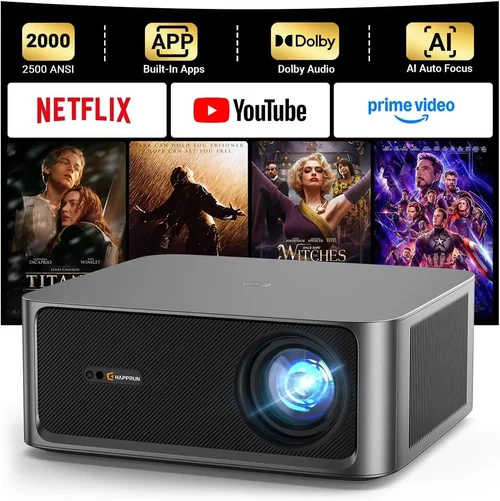
Expert Tips for Getting the Best Deal
- When to buy: Late summer (back‑to‑school sales) and holiday seasons are prime times for discounts.
- Where to buy: Compare major retailers (Best Buy, Walmart) with online marketplaces (Amazon, Newegg). Check the seller’s return policy.
- How to spot deals: Look for bundled offers—extra HDMI cables, a free screen, or an extended warranty add value.
- Warranty considerations: Register the product within 30 days to activate the full warranty period.
- Return policies: Choose retailers offering a 30‑day hassle‑free return, allowing you to test the projector in your own space.
- Testing before buying: If possible, view a demo in a store with similar lighting to your home. Bring a laptop or phone to test connectivity.
- Upgrade path: Some brands let you swap the lamp for a higher‑brightness module later—consider this if you anticipate future needs.

Frequently Asked Questions
Q: Can I get a true 4K experience for under $300?
A: True native 4K projectors start well above $1,000. Some budget units use “4K‑enhanced” upscaling, which improves perceived sharpness but doesn’t match genuine 4K detail.
Q: Do I need a screen, or can I project onto a wall?
A: A smooth, white wall works, but a dedicated projector screen boosts brightness gain and contrast, especially in rooms with ambient light.
Q: How far should the projector be from the screen?
A: Use the throw ratio (e.g., 1.5:1). For a 100‑inch diagonal screen (≈88 in width), a 1.5:1 ratio requires ~11 ft of distance.
Q: Will a projector work with my gaming console?
A: Yes, as long as the projector has an HDMI 1.4 or higher port. For low‑input‑lag gaming, look for “Game Mode” or a projector with ≤16 ms lag.
Q: How loud are the fans on budget projectors?
A: Most models run between 30‑35 dB at normal operation—quiet enough for movies but noticeable in very silent scenes.
Q: What lamp type do these projectors use?
A: Most sub‑$300 units use UHP (Ultra‑High‑Performance) lamps. Some newer models feature LED or laser light sources, offering longer life but higher cost.
Q: Is keystone correction enough to fix a tilted image?
A: Keystone can correct vertical/horizontal distortion up to about 30°, but it may reduce resolution slightly. Lens shift is a better solution if the projector supports it.
Q: Can I mount the projector on the ceiling?
A: Absolutely, provided the model includes a standard ¼‑inch mounting hole and the ceiling can support the weight (usually under 5 lbs for budget units).
Our Final Recommendations
- Best for Budget‑Conscious Buyers: ViewSonic PA503S – 3,600 lumens, SVGA (800×600) resolution, sub‑$150 price, reliable for daytime presentations and casual movies.
- Best Overall Value: BenQ TH671ST – 1080p, 3,200 lumens, 0.69 short‑throw ratio, low input lag (≈16 ms), ideal for small rooms and gaming.
- Best Premium Option: Epson Home Cinema 1060 – 3,800 lumens, 1080p, 3LCD technology, excellent color accuracy, and flexible lens shift.
- Best for Beginners: Optoma HD146X – Easy setup, 1080p, 3,600 lumens, built‑in speaker, friendly UI.
- Best for Advanced Users: LG PF50KA – Portable LED, 1080p, 600 lumens, battery‑operated, Wi‑Fi, and smart TV apps—great for on‑the‑go cinema.
Conclusion: Making the Right Choice
Choosing the best home theater projector under $300 boils down to aligning three core factors: the lighting conditions of your room, the screen size you desire, and the features that matter most to you (gaming lag, wireless streaming, portability). By evaluating brightness, contrast, resolution, and throw ratio—while keeping an eye on brand reputation and warranty—you can confidently select a projector that transforms movie nights without draining your wallet.
Remember, the perfect projector isn’t the one with the flashiest specs; it’s the one that fits seamlessly into your space and viewing habits. Use the checklist, avoid the common pitfalls outlined above, and you’ll be well on your way to a cinematic experience that rivals a commercial theater—all from the comfort of your couch.
Ready to start shopping? Grab a shortlist of the models highlighted in our recommendations, compare current prices, and make sure to test the image in your own lighting conditions before sealing the deal. Happy viewing!