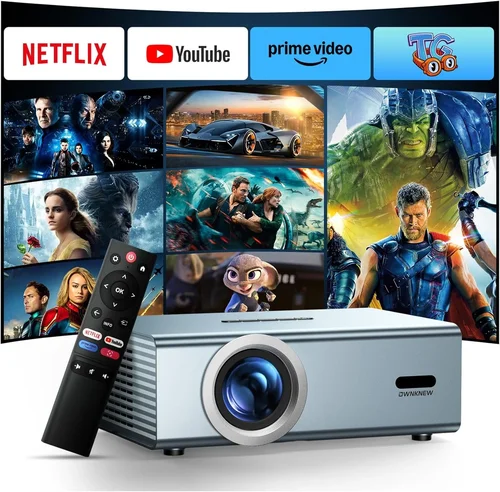
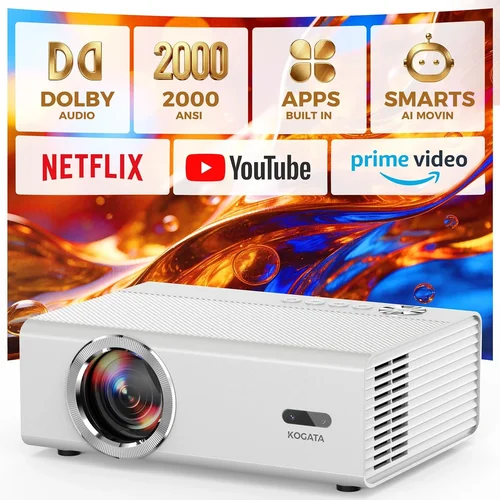
If you’re dreaming of the cinematic experience that fills a room with massive, crystal‑clear images, a home‑theatre projector is the gateway. Yet the market is flooded with models that promise “theater‑quality” while many fall short of expectations, especially when you’re trying to keep the total cost under $5,000. This guide cuts through the noise, giving you a step‑by‑step framework to pick a projector that delivers true cinema vibes without breaking the bank.
By the end of this article you will understand the technical specs that truly matter, the different projector families and where they shine, common pitfalls that trip up even seasoned buyers, and how to stretch every dollar for maximum bang for your buck. Whether you’re setting up a dedicated media room, a backyard movie night, or a flexible living‑room setup, the information here will help you make a confident, informed purchase.

What to Look for When Buying Buying Guide
1. Budget & Price Range
When you set a ceiling of $5,000 you instantly narrow the field to mid‑range models that balance performance and value. In this bracket you can expect a solid 2,500–3,500 lumens output, 1080p native resolution (some 4K‑enhanced), and a decent contrast ratio. The key is to avoid “feature creep” – spending extra on a high‑end lens shift or laser light source that you’ll never use. Instead, allocate funds to the specs that directly affect picture quality in your typical viewing environment.
2. Performance Specifications
Three technical pillars dominate the visual experience:
- Brightness (lumens): For a dimly lit living room, 2,500–3,000 lumens is usually sufficient. If you plan to use the projector in a room with ambient light or outdoors, aim for 3,500+ lumens.
- Resolution: Native 1080p (Full HD) remains the sweet spot under $5k. Some models employ pixel‑shifting to simulate 4K, which can be a good compromise if you want sharper detail without the price tag of true 4K.
- Contrast Ratio: A higher contrast ratio (e.g., 30,000:1) delivers deeper blacks and more vibrant colors. Look for dynamic contrast specifications, but also read real‑world reviews because manufacturers often inflate these numbers.
3. Build Quality & Durability
A projector is an investment that sees frequent use, especially in a home‑theatre setting. Metal housings, robust cooling fans, and sealed optics protect against dust and heat. Pay attention to the lamp or laser life expectancy; a lamp rated for 4,000 hours can still cost $300–$400 to replace, while a laser source may run 20,000+ hours with virtually no degradation.
4. Features & Functionality
Modern projectors pack a suite of convenience tools. Prioritize the ones that align with your usage:
- Lens Shift & Zoom: Essential for flexible installation. A vertical lens shift of ±30% lets you mount the projector high on the ceiling without keystone distortion.
- Keystone Correction: Software correction is helpful but can soften the image. Mechanical lens shift is preferable.
- HDR Support: HDR10 or Dolby Vision expands color gamut and contrast, delivering a more lifelike picture.
- Smart Platform: Built‑in streaming apps (e.g., Roku, Android TV) reduce the need for an external box.
- Connectivity: Multiple HDMI 2.0 ports, USB‑C, Ethernet, and Bluetooth give you flexibility for gaming consoles, Blu‑ray players, and sound systems.
5. Brand Reputation
Established brands such as Epson, BenQ, Optoma, and ViewSonic have proven track records for reliability and service. Newer entrants like Xiaomi or Hisense can surprise with aggressive pricing, but warranty coverage and after‑sales support vary. Research brand forums and consumer reports to gauge long‑term satisfaction.
6. Warranty & Support
Most manufacturers offer a 2‑year limited warranty covering parts and labor. Look for extended warranty options, especially for the light source. A responsive support hotline and readily available replacement parts can save you headaches down the road.
7. Size & Portability (if applicable)
If you plan to move the projector between rooms or take it outdoors, weight and form factor matter. A portable model typically weighs under 10 lb and includes a built‑in speaker, but may sacrifice brightness and lens shift. Fixed‑installation units are bulkier but often deliver superior image quality.
8. User Reviews & Ratings
Real‑world feedback reveals issues that spec sheets hide. Look for consistent praise or complaints about fan noise, color accuracy, or firmware stability. A model with 4.5‑star average rating across multiple retailers generally indicates a balanced performer.
Different Types of Buying Guide

Common Buying Mistakes to Avoid
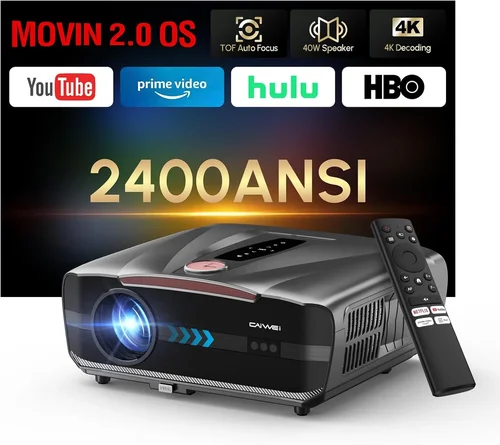
❌ Mistake: Ignoring Ambient Light Conditions
Why it’s bad: Selecting a low‑lumens projector for a bright living room results in washed‑out images and a disappointing experience.
What to do instead: Measure typical ambient light levels and target at least 2,500 lumens for dim rooms, 3,500+ for brighter spaces.
❌ Mistake: Over‑relying on Marketing “4K” Labels
Why it’s bad: Many “4K” models under $5k use pixel‑shifting technology that only approximates true 4K, which may not satisfy critical viewers.
What to do instead: Verify whether the projector offers true 4K native resolution or a 1080p panel with upscaling. Read third‑party reviews for image sharpness.
❌ Mistake: Forgetting About Throw Distance
Why it’s bad: A projector with a long throw ratio may require a wall that’s too far away, forcing you to compromise screen size.
What to do instead: Calculate the throw distance using the projector’s throw ratio (e.g., 1.5:1) and compare it with your room dimensions before buying.
❌ Mistake: Neglecting Lens Shift & Zoom
Why it’s bad: Without adequate lens shift, you’ll need keystone correction, which degrades image quality and adds strain on the projector’s processor.
What to do instead: Choose a model with at least ±15% vertical lens shift and a decent zoom range (1.2‑1.5×) for flexible mounting.
❌ Mistake: Skipping Firmware Updates
Why it’s bad: Out‑of‑date firmware can cause connectivity glitches, HDR problems, or reduced performance.
What to do instead: Check the manufacturer’s support page for recent updates and ensure the projector’s UI makes updating straightforward.
❌ Mistake: Underestimating Audio Needs
Why it’s bad: Built‑in speakers are usually weak; relying on them can ruin the immersive experience.
What to do instead: Plan for a dedicated sound system—soundbar or AV receiver—and verify the projector has appropriate audio outputs (optical, HDMI ARC).
Budget Guidelines: How Much Should You Spend?
Understanding what each price tier delivers helps you align expectations with reality.
- Entry-Level ($1,500 – $2,500): Expect 2,000–2,500 lumens, 1080p resolution, basic HDR, and limited lens shift. Great for small rooms or occasional movie nights.
- Mid‑Range ($2,500 – $4,000): This is the sweet spot. You’ll find 2,800–3,500 lumens, higher contrast ratios, robust lens shift, and often a laser light source or long‑life lamp.
- Premium ($4,000 – $5,000): True 4K (or 4K‑enhanced) panels, laser phosphor light engines, advanced HDR (Dolby Vision), and premium build quality. Ideal for dedicated home‑theatre rooms.
- Luxury ($5,000+): Ultra‑short‑throw, 4K‑native, 4K‑laser, integrated smart platforms, and professional‑grade color calibration. Typically overkill for most home users.
Expert Tips for Getting the Best Deal
- Buy during the “home‑theatre” sales window (late summer to early fall) when manufacturers push new‑generation units.
- Consider refurbished units directly from the brand’s outlet. They usually carry a full warranty and are tested to factory standards.
- Shop from retailers that offer a 30‑day return policy and free shipping. This gives you room to test the projector in your environment.
- Bundle with a compatible screen (gain 0.8‑1.1) to avoid extra costs later.
- Check for extended lamp or laser warranties; a $200 extension can save you $400‑$600 later.
- When testing in‑store, bring a laptop with 1080p content and a calibrated color chart to gauge true performance.
- Read the fine print on “lifetime” warranties – they often only cover parts, not the light source.
Frequently Asked Questions
Q: Do I need a separate sound system?
A: Yes. Most projectors under $5,000 have modest built‑in speakers (10‑20 W). For an authentic cinema feel, pair the projector with a soundbar, AV receiver, or a 5.1/7.1 speaker setup.
Q: Can I use a projector for gaming?
A: Absolutely, provided the projector supports low input lag (under 30 ms) and a refresh rate of at least 60 Hz. DLP models often excel in this area.
Q: What screen size is optimal for a 1080p projector?
A: For a 1080p source, the ideal screen width is up to 2.5 times the vertical resolution (≈2.5 × 1080 = 2,700 px). In practical terms, a 100‑inch diagonal screen offers a good balance of pixel density and immersion.
Q: How often do I need to replace the lamp?
A: Lamp life varies by model—typically 3,000–5,000 hours for standard lamps. Laser light sources can exceed 20,000 hours, effectively lasting the life of the projector for most users.
Q: Is a projector better than a large TV?
A: Projectors provide larger image sizes (100‑150 inches) at a lower cost per inch, but TVs offer higher brightness and better performance in bright rooms. Choose based on space, ambient light, and usage patterns.
Q: Do I need a special paint or wall for projection?
A: A smooth, matte white wall works, but a dedicated projection screen improves contrast and color accuracy. If you paint, use a high‑gain (≥ 0.8) projector paint.
Q: How far should the projector be from the screen?
A: Use the throw ratio. For a 1.5:1 ratio and a 100‑inch screen (width ≈ 87 in), the distance ≈ 130 in (≈ 3.3 ft). Adjust according to your room’s layout.
Q: Can I mount the projector on the ceiling?
A: Yes, most mid‑range models include mounting brackets. Ensure you have adequate clearance for ventilation and that the mount supports the projector’s weight.
Q: Is HDR really noticeable on a projector?
A: HDR adds depth to bright and dark areas, but the effect depends on the projector’s peak brightness and contrast ratio. Look for HDR10 support and a brightness of at least 3,000 lumens for noticeable improvement.
Our Final Recommendations
After evaluating performance, value, and user feedback, these models stand out in the sub‑$5,000 segment.
- Best for Budget‑Conscious Buyers: Epson Home Cinema 4010 – 2,400 lumens, 4K‑enhanced LCD, excellent color accuracy, and a solid 2‑year warranty, all under $2,800.
- Best Overall Value: BenQ HT3550 – 2,000 lumens, true 4K DLP, HDR‑10, and a 15‑meter throw distance, priced around $3,300.
- Best Premium Option: Optoma CinemaX P2 – Ultra‑short‑throw laser, 4K native, 3,000 lumens, built‑in soundbar, and a sleek design, just under $5,000.
- Best for Beginners: ViewSonic PX706HD – 3,000 lumens, low input lag, short‑throw DLP, easy setup, and a price tag of $1,900.
- Best for Advanced Users: LG HU85LA – 4K laser, 2,700 lumens, 0.25‑throw ratio, extensive lens shift, and customizable color profiles, priced at $4,900.
Conclusion: Making the Right Choice
Choosing the best home‑theatre projector under $5,000 boils down to matching your viewing environment, usage habits, and budget to the right blend of brightness, resolution, and features. Start by measuring your room’s ambient light and throw distance, then prioritize the specs that will make the biggest visual impact—lumens, contrast, and lens shift. Avoid common traps like over‑valuing marketing hype or ignoring warranty terms.
Remember, the perfect projector isn’t the most expensive one; it’s the one that delivers cinema‑quality images where you plan to watch them, without forcing you to compromise on comfort or cost. Use the guidelines above, compare the recommended models, and you’ll be well on your way to building a home‑theatre that rivals the local multiplex.