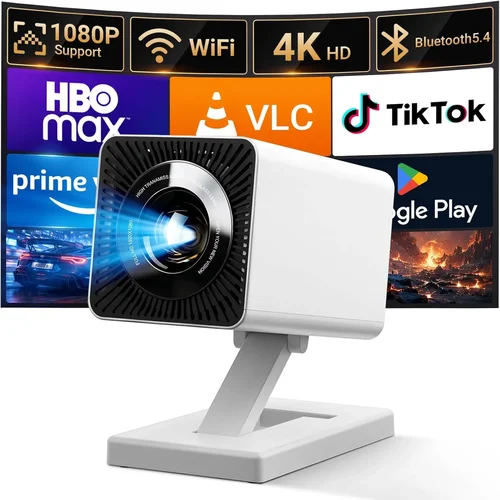
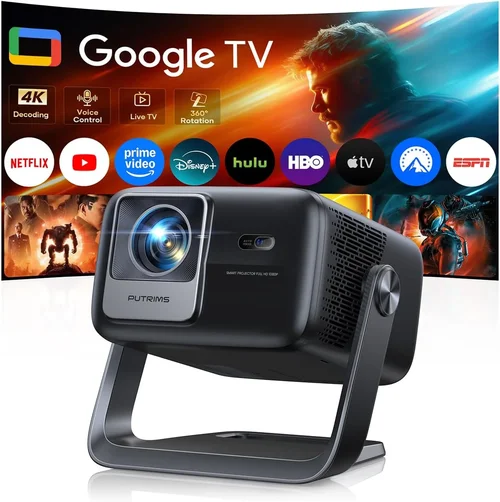
Finding a cinema‑quality experience without breaking the bank can feel like chasing a unicorn. Yet, in 2026 the home‑theatre projector market has finally caught up with consumer demand, offering bright, sharp, and feature‑rich units well under $500. This guide is designed to cut through the noise, help you understand what truly matters, and point you toward the best home theatre projectors under $500.
By the end of this article you will know which technical specs to prioritize, which projector types fit different rooms, common pitfalls to avoid, and exactly how much you should allocate to get the most bang for your buck. Whether you’re setting up a dedicated media room, a backyard movie night, or a portable “cinema on the go,” the insights below will empower you to make a confident, informed purchase.

What to Look for When Buying Buying Guide
1. Budget & Price Range
Even within the sub‑$500 segment, prices can vary widely. Some models sit just above $200, while others push the $500 limit with premium features. Establish a clear ceiling before you start shopping; this prevents you from falling for “sale” prices that merely shift the cost to accessories (like a high‑lumens lamp or external speakers). Remember, a lower price often means compromises in brightness, contrast, or lifespan, so weigh what you’re willing to sacrifice.
2. Performance Specifications
Three core specs dictate picture quality:
- Brightness (lumens): For a dark home theatre, 1,500–2,000 ANSI lumens is sufficient. If you plan to use the projector in a room with ambient light, aim for 2,500+ lumens.
- Resolution: 1080p (Full HD) is the sweet spot under $500. Some budget models still offer 720p; while acceptable for casual viewing, you’ll notice the difference on larger screens.
- Contrast Ratio: Higher contrast (e.g., 15,000:1) yields deeper blacks and more vivid colors. Look for a ratio above 10,000:1 for a decent cinematic feel.
3. Build Quality & Durability
Projectors are often moved, installed, and stored repeatedly. A sturdy chassis, quality fans, and a well‑ventilated design prolong lamp life and keep noise down. Metal housings and reinforced lens mounts are signs of a durable unit that will survive years of use.
4. Features & Functionality
Modern projectors pack a variety of conveniences. Prioritize the following:
- Built‑in speakers: Useful for quick setups, though external audio is recommended for true home‑theatre sound.
- Connectivity: HDMI (preferably HDMI 2.0), USB‑C, Wi‑Fi, and Bluetooth expand your source options.
- Keystone correction & lens shift: Allows flexible placement without image distortion.
- Smart OS: Some budget models run Android TV or Roku, eliminating the need for a separate streaming box.
5. Brand Reputation
Established brands such as Epson, BenQ, ViewSonic, and Optoma tend to offer reliable after‑sales support and more consistent firmware updates. Newer entrants can surprise with innovation, but be sure to research long‑term reliability and community feedback before committing.
6. Warranty & Support
A solid warranty (minimum 2‑years) reflects manufacturer confidence. Look for on‑site lamp replacement policies and easily accessible customer service. Some retailers also provide extended protection plans that can be a worthwhile investment.
7. Size & Portability
If you need a projector that travels, consider weight (under 5 lb is ideal) and a compact form factor. Portable models often use LED or laser light sources, which have longer lifespans but may sacrifice ultimate brightness.
8. User Reviews & Ratings
Real‑world feedback uncovers issues that spec sheets hide. Scan reviews for recurring themes—excessive fan noise, premature lamp failure, or software glitches—and factor those into your decision.
Different Types of Buying Guide

Common Buying Mistakes to Avoid
❌ Mistake: Ignoring Ambient Light Conditions
Why it’s bad: A projector rated at 1,500 lumens looks great in a dark room but will appear washed out in a living room with windows.
What to do instead: Measure typical lighting in your setup and choose a brightness level that exceeds it by at least 30 %.
❌ Mistake: Overvaluing Resolution Alone
Why it’s bad: A 1080p projector with low contrast can look duller than a 720p unit with superior contrast and color accuracy.
What to do instead: Balance resolution with contrast ratio and color gamut for a truly immersive image.
❌ Mistake: Forgetting Lamp Lifespan Costs
Why it’s bad: Some budget models use cheap lamps that need replacement every 2,000 hours, adding hidden expenses.
What to do instead: Look for LED or laser light sources, or verify the cost and availability of replacement lamps.
❌ Mistake: Skipping Connectivity Checks
Why it’s bad: A projector with only VGA input forces you to buy adapters for modern HDMI sources.
What to do instead: Ensure the unit offers at least one HDMI 2.0 port, plus optional USB‑C or wireless casting.
❌ Mistake: Buying the Loudest Unit
Why it’s bad: High fan speeds can distract from movie dialogue, especially in quiet scenes.
What to do instead: Review decibel (dB) ratings; aim for 30 dB or lower in “quiet mode.”
❌ Mistake: Assuming All “Smart” Projectors Are Equal
Why it’s bad: Some Android TV implementations are outdated, laggy, or lack app support.
What to do instead: Test the UI (if possible) or read recent user reviews focusing on software performance.
Budget Guidelines: How Much Should You Spend?
- Entry‑Level ($200‑$300): Expect 720p resolution, 1,500‑1,800 lumens, basic HDMI, and limited built‑in speakers. Ideal for occasional movie nights in a dark room.
- Mid‑Range ($301‑$450): Full HD 1080p, 2,200‑2,800 lumens, improved contrast, and added features like keystone correction and wireless mirroring. This tier suits most home‑theatre setups.
- Premium ($451‑$600): Higher brightness (3,000+ lumens), superior contrast (20,000:1+), better color gamut (Rec.709 or DCI‑P3), and robust smart platforms. Perfect for bright rooms or dual‑use (gaming + movies).
- Luxury ($601+): Laser light sources, 4K‑enhanced resolution, HDR10 support, and premium audio integration. Generally beyond the “under $500” scope but worth mentioning for future upgrades.
Expert Tips for Getting the Best Deal
- Timing: Purchase during the late summer “back‑to‑school” sales when retailers clear inventory for newer models.
- Where to Buy: Compare prices across Amazon, Best Buy, B&H Photo, and direct manufacturer sites. Some brands offer exclusive bundles (e.g., a free ceiling mount) on their own storefronts.
- Spotting Deals: Look for “refurbished” or “open‑box” units that carry full warranties but are priced 15‑30 % lower.
- Warranty Extensions: If the standard warranty is only one year, adding a two‑year extension can save you from costly lamp replacements.
- Return Policies: Choose retailers with at least a 30‑day return window and free shipping for returns—critical for testing in your own space.
- Testing Before Buying: If possible, view a demo in a store with a similar screen size to yours. Pay attention to color accuracy, black levels, and fan noise.
- Bundle Savings: Some sellers offer a discount when you purchase a projector together with a compatible screen or soundbar.

Frequently Asked Questions
Q: Do I need a separate sound system?
A: While many budget projectors include built‑in speakers, they rarely deliver cinema‑level immersion. Pairing your projector with a soundbar or a 2.1/5.1 speaker system dramatically improves dialogue clarity and overall impact.
Q: How far can I place the projector from the screen?
A: This depends on the throw ratio. A typical 1.2:1 throw ratio means a 100‑inch screen requires the projector to be about 10 feet away. Check the manufacturer’s spec sheet for exact distances.
Q: Is a lamp replacement expensive?
A: For traditional UHP lamps, replacements cost $70‑$150 and last 2,000–4,000 hours. LED and laser models have lifespans of 20,000+ hours and rarely need replacement, making them more cost‑effective over time.
Q: Can I use my projector outdoors?
A: Yes, provided you have a shaded area to control ambient light and a stable, weather‑protected mounting surface. Look for models with higher lumens (≥2,500) and robust cooling for outdoor use.
Q: What screen material works best?
A: For most home‑theatre setups, a matte white screen offers balanced brightness and color. If you have a bright room, consider a gray (high‑contrast) screen to enhance black levels.
Q: Does HDMI 2.0 matter for a $500 projector?
A: HDMI 2.0 supports 4K @ 60 Hz and HDR. While most sub‑$500 units are 1080p, HDMI 2.0 ensures future‑proofing for higher‑resolution sources and better color depth.
Q: How do I calibrate my projector?
A: Start with the built‑in picture modes (Cinema, Sports, Game). Then fine‑tune brightness, contrast, and color temperature using a calibration disc or software like CalMAN. Adjust keystone and lens shift for a perfectly rectangular image.
Q: Are there any safety concerns with projectors?
A: Projectors emit heat; keep ventilation clear and avoid placing flammable objects nearby. Also, never look directly into the lens while it’s on, as the bright light can damage eyes.
Our Final Recommendations
Best for Budget‑Conscious Buyers
Model: ViewSonic PA503W
Why: At $229 it delivers 3,600 lumens, 720p resolution, and a reliable lamp life of 15,000 hours. Ideal for bright rooms and occasional movie nights.
Best Overall Value
Model: Epson Home Cinema 1060
Why: Priced at $449, this 1080p DLP projector offers 3,100 lumens, a 15,000:1 contrast ratio, and low fan noise (29 dB). Its HDMI‑ARC and built‑in speaker make it a versatile all‑rounder.
Best Premium Option
Model: BenQ TH585
Why: For $499 it provides 3,500 lumens, 1080p, low input lag (16 ms) for gaming, and a vibrant color gamut (Rec.709). The sport mode and robust keystone correction make it a top performer for both movies and games.
Best for Beginners
Model: Optoma HD146X
Why: Simple plug‑and‑play design, 3,400 lumens, and a user‑friendly remote. The “Cinema” picture mode delivers great out‑of‑the‑box colors, perfect for first‑time projector owners.
Best for Advanced Users
Model: Xiaomi Mi Laser Projector 2 Pro
Why: Though slightly above $500 (often found on sale for $489), this laser‑based unit offers 4,500 lumens, 1080p resolution, built‑in Android TV, and a 20,000‑hour laser light source. Its advanced color processing and low latency suit enthusiasts seeking a future‑proof setup.
Conclusion: Making the Right Choice
Choosing the best home theatre projector under $500 boils down to understanding your viewing environment, prioritizing the specs that matter most, and avoiding common traps like under‑estimating ambient light or lamp costs. Use the factors, type comparisons, and budget guidelines outlined above to narrow your options, then apply the expert tips to secure the best price and warranty.
Remember, the perfect projector is the one that fits your room, your content sources, and your budget without compromising the cinematic experience you crave. Take the time to test, read reviews, and compare features—your future self will thank you when you’re enjoying a flawless movie night on a screen that feels larger than life.