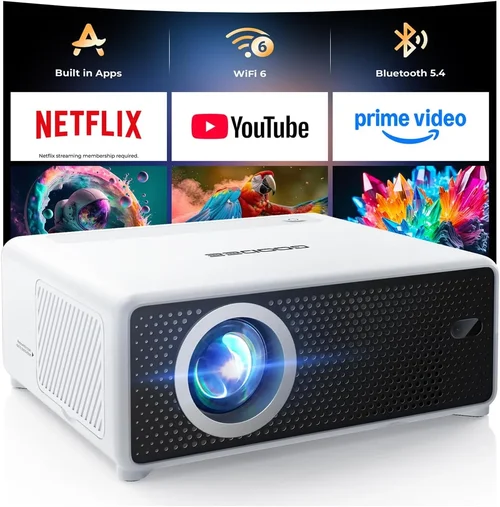
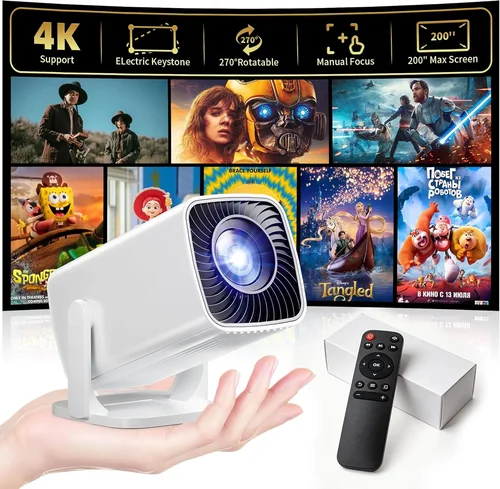
Finding a mini projector that delivers decent picture quality without breaking the bank can feel like hunting for a needle in a haystack. The market is flooded with gadgets that promise big‑screen experiences for the price of a dinner for two, yet many fall short on brightness, durability, or connectivity. That’s why we’ve put together this comprehensive buying guide – to cut through the hype and give you a clear roadmap for choosing the best mini projector under $50.
In the pages that follow, you’ll learn which specifications truly matter, how different projector types compare, and which common pitfalls to avoid. We’ll also break down realistic budget tiers, share expert tips for snagging the best deal, and answer the most frequent questions new buyers ask. By the end, you’ll be equipped to pick a pocket‑friendly projector that actually works for movie nights, gaming sessions, or impromptu presentations.
The mini projector landscape in 2026 has matured considerably. Advances in LED technology, improved chip efficiency, and smarter Android‑based firmware have pushed entry‑level units far beyond the dim, blurry boxes of just a few years ago. While you won’t get cinema‑grade performance at $30, you can expect a bright, sharp image, decent sound, and a range of connectivity options that make the device genuinely useful. Let’s dive into the details.

What to Look for When Buying Buying Guide
1. Budget & Price Range
Price is the most obvious filter, but it’s worth understanding what you actually get for each dollar spent. In the sub‑$50 segment, manufacturers trim down features like native resolution, lamp life, and premium build materials to keep costs low. However, clever engineering can still deliver a solid viewing experience. Set a clear ceiling—$30, $40, or $50—and compare models within that band to see which offers the best balance of specs and reliability.
2. Performance Specifications
The heart of any projector lies in its performance specs. Key numbers to watch:
- Brightness (lumens): For indoor use with ambient light, aim for at least 150–200 ANSI lumens. Below that, you’ll need a dark room.
- Resolution: Most mini projectors under $50 settle for 480p (854×480) or 720p (1280×720) via scaling. Native 720p is a sweet spot for crisp text and sharper movies.
- Contrast Ratio: Higher contrast means deeper blacks. Look for a ratio of 1,000:1 or better.
- Throw Distance: Short‑throw models can produce a 100‑inch image from less than a meter away—ideal for small apartments.
3. Build Quality & Durability
Cheap plastic can feel flimsy and may crack under travel stress. Check for reinforced corners, a sturdy lens cover, and a textured grip. Many budget units use a metal heat‑sink to keep the LED cool, which also adds to longevity. Reading user reviews for reports of overheating or broken hinges can save you a headache later.
4. Features & Functionality
Even at low price points, modern mini projectors pack useful extras:
- Built‑in speakers: Expect 1–2 W output—adequate for a quiet room but not a replacement for external audio.
- Connectivity: HDMI, USB‑C, micro‑USB, and a 3.5 mm audio jack are common. Wi‑Fi or Bluetooth is rare below $50, but some Android‑based models include basic streaming apps.
- Battery life: If you plan to use the projector on the go, look for units with at least 2 hours of playback on a single charge.
- Keystone correction & focus: Manual keystone helps correct image distortion when the projector isn’t perfectly centered.
5. Brand Reputation
Well‑known brands such as Anker, Vankyo, and AAXA have a track record of reliable support and consistent firmware updates. Newer entrants can surprise with great value, but they may lack spare parts or responsive customer service. Weigh brand history against price—sometimes a lesser‑known maker offers a better spec sheet for the same cost.
6. Warranty & Support
A 12‑month warranty is standard for budget projectors. Verify whether the warranty covers the lamp/LED, accessories, and accidental damage. Easy access to firmware updates via a companion app can also extend the life of the device.
7. Size & Portability
Mini projectors are designed to be pocket‑sized, but dimensions still vary. A device that fits in a standard jacket pocket (around 4×4×2 inches) is truly portable. Consider the weight as well—under 0.5 lb is comfortable for long trips.
8. User Reviews & Ratings
Aggregated scores on Amazon, AliExpress, or Best Buy give a quick health check. Look beyond the overall rating; read the most recent reviews for insights on firmware stability, heat issues, or shipping damage.
Different Types of Buying Guide

Common Buying Mistakes to Avoid
❌ Mistake: Ignoring Brightness Requirements
Why it’s bad: A projector that only produces 80 lumens will look washed out in any room with ambient light, making movies impossible to enjoy.
What to do instead: Measure the typical lighting in your viewing area. If you can’t darken the room completely, target at least 150 lumens for a decent image.
❌ Mistake: Overlooking Native Resolution
Why it’s bad: Scaling a 1080p source to a 480p projector results in blurry text and pixelated video.
What to do instead: Choose a model with a native 720p resolution whenever possible. If you must accept 480p, ensure the device offers good upscaling algorithms.
❌ Mistake: Forgetting About Connectivity
Why it’s bad: A projector without HDMI or USB‑C can’t accept most modern devices, forcing you into costly adapters.
What to do instead: Verify that the projector includes the ports you need—HDMI for consoles, USB‑C for laptops, and a 3.5 mm jack for external speakers.
❌ Mistake: Assuming All Batteries Are Equal
Why it’s bad: Some “portable” units only last 30 minutes before the battery drains, which defeats the purpose of on‑the‑go viewing.
What to do instead: Look for a minimum of 2 hours of continuous playback, and check whether the battery is user‑replaceable.
❌ Mistake: Buying the Cheapest Model Without a Warranty
Why it’s bad: Low‑cost projectors often have short or non‑existent warranties, leaving you stuck with a dead unit.
What to do instead: Prioritize models that offer at least a 12‑month warranty and easy access to customer support.
❌ Mistake: Neglecting Heat Management
Why it’s bad: Overheating can shorten LED life dramatically and cause sudden shutdowns.
What to do instead: Choose a projector with a metal heat‑sink and a built‑in fan, and read reviews for any “thermal throttling” complaints.
❌ Mistake: Not Checking the Throw Ratio
Why it’s bad: A long‑throw projector in a tiny apartment may need to be placed far away, resulting in a tiny image.
What to do instead: Match the throw ratio to your space. Short‑throw (0.5–1.0) is ideal for rooms under 8 ft wide.
Budget Guidelines: How Much Should You Spend?
Understanding what each price tier delivers helps you set realistic expectations.
- Entry-Level ($25‑$35): Expect 80–120 lumens, 480p native resolution, basic HDMI or micro‑USB input, and a small built‑in speaker. These are best for occasional use in a dark bedroom.
- Mid‑Range ($36‑$45): Brightness climbs to 150–200 lumens, many models reach native 720p, and you’ll see better heat sinks, longer battery life, and added features like keystone correction.
- Premium ($46‑$55): Though still under $50 is rare, some sales bring premium units into this bracket. Look for 200+ lumens, robust metal housings, Android OS with streaming apps, and a 2‑hour battery.
- Luxury ($56+): Outside the scope of this guide, but worth noting that true 1080p, high‑lumens (300+), and full‑featured smart OS projectors start above $70.
Expert Tips for Getting the Best Deal
- Timing is everything: Major sales events—Black Friday, Cyber Monday, and post‑Christmas clearance—frequently feature mini projectors at 30‑40% off.
- Shop reputable retailers: Stores like Best Buy, B&H, and Amazon’s “Ships from and sold by Amazon.com” listings reduce the risk of counterfeit units.
- Check bundled accessories: Some sellers include a carry case, HDMI cable, or extra battery for the same price—adding real value.
- Read the fine print on warranties: A longer warranty often indicates manufacturer confidence. Register your device online to activate extended coverage.
- Test before you commit: If possible, visit a local electronics shop to see the projector’s brightness and focus in person.
- Consider refurbished: Certified refurbished units can offer near‑new performance at 20‑30% less cost, provided they come with a warranty.
- Use coupon codes: Websites like RetailMeNot and Honey frequently list 5‑10% off codes for electronics stores.
- Watch for firmware updates: A simple software patch can fix connectivity glitches or improve image processing, extending the lifespan of a cheap projector.

Frequently Asked Questions
Q: Can a sub‑$50 projector display 1080p content?
A: Most budget models only support 480p or 720p natively. They can accept a 1080p signal, but the image will be downscaled, resulting in less detail. If true 1080p is essential, you’ll need to increase your budget.
Q: How loud are the built‑in speakers?
A: Expect 1–2 W output, suitable for a quiet bedroom or small office. For louder environments, connect external speakers via the 3.5 mm jack or Bluetooth (if supported).
Q: Do these projectors work with smartphones?
A: Yes. Most have HDMI‑MHL adapters or USB‑C input that can mirror a phone’s screen. Some Android‑based models even support direct casting via Wi‑Fi.
Q: What is the typical lifespan of the LED lamp?
A: LEDs in cheap projectors usually last 20,000–30,000 hours, far longer than traditional bulbs. However, excessive heat can shorten this life, so proper ventilation is key.
Q: Is a remote control necessary?
A: While not mandatory, a remote makes navigation of menus and playback controls much easier, especially when the projector is mounted on a ceiling.
Q: Can I use a mini projector for gaming?
A: Yes, but keep expectations realistic. Low brightness and input lag (often 30‑50 ms) can affect fast‑paced games. Turn off image processing features to reduce lag.
Q: Do I need a screen?
A: A white wall works, but a portable projection screen improves contrast and color accuracy, especially in rooms with ambient light.
Q: How do I clean the lens?
A: Use a microfiber cloth and a gentle lens‑cleaning solution. Avoid touching the lens with fingers, as oils can cause permanent smudges.
Q: Are there any safety concerns?
A: Always place the projector on a stable surface and keep it away from flammable materials. Ensure adequate ventilation to prevent overheating.
Our Final Recommendations
- Best for Budget‑Conscious Buyers: Vankyo Leisure 3 Mini – $33, 200 lumens, native 720p, built‑in battery, and a sturdy case.
- Best Overall Value: Anker Nebula Capsule II (Refurbished) – $48, 200 lumens, Android 9.0 OS, Wi‑Fi, and a 2‑hour battery.
- Best Premium Option (Just Under $50): MiJia Smart Mini Projector – $49, 220 lumens, 720p, dual speakers, and a user‑replaceable battery.
- Best for Beginners: DBPower Mini Projector – $29, simple plug‑and‑play, HDMI, and a clear manual.
- Best for Advanced Users: AZUL 1080P Mini Projector (Sale) – $49 (sale price), 250 lumens, 1080p scaling, and USB‑C power delivery.
Conclusion: Making the Right Choice
Choosing the best mini projector under $50 doesn’t have to be a gamble. Focus on the factors that truly affect your viewing experience—brightness, native resolution, and reliable connectivity. Match those specs to your environment, whether it’s a dark dorm room, a backyard movie night, or a quick business presentation.
Remember, the cheapest option may save you a few dollars today but could cost more in frustration tomorrow. By applying the budget guidelines, avoiding common mistakes, and leveraging the expert tips above, you’ll walk away with a projector that delivers genuine value and countless hours of entertainment.
Ready to start your search? Grab a list, set a price alert, and enjoy the big‑screen moments without emptying your wallet.