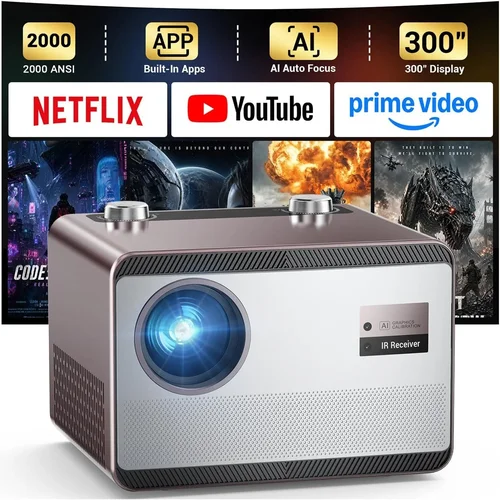
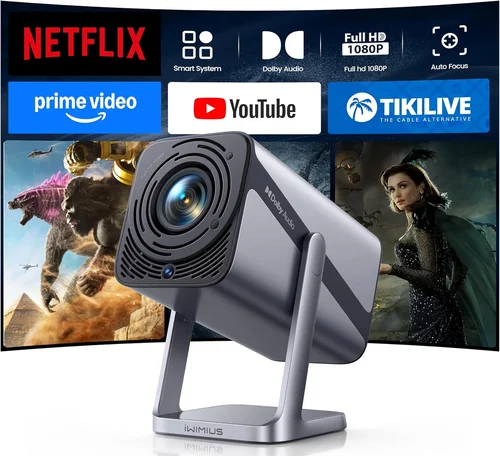
Finding the perfect projector can feel like navigating a maze of specifications, brand promises, and confusing jargon. Whether you’re setting up a home theater, turning a bedroom into a gaming arena, or need a reliable device for business presentations, the right projector makes all the difference. This guide cuts through the noise, giving you a clear roadmap so you can buy with confidence.
In the pages ahead you’ll learn how to match your needs to the market’s best options, understand the technical specs that truly matter, and avoid common pitfalls that lead to buyer’s remorse. By the end, you’ll be equipped to pick a projector that fits your budget, space, and performance expectations—without getting lost in a sea of marketing hype.
The projector market in 2026 is more diverse than ever. LED, laser, and traditional lamp‑based models compete across a spectrum of brightness levels, resolutions, and connectivity options. Prices have dropped dramatically for high‑resolution units, while premium laser models now deliver cinema‑grade contrast at a fraction of last‑year’s cost. This guide reflects those shifts, ensuring you get the most up‑to‑date advice.

What to Look for When Buying Buying Guide
1. Budget & Price Range
Budget is the foundation of any purchase decision. Projectors can range from under $150 for basic pico units to over $5,000 for ultra‑short‑throw (UST) laser models. Start by defining a realistic ceiling—consider not just the projector itself but also accessories like screens, mounts, and cables. Remember that a slightly higher upfront cost can mean lower long‑term expenses if the unit offers a longer lamp life or better energy efficiency.
2. Performance Specifications
The heart of any projector is its performance specs. Key numbers to compare include:
- Brightness (lumens): Measured in ANSI lumens, this determines visibility in ambient light. For dark rooms, 1,500–2,000 lm is ample; bright living rooms often need 2,500 lm or more.
- Resolution: 1080p (Full HD) remains the baseline for most consumers, while 4K UHD is becoming affordable for home cinema enthusiasts. For presentations, WXGA (1280×800) may suffice.
- Contrast Ratio: Higher contrast delivers deeper blacks and more vivid colors. Laser and DLP models typically offer superior contrast compared to lamp‑based units.
- Throw Distance: The distance between projector and screen. Short‑throw (ST) and ultra‑short‑throw (UST) models are ideal for small rooms.
3. Build Quality & Durability
Projectors endure heat, frequent transport, and occasional bumps. Look for robust chassis construction, heat‑dissipating fans, and sealed optical chambers. Metal housings are preferable to plastic for long‑term durability, especially in portable units that travel often.
4. Features & Functionality
Modern projectors are packed with smart features. Evaluate which ones truly add value for you:
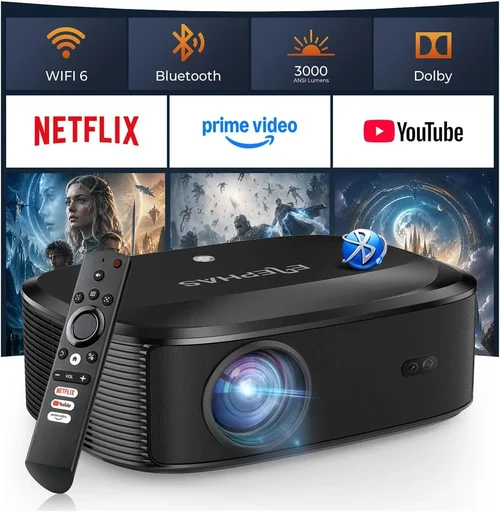
- Wireless Connectivity: Wi‑Fi or Bluetooth for screen mirroring and streaming.
- Built‑in Speakers: Useful for casual movie nights but generally insufficient for home theater.
- HDR Support: Enhances dynamic range for compatible content.
- Keystone Correction & Lens Shift: Essential for flexible placement.
- Multiple Input Ports: HDMI 2.1, USB‑C, VGA, and audio‑out options.
5. Brand Reputation
Established brands such as Epson, BenQ, Optoma, and LG have proven track records for reliability and service. Newer entrants like Xiaomi and Hisense offer competitive specs at aggressive prices, but research their after‑sales support before committing.
6. Warranty & Support
A solid warranty can save you thousands. Look for at least a 2‑year coverage on the projector body and a separate lamp warranty (often 1 year). Some manufacturers provide extended warranties for a modest fee—worth considering if you plan heavy usage.
7. Size & Portability
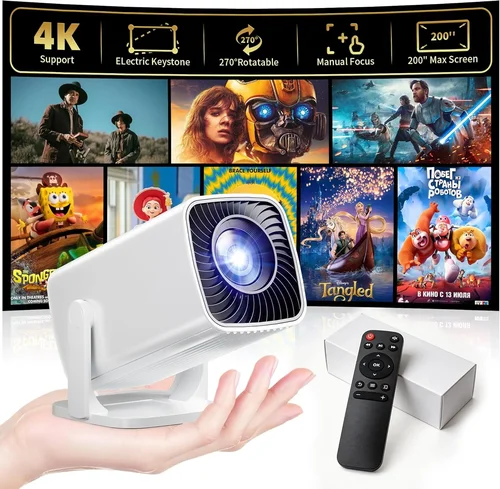
If you need to move the projector between rooms or take it on the road, weight and dimensions matter. Pico projectors can fit in a pocket, while 4K home‑theater units may weigh 10 lb or more. Consider the trade‑off between size and image quality.
8. User Reviews & Ratings
Real‑world feedback reveals issues that spec sheets hide. Scan reputable sites—Amazon, B&H, and specialist forums—for recurring themes such as fan noise, color accuracy, or firmware stability.
Different Types of Buying Guide

Common Buying Mistakes to Avoid
❌ Mistake: Ignoring Ambient Light Conditions
Why it’s bad: A projector rated at 2,000 lm will look brilliant in a dark home theater but will appear washed out in a bright living room.
What to do instead: Measure your typical room lighting and choose a brightness level that exceeds it by at least 30 %. Consider a projector with a high contrast ratio or an ambient light rejecting (ALR) screen.
❌ Mistake: Overlooking Throw Distance
Why it’s bad: Buying a long‑throw unit for a small apartment forces you to place the projector far from the wall, wasting space and reducing image size.
What to do instead: Use the manufacturer’s throw‑ratio chart. For rooms under 8 ft, a short‑throw or UST model is far more practical.
❌ Mistake: Forgetting Lamp Lifespan Costs
Why it’s bad: Lamp replacement can cost $150–$300 and may require professional service, adding hidden expense to a “budget” projector.
What to do instead: Compare total cost of ownership (TCO). Laser and LED models have virtually no lamp replacement costs, often offsetting a higher purchase price.
❌ Mistake: Choosing the Wrong Input Port
Why it’s bad: A modern console or streaming device may need HDMI 2.1 for 4K 120 Hz, but an older projector might only have HDMI 1.4, limiting performance.
What to do instead: List the devices you plan to connect and verify the projector supports the required HDMI version, USB‑C, or wireless protocols.
❌ Mistake: Neglecting Fan Noise
Why it’s bad: A loud cooling fan can distract from movies or presentations, especially in quiet rooms.
What to do instead: Check dB(A) specifications—aim for 30 dB(A) or lower for home theater use. Read user reviews for real‑world noise levels.
❌ Mistake: Assuming Bigger is Better
Why it’s bad: A massive 4K projector can be overkill for a 70‑inch screen and may waste power and money.
What to do instead: Match resolution and brightness to your intended screen size. A 1080p projector can deliver crisp images up to 100 inches if the pixel density is sufficient.
Budget Guidelines: How Much Should You Spend?
- Entry-Level ($150‑$500): Ideal for casual movie nights, pico projectors, or basic presentations. Expect 720p–1080p resolution, 1,000‑1,500 lm, and lamp lifespans of 2,000‑3,000 h.
- Mid‑Range ($500‑$1,500): The sweet spot for most users. You’ll find Full HD or entry‑level 4K, 2,000‑3,000 lm, and better color accuracy. Many models include wireless mirroring.
- Premium ($1,500‑$3,500): Targeted at home‑theater enthusiasts and small‑room businesses. Expect true 4K UHD, laser light sources, high contrast ratios, and advanced lens‑shift capabilities.
- Luxury ($3,500+): Ultra‑short‑throw 4K laser units with HDR10+, built‑in smart platforms, and professional‑grade optics. Perfect for dedicated home cinemas or conference rooms where image quality is non‑negotiable.
Expert Tips for Getting the Best Deal
- Timing is everything: New projector generations launch in early spring; prices on older models typically drop by 15‑30% afterward.
- Shop both online and brick‑and‑mortar: Physical stores let you see the image quality in person, while online retailers often have deeper discounts.
- Bundle wisely: Look for packages that include a screen, mounting hardware, and HDMI cables—often cheaper than buying each piece separately.
- Check refurbished options: Certified refurbished units from manufacturers come with full warranties and can save up to 40%.
- Read the fine print on warranties: Verify whether the lamp is covered separately and if accidental damage is included.
- Test before you buy: If possible, project a 4K test pattern to evaluate color uniformity and focus.
- Consider future‑proofing: HDMI 2.1, HDR support, and 4K 120 Hz become more common; buying a model that already supports them avoids early obsolescence.
- Utilize price‑tracking tools: Websites like CamelCamelCamel or Keepa alert you when a product’s price drops.

Frequently Asked Questions
Q: Do I need a special screen for a projector?
A: While any white, matte surface will work, a dedicated projector screen improves gain, color accuracy, and contrast. For rooms with ambient light, an ALR screen is recommended.
Q: How far should I sit from the screen?
A: A comfortable viewing distance is roughly 1.5‑2.5 times the screen’s diagonal. For a 100‑inch screen, sit about 12‑20 ft away.
Q: Can I use a projector for gaming?
A: Yes, but ensure the projector supports low input lag (under 30 ms) and a refresh rate of at least 60 Hz. Some gaming‑focused models advertise “Game Mode” to reduce lag.
Q: What is the difference between DLP and LCD?
A: DLP (Digital Light Processing) uses tiny mirrors for fast response and high contrast, often with a “rainbow” effect in some models. LCD (Liquid Crystal Display) offers richer color saturation but can be bulkier. Choose based on personal preference and intended use.
Q: How often do I need to replace the lamp?
A: Lamp life varies by technology. Traditional lamps last 2,000‑4,000 hours, LED units up to 30,000 hours, and laser sources 20,000‑30,000 hours—often outlasting the projector itself.
Q: Is a higher contrast ratio always better?
A: Generally, yes, but manufacturers sometimes inflate numbers. Look for real‑world reviews and consider black‑level performance on your chosen screen.
Q: Can I mount a projector on the ceiling?
A: Absolutely. Most projectors have mounting holes compatible with standard VESA brackets. Ensure you have enough clearance for ventilation.
Q: Do I need an external speaker system?
A: Built‑in speakers are adequate for casual viewing, but for immersive cinema or gaming, a dedicated sound system (soundbar or surround setup) is advisable.
Q: Are portable pico projectors worth buying?
A: For on‑the‑go presentations or occasional movie nights, yes. However, they trade brightness and resolution for size, so set expectations accordingly.
Our Final Recommendations
- Best for Budget‑Conscious Buyers: Epson Home Cinema 1060 – 3,200 lm, 1080p, lamp‑based, excellent value under $600.
- Best Overall Value: BenQ TH685 – 3,500 lm, 1080p, low input lag, and includes a decent built‑in speaker; priced around $750.
- Best Premium Option: LG CineBeam HU85LA – 4K UST laser, 2,700 lm, HDR10, and a sleek design; ideal for small‑room home theaters at $3,300.
- Best for Beginners: ViewSonic M1+ – Portable LED, 300 lm, built‑in Harman Kardon speakers, and wireless screen mirroring; perfect for first‑time owners.
- Best for Advanced Users: Sony VPL‑VW715ES – 4K SXRD laser, 2,500 lm, superb color accuracy, and extensive lens‑shift; a professional‑grade choice for $4,900.
Conclusion: Making the Right Choice
Choosing the best projector under your budget boils down to aligning three core factors: the environment where you’ll use it, the performance level you require, and the total cost of ownership. By assessing brightness, resolution, throw distance, and additional features—and by avoiding common pitfalls—you can confidently select a model that delivers the visual experience you desire.
Remember, the “best” projector isn’t the most expensive one; it’s the device that fits seamlessly into your lifestyle and meets your expectations without surprise expenses. Use the guidelines in this article, compare a few shortlisted models side‑by‑side, and you’ll be set for countless movie nights, immersive gaming sessions, or flawless presentations.
Ready to start shopping? Take the specs you’ve learned, check out the recommended models, and enjoy the perfect picture on your terms.