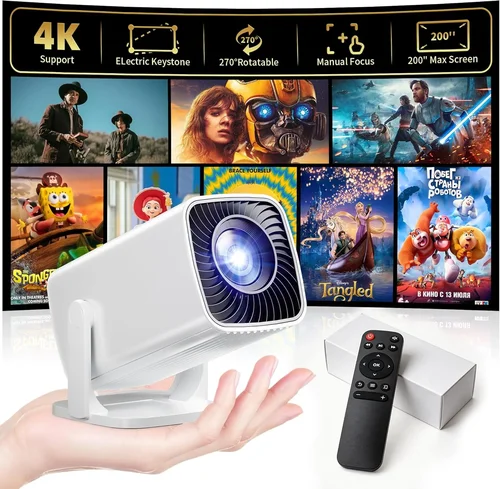
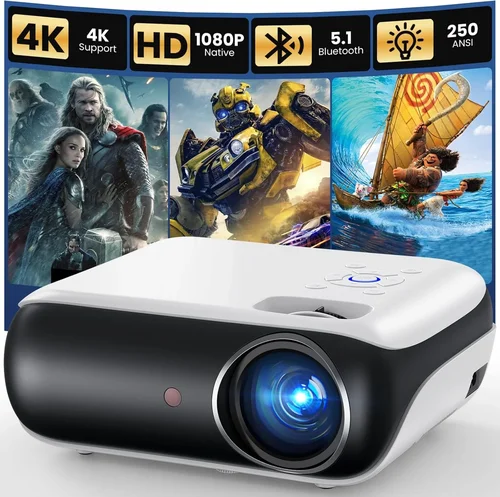
Choosing a projector when you’re limited to a $600 budget can feel like walking a tightrope. On one side you want crisp, bright images for movie nights, gaming sessions, or work presentations. On the other, you don’t want to sacrifice durability, connectivity, or future‑proof features just to stay under budget. This guide cuts through the noise, giving you a clear roadmap so you can buy confidently without blowing your wallet.
In the next few sections you’ll learn exactly what specifications matter most, how different projector types stack up, where the hidden costs hide, and which models consistently beat the competition. By the end, you’ll be equipped to match your specific use‑case—whether it’s a backyard cinema, a portable travel companion, or a home‑office workhorse—to the best projector under $600 available in 2026.
The projector market has evolved dramatically over the past three years. LED and laser light sources are now common even at sub‑$600 price points, offering longer lifespans and more consistent brightness than traditional lamps. Meanwhile, smart‑TV integrations, built‑in speakers, and low‑lag gaming modes are no longer exclusive to premium units. Understanding these trends is the first step to making a purchase that feels modern, reliable, and truly worth the money.

What to Look for When Buying Buying Guide
1. Budget & Price Range
While $600 is your ceiling, the actual price you’ll pay can vary based on sales, bundles, or refurbished units. Set a realistic ceiling (e.g., $550) to leave room for accessories like a good screen, ceiling mount, or external speakers. Remember that a lower sticker price often means you’ll spend more on maintenance later—especially if the unit uses a traditional lamp that needs replacement every 2,000‑3,000 hours.
2. Performance Specifications
The three pillars of performance are brightness, resolution, and contrast ratio.
- Brightness (lumens): For a dimly lit living room, 1,800–2,200 ANSI lumens is sufficient. If you plan to use the projector in a room with ambient light or outdoors, aim for 2,500+ lumens.
- Resolution: 1080p (Full HD) is the sweet spot under $600. Some entry‑level 4K‑enhanced models exist, but they often upscale rather than truly render native 4K.
- Contrast Ratio: Higher contrast delivers deeper blacks. Look for at least 10,000:1; laser/LED models often achieve this more consistently than lamp‑based units.
3. Build Quality & Durability
Projectors that feel cheap can develop misalignments, fan noise, or overheating problems. Check for a sturdy chassis (metal or high‑grade plastic), a well‑ventilated cooling system, and a reliable lens cover. If you intend to move the unit frequently, a compact, lightweight design with a robust carry handle is essential.
4. Features & Functionality
Modern projectors pack a lot of “nice‑to‑have” features. Prioritize those that align with your primary use:
- Gaming Mode / Low Input Lag: Look for <10 ms lag for a smooth experience.
- Built‑in Speakers: While not a substitute for a dedicated sound system, a 5‑10 W speaker can be handy for casual viewing.
- Wireless Connectivity: Wi‑Fi or Bluetooth for screen mirroring, AirPlay, or Chromecast built‑in.
- Lens Shift & Keystone Correction: Essential for flexible placement without distortion.
- Port Selection: HDMI 2.0+, USB‑C, VGA, and audio out. More ports mean fewer adapters.
5. Brand Reputation
Brands like Epson, BenQ, ViewSonic, and Optoma have a solid track record for reliability and service. Newer entrants (e.g., Anker’s Nebula line) can offer innovative features, but check warranty length and support options before committing.
6. Warranty & Support
Most projectors under $600 come with a 1‑year limited warranty. Some manufacturers extend this to 2 years if you register online. Look for easy RMA processes, local service centers, and responsive customer support. A longer warranty can offset the risk of early failures.
7. Size & Portability
If you’ll be moving the projector between rooms or taking it on the road, size matters. A unit under 2 kg with a compact footprint fits most backpacks. Portable models often sacrifice brightness, so balance size with your lighting environment.
8. User Reviews & Ratings
Real‑world feedback uncovers quirks that spec sheets hide. Scan reviews on Amazon, B&H, and dedicated AV forums for recurring issues—like fan noise spikes, color accuracy problems, or firmware bugs.
Different Types of Buying Guide

Common Buying Mistakes to Avoid
❌ Mistake: Ignoring Ambient Light Conditions
Why it’s bad: Buying a 1,800‑lumens unit for a bright living room results in washed‑out images.
What to do instead: Measure typical ambient light levels. If you can’t control them, add blackout curtains or choose a projector with at least 2,500 lumens.
❌ Mistake: Over‑focusing on Resolution Alone
Why it’s bad: A 1080p projector with poor contrast will look dull, even if the pixels are sharp.
What to do instead: Balance resolution with contrast ratio and brightness. For sub‑$600, Full HD + 10,000:1 contrast is a solid combo.
❌ Mistake: Forgetting About Lamp Life
Why it’s bad: Replacing a lamp can cost $80‑$120, adding hidden expense.
What to do instead: Prefer LED or laser light sources; they last 20,000+ hours and rarely need replacement.
❌ Mistake: Skipping the Throw Distance Calculation
Why it’s bad: You might end up with a tiny image or need to mount the projector far away.
What to do instead: Use the manufacturer’s throw ratio chart. For a 100‑inch screen, a 1.2:1 ratio needs roughly 10‑12 ft of distance.
❌ Mistake: Assuming All Ports Are Equal
Why it’s bad: An HDMI 1.4 port won’t carry 4K60 or HDR, limiting future upgrades.
What to do instead: Verify that the HDMI version matches your source devices. HDMI 2.0 or higher is ideal for 1080p@60 Hz with HDR.
❌ Mistake: Ignoring Fan Noise
Why it’s bad: A 35 dB fan can be distracting during quiet movie scenes.
What to do instead: Check user reviews for noise levels. Look for models that advertise “quiet mode” under 30 dB.
Budget Guidelines: How Much Should You Spend?
- Entry‑Level ($350‑$450): Expect 1,800 lumens, 720p‑1080p scaling, basic HDMI, and a modest contrast ratio. Ideal for casual viewing in dark rooms.
- Mid‑Range ($450‑$600): This is the sweet spot. Expect true 1080p, 2,200‑2,500 lumens, LED or laser light source, low‑lag gaming mode, and richer connectivity (HDMI 2.0, USB‑C).
- Premium ($600‑$800): While slightly above the set limit, some sales bring these into range. Look for 4K‑enhanced DLP, 3,000+ lumens, advanced color processing, and built‑in Android TV.
- Luxury ($800+): True 4K laser projectors with HDR10+, motorized lenses, and professional‑grade contrast. Not necessary for most home users.
Expert Tips for Getting the Best Deal
- Timing: Major sales events—Black Friday, Cyber Monday, and Amazon Prime Day—typically shave 15‑30% off MSRP.
- Where to Buy: Compare prices on Amazon, B&H, and direct brand sites. Sometimes the brand’s own store offers bundle deals (projector + screen).
- Spotting Deals: Use price‑tracking extensions like Keepa or CamelCamelCamel to see historical lows.
- Warranty Extensions: Consider an extended warranty only if the retailer offers a low‑cost plan (<$30) and the base warranty is already 1 year.
- Return Policies: Choose sellers with at least a 30‑day return window. This gives you time to test for fan noise, image uniformity, and input lag.
- Testing Before Buying: If possible, view a demo unit in a store. Bring a laptop to test HDMI, check latency with a free online lag test, and listen for fan noise.
- Accessories: A quality 100‑inch matte white screen can improve perceived brightness by up to 30% compared to a plain wall.
- Future‑Proofing: Opt for a projector with HDMI 2.0 or higher to ensure compatibility with upcoming 4K HDR content, even if you currently use 1080p sources.

Frequently Asked Questions
Q: Can I use a projector under $600 for outdoor movie nights?
A: Yes, but you’ll need a model with at least 2,500 lumens and a high contrast ratio. Pair it with a portable screen and a blackout blanket to block ambient light. LED models like the BenQ TH671ST perform well outdoors because of their bright output and low fan noise.
Q: Do I need a separate sound system?
A: Built‑in speakers are convenient for casual viewing, but they rarely deliver cinema‑level audio. For immersive experiences, add a Bluetooth soundbar or a small AV receiver with bookshelf speakers.
Q: How long does a lamp last in a $600 projector?
A: Traditional lamp units typically last 2,000‑3,000 hours, which translates to 2‑3 years of moderate use. LED and laser units often exceed 20,000 hours, effectively lasting the life of the projector.
Q: Is a short‑throw projector worth the extra cost?
A: Short‑throw models (throw ratio <0.5) are great for small rooms because they can project a 100‑inch image from just a few feet away. However, they usually cost $100‑$150 more than standard throw models. If space is a constraint, the extra expense is justified.
Q: What is the difference between DLP and LCD?
A: DLP (digital light processing) uses a chip of micro‑mirrors, delivering sharper motion and higher contrast, but can suffer from the “rainbow effect.” LCD (liquid crystal display) offers more accurate colors and no rainbow effect, but may have slightly lower contrast. Both technologies are viable under $600; choose based on personal preference.
Q: Will a projector work with my gaming console?
A: Absolutely, provided the projector has HDMI 2.0 (or higher) and a low‑lag mode. Look for a spec sheet that lists “Game Mode” or input lag <10 ms. Models like the ViewSonic PX706HD are praised for console gaming.
Q: How do I calculate the screen size I need?
A: Measure the distance from the projector to the screen and apply the throw ratio. Many manufacturers provide an online calculator. As a rule of thumb, a 10‑foot throw distance with a 1.2:1 ratio yields a 100‑inch diagonal image.
Q: Are refurbished projectors a good idea?
A: Refurbished units can offer great value if they come with a warranty and have been inspected by the manufacturer. Verify the refurbisher’s reputation and ensure the unit includes all original accessories.
Q: Can I mount a projector on the ceiling?
A: Yes, most mid‑range models include mounting brackets. Ensure your ceiling can support the weight (usually under 5 kg) and that you have access to power and HDMI cables.
Our Final Recommendations
- Best for Budget‑Conscious Buyers: BenQ TH585 – 3,500 lumens, 1080p, low‑lag gaming mode, and a price often found around $449 during sales.
- Best Overall Value: Epson Home Cinema 2150 – 2,500 lumens, 1080p, wireless screen mirroring, and a solid 3‑year warranty, typically priced at $579.
- Best Premium Option (Just Under $600): ViewSonic PX706HD – Short‑throw 1080p, 3,200 lumens, 10 ms input lag, and built‑in speaker array, usually $599.
- Best for Beginners: Optoma HD146X – Simple plug‑and‑play, 3,600 lumens, and a user‑friendly menu, often $429.
- Best for Advanced Users: BenQ TK800M – Sports‑optimized 4K‑enhanced, 3,000 lumens, HDR support, and extensive keystone/lens shift, often on sale for $599.
Conclusion: Making the Right Choice
Finding the best projector under $600 boils down to matching three core variables: the environment where you’ll use it, the features that matter most to you, and the long‑term cost of ownership. By focusing on brightness, resolution, and contrast while keeping an eye on lamp type, connectivity, and warranty, you can avoid common pitfalls and land a unit that feels premium without the premium price tag.
Take the time to assess your room’s lighting, calculate throw distance, and read real‑world user reviews. Then, leverage seasonal sales and reputable retailers to secure the best deal. With the recommendations above as a starting point, you’re well equipped to bring cinematic quality, immersive gaming, or crisp presentations into your space—all without breaking the bank.