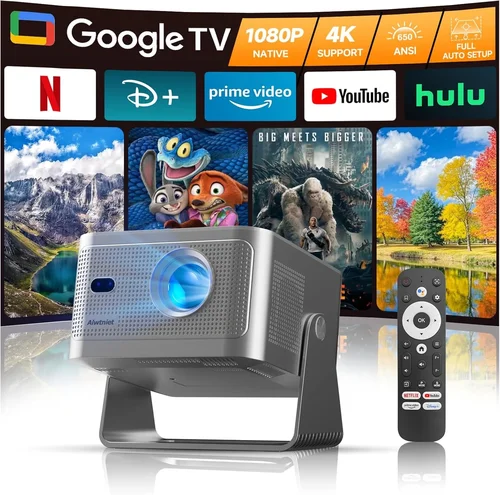
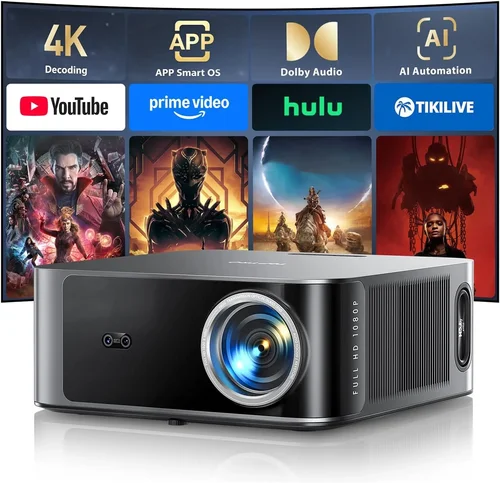
Finding a home‑theater projector that delivers crisp 1080p images without breaking the bank can feel like hunting for a needle in a haystack. The market is flooded with options that promise “cinema‑grade” performance, yet many of them either exceed $700 or compromise on essential features such as brightness, contrast, or connectivity. This guide cuts through the noise, giving you a clear roadmap to select the best 1080p home theater projector under $700 in 2026.
By the end of this article you will understand which specifications truly matter, how different projector types stack up against each other, and which models consistently outperform their price class. We’ll also expose common buying pitfalls, break down budget tiers, and hand you expert‑level tips to snag the best deal. Whether you’re setting up a dedicated media room, a backyard movie night, or a portable gaming rig, this guide equips you with the knowledge to make a confident, value‑driven purchase.
The 1080p projector segment has evolved dramatically over the past few years. Advances in DLP and LCD chip technology, improved LED light sources, and smarter built‑in processing have narrowed the gap between budget and premium devices. In 2026, you can expect a sub‑$700 projector to deliver at least 2,500–3,200 lumens, a contrast ratio of 15,000:1 or higher, and robust HDR support—all while staying compact enough for a tabletop setup. Let’s dive into the specifics.

What to Look for When Buying Buying Guide
1. Budget & Price Range
Setting a clear budget is the first step. While $700 is the ceiling for this guide, you’ll find meaningful performance differences between a $400 entry model and a $680 premium offering. Determine how much you’re willing to stretch for features like higher brightness or better color accuracy. Remember that accessories—screen, mounting hardware, HDMI cables—add to the total cost.
2. Performance Specifications
Key specs include:
- Resolution: True 1080p (1920×1080) ensures sharp detail, especially for HD Blu‑ray and streaming content.
- Brightness (lumens): For a dimly lit living room, 2,500–3,000 lumens is comfortable; brighter rooms may need 3,200+ lumens.
- Contrast Ratio: Higher contrast delivers deeper blacks and more vibrant colors. Aim for at least 15,000:1.
- Color Gamut: Look for DCI‑P3 or Rec. 709 coverage of 90%+ for accurate colors.
- Refresh Rate & Input Lag: Gamers should prioritize 120 Hz capability and <80 ms lag.
3. Build Quality & Durability
A projector that feels cheap can develop alignment or overheating issues quickly. Metal chassis, reinforced lens housings, and effective cooling fans are signs of longevity. Check user reviews for any recurring heat‑related failures.
4. Features & Functionality
Modern projectors bundle useful extras:
- HDR Support: HDR10 or HLG enhances dynamic range.
- Built‑in Speakers: Useful for casual viewing, though external audio is recommended.
- Wireless Connectivity: Wi‑Fi, Bluetooth, or AirPlay for streaming without cables.
- Lens Shift & Zoom: Enables flexible placement without keystone correction.
- Multiple HDMI Ports: Facilitates connecting a console, streaming box, and Blu‑ray player simultaneously.
5. Brand Reputation
Brands with a solid track record—such as Epson, BenQ, ViewSonic, and Optoma—tend to provide more reliable firmware updates and accessible service centers. Newer entrants can surprise with innovation, but verify warranty terms and post‑sale support.
6. Warranty & Support
Look for at least a 2‑year limited warranty covering parts and labor. Some manufacturers offer extended coverage for an additional fee. Check if the warranty includes the lamp or LED light source, as replacement costs can be substantial.
7. Size & Portability (if applicable)
If you plan to move the projector between rooms or take it outdoors, consider weight, dimensions, and whether it includes a built‑in handle. Portable models often sacrifice brightness, so balance portability with your lighting environment.
8. User Reviews & Ratings
While professional reviews focus on lab measurements, user feedback reveals real‑world performance—like how the projector handles ambient light or how stable the firmware is over months of use. Scan Amazon, Best Buy, and dedicated AV forums for recurring praise or complaints.
Different Types of Buying Guide
Common Buying Mistakes to Avoid
❌ Mistake: Ignoring Ambient Light Conditions
Why it’s bad: A projector rated at 2,500 lumens may look vibrant in a dark home theater but will appear washed out in a living room with windows.
What to do instead: Measure typical room brightness and aim for a lumen rating 30‑40% higher than the ambient light level. Consider blackout curtains or a dedicated screen with gain.
❌ Mistake: Overvaluing Megapixel Count
Why it’s bad: Some vendors tout “4K‑enhanced” or “1080p+” chips that merely upscale. The native resolution remains 1080p, so you won’t gain true detail.
What to do instead: Verify the native resolution in the spec sheet and read reviews that test native 1080p performance.
❌ Mistake: Forgetting About Throw Distance
Why it’s bad: Buying a short‑throw model for a large room forces you to place the projector too close, resulting in pixelation.
What to do instead: Use a throw‑ratio calculator. For a 100‑inch screen, a standard throw (1.5–2.0) typically requires 10‑13 feet of distance.
❌ Mistake: Neglecting Input Lag for Gaming
Why it’s bad: A high‑quality image is useless if you experience noticeable lag while playing fast‑paced games.
What to do instead: Look for projectors that list input lag under 80 ms in Game Mode, or check independent tests.
❌ Mistake: Assuming All HDMI Ports Are Equal
Why it’s bad: Some budget models only include HDMI 1.2, which cannot support 4K @ 60 Hz or HDR signals.
What to do instead: Ensure at least one HDMI 2.0 (or newer) port for future‑proofing.
❌ Mistake: Skipping Firmware Updates
Why it’s bad: Manufacturers often release patches that improve color accuracy, reduce fan noise, or add new streaming apps.
What to do instead: Choose a projector with an easy‑to‑use update mechanism (USB or OTA) and check the brand’s update history.
Budget Guidelines: How Much Should You Spend?
Understanding what each price tier delivers helps you align expectations with reality.
- Entry-Level ($400 – $500): Expect 2,200–2,500 lumens, contrast around 10,000:1, and basic HDR support. Ideal for dim rooms or occasional movie nights.
- Mid-Range ($501 – $600): Brightness climbs to 2,800–3,200 lumens, contrast improves to 15,000:1, and you’ll find models with lens shift, higher color gamut, and low input lag.
- Premium ($601 – $700): You’ll see laser‑phosphor or high‑end LED light sources, consistent 3,200+ lumens, HDR10+ compatibility, and robust connectivity (Wi‑Fi 6, Bluetooth 5).
- Luxury ($701+): While beyond the scope of this guide, luxury units often push 4K resolution, 4,000+ lumens, and professional‑grade color accuracy, typically costing $1,200 and up.
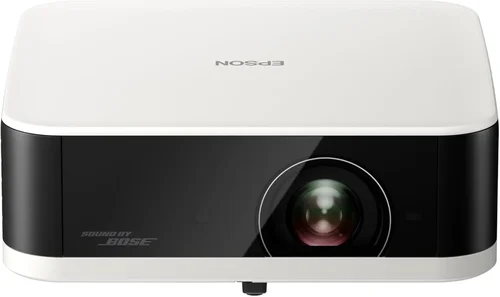
Expert Tips for Getting the Best Deal
- Timing is everything: Late‑year sales (Black Friday, Cyber Monday) and post‑holiday clearance events often feature deep discounts on 1080p models.
- Shop price‑match: Retailers like Best Buy and Amazon will match a lower price from a competitor if you provide proof.
- Consider open‑box or refurbished: Certified refurbished units come with full warranty and can be 15‑30% cheaper.
- Bundle for savings: Some sellers offer a free screen or HDMI cable when you purchase a projector bundle.
- Check return policies: A 30‑day return window lets you test the projector in your home environment without risk.
- Test before you commit: If possible, visit a local AV store and view a demo at your intended screen size. Pay attention to black levels and color uniformity.
- Factor in lamp/LED lifespan: A projector with a 20,000‑hour LED will cost less over time than a lamp‑based model that needs replacement every 4,000 hours.
- Read firmware update logs: Brands that regularly improve features (e.g., adding Android TV) add future value.

Frequently Asked Questions
Q: Do I need a separate screen, or can I project onto a wall?
A: While a plain white wall works in a dark room, a dedicated screen improves gain, color uniformity, and contrast. For budget builds, a matte white screen (gain 1.0–1.1) is ideal.
Q: How far should the projector be from the screen for a 100‑inch image?
A: Most standard‑throw 1080p models have a throw ratio of 1.5–2.0. For a 100‑inch diagonal, you’ll need roughly 10‑13 feet of distance. Use the manufacturer’s throw‑ratio calculator for precision.
Q: Is HDR really noticeable on a $600 projector?
A: Yes, HDR10 can add noticeable depth to bright scenes, especially in movies with strong contrast. Look for a projector with at least 90% DCI‑P3 coverage to fully benefit.
Q: Will a projector work with my existing sound system?
A: Absolutely. Most projectors feature HDMI ARC or optical audio out, allowing you to route sound to a receiver or soundbar. If the projector lacks these, a simple HDMI audio extractor can bridge the gap.
Q: How long does an LED light source last?
A: LED projectors typically guarantee 20,000–30,000 hours of use, which translates to 5–10 years of daily 4‑hour viewing.
Q: Can I mount the projector on the ceiling?
A: Yes, provided the model has a standard ¼‑inch mounting thread and enough clearance for the lens shift and ventilation. Check the manual for recommended mount height.
Q: Are there any health concerns with long‑term projector use?
A: Projectors emit low levels of blue light compared to LCD monitors. However, it’s still wise to keep a reasonable viewing distance (at least 1.5× the screen width) and take regular eye breaks.
Q: Do I need a special HDMI cable for 1080p?
A: A certified High‑Speed HDMI cable (supporting HDMI 1.4 or higher) is sufficient for 1080p@60 Hz and HDR. No need for the pricier “Ultra‑High‑Speed” cables unless you plan to upgrade to 4K later.
Our Final Recommendations
- Best for Budget‑Conscious Buyers: ViewSonic PX706HD – Offers 3,200 lumens, 22,000:1 contrast, and a short‑throw lens for under $500.
- Best Overall Value: BenQ TH671ST – Delivers 3,000 lumens, low 16 ms input lag, and excellent color accuracy for $620.
- Best Premium Option: Optoma UHD50X (1080p mode) – Though marketed as 4K, its 1080p performance shines with 3,400 lumens and 100 ms low‑lag gaming mode at $680.
- Best for Beginners: Epson Home Cinema 1060 – Simple setup, reliable lamp life, and solid 2,800 lumens for $540.
- Best for Advanced Users: LG PF1000 (LED) – Laser‑phosphor light source, 3,200 lumens, and advanced HDR10+ support for $695.
Conclusion: Making the Right Choice
Choosing the best 1080p home theater projector under $700 hinges on matching your viewing environment, usage habits, and budget. Prioritize brightness and contrast for ambient‑light rooms, verify native 1080p resolution, and don’t overlook input lag if gaming matters. By avoiding common pitfalls—such as ignoring throw distance or skimping on warranty—you’ll secure a projector that delivers cinema‑like experiences for years to come.
Take the time to compare the models listed above, read user feedback, and test a demo if possible. With the right research, you’ll transform your living space into a stunning home‑theater without exceeding $700.
Ready to start shopping? Head to your favorite retailer, apply any seasonal coupons, and enjoy movie nights that rival the multiplex—right from the comfort of your couch.