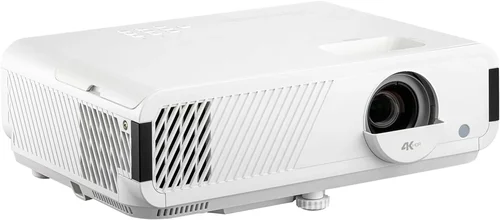
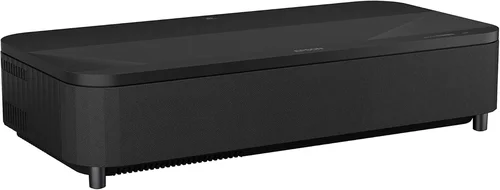
Welcome to the most thorough guide you’ll find on buying a 4K laser projector under $4,000. Whether you’re setting up a home cinema, a gaming den, or a professional presentation space, the right projector can transform ordinary viewing into an immersive experience. In the past few years, laser‑based 4K projectors have moved from niche, ultra‑expensive devices to more accessible models that still deliver vivid colors, high brightness, and long‑lasting light sources. This guide cuts through the hype, explains what really matters, and points you to the best options that fit a sub‑$4,000 budget.
In the pages that follow you’ll learn how to evaluate key specifications, understand the trade‑offs between different projector families, avoid common buying pitfalls, and ultimately choose a unit that matches your room size, usage patterns, and pocketbook. We’ll also break down price tiers, share insider tips on when and where to snag the best deals, and answer the most frequently asked questions about 4K laser projection. Let’s dive in.

What to Look for When Buying Buying Guide
1. Budget & Price Range
Price is the starting line for any purchase decision. For 4K laser projectors, the $2,000‑$4,000 window represents a sweet spot where manufacturers have begun to use genuine laser light engines while still keeping costs reasonable. Below $2,000 you’ll typically find DLP or LED‑based “4K‑enhanced” models that use pixel‑shifting rather than true 4K chips. Above $4,000, you enter the realm of cinema‑grade devices with higher brightness and more advanced optics. Define your ceiling early, then use the budget as a filter to eliminate models that simply can’t meet your needs.
2. Performance Specifications
Three specs dominate projector performance: resolution, brightness, and contrast ratio. True 4K (3840 × 2160) ensures every detail is rendered sharply, especially important for 4K Blu‑Ray and streaming services. Brightness, measured in ANSI lumens, determines how well the image will stand up to ambient light. For a dedicated dark‑room home theater, 1,800‑2,500 lumens is ample; for a living‑room with some light, aim for 2,500‑3,500 lumens. Contrast ratio—how deep the blacks are compared to the whites—affects perceived depth. Laser projectors often achieve contrast ratios of 2,000:1 to 5,000:1; look for models that pair high contrast with dynamic iris or HDR support.
3. Build Quality & Durability
Laser light sources dramatically extend lamp life—typically 20,000‑30,000 hours—so you’ll rarely worry about replacement. However, the projector’s chassis, cooling system, and lens assembly must also be robust. Metal housings, sealed fans, and low‑vibration designs keep the unit stable over years of use. Check user forums for reports of overheating or noisy fans; a well‑engineered cooling system is a hallmark of a reliable laser projector.
4. Features & Functionality
Modern projectors are more than just image generators. Key features to evaluate include:
- HDR Compatibility: HDR10 and Dolby Vision support ensure you get the full dynamic range of 4K content.
- Lens Shift & Zoom: Optical lens shift (vertical/horizontal) and zoom allow flexible placement without keystone distortion.
- Connectivity: Look for HDMI 2.1 (48 Gbps) for 4K @ 120 Hz gaming, plus USB‑C, Wi‑Fi, and Bluetooth for streaming and smart‑home integration.
- Built‑in Speakers: While most audiophiles will use external sound, decent built‑in speakers can be handy for casual viewing.
- Screen Size Flexibility: Some models support up to 300‑inch screens; verify the throw distance and throw ratio for your space.
5. Brand Reputation
Established brands such as Epson, BenQ, ViewSonic, and Optoma have dedicated R&D teams for laser technology and a proven track record of firmware updates and service networks. Emerging brands may offer attractive specs at lower prices, but consider the availability of local service centers and the longevity of software support before committing.
6. Warranty & Support
Laser projectors often come with a 2‑year limited warranty covering parts and labor. Some manufacturers extend this to 3 or 4 years for an extra fee. Verify what the warranty covers—especially the laser light source—and whether on‑site service is offered. A responsive support team can save you weeks of downtime if an issue arises.
7. Size & Portability (if applicable)
Most 4K laser projectors aimed at home theater installations are stationary, but if you plan to move the unit between rooms or take it to a client site, weight and footprint matter. Look for models under 10 kg with a compact footprint and optional carry handles.
8. User Reviews & Ratings
Real‑world feedback highlights issues that spec sheets hide. Scan Amazon, B&H, and dedicated AV forums for recurring themes—such as “fan noise spikes after 2 hours” or “color accuracy out of the box.” A high average rating combined with detailed reviewer comments is a good confidence indicator.
Different Types of Buying Guide

Common Buying Mistakes to Avoid
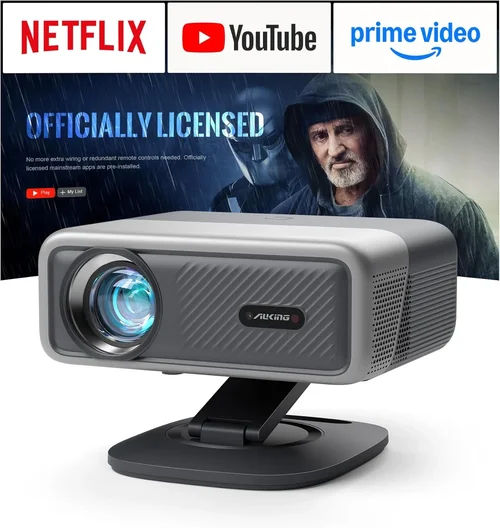
❌ Mistake: Ignoring Ambient Light Conditions
Why it’s bad: Buying a low‑brightness unit for a bright living room leads to washed‑out images and frustration.
What to do instead: Measure typical ambient light levels and target at least 2,500 ANSI lumens for partially lit rooms. Consider a projector with a high‑gain screen to boost perceived brightness.
❌ Mistake: Over‑focusing on Resolution Only
Why it’s bad: A projector may boast true 4K but suffer from poor contrast or color accuracy, ruining the viewing experience.
What to do instead: Balance resolution with contrast ratio, HDR support, and color space (Rec. 709 vs. DCI‑P3). Read professional reviews that test these aspects.
❌ Mistake: Forgetting Lens Shift & Throw Ratio
Why it’s bad: Without sufficient lens shift, you might need to place the projector at an angle, causing keystone distortion.
What to do instead: Choose a model with at least ±10% vertical lens shift and a throw ratio that fits your room dimensions.
❌ Mistake: Assuming All Laser Projectors Are Low‑Maintenance
Why it’s bad: While lasers last longer than lamps, filters and cooling fans still require periodic cleaning.
What to do instead: Verify the filter‑replacement interval and factor the cost into your total ownership budget.
❌ Mistake: Neglecting Firmware Updates
Why it’s bad: Out‑of‑date firmware can cause HDMI handshake issues, HDR glitches, or limited streaming app support.
What to do instead: Choose a brand that offers regular OTA (over‑the‑air) updates and check the update history before purchase.
❌ Mistake: Buying Without Testing
Why it’s bad: Image quality can vary between units due to factory calibration differences.
What to do instead: Visit a local AV store, request a demo with a 4K source, and bring a calibrated i1Display Pro or similar to verify color accuracy.
Budget Guidelines: How Much Should You Spend?
Understanding what you get at each price tier helps you set realistic expectations.
- Entry‑Level ($1,800‑$2,500): Expect 4K‑enhanced (pixel‑shift) panels, brightness around 2,000‑2,500 lumens, and basic HDR support. Ideal for gamers who prioritize low input lag over absolute color fidelity.
- Mid‑Range ($2,500‑$3,500): True 4K DLP chips become common, with brightness 2,500‑3,200 lumens, higher contrast ratios, and full HDR10/Dolby Vision. Most home‑theater users find their sweet spot here.
- Premium ($3,500‑$4,000): Ultra‑short‑throw options, advanced laser phosphor combos, dynamic iris, and factory‑calibrated color profiles. Perfect for limited‑space apartments that still want a cinema‑size image.
- Luxury ($4,000+): Cinema‑grade optics, 4,500+ lumens, 6,000:1 contrast, and built‑in motorized lenses. Typically reserved for professional installations or high‑end enthusiasts.
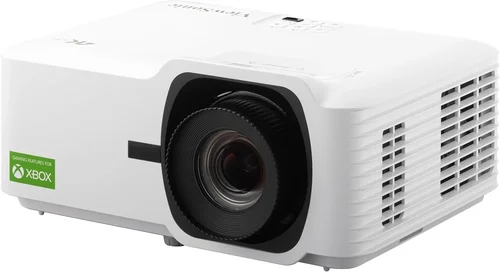
Expert Tips for Getting the Best Deal
- Timing: New models are released in spring; prices on the previous generation drop by 15‑25% shortly after.
- Retailers: Compare B&H, Adorama, and Amazon for price matching. Some specialty AV stores offer bundle packages (screen + wall mount) that provide extra value.
- Spotting Deals: Look for “refurbished” units sold directly by the manufacturer—they carry full warranty and are often indistinguishable from new.
- Warranty Extension: If you plan on heavy usage (e.g., daily gaming), consider purchasing an extended laser‑source warranty for peace of mind.
- Return Policies: Ensure a 30‑day return window; this gives you time to test the projector in your own environment.
- Testing: Bring a 4K HDR test disc or stream a 4K Netflix title to evaluate color, brightness, and motion handling before finalizing.
- Bundling: Some retailers offer a free or discounted calibration service when you buy a high‑end model.

Frequently Asked Questions
Q: Do I need a special screen for a laser projector?
A: While laser projectors can work on matte white walls, a high‑gain, low‑ambient‑light screen (e.g., 120‑150 gain) maximizes brightness and contrast, especially in rooms with some light.
Q: How long does a laser light source actually last?
A: Most consumer laser projectors are rated for 20,000‑30,000 hours. At 4 hours of daily use, that translates to over 13 years before any noticeable dimming.
Q: Can I use a 4K laser projector for gaming?
A: Absolutely. Look for HDMI 2.1, low input lag (<15 ms), and a refresh rate of at least 120 Hz to enjoy smooth 4K gaming on consoles like PS5 or Xbox Series X.
Q: Is lens shift more important than zoom?
A: Both serve placement flexibility, but lens shift allows you to keep the projector square to the screen, preserving image geometry. Zoom is useful for fine‑tuning screen size without moving the unit.
Q: Will the projector overheat in a small room?
A: Laser projectors generate less heat than lamp‑based units, but adequate ventilation is still required. Keep at least 6‑12 inches of clearance around the vents and avoid enclosing the unit in a tight cabinet.
Q: Do I need a separate audio system?
A: Built‑in speakers are usually modest. For immersive sound, pair the projector with a soundbar, AV receiver, or a 2.1/5.1 speaker system.
Q: What is the difference between HDR10 and Dolby Vision?
A: HDR10 is an open standard with static metadata, while Dolby Vision uses dynamic metadata for scene‑by‑scene tone mapping, often delivering richer highlights. Ensure the projector supports the format of your primary content source.
Q: Can I mount a laser projector on the ceiling?
A: Yes, most models include ceiling‑mount kits. Verify the weight rating of your ceiling joists and use the manufacturer‑provided mounting hardware.
Q: Are there any hidden costs?
A: Factor in optional accessories—screen, mounting brackets, calibration tools, and possibly a UPS (uninterruptible power supply) to protect the laser engine.
Our Final Recommendations
- Best for Budget‑Conscious Buyers: BenQ TK800M – 4K‑enhanced DLP, 3,000 lumens, HDR10, under $2,200. Great brightness for living rooms, decent color accuracy after a quick calibration.
- Best Overall Value: Epson Home Cinema 5050UB – True 4K, 2,600 lumens, 5,000:1 contrast, lens shift, and excellent out‑of‑the‑box color. Priced around $3,300, it offers cinema‑grade performance without breaking the $4K ceiling.
- Best Premium Option: Optoma CinemaX P2 – Ultra‑short‑throw laser, 3,000 lumens, 2,800:1 contrast, integrated soundbar, and smart OS. Ideal for apartments where a traditional throw distance is impossible. Costs roughly $3,800.
- Best for Beginners: ViewSonic PX747‑4K – 4K‑enhanced, 3,500 lumens, simple setup, and a user‑friendly remote. At $1,950 it offers a low entry barrier while still delivering a respectable image.
- Best for Advanced Users: LG HU85LA – 4K laser UST, 2,700 lumens, AI‑enhanced picture processing, and a motorized lens. Though it edges just above $4,000, the performance justifies the slight stretch for true enthusiasts.
Conclusion: Making the Right Choice
Choosing the best 4K laser projector under $4,000 boils down to matching your viewing environment, usage habits, and budget. Prioritize brightness and contrast for bright rooms, lens shift for flexible placement, and HDR support for the most lifelike colors. Remember to factor in long‑term costs such as filters and optional accessories, and always test the unit before you buy.
Armed with the knowledge from this guide, you can confidently navigate the market, avoid common pitfalls, and select a projector that will deliver stunning 4K visuals for years to come. Ready to upgrade your home cinema? Start comparing models, check for seasonal discounts, and enjoy the immersive world of laser‑powered 4K projection.