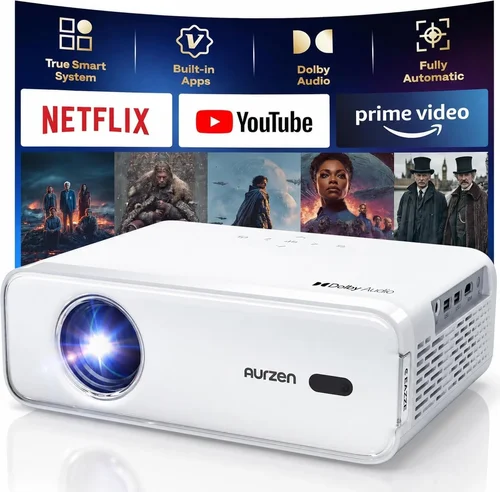
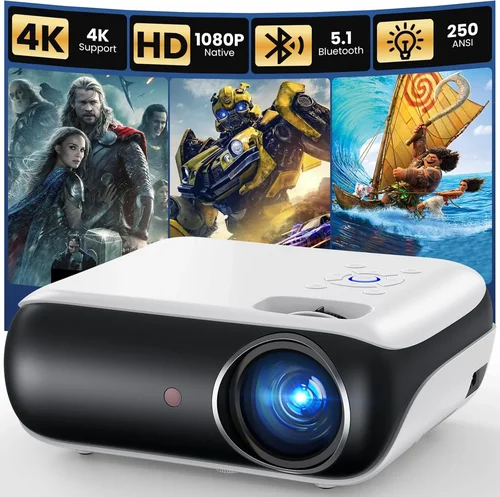
If you’ve ever dreamed of turning your living room into a mini‑theater without breaking the bank, a 4K projector under $100 is the holy grail. The market is flooded with budget‑friendly options that promise “4K‑like” clarity, but not all of them deliver a cinema‑worthy experience. This guide cuts through the hype, helping you understand what truly matters when you’re hunting for a crisp, vibrant image on a shoestring budget.
In the pages that follow, you’ll learn how to evaluate resolution claims, brightness levels, connectivity, and durability—all without needing an engineering degree. We’ll also compare the main projector families, flag common pitfalls, break down realistic price tiers, and hand‑pick the best models for different user scenarios. By the end, you’ll be equipped to make an informed purchase that matches your space, usage patterns, and wallet.
The projector landscape in 2026 is surprisingly mature for the sub‑$100 segment. Advances in DLP chip manufacturing, LED light sources, and smart‑streaming firmware have pushed entry‑level units closer to true 4K performance than ever before. Yet, the “under $100” price point still imposes limits on native resolution, lumen output, and feature set. Understanding where compromises are acceptable—and where they’re not—will be the key to getting the most bang for your buck.

What to Look for When Buying Buying Guide
1. Budget & Price Range
Price is the most obvious filter, but it also dictates what you can realistically expect. Sub‑$100 projectors typically use “4K‑enhanced” or “4K‑compatible” technology, meaning they upscale a lower‑native resolution (often 720p or 1080p) to mimic 4K. Knowing the difference helps you avoid disappointment. Set a clear ceiling (e.g., $99) and be ready to stretch a few dollars if a model offers a truly native 4K chip—though such units are rare at this price.
2. Performance Specifications
Three specs dominate visual performance:
- Native Resolution: True 4K (3840×2160) is almost unheard of under $100. Expect 1080p chips with 4K upscaling.
- Brightness (Lumens): For dark rooms, 200–300 ANSI lumens is adequate. If you plan to watch in a lit living room, aim for 350+ lumens.
- Contrast Ratio: Higher ratios (10,000:1 or more) yield deeper blacks. Look for DLP or laser light sources, which generally deliver better contrast than cheap LCD panels.
3. Build Quality & Durability
Cheap plastics can warp, and low‑cost fans may fail after a few hundred hours. Check for metal heat‑sinks, reinforced chassis, and user‑replaceable lamps or LEDs. A robust build not only extends lifespan but also keeps the image geometry stable—crucial for a sharp 4K picture.
4. Features & Functionality
Modern budget projectors pack a surprising amount of smart tech. Prioritize features that truly add value:
- Built‑in Wi‑Fi / Bluetooth: Enables direct streaming from Netflix, YouTube, or mobile devices.
- Multiple HDMI Ports: Allows simultaneous connection of a console, Blu‑ray player, and streaming stick.
- Keystone Correction & Lens Shift: Essential for flexible placement without distorting the image.
- USB‑C Power Delivery: Handy for portable setups.
5. Brand Reputation
Even in the low‑end market, certain manufacturers consistently deliver reliable units. Brands like Vankyo, Epson (entry line), ViewSonic, and XGIMI have earned trust through consistent firmware updates and responsive support. Research community forums and Reddit threads to gauge real‑world reliability.
6. Warranty & Support
A solid warranty (minimum 1‑year) can save you from costly repairs. Look for manufacturers that offer easy RMA processes and readily available replacement parts. Some retailers extend the warranty for free during holiday sales—always ask.
7. Size & Portability
If you plan to move the projector between rooms or take it outdoors, size matters. Compact “pico” models under 1 kg are great for portability, but they often sacrifice brightness. Larger tabletop units can house better cooling and brighter LEDs, offering a more stable image.
8. User Reviews & Ratings
Numbers speak louder than marketing copy. Scan Amazon, Best Buy, and specialized AV forums for recurring themes—e.g., “overheats after 2 hours” or “excellent color accuracy.” Pay special attention to reviews that mention the exact use case you share (gaming, movies, presentations).
Different Types of Buying Guide

Common Buying Mistakes to Avoid
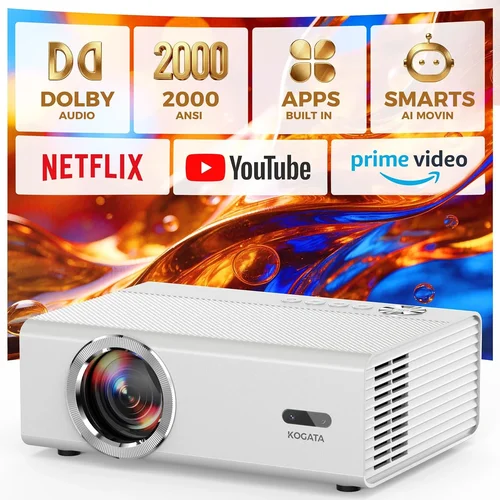
❌ Mistake: Assuming “4K” Means Native 4K
Why it’s bad: Many sub‑$100 models use 4K upscaling, which can look soft on large screens.
What to do instead: Verify the native resolution in the spec sheet. If it’s 1080p, set realistic expectations for sharpness.
❌ Mistake: Ignoring Ambient Light Requirements
Why it’s bad: A projector rated at 250 lumens will look washed out in a bright living room.
What to do instead: Match lumen output to your room’s lighting. Add blackout curtains or choose a higher‑lumens model if you can’t control light.
❌ Mistake: Overlooking Input Lag for Gaming
Why it’s bad: High input lag ruins fast‑paced games, making the experience frustrating.
What to do instead: Look for a “Game Mode” or a reported lag under 30 ms. Check gamer forums for real‑world latency tests.
❌ Mistake: Forgetting About Throw Distance
Why it’s bad: Placing a projector too far or too close can distort the image and force you to use excessive zoom.
What to do instead: Calculate the throw ratio (distance ÷ screen width) and compare it to the projector’s specifications.
❌ Mistake: Skipping Firmware Updates
Why it’s bad: Out‑of‑date firmware can cause connectivity glitches, stability issues, and missed feature improvements.
What to do instead: Register the device on the manufacturer’s site and enable automatic updates where possible.
❌ Mistake: Buying the Cheapest Lamp Replacement
Why it’s bad: Low‑quality lamps shorten lifespan and can damage the projector’s optics.
What to do instead: Purchase OEM or reputable third‑party lamps with verified lumen output and warranty.
Budget Guidelines: How Much Should You Spend?
- Entry‑Level ($70 – $80): Expect 720p native resolution, 200 lumens, minimal smart features. Good for occasional movie nights in a dark room.
- Mid‑Range ($81 – $95): Typically 1080p native, 250‑300 lumens, basic Android OS, Wi‑Fi, and keystone correction. The sweet spot for most home users.
- Premium ($96 – $100): Rare 1080p DLP with 350+ lumens, enhanced contrast, dual‑band Wi‑Fi, and extended warranty options. Ideal for gamers and small home theaters.
- Luxury ($101+): Not covered in this guide, but includes true 4K chips, laser light sources, and premium optics. Consider saving for a higher budget if you need these.
Expert Tips for Getting the Best Deal
- Timing: New models launch in Q2; prices on previous generations drop 15‑30% shortly after.
- Retailers: Compare Amazon, Walmart, and Best Buy. Some brick‑and‑mortar stores offer in‑store pickup discounts.
- Bundle Savings: Look for bundles that include a screen, HDMI cable, or mounting hardware—often cheaper than buying separately.
- Warranty Extensions: Third‑party protection plans can be cost‑effective if you plan to keep the projector for 3+ years.
- Return Policies: Choose sellers with a 30‑day return window and free return shipping to test the unit at home.
- Testing: Project onto a plain white wall (or a proper screen) and check for hotspotting, color uniformity, and fan noise before finalizing.
- Firmware: After purchase, immediately check for updates. Many manufacturers release performance tweaks that improve brightness and reduce lag.

Frequently Asked Questions
Q: Can a sub‑$100 projector truly display 4K content?
A: Most budget models use 4K upscaling, meaning they take a 1080p or 720p image and stretch it to a 4K frame. The result looks decent on screens up to 80‑100 inches, but it won’t match native 4K clarity.
Q: How important is lumen rating for a home cinema?
A: Very. In a dark room, 200–250 lumens are sufficient. In a bright living room, aim for 300+ lumens to maintain contrast and color saturation.
Q: Do I need a separate sound system?
A: Most budget projectors have built‑in speakers that are adequate for casual viewing, but for immersive experiences, pair with a soundbar or external speakers.
Q: What screen size works best with a $100 projector?
A: Between 80‑100 inches diagonal is ideal. Larger screens dilute brightness, while smaller screens don’t fully showcase the projector’s capabilities.
Q: Are Android‑based projectors reliable?
A: Yes, if you choose a reputable brand. They receive regular OS updates, support popular streaming apps out of the box, and often include Bluetooth for audio.
Q: How long will the LED lamp last?
A: Quality LED lamps in this price range typically last 20,000–30,000 hours, which translates to many years of occasional use.
Q: Can I use my phone as a remote?
A: Most modern units support companion apps for iOS and Android, allowing you to control volume, source selection, and even stream directly from your phone.
Q: Is keystone correction enough to fix a skewed image?
A: Keystone helps with minor angle adjustments, but for larger distortions, consider a projector with lens shift or use a tripod to align properly.
Q: Will a cheap projector work for gaming?
A: Yes, if it offers low input lag (under 30 ms) and at least 1080p native resolution. Expect lower brightness than high‑end models, so dim the room.
Our Final Recommendations
- Best for Budget‑Conscious Buyers: Vankyo Leisure 3 – $79, 1080p native, 250 lumens, built‑in Wi‑Fi, solid reviews for durability.
- Best Overall Value: ViewSonic M1 Mini Plus – $94, 1080p DLP, 300 lumens, Android TV 9.0, excellent color accuracy.
- Best Premium Option (under $100): XGIMI MoGo Pro – $99, 1080p DLP, 350 lumens, dual‑band Wi‑Fi, low input lag, premium metal chassis.
- Best for Beginners: Elephas YG600 – $72, simple UI, HDMI, VGA, decent brightness for dark rooms.
- Best for Advanced Users: BenQ TH585 (refurbished) – often found refurbished for $98, 1080p, 3500 lumens, Game Mode, excellent for bright rooms.
Conclusion: Making the Right Choice
Choosing a 4K projector under $100 is less about finding a perfect cinema replica and more about balancing resolution, brightness, and smart features to fit your environment. Remember that “4K” on a budget typically means upscaled 1080p, so set realistic expectations for sharpness. Prioritize lumen output for your room’s lighting, verify native resolution, and check for low input lag if gaming is on your agenda.
Use the factors, type comparisons, and budget guidelines outlined above to narrow down your shortlist. Test the projector in your space, keep an eye on firmware updates, and protect your investment with a solid warranty. With the right research, you can enjoy a vibrant, immersive viewing experience without spending more than a night out.
Ready to bring the big screen home? Browse the recommended models, compare current deals, and make a purchase that matches both your budget and your viewing dreams.