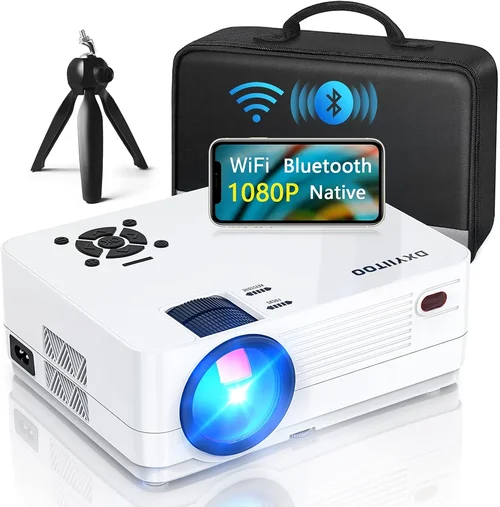
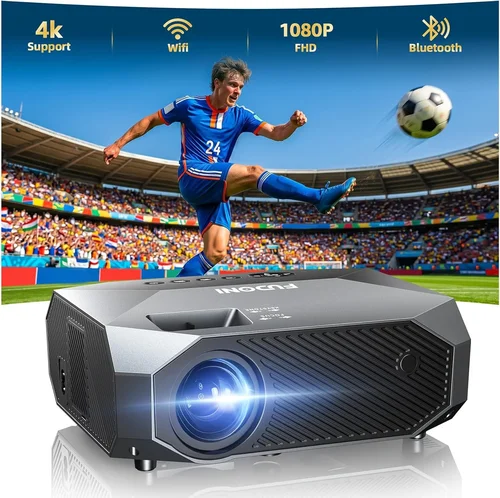
Finding a true‑HD projector that doesn’t break the bank can feel like hunting for a needle in a haystack. In 2026 the market is flooded with “1080p” claims, but many of those units rely on pixel‑shifting tricks that don’t deliver the crispness you expect from a native Full HD display. This guide cuts through the hype and equips you with the knowledge to pick a projector that truly offers 1080p resolution while staying under $300.
By the end of this article you will understand the most important specifications, know which projector type fits your living space, avoid the typical pitfalls that cheap‑price shoppers fall into, and walk away with a shortlist of the best‑in‑class models for every budget tier.
The 1080p projector market has evolved dramatically over the past three years. LED light sources have become more efficient, contrast‑enhancement chips are now standard even on entry‑level units, and manufacturers are finally offering genuine native 1080p chips at sub‑$300 price points. This guide reflects those trends and provides up‑to‑date recommendations for 2026.

What to Look for When Buying Buying Guide
1. Budget & Price Range
Setting a realistic budget is the first step. While $300 is the ceiling for this guide, you’ll notice a wide spread in feature sets even within that limit. Entry‑level models (~$180‑$220) often compromise on brightness and connectivity, whereas the $260‑$300 tier usually includes better contrast ratios, built‑in speakers, and a more robust warranty. Decide early whether you need extra features like wireless screen mirroring or a longer lamp life, and allocate your dollars accordingly.
2. Native Resolution vs. Pixel‑Shift
True 1080p means the projector’s DMD or LCD panel contains 1,920 × 1,080 physical pixels. Some budget units advertise “1080p” but actually use a 720p chip with a pixel‑shift engine. The result is a softer picture, especially on larger screens. Always verify the spec sheet for “native 1080p” or “Full HD DMD.” This factor directly impacts image sharpness, text readability, and gaming performance.
3. Brightness (ANSI Lumens)
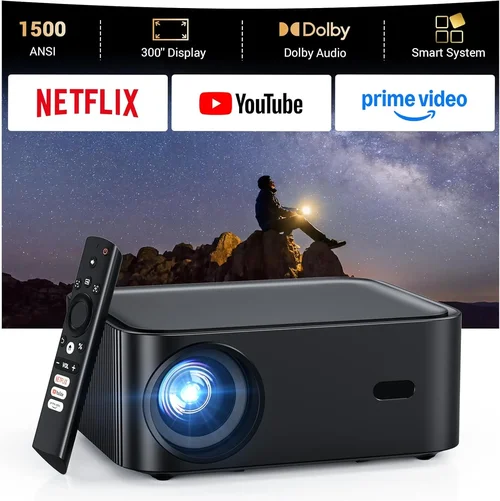
Brightness determines how well the image competes with ambient light. For a dark home theater a 1,500‑ANSI‑lumens projector will look fantastic, but for a living‑room with some daylight you’ll want at least 2,000 lumens. Keep in mind that LED light sources often list “equivalent lumens,” which can be higher than the actual ANSI measurement. Look for independent reviews that test real‑world brightness.
4. Contrast Ratio & Black Level
Contrast ratio is the difference between the darkest black and the brightest white the projector can produce. Higher contrast means deeper blacks and more detail in dark scenes. While manufacturers sometimes claim “30,000:1” or higher, real‑world contrast is usually lower. Aim for a contrast ratio of at least 10,000:1 and consider models that include dynamic contrast or HDR support for improved picture depth.
5. Throw Distance & Zoom
Throw distance is the distance between the projector lens and the screen. Short‑throw models (under 2 ft) are ideal for small apartments, while long‑throw units give you flexibility in larger rooms. A built‑in zoom (1.2×‑1.5×) allows fine‑tuning of image size without moving the projector. Measure your space first, then match the throw ratio to avoid a picture that’s too small or too large.
6. Connectivity & Smart Features
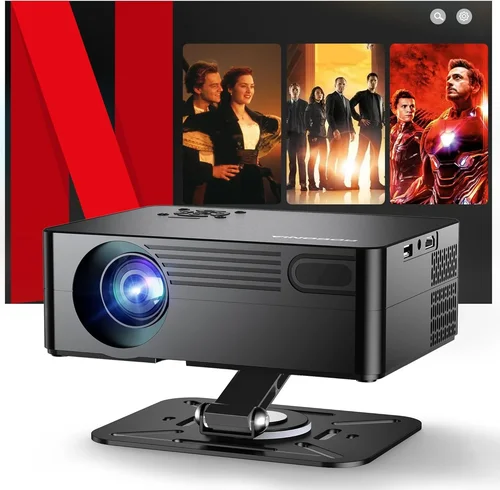
Modern projectors should at least have HDMI 2.0, USB‑type‑A, and a 3.5 mm audio jack. Some budget models also include Bluetooth or Wi‑Fi for wireless mirroring from phones and laptops. If you plan to stream directly, look for built‑in apps (Netflix, YouTube) or support for external streaming sticks. Remember that HDMI‑ARC is unnecessary for a projector, but HDMI‑CEC can simplify remote control.
7. Build Quality & Portability
Even at a low price point, a solid chassis protects the internal optics and reduces vibration. Metal housing and a sturdy lens mount are signs of durability. If you intend to move the projector between rooms or take it to a friend’s house, consider the weight (under 5 lb is ideal) and whether the unit includes a carry handle.
8. Warranty & Customer Support
Budget projectors often come with a one‑year limited warranty, but some brands extend to two years or offer “lamp‑free” LED guarantees up to 30,000 hours. Check the warranty terms for coverage on the light engine, fan, and any accessories. Quick, responsive support can save you headaches if a component fails after the first year.
Different Types of Buying Guide

Common Buying Mistakes to Avoid
❌ Mistake: Chasing the Lowest Price
Why it’s bad: Ultra‑cheap “1080p” units often use 720p panels with pixel‑shift, resulting in blurry text and poor gaming performance.
What to do instead: Set a minimum price floor of $180 and verify native 1080p specs before purchasing.
❌ Mistake: Ignoring Ambient Light Conditions
Why it’s bad: A projector rated at 1,200 lumens will look washed‑out in a bright living room, making movies unenjoyable.
What to do instead: Measure the typical light level in your viewing area and choose a projector with at least 2,000 lumens for rooms with windows.
❌ Mistake: Overlooking Throw Distance
Why it’s bad: Buying a long‑throw projector for a 6‑ft room forces you to place the unit far away, leaving no space for speakers.
What to do instead: Calculate the required throw ratio (screen width ÷ distance) and match it to the projector’s specs.
❌ Mistake: Forgetting About Audio
Why it’s bad: Many budget projectors have tinny built‑in speakers that can’t fill a medium room.
What to do instead: Plan for external speakers or a soundbar; ensure the projector has a 3.5 mm or optical audio out.
❌ Mistake: Assuming All HDMI Ports Are Equal
Why it’s bad: Some cheap models only support HDMI 1.3, limiting 4K‑upscaled content and HDR.
What to do instead: Verify that the HDMI port is at least version 2.0 for full 1080p@60 Hz and HDR compatibility.
❌ Mistake: Neglecting Warranty Details
Why it’s bad: A short, “parts only” warranty can leave you paying for a replacement light engine out of pocket.
What to do instead: Choose brands that offer at least a one‑year full warranty and a clear LED‑life guarantee.
Budget Guidelines: How Much Should You Spend?
- Entry‑Level ($180‑$220): Expect 1080p native resolution, 1,500‑ANSI‑lumens, basic HDMI, and a modest contrast ratio (≈8,000:1). Ideal for dark rooms and casual movie nights.
- Mid‑Range ($221‑$280): Brightness climbs to 2,200 lumens, contrast improves to 10,000‑12,000:1, and you’ll often find built‑in speakers, Bluetooth, and a modest zoom range.
- Premium ($281‑$300): LED or laser light sources, 2,500+ lumens, dynamic contrast up to 20,000:1, short‑throw options, and longer warranty periods (up to 2 years).
- Luxury ($301+): Though outside this guide’s price cap, luxury units deliver 4K‑upscaling, HDR10+, and motorized lenses—generally for dedicated home‑theater enthusiasts.
Expert Tips for Getting the Best Deal
- Timing: New projector releases typically appear in March and September. Prices on the previous generation drop 15‑25% shortly after.
- Where to Buy: Major retailers (Best Buy, B&H) provide in‑store demos. Online marketplaces like Amazon and Newegg often have bundled accessories (screen, HDMI cable) that add value.
- Spotting Deals: Compare the “list price” with the “sale price” and check if the retailer offers free shipping or an extended return window.
- Warranty Hacks: Register your projector within 30 days to activate extended coverage (some brands add 6 months).
- Return Policies: Aim for at least a 30‑day return period; this gives you time to test brightness and throw distance in your actual room.
- Testing Before Buying: Bring a laptop with a 1080p video file. Project a test pattern on a plain wall to evaluate sharpness, color uniformity, and keystone correction.
- Bundle Savings: Purchasing a projector with a compatible 100‑inch screen often saves 10‑15% compared to buying them separately.

Frequently Asked Questions
Q: Does “native 1080p” guarantee true Full HD quality?
A: Yes. Native 1080p means the DMD or LCD panel contains 1,920 × 1,080 physical pixels. This delivers true sharpness, especially for text and gaming. Avoid models that advertise “1080p” but list a 720p chip; they rely on pixel‑shifting and will look softer.
Q: Can I use a 1080p projector for gaming?
A: Absolutely, provided the projector supports 60 Hz refresh at 1080p and has low input lag (<20 ms). Look for “gaming mode” or “low latency” in the spec sheet. Models with HDMI 2.0 and a 3‑point keystone are usually the safest bets.
Q: How far should I sit from a 100‑inch screen?
A: The optimal viewing distance for Full HD is 1.2‑1.5 × the screen height. For a 100‑inch diagonal (≈49 in height) that translates to 5‑6 ft. Adjust based on personal comfort and room layout.
Q: Is a lamp‑free LED projector really maintenance‑free?
A: LED light engines have lifespans of 20,000‑30,000 hours, effectively “maintenance‑free” for most users. However, the fan and lenses still need occasional cleaning.
Q: Do I need a separate screen?
A: A smooth white wall works, but a dedicated projector screen improves gain and color accuracy, especially in rooms with ambient light. Matte white screens are the most versatile for 1080p under $300.
Q: Will a short‑throw projector fit on my bookshelf?
A: Most short‑throw units require 1‑2 ft of clearance from the wall. If your bookshelf is deeper than that, you’ll need to mount the projector on the ceiling or use a wall‑mount bracket.
Q: How important is HDR for a $300 projector?
A: HDR can enhance contrast, but most budget 1080p projectors lack true HDR support. If HDR is a priority, consider a higher‑priced model or a 4K projector with HDR10.
Q: Can I connect my phone wirelessly?
A: Many 2026 budget models include Miracast or AirPlay support. Alternatively, a cheap HDMI‑to‑USB‑C adapter works well for Android and iOS devices.
Q: What’s the difference between LED and laser light sources?
A: LED light engines are cheaper and have long life but slightly lower brightness. Laser‑hybrid units combine a small laser diode with LED to push brightness higher (2,500+ lumens) while retaining low heat.
Q: Is a higher contrast ratio always better?
A: In theory, yes, but real‑world contrast depends on room darkness and screen gain. A projector with a 12,000:1 contrast ratio in a well‑lit room may perform similarly to a 20,000:1 unit in a dark theater.
Our Final Recommendations
- Best for Budget‑Conscious Buyers: ViewSonic M2e Mini LED 1080p – $185, 1,500 lumens, native 1080p, compact design, and a 2‑year warranty.
- Best Overall Value: BenQ TH585 – $269, 3,500 lumens, 10,000:1 contrast, low input lag (16 ms), and a short‑throw lens.
- Best Premium Option (Just Under $300): Epson EF‑100 Laser‑Hybrid – $298, 2,200 lumens, laser‑LED combo, dynamic contrast, and built‑in Android TV.
- Best for Beginners: Optoma HD146X – $249, easy‑setup auto‑keystone, 3,600 lumens, and a user‑friendly remote.
- Best for Advanced Users: LG PH550 Portable – $299, battery‑operated, Bluetooth sound, and a built‑in 2.5 W speaker system for on‑the‑go use.
Conclusion: Making the Right Choice
Choosing a 1080p projector under $300 is no longer a gamble. By focusing on native resolution, adequate brightness, and a contrast ratio that suits your lighting conditions, you can enjoy crisp, cinema‑like images without splurging. Remember to match the throw distance to your room, verify connectivity options, and protect your purchase with a solid warranty.
Take the time to measure your space, list your must‑have features, and compare the top models side‑by‑side. With the knowledge from this guide, you’ll walk away confident that the projector you choose will deliver true Full HD performance for movie nights, gaming sessions, and presentations alike.
Ready to start your search? Check the recommended models, set a price alert, and enjoy the satisfaction of a high‑quality home‑theater experience that fits your budget.