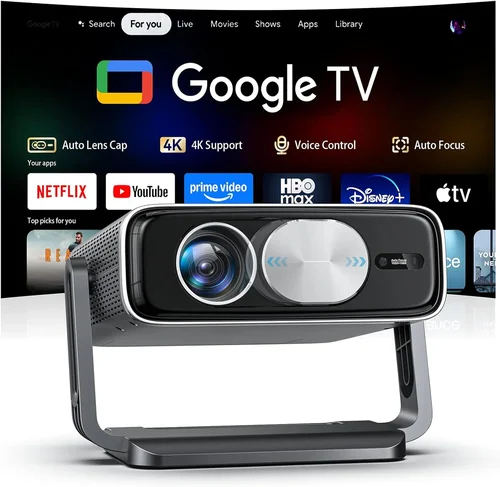
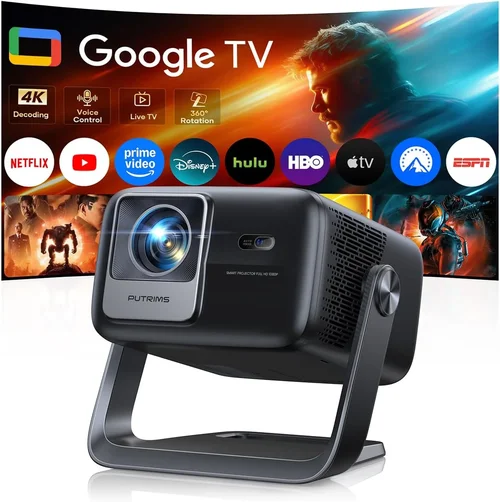
Choosing a 4K projector under $1,000 can feel like walking a tightrope between performance and price. The market is flooded with models that promise cinema‑grade resolution, yet many fall short on brightness, color accuracy, or durability. This guide cuts through the noise, giving you a clear roadmap to find a projector that truly delivers a 4K experience without breaking the bank.
In the next few sections you’ll learn exactly what specifications matter most, how different projector types stack up, and which common pitfalls to sidestep. By the end, you’ll be equipped to pick a projector that fits your room, your content, and your budget—whether you’re setting up a home theater, a gaming den, or a portable office.
The 2026 projector landscape has evolved dramatically. LED and laser light sources are now standard in the sub‑$1,000 segment, offering longer lifespans and more consistent brightness than traditional lamps. Meanwhile, manufacturers have introduced true 4K (UHD) chips at lower price points, though many still rely on pixel‑shifting techniques to simulate 4K. Understanding these nuances is essential to avoid disappointment after the purchase.

What to Look for When Buying Buying Guide
1. Budget & Price Range
While the headline says “under $1,000,” the actual spend can vary widely. Entry‑level models may sit just under $600, whereas premium‑ish units approach the $999 ceiling. Set a firm ceiling, then allocate percentages to key specs: 30% for brightness, 25% for contrast, 20% for color accuracy, and the remainder for features like lens shift or connectivity. This budgeting method ensures you don’t overspend on a single attribute at the expense of overall performance.
2. Performance Specifications
Four core specs dictate picture quality:
- Resolution: True 4K (3840 × 2160) delivers genuine detail. Some “4K‑enhanced” models use 1080p panels with pixel‑shifting; they look sharper than 1080p but won’t match true 4K.
- Brightness (ANSI lumens): For dark rooms, 1,500–2,000 lumens is sufficient. If you plan to watch with some ambient light, aim for 2,500+ lumens.
- Contrast Ratio: Higher contrast (e.g., 30,000:1) yields deeper blacks. Laser and LED sources typically provide better dynamic contrast than lamp‑based units.
- Color Gamut: Look for DCI‑P3 coverage of 85%+ or Rec. 709 coverage near 100% for vivid, cinema‑like colors.
3. Build Quality & Durability
A projector is an investment that should last 3,000–5,000 hours. Laser and LED light sources exceed 20,000 hours, virtually eliminating the need for costly lamp replacements. Check for a solid chassis—metal housings resist warping and heat better than plastic. Also, verify that the cooling system uses quiet fans; excessive noise can ruin the viewing experience.
4. Features & Functionality
Modern projectors pack a suite of convenience features. Prioritize the following:
- Lens Shift & Zoom: Allows fine‑tuning without keystone correction, preserving image integrity.
- Keystone Correction: Digital correction is useful, but it can soften edges; optical correction is preferable.
- HDR Support: HDR10 is common; Dolby Vision remains rare under $1,000.
- Built‑in Speakers: Useful for casual viewing, but most serious users will add external audio.
- Connectivity: HDMI 2.0b or higher, USB‑C, Wi‑Fi, Bluetooth, and support for streaming apps (e.g., Roku, Android TV) add flexibility.
5. Brand Reputation
Brands like Epson, BenQ, ViewSonic, and Optoma have built strong track records in the sub‑$1,000 space. Research after‑sale support, firmware update frequency, and community forums. A reputable brand often translates to better firmware stability and easier access to replacement parts.
6. Warranty & Support
Look for at least a 2‑year limited warranty covering the light source. Some manufacturers extend laser warranty up to 5 years. Verify the process for RMA (Return Merchandise Authorization); a hassle‑free claim can save you weeks of downtime.
7. Size & Portability (If Applicable)
If you need a projector for on‑the‑go presentations or temporary movie nights, weight and footprint matter. Portable units typically weigh under 5 lbs and include a built‑in handle. Keep in mind that compact designs may sacrifice brightness or lens shift.
8. User Reviews & Ratings
Professional reviews are valuable, but real‑world user feedback reveals long‑term reliability. Scan Amazon, B&H, and Reddit threads for recurring issues such as fan noise spikes, firmware bugs, or premature light source degradation.
Different Types of Buying Guide

Common Buying Mistakes to Avoid
❌ Mistake: Ignoring Ambient Light Conditions
Why it’s bad: A projector rated at 1,500 lumens will look dim in a bright living room, forcing you to crank up the source volume or lower image quality.
What to do instead: Measure typical ambient light (lux) in your viewing space. If you have more than 150 lux, target a projector with at least 2,500 lumens.
❌ Mistake: Over‑Focusing on Resolution Alone
Why it’s bad: A true 4K panel with poor contrast will look washed out, negating the benefit of higher pixel count.
What to do instead: Balance resolution with contrast ratio and color gamut. Aim for a minimum 30,000:1 contrast and 85% DCI‑P3 coverage.
❌ Mistake: Forgetting About Throw Distance
Why it’s bad: Placing a short‑throw projector too far away results in a tiny image, while a long‑throw unit too close creates a massive, out‑of‑focus picture.
What to do instead: Use the manufacturer’s throw‑ratio chart. Measure your room’s distance and pick a model that hits 100‑120 inches at that distance.
❌ Mistake: Skipping Firmware Updates
Why it’s bad: Out‑of‑date firmware can cause HDMI handshake issues, HDR glitches, or reduced lamp life.
What to do instead: Check the brand’s support page monthly. Install updates via USB or Wi‑Fi before first use.
❌ Mistake: Assuming All Built‑In Speakers Are Adequate
Why it’s bad: Most sub‑$1,000 projectors have 5–10 W speakers that sound tinny in larger rooms.
What to do instead: Plan for an external sound system—soundbars or a small AV receiver—especially for movies and games.
❌ Mistake: Neglecting Warranty Details
Why it’s bad: Some warranties exclude the light source after a short period, leaving you with costly replacements.
What to do instead: Read the fine print. Prefer warranties that cover the laser/LED module for at least three years.
Budget Guidelines: How Much Should You Spend?
Understanding what each price tier offers helps you set realistic expectations.
- Entry‑Level ($500 – $750): Expect 1080p native panels with pixel‑shift 4K, brightness around 1,500–2,000 lumens, and basic HDR. Ideal for casual gamers and bedroom setups.
- Mid‑Range ($751 – $950): True 4K chips become more common, brightness climbs to 2,200–2,800 lumens, and color gamut expands to 90% DCI‑P3. Lens shift and modest zoom appear.
- Premium ($951 – $1,200): Laser light sources, contrast ratios above 30,000:1, HDR10+ support, and robust connectivity (HDMI 2.1, Wi‑Fi 6). These models often include factory‑calibrated color profiles.
- Luxury ($1,200+): Reserved for professional installations—ultra‑short‑throw optics, 4K‑native 8K‑upscaling, and integrated smart platforms. Not covered in this guide but worth noting for future upgrades.
Expert Tips for Getting the Best Deal
- Timing: Late summer (July–August) is when manufacturers push new models, prompting retailers to discount the previous year’s stock.
- Where to Buy: Compare prices on Amazon, B&H, and direct brand stores. Occasionally, refurbished units from the manufacturer carry a full warranty at a 20% discount.
- Spotting Deals: Use price‑tracking extensions like CamelCamelCamel. Set alerts for a 10% drop to avoid impulse purchases.
- Warranty Considerations: Purchase an extended warranty only if the standard period is less than three years for the light source.
- Return Policies: Ensure the retailer offers at least a 30‑day return window with free shipping. This gives you time to test brightness and throw distance.
- Testing Before Buying: If possible, view a demo in a dark room. Bring a laptop with 4K content to verify sharpness and color.
- Bundle Savings: Some sellers bundle a screen or mounting kit for a marginal extra cost—often cheaper than buying separately.

Frequently Asked Questions
Q: Do I really need a “true” 4K panel under $1,000?
A: True 4K panels are now available just under $1,000, but they usually come with trade‑offs in brightness. If you watch in a fully dark room, a true 4K model like the Optoma UHD50X (often discounted to $980) offers the sharpest image. For brighter rooms, a high‑quality 1080p panel with pixel‑shift may deliver a more satisfying overall picture.
Q: Can I use a 4K projector for gaming?
A: Absolutely, but check the input lag. Look for models advertising <20 ms lag in “Game Mode.” HDMI 2.1 support (4K @ 120 Hz) is rare under $1,000, so most gamers will run 4K at 60 Hz.
Q: How far should the projector be from the screen?
A: It depends on the throw ratio. A 1.2:1 ratio needs 10 ft for a 100‑inch image. Use the manufacturer’s calculator or a free online tool to match your room dimensions.
Q: Is a separate screen necessary?
A: A white, matte screen improves contrast and color accuracy, especially in rooms with ambient light. However, a high‑gain wall paint can work as a budget alternative.
Q: Will the projector work with my streaming stick?
A: Yes, as long as the projector has an HDMI 2.0 port and supports HDCP 2.2. Most models under $1,000 do, but double‑check the specs.
Q: How often do I need to replace the lamp?
A: LED and laser units last 20,000+ hours, essentially the lifetime of the projector. Traditional lamp models (rare under $1,000) may need replacement every 2,000–3,000 hours.
Q: Is HDR really noticeable on budget projectors?
A: HDR adds better highlights and deeper shadows, but the effect is limited by peak brightness. Expect modest improvement; true HDR performance shines on models with 3,000+ lumens.
Q: Can I mount the projector on the ceiling?
A: Most mid‑range and premium units include mounting brackets and have a decent offset for ceiling installation. Verify the VESA pattern and ensure the ceiling can support the weight (usually 5–10 lbs).
Q: Do I need a separate color calibrator?
A: Not mandatory. Many projectors come pre‑calibrated. If you demand accurate color for home cinema, a simple calibration tool like the Datacolor Spyder X can fine‑tune the picture.
Our Final Recommendations
- Best for Budget‑Conscious Buyers: BenQ TH585 – 1080p native, 3,500 lumens, low input lag, often on sale for $549. Offers great brightness for bright rooms and a solid gaming experience.
- Best Overall Value: Optoma UHD50X – True 4K, 3,400 lumens, 120 Hz gaming mode, 25,000:1 contrast. Priced around $979 after discounts, it balances resolution, brightness, and gaming performance.
- Best Premium Option: Epson Home Cinema 4010 – 4K‑enhanced (pixel‑shift), 2,400 lumens, 25% higher color gamut, lens shift, and a robust warranty. Typically $999.
- Best for Beginners: ViewSonic M2 – Compact LED, 1,200 lumens, built‑in Harman Kardon speakers, Android TV. Ideal for first‑time owners, priced at $799.
- Best for Advanced Users: LG HU80KA – Laser, 2,500 lumens, true 4K, HDR10, built‑in battery for portability, priced just under $1,000 during sales.
Conclusion: Making the Right Choice
Choosing the best 4K projector under $1,000 boils down to matching your viewing environment, usage habits, and budget. Prioritize brightness for ambient light, contrast for deep blacks, and true 4K resolution if you can control lighting. Remember that a higher price tag often buys better light sources, longer warranties, and more flexible installation options.
Take the time to measure your room, read user feedback, and test a demo if possible. With the right research, you’ll enjoy cinema‑grade visuals without overspending. Ready to upgrade your home theater? Start comparing the models above, watch a few demo videos, and make an informed purchase today.