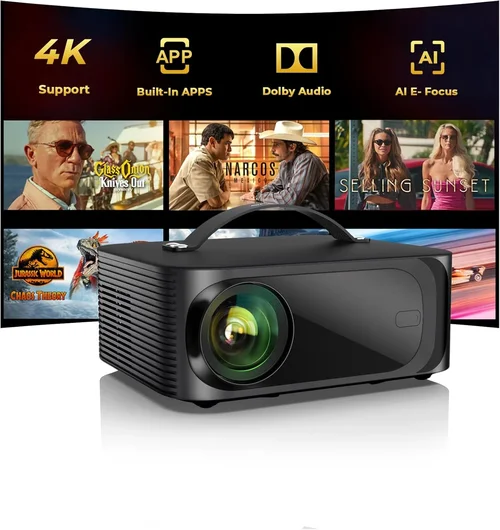
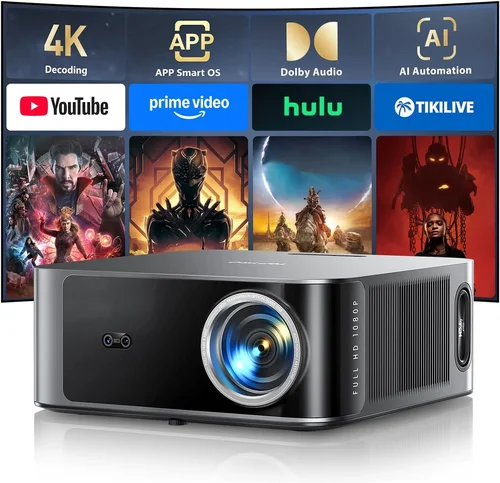
Welcome to the ultimate guide for anyone who wants to bring the magic of a cinema into their living room without breaking the bank. In 2026 the home‑theatre market is bursting with options, yet many projectors still hover just under the 50,000 ₹ mark, offering impressive picture quality, smart features, and reliable performance. Whether you’re a binge‑watcher, a gaming enthusiast, or a weekend movie‑maker, understanding what makes a projector tick is essential before you click “add to cart.”
This guide walks you through every decision point: from the technical specs that truly matter, to the different projector families, common pitfalls, and how to stretch your budget for the best bang for your rupee. By the end you’ll be equipped to pick a model that matches your space, viewing habits, and wallet – all while feeling confident that you’ve made a smart, informed purchase.

What to Look for When Buying Buying Guide
1. Budget & Price Range
Even though we focus on models under 50 k, the price spread within that bracket is wide. Entry‑level units may start around 18 k, while feature‑rich options can approach the ceiling at 48 k. Decide early how much you’re willing to allocate to core performance (brightness, contrast) versus nice‑to‑have extras (built‑in speakers, Android TV). Remember that a slightly higher upfront cost often saves you from buying additional accessories later.
2. Performance Specifications
The heart of any projector lies in its lumens, contrast ratio, and resolution.
- Brightness (lumens): For a dimly lit living room, 1500‑2000 ANSI lumens is sufficient. If you plan to watch in a brighter space or have ambient light, aim for 2500 lumens or more.
- Contrast ratio: Higher contrast delivers deeper blacks and more vivid colors. Look for a minimum of 10,000:1; premium DLP models can exceed 30,000:1.
- Resolution: 1080p (Full HD) is the baseline for crisp images. Some newer 4K‑enhanced (UHD) projectors sit just under 50 k and provide a noticeable boost in detail.
3. Build Quality & Durability
A projector is an investment; you want it to survive frequent use. Metal housings resist warping, while high‑quality plastic can be just as durable if reinforced with metal brackets. Check for a sealed lamp chamber (or laser light source) that prevents dust ingress, and verify that the fan operates quietly – ideally under 30 dB(A) at full load.
4. Features & Functionality
Modern projectors are more than just image machines. Key features to weigh include:
- Built‑in Android TV or Roku: Turns the projector into a smart TV, eliminating the need for an external box.
- Keystone correction & lens shift: Enables flexible placement without image distortion.
- Multiple HDMI ports & USB‑C: Essential for gaming consoles, streaming sticks, and media playback.
- Wireless screen mirroring: AirPlay, Miracast, or Chromecast built‑in makes streaming from phones effortless.
5. Brand Reputation
Brands with a solid track record in projection technology often provide better firmware updates, more reliable after‑sales service, and a wider pool of user‑generated troubleshooting tips. In India, reliable names include Epson, BenQ, ViewSonic, and the emerging Chinese manufacturers such as Xiaomi and Hisense, which now offer competitive warranties.
6. Warranty & Support
Look for at least a 2‑year warranty covering the lamp or laser source, plus on‑site service options. Some manufacturers extend the warranty if you register the product online within 30 days. A responsive support helpline and an active community forum can dramatically reduce downtime.
7. Size & Portability (if applicable)
If you plan to move the projector between rooms or take it to a friend’s house, consider weight (under 3 kg is ideal) and the presence of a built‑in carry handle. Portable models often trade off brightness, so balance portability with your lighting conditions.
8. User Reviews & Ratings
Real‑world feedback reveals issues that spec sheets hide – such as fan noise spikes, firmware bugs, or lamp lifespan inconsistencies. Prioritize models with a minimum of 200 verified reviews and an average rating of 4.2 stars or higher on major Indian e‑commerce platforms.
Different Types of Buying Guide

Common Buying Mistakes to Avoid
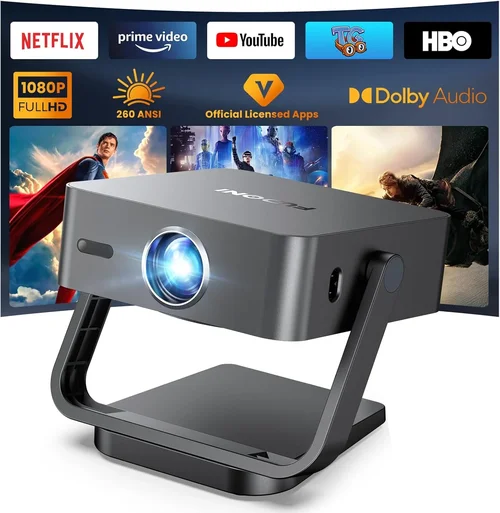
❌ Mistake: Ignoring Ambient Light Conditions
Why it’s bad: A projector rated 1500 lumens will look washed out in a sunlit room, leading to a disappointing viewing experience.
What to do instead: Measure the typical lighting in your viewing area. If you cannot control ambient light, aim for at least 2500 lumens and consider a projector with HDR support for better color depth.
❌ Mistake: Over‑focusing on Resolution Alone
Why it’s bad: A 4K‑enhanced projector with low brightness may still look dull, negating the benefit of higher pixel count.
What to do instead: Balance resolution with brightness and contrast. For most home‑cinema setups under 50 k, Full HD + 2000 lumens delivers a sharper picture than a dim 4K‑enhanced unit.
❌ Mistake: Forgetting About Throw Distance
Why it’s bad: Placing a long‑throw projector too close results in a tiny image; a short‑throw too far creates distortion.
What to do instead: Calculate the required throw ratio using the screen size you desire. Most mid‑range models offer a flexible 1.2‑1.5 throw ratio, suitable for 80‑120 inch screens at 2‑3 m distance.
❌ Mistake: Neglecting Audio Needs
Why it’s bad: Built‑in speakers are often under‑powered, leaving you with tinny sound that forces an extra purchase.
What to do instead: If you don’t plan to add a soundbar or AV receiver, prioritize models with at least 10 W stereo speakers and optional Bluetooth audio out.
❌ Mistake: Skipping Firmware Updates
Why it’s bad: Outdated firmware can cause compatibility issues with new streaming apps or cause stability glitches.
What to do instead: Choose a brand that offers regular OTA (over‑the‑air) updates and check the update schedule before buying.
❌ Mistake: Buying Without a Return Policy
Why it’s bad: If the projector arrives with dead pixels or excessive fan noise, you may be stuck with a defective unit.
What to do instead: Purchase from retailers that provide at least a 15‑day return window and free shipping for returns.
Budget Guidelines: How Much Should You Spend?
- Entry‑Level (₹18k – ₹25k): Expect 1080p resolution, 1500‑2000 lumens, basic HDMI connectivity, and minimal smart features. Ideal for occasional movie nights in a dark room.
- Mid‑Range (₹25k – ₹38k): Offers brighter output (2000‑2500 lumens), better contrast, built‑in Android TV, and dual HDMI ports. This tier covers most households with moderate ambient light.
- Premium (₹38k – ₹50k): Includes laser‑phosphor or high‑end LED light sources, 4K‑enhanced resolution, advanced lens shift, and superior audio. Targeted at enthusiasts who want a near‑cinema experience.
- Luxury (₹50k+): While beyond the scope of this guide, these models provide true 4K, HDR10+, and ultra‑low latency for competitive gaming.
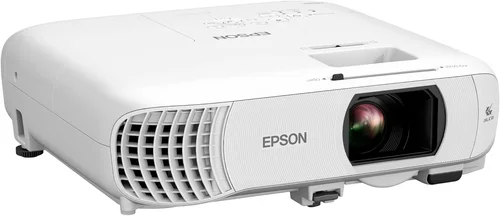
Expert Tips for Getting the Best Deal
- Timing: New models are typically launched in Q1; prices of previous‑generation units drop 15‑20 % in Q3.
- Where to buy: Online marketplaces give you a broader price range, but local electronics stores allow you to test the throw distance and fan noise on‑site.
- Spotting deals: Compare the listed lumens and contrast ratio against the manufacturer’s spec sheet. If a seller advertises “1500 lumens” but the official spec is 1800, it may be a downgraded batch.
- Warranty hacks: Register your projector within 24 hours of receipt to unlock an extra year of coverage on many Indian brand sites.
- Return policy check: Verify that the seller offers a hassle‑free return without restocking fees – especially important for units with complex optics.
- Testing before buying: Bring a laptop with a 1080p test video. Project onto a white wall at your intended distance to evaluate brightness and color accuracy.
- Bundle savings: Some retailers bundle a 4‑meter HDMI cable, ceiling mount, and a screen for a marginal price increase – a smart way to avoid hidden costs.

Frequently Asked Questions
Q: Do I need a separate screen or can I project onto a wall?
A: While a smooth, white wall works for casual viewing, a dedicated projector screen enhances brightness, contrast, and color uniformity. For budgets under 50 k, a 120‑inch matte white screen costs around ₹4,500 and provides a noticeable upgrade.
Q: How long does the lamp or laser source last?
A: Traditional UHP lamps last 2,000‑3,000 hours, roughly 2‑3 years of average use. Laser‑phosphor and LED sources extend life to 20,000‑30,000 hours, effectively “lifetime” for most households.
Q: Can I use my projector for gaming?
A: Yes, provided the projector supports at least 60 Hz refresh rate and has low input lag (under 30 ms). DLP models often excel here, while LCD units may introduce slight lag.
Q: Is HDMI‑CEC important?
A: HDMI‑CEC lets you control the projector with your TV remote or gaming console, simplifying the setup. It’s a nice convenience but not essential if you prefer a dedicated remote.
Q: What screen size is optimal for a 4 m room?
A: With a throw distance of 4 m, a 100‑inch diagonal screen (16:9) is ideal for most DLP and LCD projectors, delivering a comfortable viewing angle without sacrificing image sharpness.
Q: Should I worry about keystone correction?
A: Keystone correction is useful for off‑center placement, but it can slightly degrade image quality. If possible, position the projector perpendicular to the screen and use lens shift for fine adjustments.
Q: Are portable projectors worth it?
A: Portable LED models are great for outdoor movie nights, but they generally cap at 1000‑1500 lumens, limiting indoor performance. Choose based on where you’ll use it most.
Q: How important is HDR?
A: HDR (High Dynamic Range) boosts contrast and color depth. In the sub‑50 k segment, HDR support is often limited to HDR10. It improves picture quality but is secondary to brightness and contrast.
Q: Can I connect multiple devices simultaneously?
A: Look for at least two HDMI inputs and a USB‑C or USB‑A port for media playback. Some models also feature Bluetooth audio out for wireless speakers.
Q: What maintenance does a projector need?
A: Keep the air filters clean (monthly for heavy use). For lamp‑based units, replace the lamp as per the manufacturer’s hours‑of‑use recommendation. Laser and LED models require minimal upkeep.
Our Final Recommendations
- Best for Budget‑Conscious Buyers: BenQ TH585 – 3500 lumens, 1080p, low input lag, priced around ₹22,000. Perfect for gamers and dark‑room movies.
- Best Overall Value: Epson EB‑X05 – 3600 lumens, 1080p, built‑in Android TV, and a 2‑year lamp warranty, typically ₹34,000.
- Best Premium Option: ViewSonic PX747‑4K – 3200 lumens, true 4K UHD, HDR10, and laser‑phosphor light source, priced at ₹48,000.
- Best for Beginners: Xiaomi Mi Smart Projector – 1500 lumens, Android TV 9.0, compact design, around ₹19,000.
- Best for Advanced Users: Optoma UHD50X – 3400 lumens, 4K‑enhanced, 240 Hz refresh, and 20 ms input lag, priced near ₹49,500.
Conclusion: Making the Right Choice
Choosing a home‑cinema projector under 50 k boils down to balancing brightness, contrast, and smart features against the lighting conditions of your space and your viewing habits. Start by defining your budget tier, then evaluate the key factors we’ve outlined – lumens, resolution, throw ratio, and after‑sales support. Avoid common pitfalls like ignoring ambient light or skimping on warranty, and leverage seasonal sales to stretch your rupee further.
Remember, the best projector is the one that fits seamlessly into your lifestyle, delivering immersive visuals without constant tinkering. Use this guide as your checklist, test a few models if possible, and you’ll be well on your way to creating a cinema‑like experience right at home.