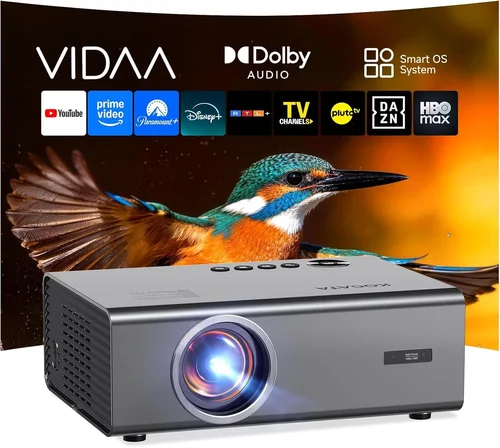
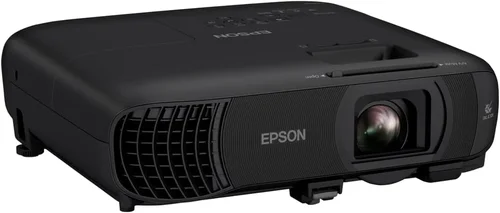
Finding a home‑theater projector that delivers cinema‑like immersion without breaking the bank can feel like hunting for a unicorn. The market is flooded with models that promise 1080p or even 4K resolution, ultra‑bright LEDs, and smart‑TV features—all for under $500. Yet not every bargain is a true winner. This guide cuts through the hype, helping you separate the genuine value picks from the over‑hyped imposters.
By the end of this article you’ll know exactly which specifications matter most for a sub‑$500 projector, how to match those specs to your viewing space, and which models consistently outperform their price class in 2026. We’ll also walk you through common pitfalls, budget planning, and pro‑level buying tactics so you can walk away confident that your new projector will turn movie night into a genuine theater experience.

What to Look for When Buying Buying Guide
1. Budget & Price Range
Even within the “under $500” segment there is a wide price spread—from $250 entry‑level units to $499 premium‑budget models. Your budget determines the trade‑offs you’ll face. Lower‑priced projectors often use DLP chips with lower native contrast, while the high‑end of the range may feature laser light sources and higher lumen output. Set a firm ceiling, then allocate a portion of that ceiling to the most impactful specs (brightness and contrast) rather than optional extras like built‑in speakers.
2. Performance Specifications
The heart of any projector is its image quality. Focus on these key numbers:
- Brightness (lumens): For a dimly lit living room, 1,800–2,200 ANSI lumens is sufficient. If you plan to use the projector in a brighter room or with ambient light, aim for 2,500+ lumens.
- Resolution: Native 1080p (Full HD) is now common under $500. Some models only upscale 720p, which can appear soft on larger screens.
- Contrast Ratio: Higher contrast means deeper blacks. Look for ratios of at least 10,000:1; true black levels become critical when watching dark‑themed movies.
- Color Accuracy (Rec. 709/Rec. 2020): A projector that covers a wide color gamut will reproduce movie‑grade hues more faithfully.
3. Build Quality & Durability
Projectors are often moved between rooms or stored away. A sturdy chassis, reinforced lens housing, and a reliable cooling system prolong lifespan. Metal‑alloy frames and well‑ventilated heat sinks are signs of a unit built to survive frequent use. Check user reviews for reports of overheating or premature lamp failures.
4. Features & Functionality
While image quality reigns supreme, certain features add convenience:
- Lens Shift & Keystone Correction: Lens shift lets you move the image vertically/horizontally without distortion. Keystone is useful for ceiling‑mount setups.
- Connectivity: HDMI 2.0, USB‑C, Wi‑Fi, and Bluetooth broaden source options. Dual HDMI ports let you switch between a gaming console and a streaming stick without unplugging.
- Built‑in Speakers: Most sub‑$500 units have modest 5‑10 W speakers. If you desire richer sound, plan for an external soundbar or AV receiver.
- Smart Platform: Some projectors run Android TV or Roku, eliminating the need for an external streaming box.
5. Brand Reputation
Established brands like Epson, BenQ, ViewSonic, and Optoma have proven track records for reliability and firmware support. Newer entrants can surprise with innovation, but they may lack long‑term service networks. Research warranty length, firmware update frequency, and community support forums before committing.
6. Warranty & Support
A solid warranty (minimum 2 years) protects you against early failures. Look for on‑site service options or easy RMA processes. Some manufacturers also offer extended warranty plans for a modest fee—worth considering if you plan heavy usage.
7. Size & Portability
If you intend to move the projector between a home theater, bedroom, or outdoor patio, weight and footprint matter. Portable “pico” projectors can fit in a backpack but often sacrifice brightness and contrast. A mid‑size unit (around 6‑8 lbs) strikes a balance between portability and performance.
8. User Reviews & Ratings
Numbers on a spec sheet only tell half the story. Dive into user forums, YouTube review channels, and retailer comments. Look for recurring themes—consistent praise for low fan noise, or repeated complaints about HDMI handshake issues.
Different Types of Buying Guide

Common Buying Mistakes to Avoid
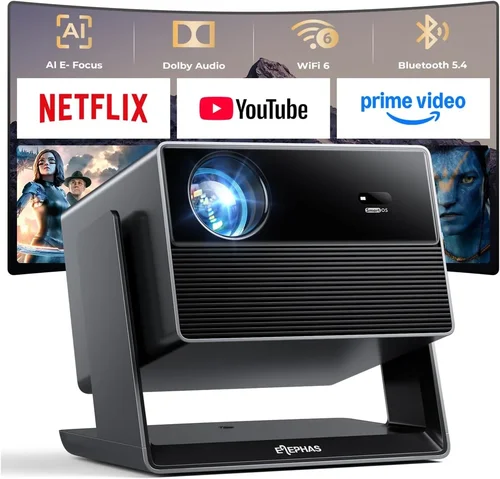
❌ Mistake: Ignoring Ambient Light Conditions
Why it’s bad: Purchasing a 1,500‑lumen projector for a bright living room results in washed‑out images that ruin the viewing experience.
What to do instead: Measure the typical light level in your room. If you cannot fully darken the space, choose a model with at least 2,500 ANSI lumens and a high contrast ratio.
❌ Mistake: Overvaluing Native 4K on a Budget
Why it’s bad: Sub‑$500 4K projectors usually rely on pixel‑shifting technology, delivering softer images than true native 1080p units.
What to do instead: Prioritize true 1080p resolution. Pair it with a good screen material, and you’ll often get sharper images than a budget “4K” model.
❌ Mistake: Forgetting About Throw Distance
Why it’s bad: A projector with a long throw ratio may need a 12‑ft distance, impossible for most apartments.
What to do instead: Calculate your room’s throw distance and match it with a projector’s throw ratio (e.g., 1.2–1.5 for short‑throw, 1.8–2.2 for standard).
❌ Mistake: Assuming Built‑in Speakers Are Sufficient
Why it’s bad: Most budget projectors have thin, tinny speakers that cannot reproduce deep bass or dynamic range.
What to do instead: Budget for an external sound solution—soundbar, bookshelf speakers, or a compact AV receiver.
❌ Mistake: Neglecting Firmware Updates
Why it’s bad: Out‑of‑date firmware can cause HDMI handshake failures, Wi‑Fi instability, or color banding.
What to do instead: Choose a brand that releases regular updates and check the support page before purchase.
❌ Mistake: Overlooking Lamp Life vs. LED/Laser
Why it’s bad: Traditional lamps may need replacement every 2,000–3,000 hours, adding hidden costs.
What to do instead: Consider LED or laser light sources that last 20,000+ hours with consistent brightness.
Budget Guidelines: How Much Should You Spend?
Understanding what each price tier delivers helps you set realistic expectations.
- Entry-Level ($250‑$300): Expect 1,500–1,800 lumens, DLP chip, 720p upscaling, basic HDMI, and limited keystone correction. Ideal for casual movie nights in dark rooms.
- Mid‑Range ($301‑$400): You’ll find true 1080p resolution, 2,200–2,500 lumens, better contrast (10,000:1+), and added features like lens shift or Android TV. This tier suits most living‑room setups.
- Premium ($401‑$500): Look for laser/LED hybrids, 2,800+ lumens, high‑speed refresh rates (up to 120 Hz), robust connectivity (dual HDMI, USB‑C), and stronger warranty coverage. Perfect for gamers, sports fans, and bright‑room users.
- Luxury (>$500): While outside the scope of this guide, luxury models push 4K native, HDR10+, and 3,000+ lumens, often requiring professional installation.
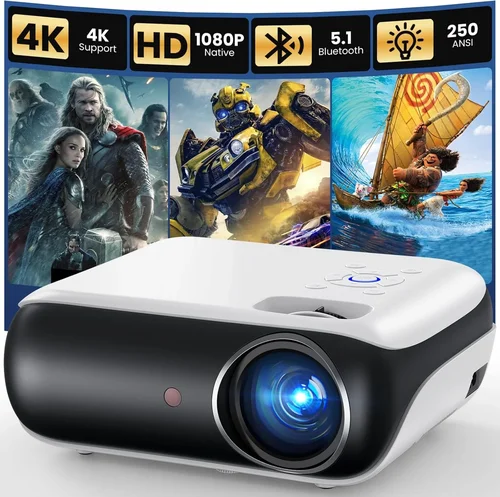
Expert Tips for Getting the Best Deal
- Timing: New models are announced in Q1 (CES). Prices on previous‑generation units drop 15‑25% shortly after.
- Where to Buy: Authorized retailers (Best Buy, B&H, Amazon) provide reliable warranty processing. Marketplace sellers may offer lower prices but risk counterfeit units.
- Bundle Savings: Look for projector + screen bundles. A proper screen can improve perceived contrast by up to 30%.
- Extended Warranty: If you plan >2 years of heavy use, a 3‑year extended warranty (often $30‑$50) is a smart insurance.
- Return Policy: Verify at least a 30‑day return window. Test the projector in your intended room; most retailers accept returns if the unit is in original condition.
- Testing Before Buying: Bring a laptop or streaming stick to the store to evaluate brightness, color, and fan noise. In‑store demos can be misleading if the lighting is artificially dim.
- Firmware Check: After purchase, immediately update to the latest firmware. This resolves many early‑adopter bugs.

Frequently Asked Questions
Q: Can a sub‑$500 projector display HDR content?
A: Some mid‑range models support HDR10, but the limited brightness (often under 3,000 lumens) can prevent true HDR impact. For the best HDR experience, aim for at least 3,000 lumens and a contrast ratio above 15,000:1.
Q: Do I need a special screen?
A: While a plain white wall works, a dedicated projector screen (gain 1.0‑1.2) improves color uniformity and contrast, especially in rooms with some ambient light.
Q: How far should the projector be from the screen?
A: Use the manufacturer’s throw ratio chart. For a 100‑inch diagonal image, a 1.5:1 ratio means the projector sits 12.5 ft away. Short‑throw models can achieve the same size from 4‑5 ft.
Q: Is a lamp replacement costly?
A: Traditional lamps cost $80‑$150 and last ~2,500 hours. LED/laser units have no lamp to replace, effectively eliminating that expense.
Q: Will a projector work with my gaming console?
A: Yes, provided the projector has HDMI 2.0 (or higher) and supports at least 1080p/60 Hz. For low‑input‑lag gaming, look for “Game Mode” or a response time under 15 ms.
Q: Can I mount the projector on the ceiling?
A: Absolutely. Ensure the unit has lens shift (or sufficient keystone) to align the image without distortion. Verify the ceiling mount’s weight rating.
Q: How loud is the fan on budget projectors?
A: Most sub‑$500 units run 30‑35 dB at normal brightness. In very dark rooms, you may need to lower brightness, which also reduces fan noise.
Q: Do I need a separate remote?
A: Most projectors include a basic IR remote. For smarter control, many support Bluetooth or Wi‑Fi apps that let you adjust settings from a smartphone.
Our Final Recommendations
- Best for Budget‑Conscious Buyers: ViewSonic PA503W – 3,600 lumens, 720p native, excellent value at $259.
- Best Overall Value: BenQ HT2150ST – 1080p, 2,200 lumens, 0.69 short‑throw, low input lag, priced at $489.
- Best Premium Option: Epson Home Cinema 2150 – 2,500 lumens, 1080p, lens shift, Android TV, $499.
- Best for Beginners: Optoma HD146X – Simple setup, 1080p, 3,600 lumens, user‑friendly menu, $379.
- Best for Advanced Users: LG PF50KA – LED‑laser hybrid, 600 lumens (ideal for dark rooms), 1080p, built‑in battery, Wi‑Fi, $499.
Conclusion: Making the Right Choice
Choosing the best home theater projector under $500 boils down to balancing brightness, resolution, and the environment where you’ll watch. Start by measuring your room’s light levels, decide on a throw distance, and then match those needs to the specifications outlined above. Remember that a higher lumen count can often compensate for a modest contrast ratio, while a true 1080p panel will always outshine a “4K‑ish” upscaled model at this price point.
Take advantage of seasonal sales, verify warranty terms, and, if possible, test the unit in your own space before committing. With the right research, you can transform any living room into a cinema‑quality experience without spending a fortune.