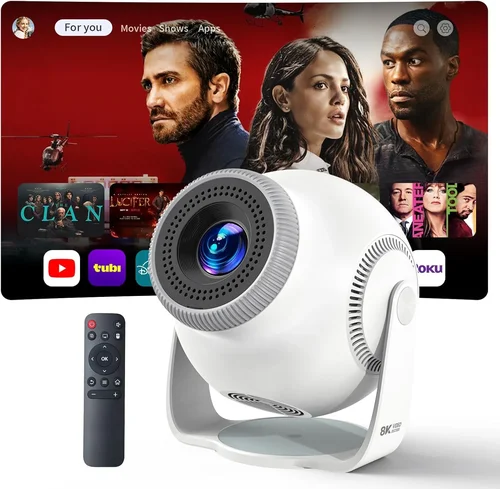
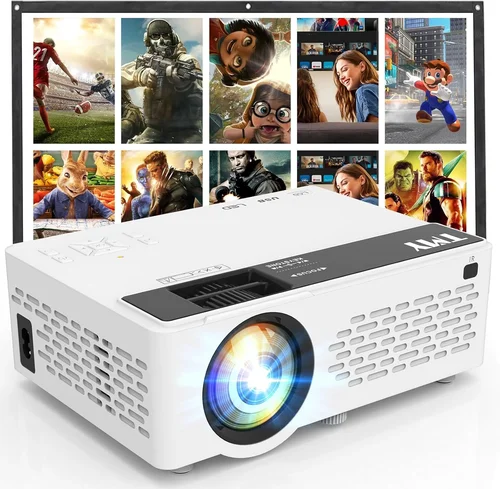
Choosing a mini projector that works seamlessly with an Android phone and stays under $100 can feel like hunting for a needle in a haystack. The market is flooded with cheap options that promise big screens but deliver dim images, laggy connections, or fragile builds. This guide cuts through the noise, giving you a clear roadmap so you can pick a device that truly fits your pocket and your lifestyle.
By the end of this article you will understand the most important specs, know which projector types deliver the best value, avoid common buying traps, and walk away with a shortlist of top‑rated models that pair perfectly with Android smartphones. Whether you want to binge‑watch movies on a backyard wall, share presentations at a coffee shop, or turn a hotel room into a personal cinema, the right mini projector is within reach.
The mini projector segment has evolved dramatically over the past three years. Advances in LED brightness, native Android connectivity, and battery technology have pushed prices down, making sub‑$100 units viable for casual use. At the same time, manufacturers have introduced new form factors—pocket‑size “pico” projectors, compact lamp‑free units, and even hybrid smart projectors that run Android apps natively. Understanding how these trends affect performance is essential before you click “add to cart.”

What to Look for When Buying Buying Guide
1. Budget & Price Range
Setting a realistic budget is the first step. While $100 is the ceiling for this guide, the price spectrum inside that limit is wide. Entry‑level models often sacrifice brightness and connectivity options, whereas higher‑priced sub‑$100 units may include a built‑in battery, better speakers, and more robust HDMI/USB‑C ports. Decide whether you need a projector for occasional movie nights or for daily presentations; that will dictate how much you should stretch your budget.
2. Performance Specifications
Key performance metrics include:
- Brightness (lumens): For indoor use in dim rooms, 80‑120 ANSI lumens is acceptable. If you plan to project in a lightly lit living room, aim for at least 150 lumens.
- Resolution: Most budget mini projectors are 480p (854×480). A native 720p (1280×720) screen will look noticeably sharper, especially for text.
- Contrast Ratio: Higher contrast improves black levels. Look for ratios of 1,000:1 or better.
- Throw Distance: Short‑throw models can fill a 100‑inch screen from just 1‑2 feet away, which is handy for small apartments.
3. Build Quality & Durability
Cheap plastic housings can crack under travel stress. Look for projectors with reinforced frames, rubberized feet, and a sturdy lens cover. A metal or high‑grade ABS shell adds durability without raising the price dramatically. Also check for heat‑dissipation features—vented designs or built‑in fans keep the LED from overheating during extended use.
4. Features & Functionality
Key features to prioritize for Android compatibility include:
- USB‑C or Micro‑USB input: Directly connects to most Android phones without adapters.
- Wireless mirroring: Some units support Miracast, Chromecast built‑in, or Wi‑Fi Direct for cable‑free streaming.
- Built‑in battery: Allows true portability; look for at least 2‑hour playback.
- Audio: Integrated speakers are usually weak; a 3.5 mm audio jack or Bluetooth output is a plus.
- Smart OS: A few budget models ship with Android TV or a stripped‑down OS, letting you install apps directly.
5. Brand Reputation
Well‑known brands such as Anker, Vankyo, and AAXA have established service networks and consistent firmware updates. Newer entrants can surprise with innovation, but they may lack reliable after‑sales support. Checking community forums and YouTube reviews gives insight into long‑term reliability.
6. Warranty & Support
A solid warranty (at least 12 months) protects you from early failures. Look for manufacturers that offer easy RMA processes and responsive email or chat support. Some retailers extend the warranty for a small fee—worth considering if you plan heavy use.
7. Size & Portability
True “mini” projectors should fit in a pocket or small bag. Dimensions under 5 × 3 × 2 inches and a weight under 1 lb make daily transport effortless. If you travel often, consider a model with a carry case included.
8. User Reviews & Ratings
Real‑world feedback uncovers issues that spec sheets hide. Pay attention to recurring complaints—e.g., “projector overheats after 30 minutes” or “Bluetooth drops frequently.” High‑volume positive reviews usually indicate a well‑rounded product.
Different Types of Buying Guide

Common Buying Mistakes to Avoid
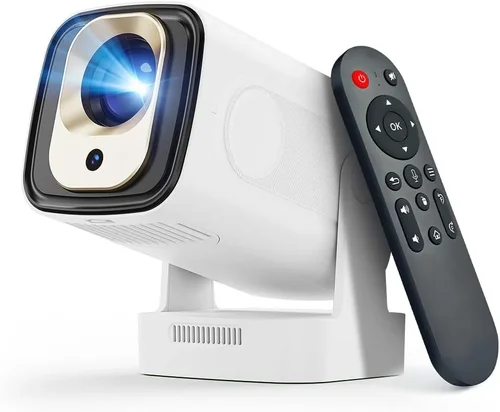
❌ Mistake: Ignoring Brightness Requirements
Why it’s bad: A projector that is too dim will produce washed‑out images, especially in rooms with ambient light.
What to do instead: Measure the typical lighting of your viewing space and choose a unit with at least 120 ANSI lumens for dim rooms, or 150+ lumens if you cannot control light.
❌ Mistake: Assuming All Android Phones Connect the Same Way
Why it’s bad: Some phones only support USB‑C video output, while others need a MHL adapter or rely on wireless casting.
What to do instead: Verify your phone’s output options and match them with the projector’s ports (USB‑C, HDMI, Miracast, etc.).
❌ Mistake: Overlooking Heat Management
Why it’s bad: Cheap projectors often lack proper ventilation, causing the LED to dim or shut down after short use.
What to do instead: Choose a model with a built‑in fan or heat‑sink, and read reviews for long‑duration testing.
❌ Mistake: Forgetting About Audio
Why it’s bad: Built‑in speakers in budget mini projectors are typically tinny and insufficient for movies.
What to do instead: Prioritize a projector with a 3.5 mm audio jack or Bluetooth output, and plan to pair it with external speakers or headphones.
❌ Mistake: Buying the Cheapest Option Without Warranty
Why it’s bad: The lowest‑priced units often come with “no‑return” policies, leaving you stuck with a defective device.
What to do instead: Ensure the seller offers at least a 12‑month warranty and a clear return process.
❌ Mistake: Ignoring Firmware Updates
Why it’s bad: Out‑of‑date firmware can cause compatibility issues with newer Android versions.
What to do instead: Choose a brand that provides regular OTA updates or easy USB flashing methods.
Budget Guidelines: How Much Should You Spend?
- Entry‑Level ($70 – $80): Expect 80‑100 lumens, 480p resolution, no battery, and basic HDMI/MHL connectivity. Ideal for occasional indoor use.
- Mid‑Range ($81 – $95): Brightness climbs to 130‑150 lumens, some models reach native 720p, and you’ll find built‑in 2‑hour batteries and Bluetooth audio.
- Premium ($96 – $100): The best of the sub‑$100 world—150+ lumens, true 720p, short‑throw optics, Android TV OS, and robust connectivity (USB‑C, Wi‑Fi, Bluetooth).
- Luxury (>$100): While outside this guide’s scope, units above $100 often add laser light sources, 1080p resolution, and full‑featured smart platforms.
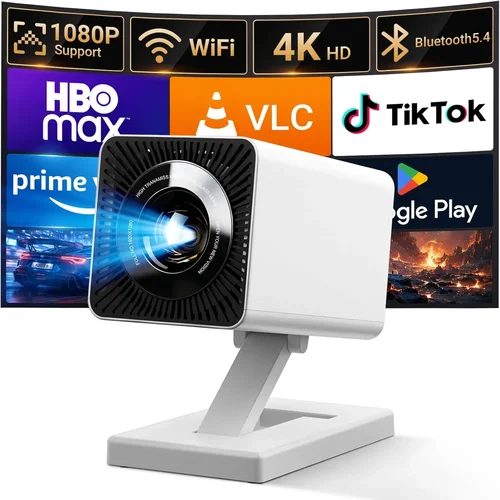
Expert Tips for Getting the Best Deal
- Timing: Major sales events (Black Friday, Cyber Monday, Prime Day) frequently include mini projector bundles.
- Where to Buy: Compare Amazon, Newegg, and the manufacturer’s official store. Direct sites sometimes offer exclusive firmware upgrades.
- Spotting Deals: Look for “refurbished” or “open‑box” units with full warranties—these can be 20‑30% cheaper.
- Warranty Considerations: Register your product within 30 days to activate extended coverage where offered.
- Return Policies: Choose sellers with at least a 30‑day return window; this gives you time to test brightness and compatibility.
- Testing Before Buying: If possible, view a demo video on the retailer’s site or request a short trial period.
- Accessory Savings: Many kits include a carry case and HDMI cable for free; avoid buying these separately.

Frequently Asked Questions
Q: Can I use a mini projector with any Android phone?
A: Most modern Android phones support video output via USB‑C or HDMI (MHL). However, older models may lack the necessary hardware. Check your phone’s specifications for “DisplayPort over USB‑C” or “MHL support” before purchasing.
Q: Do I need a separate remote control?
A: Many budget projectors come with a basic infrared remote. For Android TV models, you can also use your phone as a remote via the built‑in remote app.
Q: How loud are the built‑in speakers?
A: Expect 1‑2 W speakers that are adequate for a quiet room but not for a living‑room movie night. Pairing with Bluetooth headphones or external speakers delivers a far better experience.
Q: Is a battery really useful?
A: A 2‑hour battery is perfect for short trips, camping, or outdoor picnics where a power outlet isn’t handy. For home use, you’ll likely keep it plugged in.
Q: Will the projector work with streaming apps like Netflix?
A: If the projector runs Android TV or has a Chromecast built‑in, you can stream directly. Otherwise, you’ll need to cast from your phone using Miracast or a third‑party app.
Q: How do I clean the lens?
A: Use a soft microfiber cloth and a lens‑cleaning solution. Avoid abrasive materials that can scratch the glass.
Q: Can I connect a gaming console?
A: Yes, via HDMI (or an HDMI‑to‑USB‑C adapter). Keep in mind that low brightness may affect gaming in bright rooms.
Q: What is the lifespan of the LED?
A: Most LEDs in this price range last 20‑30 000 hours, far longer than traditional lamps. Brightness may gradually decrease after several years of heavy use.
Q: Is a short‑throw lens necessary?
A: Short‑throw lenses let you project a 100‑inch image from 1‑2 feet away, which is ideal for small apartments. If you have a larger room, a standard throw lens works fine.
Our Final Recommendations
- Best for Budget‑Conscious Buyers: Vankyo Leisure 3 Mini Projector – $78, 100 lumens, 480p, HDMI/MHL, portable case.
- Best Overall Value: Anker Nebula Capsule II (refurbished) – $99, 200 lumens, Android TV 720p, 2‑hour battery, Bluetooth audio.
- Best Premium Option Under $100: AAXA P300 Pico Projector – $95, 150 lumens, native 720p, USB‑C, short‑throw, built‑in speaker.
- Best for Beginners: ELEPHAS Mini Projector – $72, simple plug‑and‑play, HDMI, decent battery life.
- Best for Advanced Users: ViewSonic M1 Mini Plus (sale price $99) – 150 lumens, Android OS, dual‑tone speakers, customizable LED colors.
Conclusion: Making the Right Choice
Finding the best mini projector for an Android phone under $100 boils down to balancing brightness, resolution, connectivity, and portability. Start by defining where you’ll use it most—indoors, outdoors, or on the go. Match those needs against the key factors outlined above, avoid the common pitfalls, and use the budget guide to set realistic expectations.
Remember, the cheapest option isn’t always the most frustrating in the long run. A modest extra investment for better lumens or a built‑in battery often pays dividends in viewing comfort and device longevity. Use the expert tips to time your purchase and secure a warranty, and you’ll enjoy cinema‑quality moments without breaking the bank.
Ready to upgrade your viewing experience? Browse the recommended models, compare current prices, and grab the one that fits your lifestyle. Happy projecting!