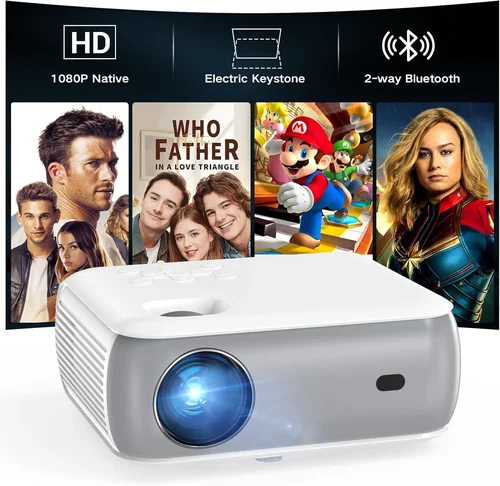
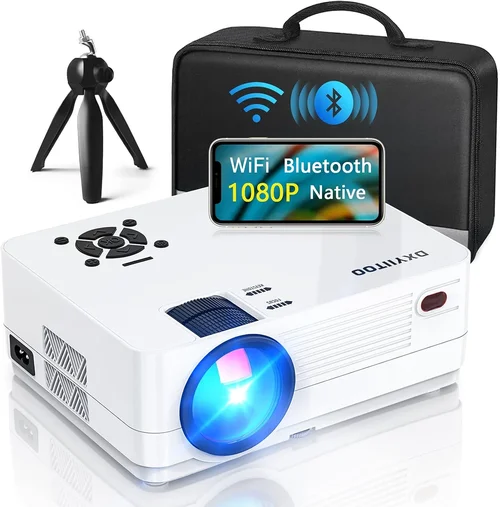
Finding a true‑HD projector that doesn’t break the bank can feel like hunting for a needle in a haystack. The market is flooded with “1080p” claims, but most of those models actually use a 720p native chip and rely on up‑scaling to fake the resolution. If you’re serious about crisp, cinema‑grade pictures for movies, gaming, or home‑office presentations, you need a projector that truly delivers native 1080p output – and you need it for under $300.
That’s why we created this guide. In the next few pages you’ll learn exactly what to look for, which specifications matter most, and which models consistently earn top marks from both experts and everyday users. We’ll also walk you through common pitfalls, break down how to allocate your budget, and share insider tips for snagging the best deal. By the end, you’ll be equipped to choose a projector that meets your performance expectations without compromising on price.
The budget‑friendly 1080p segment has matured dramatically over the past three years. Manufacturers have refined LED and laser light sources, improved throw ratios, and added smart‑connectivity options while keeping MSRP under $300. This guide captures the most relevant developments of 2024‑2026, so you can make a decision based on today’s reality rather than outdated specs.

What to Look for When Buying Buying Guide
1. Budget & Price Range
Price is the obvious entry point, but the “under $300” constraint should be viewed as a flexible ceiling rather than a hard wall. A $295 model may offer a modest upgrade in brightness or connectivity that justifies the extra few dollars, while a $250 unit could be a perfect fit if it checks all your must‑have boxes. Always compare the total cost of ownership – including cables, mounting hardware, and optional warranty extensions – against the performance gains you receive.
2. Native Resolution & Image Sharpness
Native 1080p (1920 × 1080) is non‑negotiable for this guide. Some “Full HD” projectors actually use a 1280 × 720 panel and upscale, which leads to softer edges and loss of detail. Look for a true 1080p DLP or LCD chip; DLP typically offers sharper contrast, while LCD delivers richer color fidelity. Verify the specification sheet and read user reviews to confirm the actual native resolution.
3. Brightness (ANSI Lumens)
Brightness determines how well the image competes with ambient light. For a dark home theater, 1,500–2,000 ANSI lumens is plenty. If you plan to use the projector in a living‑room with some light bleed, aim for 2,200–2,800 lumens. Remember that LED and laser light sources often report “equivalent lumens,” which can be higher than the measured ANSI value. Prioritize true ANSI measurements for an apples‑to‑apples comparison.
4. Contrast Ratio & Black Levels
A high contrast ratio (e.g., 10,000:1 or higher) means deeper blacks and more vivid colors. DLP projectors usually achieve better contrast because of their rapid pixel switching, while LCD units may suffer from “halo” effects in dark scenes. Check for dynamic contrast features like “Eco‑Mode” or “Dynamic Iris,” but keep in mind that manufacturers sometimes inflate numbers. Independent lab tests and user feedback are more reliable indicators.
5. Throw Distance & Zoom
Throw distance is the gap between the projector lens and the screen. A short‑throw model (0.5–1.0:1) can fill a 100‑inch screen from just a few feet away, ideal for small apartments. Long‑throw units need more space but often provide a larger image without distortion. Variable zoom (1.2×–1.5×) adds flexibility, letting you fine‑tune the image size without moving the projector.
6. Connectivity & Smart Features
Modern projectors should support HDMI 2.0 or higher for 4K‑60 Hz pass‑through, even if the panel is 1080p. Look for at least two HDMI ports, a USB‑C or USB‑A for media playback, and wireless options like Wi‑Fi Direct, Miracast, or Chromecast built‑in. Some budget models now include Android TV or Roku, which can turn the projector into an all‑in‑one streaming hub.
7. Build Quality & Portability
Even at a low price point, a solid chassis protects internal optics and reduces fan noise. Metal housings are preferred over cheap plastic, especially if you plan to move the unit frequently. Weight matters for portable setups – under 5 lb is comfortable for tabletop or backpack use, while a heavier unit may be better suited for a permanent ceiling mount.
8. Warranty & Customer Support
Budget projectors often come with a 1‑year limited warranty, but some brands extend to 2 years or offer on‑site service. Check the warranty terms for coverage of the light source, as LED/laser lifespans can be 20,000 hours or more, but a defective unit could still be costly to replace without a solid guarantee.
Different Types of Buying Guide

Common Buying Mistakes to Avoid
❌ Mistake: Trusting Marketing Buzzwords Over Specs
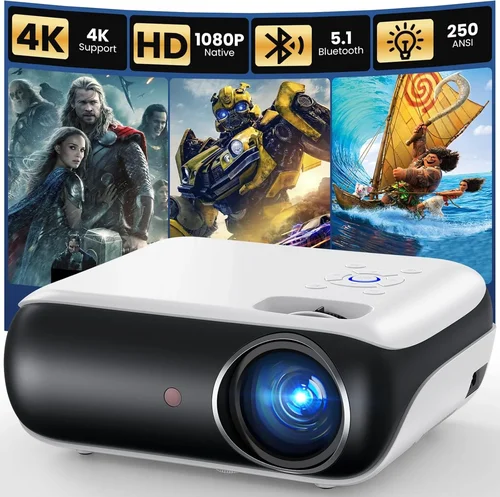
Why it’s bad: Phrases like “Full HD” or “4K‑Ready” can be misleading. A projector may claim 4K compatibility but still use a 720p chip.
What to do instead: Verify the native resolution on the spec sheet. Look for “Native 1080p” or “1920 × 1080” in the product description, and cross‑check with reputable review sites.
❌ Mistake: Ignoring Ambient Light Conditions
Why it’s bad: Buying a 1,500‑lumens unit for a bright living room results in washed‑out images.
What to do instead: Measure your typical room lighting and aim for at least 2,200 lumens if you cannot achieve near‑total darkness.
❌ Mistake: Overlooking Input Lag for Gaming
Why it’s bad: High input lag (above 30 ms) makes fast‑paced games feel sluggish.
What to do instead: Check the projector’s game mode or “low‑lag” specifications. Look for independent latency tests that report 15 ms or lower.
❌ Mistake: Forgetting About Lamp/Light‑Source Life
Why it’s bad: Some budget models use short‑life lamps that need replacement after 2,000 hours, adding hidden cost.
What to do instead: Prioritize LED or laser light sources, which typically last 20,000+ hours and are covered under warranty.
❌ Mistake: Skipping the Calibration Step
Why it’s bad: Out‑of‑the‑box settings are often overly bright or have poor color balance.
What to do instead: Spend a few minutes adjusting brightness, contrast, and color temperature, or use a free calibration app to unlock the projector’s true potential.
❌ Mistake: Assuming All HDMI Ports Are Equal
Why it’s bad: Some budget units have one HDMI 2.0 port and a second HDMI 1.4 port, limiting 4K‑60 pass‑through on the latter.
What to do instead: Confirm the HDMI version for each port. Use the highest‑spec port for gaming consoles or streaming devices that support HDR.
Budget Guidelines: How Much Should You Spend?
Even within the “under $300” bracket, there are subtle tiers that correlate with feature sets and performance.
- Entry‑Level ($200 – $230): Expect 1,500–1,800 ANSI lumens, basic HDMI, and a plastic chassis. Good for dark rooms and occasional movie nights.
- Mid‑Range ($231 – $270): Brightness climbs to 2,200–2,500 lumens, adds dual HDMI, built‑in speakers, and often a short‑throw lens. This is the sweet spot for most households.
- Premium ($271 – $300): You’ll find laser light sources, higher contrast ratios, integrated Android TV or Roku, and better warranty terms. Ideal for users who want a plug‑and‑play streaming solution.
- Luxury (>$300): While outside the scope of this guide, models above $300 may include 4K scaling, motorized lenses, and ultra‑short‑throw designs.
Expert Tips for Getting the Best Deal
- Timing is everything: Major sales events (Black Friday, Cyber Monday, Amazon Prime Day, and back‑to‑school season) typically feature 15‑30% discounts on electronics.
- Shop from authorized retailers: Buying directly from the manufacturer or an authorized dealer ensures you receive a valid warranty and genuine accessories.
- Bundle wisely: Some sellers include a ceiling mount, HDMI cable, or even a streaming stick for the same price as the bare unit. Evaluate the bundle value before opting for a cheaper “projector‑only” deal.
- Check return policies: A 30‑day return window lets you test the projector in your own environment. Make sure the policy covers the full price, not just the shipping cost.
- Consider refurbished units: Certified refurbished models from the manufacturer often come with a full warranty and can be up to 25% cheaper.
- Read the fine print on warranties: Some “extended” warranties are third‑party and may not cover the light source. Stick with the manufacturer’s warranty whenever possible.
- Test for input lag: If you have a gaming console, plug it in and use a free app like “Display Tester” to measure latency before finalizing the purchase.
- Don’t forget the screen: A proper projector screen can boost perceived contrast by up to 30%. If you’re on a budget, a matte white wall works, but a 120‑inch 16:9 screen is ideal.

Frequently Asked Questions
Q: Can I use a native 1080p projector in a well‑lit living room?
A: Yes, but you’ll need a model with at least 2,200 ANSI lumens and a high contrast ratio. Adding ambient light rejecting (ALR) screen material can also improve picture quality.
Q: Do I need a separate speaker system?
A: Most budget 1080p projectors include built‑in speakers ranging from 5‑10 W. For a true home‑theater experience, pair the projector with a soundbar or a small AV receiver.
Q: How long will the LED light source last?
A: LED units typically have a rated lifespan of 20,000–30,000 hours. At two hours of use per night, that translates to roughly 27‑40 years of operation.
Q: Is a short‑throw lens necessary?
A: Short‑throw is only essential if you have limited throw distance (e.g., a small apartment). Otherwise, a standard throw lens offers more flexibility for larger screens.
Q: Will a 1080p projector work with a 4K console?
A: Absolutely. The console will downscale to 1080p, and you’ll still enjoy crisp graphics. Look for HDMI 2.0 ports to ensure full bandwidth for HDR content.
Q: Are there any safety concerns with LED projectors?
A: LED projectors run cooler than lamp‑based units, reducing fire risk. Still, keep the ventilation openings clear and avoid covering the projector during operation.
Q: How do I mount a projector on the ceiling?
A: Use a universal ceiling mount that matches the projector’s VESA pattern. Ensure the mount can support the projector’s weight and that the mounting point is near an electrical outlet.
Q: What’s the difference between dynamic and static contrast?
A: Static contrast is measured with a single, unchanging image, while dynamic contrast adjusts the backlight on the fly to boost perceived depth. Dynamic contrast can improve dark scenes but may cause flicker in some content.
Q: Can I stream directly without an external device?
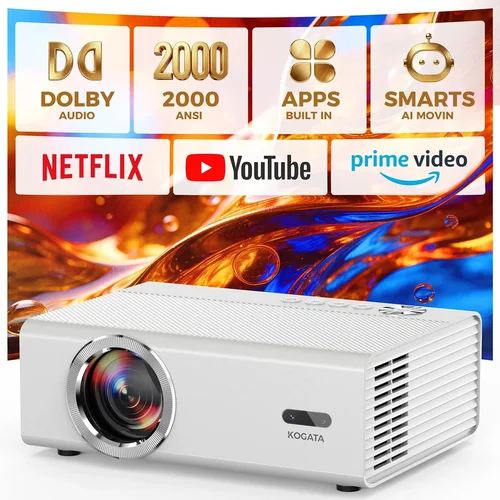
A: Yes, many budget 1080p projectors now include Android TV, Roku, or Chromecast built‑in, allowing you to install apps like Netflix, YouTube, and Disney+ directly.
Our Final Recommendations
- Best for Budget‑Conscious Buyers: ViewSonic M2e – Offers true 1080p DLP, 1,200 lumens, and Android TV for $229. Ideal for small rooms and casual movie nights.
- Best Overall Value: BenQ TH585 – 3,500 lumens, low 16 ms input lag, and a short‑throw lens at $279. Perfect for gamers and bright living spaces.
- Best Premium Option: Epson Home Cinema 1080 – Laser‑LCD hybrid, 2,600 lumens, built‑in Android TV, and a 2‑year warranty for $298. Great for all‑in‑one streaming and bright environments.
- Best for Beginners: Anker Nebula Capsule II – Compact, battery‑powered, Android TV, and 720p upscaled to 1080p for $249. Easy setup and portable.
- Best for Advanced Users: Optoma GT1080HDR – 3,800 lumens, HDR support, 8 ms input lag, and a short‑throw lens for $299. Tailored for serious gamers and home‑theater enthusiasts.
Conclusion: Making the Right Choice
Choosing the best native 1080p projector under $300 boils down to matching your environment, usage patterns, and feature priorities with the specifications we’ve outlined. Remember to verify true 1080p resolution, assess brightness relative to ambient light, and consider connectivity options that future‑proof your setup.
Take the time to read user reviews, compare independent benchmarks, and, if possible, test the unit before you buy. With the right research and a little patience for sales events, you can secure a high‑quality projector that delivers crisp, cinema‑like images without stretching your wallet.
Ready to upgrade your viewing experience? Browse the models highlighted above, set a price alert, and enjoy the immersive world of true‑HD projection today.