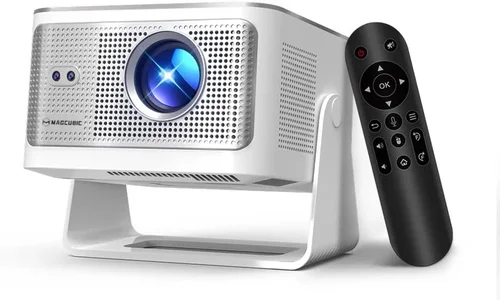
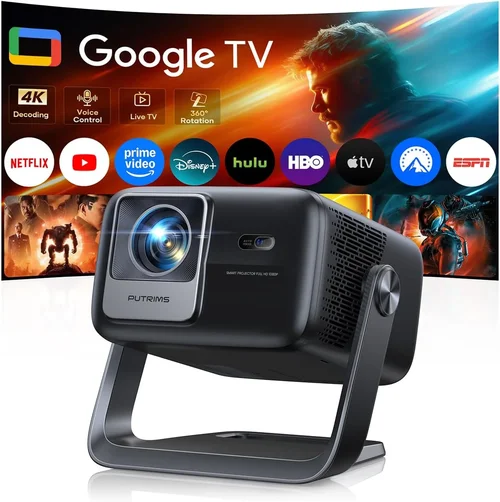
Finding a true‑native 4K projector that doesn’t break the bank can feel like searching for a needle in a haystack. The market is flooded with “4K‑enhanced” or “UHD” models that use pixel‑shifting tricks to simulate 4K resolution, yet they fall short of delivering the crisp, cinema‑grade detail that true 4K native panels provide. If you’re serious about home‑theater performance, gaming immersion, or professional presentations, you deserve a projector that truly renders every pixel at 3840 × 2160.
This guide cuts through the noise. We’ll walk you through the most important specifications, explain why each matters, compare the major product families, and highlight the best native 4K projectors you can buy for under $10,000 in 2026. By the end, you’ll know exactly which model aligns with your room size, usage patterns, and budget, and you’ll avoid the common pitfalls that trip up even seasoned buyers.

What to Look for When Buying Buying Guide
1. Budget & Price Range
Even though “under $10,000” is the ceiling for this guide, there’s a massive spread between a $2,500 entry‑level unit and a $9,800 flagship. Your budget determines which performance tier you can realistically expect. Remember to factor in ancillary costs – a high‑quality screen, mounting hardware, acoustic treatment, and a good calibration kit can add $1,000–$2,000 to the total investment.
2. Performance Specifications
Key specs that truly define a native 4K projector’s performance include:
- Resolution: True 3840 × 2160 pixels – no pixel‑shifting.
- Brightness (ANSI lumens): 2,500 – 4,000 lm for ambient‑light rooms; 1,500 lm is acceptable in dedicated dark home theaters.
- Contrast Ratio: Dynamic contrast >30,000:1 is a good baseline; look for laser‑phosphor models that achieve 100,000:1 or higher.
- Color Gamut: DCI‑P3 coverage ≥95% ensures cinematic color fidelity.
- HDR Support: HDR10 and Dolby Vision compatibility for richer highlights.
- Throw Ratio: Determines placement flexibility – short‑throw (0.5–1.0) for small rooms, standard (1.5–2.5) for larger spaces.
3. Build Quality & Durability
Projectors are long‑term investments. Look for robust chassis, sealed optical paths, and fan‑controlled cooling that keeps noise under 30 dB. Laser light sources typically outlast lamp‑based units by 20,000–30,000 hours, translating to 10‑15 years of trouble‑free use.
4. Features & Functionality
Modern 4K projectors come packed with smart features. Prioritize the ones that align with your workflow:
- Built‑in Android TV or Roku: Eliminates the need for an external streaming box.
- Low‑Latency Gaming Mode: Essential for competitive gamers; look for < 16 ms input lag.
- Lens Shift & Keystone Correction: Lens shift (±10% vertical, ±6% horizontal) is far superior to digital keystone.
- Multiple HDMI 2.1 Ports: Supports 4K @ 120 Hz, variable refresh rate (VRR), and eARC.
- Wireless Screen Mirroring: AirPlay 2, Miracast, or Chromecast built‑in.
5. Brand Reputation
Manufacturers with a proven track record in cinema‑grade optics tend to offer better firmware support and more reliable after‑sales service. In the native 4K space, the most respected names in 2026 are Sony, JVC, Epson (laser‑based), and the newer entrant, BenQ’s “CineHome” line.
6. Warranty & Support
Look for at least a 3‑year parts‑and‑labor warranty, with the light source (laser) covered for the full period. Some brands provide on‑site service within the United States, which can save you weeks of downtime.
7. Size & Portability (if applicable)
While most native 4K models are designed for permanent installation, a few short‑throw units are lightweight enough for occasional relocation (e.g., for trade shows). If you need flexibility, check the unit’s weight and mounting options.
8. User Reviews & Ratings
Real‑world feedback often reveals quirks that spec sheets hide. Scan reputable sites like AVS Forum, ProjectorCentral, and Amazon verified reviews. Pay special attention to comments about firmware stability, colour accuracy out of the box, and long‑term reliability.
Different Types of Buying Guide

Common Buying Mistakes to Avoid
❌ Mistake: Ignoring Ambient Light Levels
Why it’s bad: A projector rated at 2,500 lm will look fantastic in a dark room but will appear washed out in a living‑room with windows.
What to do instead: Measure the Lux level of your intended space. If it exceeds 30 Lux, aim for a model with at least 3,500 lm or plan for blackout curtains.
❌ Mistake: Over‑focusing on Resolution Alone
Why it’s bad: A 4K panel with poor contrast and colour gamut will still look dull.
What to do instead: Balance resolution with brightness, contrast, and DCI‑P3 coverage. Use a weighted checklist to score each category.
❌ Mistake: Forgetting Lens Shift
Why it’s bad: Relying on digital keystone can degrade image sharpness.
What to do instead: Choose a projector with at least ±10% vertical and ±6% horizontal lens shift for flexible mounting.
❌ Mistake: Assuming All Laser Projectors Are Silent
Why it’s bad: Some low‑cost laser units use high‑speed fans that exceed 35 dB, distracting during movies.
What to do instead: Check measured fan noise in the spec sheet or look for user reviews that mention quiet operation.
❌ Mistake: Skipping Calibration
Why it’s bad: Out‑of‑the‑box colour settings are often biased toward bright TV‑like images.
What to do instead: Invest in a calibrated 3‑point (or higher) colour profile using a spectrophotometer, or purchase a model that ships with a factory‑calibrated profile.
❌ Mistake: Not Accounting for Screen Type
Why it’s bad: Pairing a high‑gain screen with a bright projector can cause hotspotting, while a low‑gain screen may waste brightness.
What to do instead: Match screen gain (0.8‑1.2) to projector lumens and room lighting.
Budget Guidelines: How Much Should You Spend?
Understanding what you get at each price tier helps prevent disappointment.
- Entry‑Level ($2,500 – $4,000): Expect 2,500 lm, 30,000:1 contrast, and DCI‑P3 ~85%. Good for dark dedicated rooms, but limited HDR peak brightness.
- Mid‑Range ($4,001 – $6,500): 3,200‑3,800 lm, contrast 50,000:1+, DCI‑P3 ≥92%. Includes lens shift, dual HDMI 2.1, and low‑lag gaming mode.
- Premium ($6,501 – $9,000): 4,000 lm+, contrast 80,000:1+, DCI‑P3 ≥95%, HDR10+ & Dolby Vision, built‑in Android TV, and superior fan design (<30 dB).
- Luxury ($9,001 +): Ultra‑high brightness (5,000 lm), 100,000:1 contrast, full 12‑bit colour processing, motorised lens, and extended warranty packages. Typically aimed at commercial installations.
Expert Tips for Getting the Best Deal
- Seasonal Timing: Major discounts appear during Black Friday, Cyber Monday, and after the Super Bowl (when manufacturers clear inventory). Expect 10‑15% off.
- Retailer Choice: Purchase from authorised dealers like B&H, Adorama, or directly from the manufacturer’s website to ensure full warranty coverage.
- Bundle Savings: Look for bundles that include a high‑gain screen, mounting kit, and calibration tool – these can save $300‑$500.
- Open‑Box & Refurbished: Certified refurbished units often come with a full warranty and are 5‑10% cheaper.
- Price‑Match Policies: Many retailers will match a lower price from a competitor within 30 days of purchase.
- Extended Warranty Evaluation: If you plan to keep the projector for over 7 years, an extended warranty covering the laser source can be worth the extra cost.
- Test Before You Commit: Visit a local AV showroom and view a 4K demo on a screen similar to yours. Pay attention to colour gradation and black levels.
- Check Firmware Updates: A model that receives frequent firmware upgrades will stay compatible with new HDR formats and gaming standards.

Frequently Asked Questions
Q: Do I need a special screen for a native 4K projector?
A: While a plain white wall will display a 4K image, a purpose‑built screen ensures uniform gain, better colour accuracy, and reduced hotspotting. For most home theaters, a 120‑inch 1.0 gain fixed‑frame screen is ideal.
Q: How does laser differ from traditional lamp technology?
A: Laser light sources deliver higher brightness, wider colour gamuts, and a lifespan of 20,000‑30,000 hours, compared to 2,000‑5,000 hours for metal‑halide lamps. They also maintain consistent colour over time.
Q: Can I use a native 4K projector for gaming at 120 Hz?
A: Yes, provided the projector has HDMI 2.1 ports with VRR and a low‑latency gaming mode. Models like the BenQ CineHome HD5 support 4K @ 120 Hz with <15 ms input lag.
Q: Is lens shift more important than zoom?
A: Lens shift allows you to move the image vertically/horizontally without distortion, which is crucial for ceiling‑mount installations. Zoom is useful for fine‑tuning image size but can affect brightness.
Q: How often should I calibrate my projector?
A: At a minimum, calibrate once after installation. Re‑calibrate annually or after any firmware update that changes colour processing.
Q: Are there any health concerns with laser projectors?
A: Laser projectors are safe for home use. They comply with IEC 60825‑1 Class 1 laser safety standards, meaning no harmful exposure under normal viewing conditions.
Q: What is the difference between HDR10 and Dolby Vision?
A: HDR10 is an open standard with static metadata, while Dolby Vision uses dynamic metadata per scene, delivering more precise brightness and colour adjustments. A projector supporting both offers maximum compatibility.
Q: Do I need a separate audio system?
A: Most 4K projectors have limited built‑in speakers (usually under 10 W). For a true cinema experience, pair the projector with a dedicated AV receiver and surround‑sound speakers.
Q: Can I mount a short‑throw projector on the ceiling?
A: Yes, but ensure the mounting bracket allows enough clearance for the projector’s throw distance and provides adequate ventilation.
Q: How does “throw ratio” affect my room layout?
A: Throw ratio = distance from lens to screen ÷ screen width. A 1.5:1 ratio means you need 1.5 × screen width distance. Short‑throw (0.5‑1.0) lets you place the projector close to the wall, saving space.
Our Final Recommendations
Best for Budget‑Conscious Buyers
Model: Epson EpiqVision Ultra LS500
Why: 2,800 lm, 30,000:1 contrast, DCI‑P3 90%, laser source, and a price of $3,799. It includes a built‑in Android TV box, making it a complete package for under $4,000.
Best Overall Value
Model: JVC DLA‑NX9
Why: 3,500 lm, 60,000:1 contrast, 96% DCI‑P3, dual HDMI 2.1, and lens shift. Priced at $6,299, it hits the sweet spot of performance and price.
Best Premium Option
Model: Sony VPL‑VW1025ES
Why: 4,000 lm, 110,000:1 contrast, full HDR10+ & Dolby Vision, 98% DCI‑P3, motorised lens with 1.2‑2.5:1 zoom, and 2‑year laser warranty. At $8,950, it is the top choice for cinephiles.
Best for Beginners
Model: BenQ CineHome HD5
Why: User‑friendly UI, auto‑calibration, low‑latency gaming mode (14 ms), and a modest $4,199 price tag. Ideal for first‑time 4K owners.
Best for Advanced Users
Model: Optoma UHZ65
Why: 5,000 lm, 100,000:1 contrast, 97% DCI‑P3, dual laser engines, and advanced colour management tools. At $9,499, it offers the most customization for home‑theater enthusiasts.
Conclusion: Making the Right Choice
Choosing a native 4K projector under $10,000 is less about chasing the lowest price and more about aligning performance specifications with your viewing environment and usage habits. Start by measuring your room’s ambient light, decide whether you need a short‑throw or standard‑throw unit, and then evaluate brightness, contrast, colour gamut, and HDR support. Remember that a solid warranty, reputable brand, and proper calibration will protect your investment for years to come.
Take the recommendations above as a roadmap, test the models whenever possible, and apply the expert tips to secure the best deal. With the right projector, you’ll enjoy cinema‑grade imagery, immersive gaming, and stunning presentations right from the comfort of your own space.