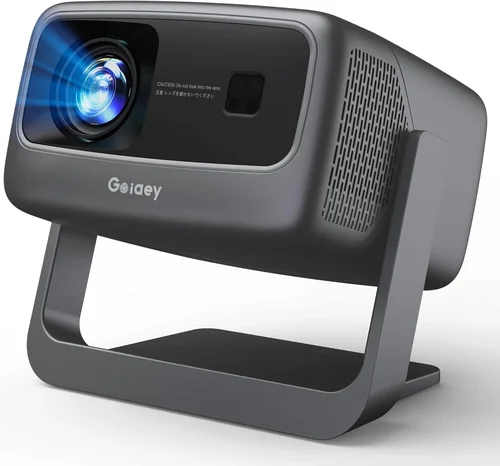
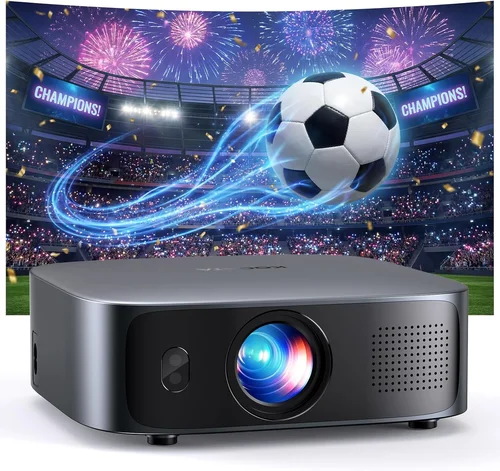
Finding the right office projector under $500 can feel like hunting for a needle in a haystack. The market is crowded with devices that promise bright images, long lifespans, and a suite of smart features—yet many fall short where it matters most for a professional setting. This guide cuts through the noise, giving you a clear roadmap to select a projector that delivers crisp visuals, reliable performance, and real value without breaking the bank.
By the end of this article you will understand the critical specs that affect everyday office use, the different projector technologies available at sub‑$500 price points, and how to avoid common purchasing pitfalls. Whether you need a compact unit for huddle rooms, a brighter model for larger conference spaces, or a versatile device that doubles as a home theater projector, the insights below will help you make an informed decision.

What to Look for When Buying Buying Guide
1. Budget & Price Range
The first step is setting a realistic budget. While $500 may seem modest, it actually opens the door to a surprisingly capable selection of LCD and DLP projectors. Knowing your absolute ceiling helps you filter out models that overspend on non‑essential features (like built‑in streaming apps) and focus on the specs that truly impact office performance—luminosity, resolution, and connectivity.
2. Performance Specifications
Three numbers dominate projector performance: brightness (measured in ANSI lumens), native resolution, and contrast ratio. For most office environments, aim for at least 3000 ANSI lumens to combat ambient light. Native resolution of 1080p (Full HD) is now the sweet spot; it ensures clear text and detailed graphics during presentations. A contrast ratio of 10,000:1 or higher provides deeper blacks, which makes slides easier on the eyes during longer meetings.
3. Build Quality & Durability
Office projectors endure frequent set‑ups, takedowns, and occasional travel between conference rooms. Look for metal housings, robust cooling fans, and sealed lamp compartments. Models with a sealed optical engine often have longer lamp life (up to 20,000 hours) and lower maintenance costs—critical for keeping total ownership low.
4. Features & Functionality
Modern projectors pack a lot of bells and whistles. Prioritize features that align with office workflows:
- Multiple HDMI ports for dual‑source presentations.
- USB‑C or wireless mirroring for seamless laptop and smartphone connectivity.
- Keystone correction (both vertical and horizontal) to quickly adjust image shape without a tripod.
- Built‑in speakers are convenient but usually low‑power; consider external audio if you host video calls.
5. Brand Reputation
Established brands such as Epson, BenQ, ViewSonic, and Optoma have a track record of reliable after‑sales service and firmware updates. While newer entrants may offer aggressive pricing, they can lack the long‑term support crucial for business continuity. Check industry forums and professional reviews to gauge real‑world reliability.
6. Warranty & Support
A solid warranty can save you thousands in unexpected repair costs. Look for at least a 2‑year parts‑and‑labor warranty, and verify if the manufacturer offers on‑site service or a quick‑ship replacement program. Some retailers also provide extended protection plans that cover accidental damage—worth considering for high‑traffic office environments.
7. Size & Portability
If your organization uses multiple meeting rooms, a lightweight, short‑throw projector can be a game‑changer. Short‑throw units project a large image from just a few feet away, reducing shadows from presenters. For a single, dedicated conference room, size matters less than mounting options and integration with ceiling mounts.
8. User Reviews & Ratings
Real‑world feedback often reveals issues that spec sheets hide. Scan reviews for recurring themes such as “overheating after 2 hours” or “remote control lag.” Pay attention to the volume of reviews—a product with 500+ five‑star ratings generally offers a more consistent experience than a newer model with only a handful of reviews.
Different Types of Buying Guide

Common Buying Mistakes to Avoid
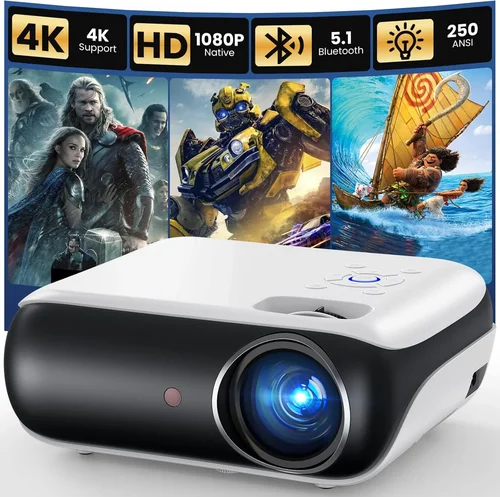
❌ Mistake: Focusing Solely on Price
Why it’s bad: The cheapest unit often compromises on brightness and lamp life, leading to frequent replacements and poor image quality in lit rooms.
What to do instead: Set a realistic minimum for ANSI lumens (3000+) and prioritize reputable brands. A slightly higher upfront cost can save money long‑term.
❌ Mistake: Ignoring Connectivity Options
Why it’s bad: An office may use laptops, tablets, and smartphones. A projector with only a single VGA port forces you to carry adapters, slowing down meetings.
What to do instead: Choose models with at least two HDMI ports, USB‑C, and wireless mirroring support.
❌ Mistake: Overlooking Throw Distance
Why it’s bad: A standard‑throw projector in a small meeting room requires a long distance from the screen, creating shadows and cramped setups.
What to do instead: Measure your room and consider a short‑throw or ultra‑short‑throw unit if space is limited.
❌ Mistake: Assuming All Resolutions Are Equal
Why it’s bad: Some projectors list “HD” but actually output 720p, resulting in blurry text and pixelated graphics.
What to do instead: Verify the native resolution—Full HD (1920×1080) is the baseline for professional use.
❌ Mistake: Forgetting About Maintenance Costs
Why it’s bad: Lamp replacements can cost $100‑$200 and require downtime.
What to do instead: Look for laser or LED light sources, which offer 20,000+ hour lifespans and negligible replacement fees.
Budget Guidelines: How Much Should You Spend?
- Entry‑Level ($250 – $350): Expect 2500‑3000 lumens, 720p resolution, basic HDMI connectivity. Suitable for small, dimly lit rooms.
- Mid‑Range ($351 – $450): 3000‑3500 lumens, true 1080p, better contrast, dual HDMI, and often include wireless screen mirroring.
- Premium ($451 – $500): 3500+ lumens, enhanced color wheels or LCD panels, laser/LED light source, robust build, and extended warranties.
- Luxury ($500+): While beyond the scope of this guide, high‑end models deliver 4K resolution, HDR support, and ultra‑short‑throw designs.
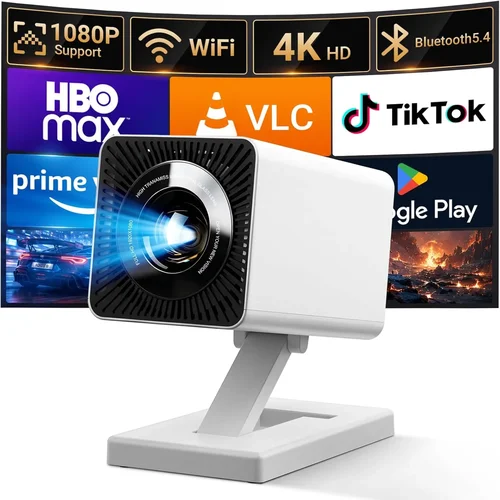
Expert Tips for Getting the Best Deal
- Timing: Major discount windows occur during Black Friday, Cyber Monday, and back‑to‑school seasons. Plan purchases around these dates.
- Retailer Choice: Compare prices on Amazon, B&H Photo, and direct brand stores. Some retailers price‑match if you show a lower quote.
- Bundle Savings: Look for bundles that include a ceiling mount, HDMI cable, and spare lamp—often cheaper than buying items separately.
- Warranty Extensions: If you run a busy office, a 3‑year extended warranty can be cost‑effective, especially for laser models with higher repair costs.
- Return Policies: Choose sellers with a 30‑day return window and free return shipping. Test the projector in your actual meeting space before committing.
- Testing: Bring a laptop with a 1080p video to the store and project on a blank wall. Check brightness, color uniformity, and keystone correction on the spot.
- Negotiation: In physical stores, ask for a price match or a free accessory (e.g., an extra HDMI cable). Sales staff often have discretionary discounts.

Frequently Asked Questions
Q: Do I need a projector with a built‑in speaker for office use?
A: Most conference rooms have external audio systems, so built‑in speakers are optional. They’re useful for small huddle rooms or impromptu presentations, but plan for a separate sound solution for clear dialogue during video calls.
Q: How often will I need to replace the lamp?
A: Traditional lamps last 4,000‑6,000 hours. At 8 hours per day, that’s roughly 1‑2 years. Laser or LED light sources, common in newer sub‑$500 models, can exceed 20,000 hours, effectively lasting the lifetime of the projector.
Q: Can I mount a short‑throw projector on the ceiling?
A: Yes, but you’ll need a specialized short‑throw ceiling mount that positions the lens close to the ceiling while allowing a steep throw angle. Many manufacturers sell compatible mounts as accessories.
Q: Is a higher contrast ratio more important than brightness?
A: In well‑lit office spaces, brightness is king. A projector with 3000+ lumens will outperform a high‑contrast, low‑brightness unit in a bright room. However, for dim rooms, a higher contrast ratio improves image depth.
Q: What is the difference between LCD and DLP technology?
A: LCD projectors typically deliver more accurate colors and smoother gradients, making them ideal for data‑heavy presentations. DLP units often have higher contrast and better motion handling, which can be advantageous for video playback.
Q: Do I need a warranty if I’m buying a projector for a single conference room?
A: Yes. Even a single unit can encounter issues like fan failure or lamp degradation. A 2‑year warranty protects against unexpected repair costs.
Q: How far should the projector be from the screen?
A: It depends on the throw ratio. Standard throw (1.5:1) needs roughly 12‑15 feet for a 100‑inch image. Short‑throw (0.4:1) can achieve the same size from 4‑5 feet away.
Q: Is HDMI‑ARC useful for office projectors?
A: HDMI‑ARC is primarily for home theater audio return. In an office, separate audio solutions are preferred, so ARC isn’t a critical feature.
Q: Can I use a projector with a curved screen?
A: Curved screens are designed for immersive home theater setups. For office use, flat, matte white screens provide the most even illumination and are cost‑effective.
Q: Will a projector work with my existing Wi‑Fi network?
A: Most modern projectors support 2.4 GHz Wi‑Fi. Ensure your network isn’t heavily congested; a dedicated guest SSID can improve stability during presentations.
Our Final Recommendations
- Best for Budget‑Conscious Buyers: ViewSonic PA503W – 3600 lumens, WXGA (1280×800) resolution, dual HDMI, and a price around $280. Ideal for small rooms with controlled lighting.
- Best Overall Value: Epson EX7260 – 3600 lumens, Full HD, laser light source, USB‑C connectivity, and a 3‑year warranty, priced at $449.
- Best Premium Option: BenQ TH671ST – 3000 lumens, 1080p, short‑throw (0.69:1), low input lag for interactive demos, and a robust metal chassis at $489.
- Best for Beginners: Optoma GT1080e – Easy‑setup, auto‑keystone, built‑in speaker, and a user‑friendly remote, priced around $399.
- Best for Advanced Users: LG PF50KA – Portable LED, 6000 lumens, 1080p, wireless screen share, and a built‑in battery for on‑the‑go presentations, at $499.
Conclusion: Making the Right Choice
Choosing the best office projector under $500 hinges on balancing brightness, resolution, and connectivity against your specific meeting room constraints. Remember to prioritize a reliable light source, sufficient ANSI lumens for ambient light, and the ports you actually use. By avoiding common mistakes—like chasing the lowest price or ignoring throw distance—you’ll invest in a device that serves your team for years.
Take the time to test a few models in your actual workspace, compare warranties, and watch for seasonal discounts. With the knowledge from this guide, you’re equipped to select a projector that enhances collaboration, impresses clients, and stays within budget.