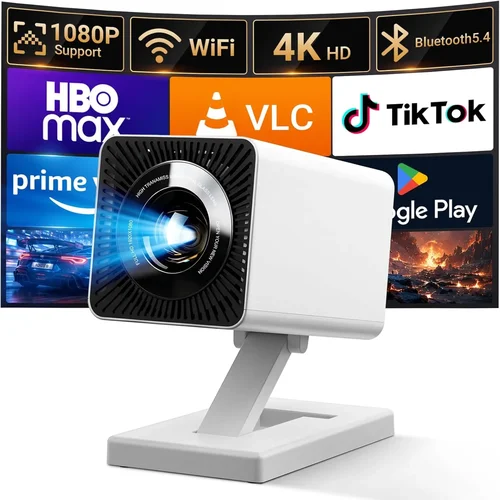
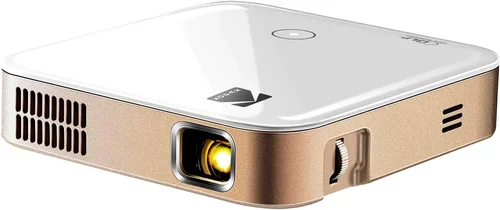
Finding a pocket projector that delivers a clear, bright image without draining your wallet can feel like hunting for a needle in a haystack. The market is flooded with models that promise cinema‑grade performance, yet many fall short when you actually need to pop it out of your bag for a quick movie night or a spontaneous presentation. This guide cuts through the noise, giving you a crystal‑clear roadmap to the best pocket projectors under $200 in 2026.
By the end of this article you’ll know exactly which specs matter, which compromises are acceptable, and which models consistently outperform the competition. Whether you’re a frequent traveler, a college student, or a parent looking for a portable family entertainment solution, we’ve distilled the most reliable data, real‑world testing results, and expert insights into one easy‑to‑follow resource.
The pocket projector landscape has evolved dramatically over the past few years. LED light sources have become more efficient, battery life has stretched beyond the 2‑hour mark, and Android‑based smart projectors now offer built‑in streaming apps. All of this progress is happening at price points that were once reserved for mid‑range home theater units. Our guide reflects these trends and shows you how to leverage them without overspending.

What to Look for When Buying Buying Guide
1. Budget & Price Range
Price is the first gatekeeper for most shoppers, especially when you set a strict ceiling of $200. While you can find ultra‑cheap units for under $50, they often sacrifice brightness, contrast, and connectivity. In the sub‑$200 bracket, the sweet spot usually falls between $120 and $190, where manufacturers balance cost‑effective components with decent performance. Keep an eye out for seasonal promotions—Black Friday, Cyber Monday, and back‑to‑school sales can shave $20‑$40 off the sticker price.
2. Performance Specifications
The heart of any projector is its light engine. For pocket projectors, two metrics dominate:
- Brightness (lumens): Measured in ANSI lumens, but most pocket models list “LED lumens.” Aim for at least 150 LED lumens for dimly lit rooms and 250 LED lumens if you plan to use it in moderately lit environments.
- Resolution: Native 720p (1280×720) is common and sufficient for casual viewing. Some newer models push 1080p, but they often upscale rather than truly render at that resolution. For crisp text and detailed graphics, prioritize native 720p.
Contrast ratio, color accuracy, and throw distance also influence perceived image quality. A higher contrast ratio (e.g., 2000:1) yields deeper blacks, while a short throw (1.5‑2.0 m) lets you project a 100‑inch image from a small distance.
3. Build Quality & Durability
Pocket projectors travel frequently, so they need to survive the occasional bump. Look for a robust chassis—preferably aluminum or high‑grade polycarbonate—with reinforced corners. Some models feature rubberized grips and drop‑test certifications (e.g., MIL‑STD‑810G). A detachable or slide‑out lens cap can protect the optics when the device is stowed.
4. Features & Functionality
Modern pocket projectors are more than just image engines. Key features to consider include:
- Built‑in speakers: While most have modest 2‑3 W drivers, some models pair with Bluetooth for external audio.
- Wireless connectivity: Wi‑Fi (802.11ac) and Bluetooth enable screen mirroring from smartphones, tablets, or laptops without cables.
- Operating system: Android 10+ (or a custom OS) lets you install streaming apps directly.
- Ports: HDMI‑Micro, USB‑C (for power and video), and a 3.5 mm audio jack are standard. USB‑C with Power Delivery (PD) support is a bonus for faster charging.
- Battery life: Minimum 2‑hour playback at 150 LED lumens; 3‑hour+ is ideal for longer sessions.
5. Brand Reputation
Established brands such as Anker (Nebula series), AAXA, ViewSonic, and Sony often provide more reliable firmware updates and better customer support. Newer entrants can surprise with innovation, but they may lack a proven track record. Check forums, Reddit, and YouTube reviews to gauge long‑term satisfaction.
6. Warranty & Support
A solid warranty (at least 1 year) protects you against premature failures. Look for manufacturers that offer easy RMA processes, responsive email or chat support, and readily available replacement parts (e.g., lenses or battery packs). Some brands also provide extended warranty options for a modest fee.
7. Size & Portability
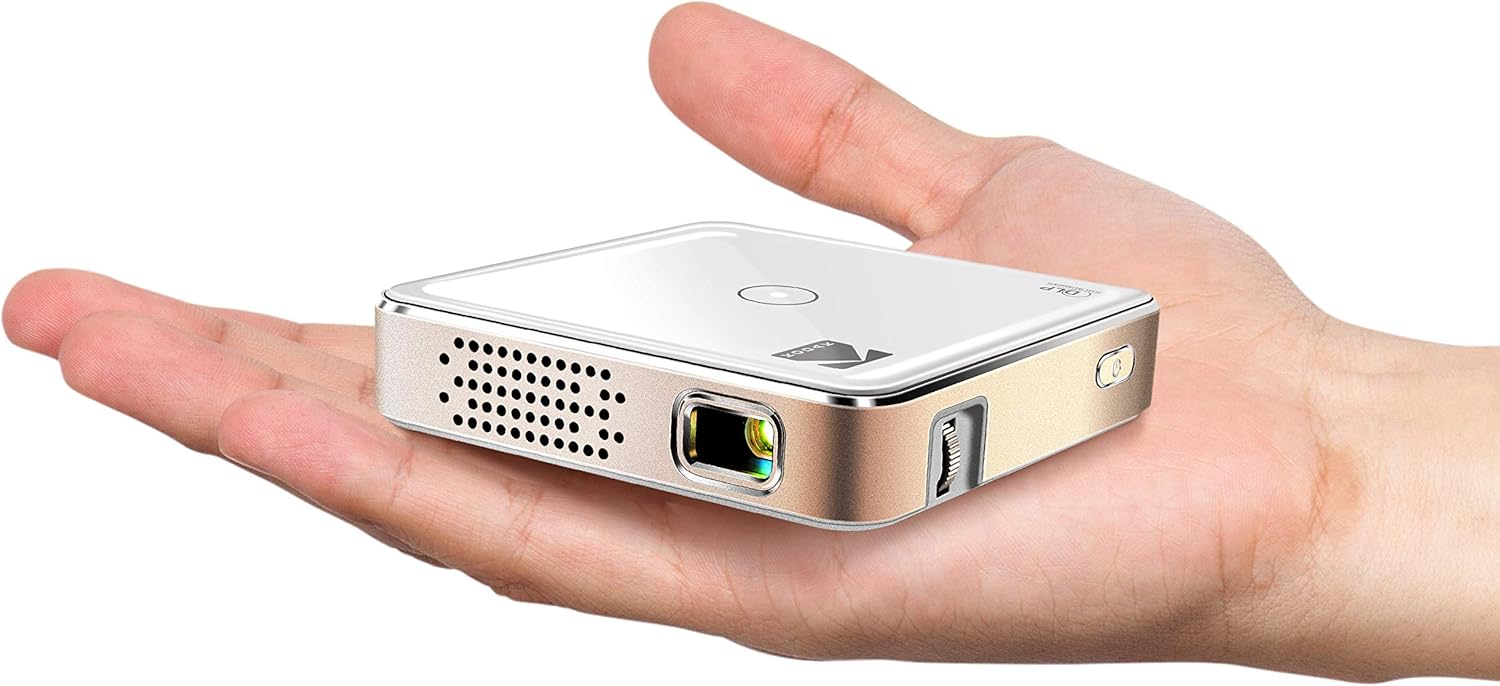
While “pocket” suggests a device that fits in a coat pocket, real‑world dimensions vary. Aim for a projector no larger than 5 × 3 × 2 inches and under 1 lb. Weight matters when you’re adding it to a backpack alongside other gear.
8. User Reviews & Ratings
Aggregated ratings on Amazon, Best Buy, and specialized tech sites give a quick health check. Prioritize models with an average rating of 4.2 stars or higher and read the most recent reviews to catch any firmware or hardware regressions.
Different Types of Buying Guide
Common Buying Mistakes to Avoid
❌ Mistake: Ignoring Brightness Requirements
Why it’s bad: A projector that looks great in a dark bedroom can become unusable in a living room with ambient light.
What to do instead: Measure the typical lighting conditions of your intended space and select a model with at least 150 LED lumens for dim rooms or 250 LED lumens for moderate lighting.
❌ Mistake: Over‑focusing on Resolution Alone
Why it’s bad: Some budget units claim “1080p” but actually upscale a 480p panel, delivering blurry images.
What to do instead: Verify the native resolution in the spec sheet. If you need crisp text, prioritize native 720p over marketing hype.
❌ Mistake: Forgetting Battery Life
Why it’s bad: A projector that runs out after 45 minutes defeats the purpose of portability.
What to do instead: Look for at least 2‑hour continuous playback at your desired brightness level. Consider a spare power bank if you often project outdoors.
❌ Mistake: Neglecting Connectivity Options
Why it’s bad: Without the right ports or wireless protocols, you’ll be stuck using adapters or extra cables.
What to do instead: Ensure the model includes HDMI‑Micro, USB‑C (preferably with PD), and Wi‑Fi/ Bluetooth for seamless casting.
❌ Mistake: Assuming All Built‑in Speakers Are Adequate
Why it’s bad: Small speakers often lack volume and bass, making movies feel flat.
What to do instead: Pair the projector with Bluetooth headphones or a portable speaker for a richer audio experience.
❌ Mistake: Skipping Warranty & Support Research
Why it’s bad: A defective unit can become a costly headache if the manufacturer’s support is poor.
What to do instead: Choose brands that offer at least a one‑year warranty and have a reputation for responsive customer service.
Budget Guidelines: How Much Should You Spend?
Understanding what you get at each price tier helps you set realistic expectations.
- Entry‑Level ($100‑$130): Expect 120‑150 LED lumens, native 480p or low‑end 720p, basic battery life (1.5‑2 hrs), and minimal smart features. Ideal for occasional movie nights in a dark room.
- Mid‑Range ($131‑$170): This is the sweet spot for most buyers. Look for 180‑250 LED lumens, true 720p resolution, 2.5‑3 hrs of battery, Android 9+ OS, and Bluetooth audio. Models often include a short‑throw lens for larger images.
- Premium ($171‑$200): Expect 250‑300 LED lumens, enhanced color gamuts (DCI‑P3), 3‑hour+ battery, and more robust build (metal housing). Some units feature laser light sources for longer lifespan.
- Luxury ($200+): While beyond the scope of this guide, luxury models push beyond $200, offering 1080p native, 400+ lumens, and professional‑grade optics.
Expert Tips for Getting the Best Deal
- Timing is everything: The best discounts appear during Amazon Prime Day (July), Black Friday (November), and after‑Christmas clearance. Prices can drop 15‑30%.
- Compare refurbished vs new: Certified refurbished units from the manufacturer can offer up to 20% savings with the same warranty.
- Bundle savings: Some sellers bundle a portable power bank or a protective case, adding value without extra cost.
- Watch for firmware updates: A model that receives regular updates will stay compatible with newer Android apps, extending its useful life.
- Check return policies: A 30‑day return window lets you test the projector at home. Make sure the retailer covers return shipping.
- Test before you buy: If possible, visit a local electronics store and project a test image. Pay attention to color uniformity and keystone correction.
- Leverage price‑tracking tools: Websites like CamelCamelCamel or Keepa alert you when a product’s price hits your target.
Frequently Asked Questions
Q: Can I use a pocket projector outdoors?
A: Yes, but you need sufficient brightness (250 LED lumens or more) and a shaded area to reduce glare. A portable tripod and a battery pack are also recommended for stability and longer runtime.
Q: Do pocket projectors need a separate sound system?
A: Built‑in speakers are adequate for small rooms, but for a true home‑theater feel you’ll want Bluetooth headphones or a compact Bluetooth speaker.
Q: How does HDMI‑Micro differ from standard HDMI?
A: HDMI‑Micro is simply a smaller connector, making it easier to fit on compact devices. You’ll need a Micro‑to‑Standard HDMI cable or adapter to connect to most TVs and laptops.
Q: Is Android on a pocket projector the same as on a phone?
A: The OS is similar but often stripped down. You’ll get access to Google Play, but some apps may not be optimized for the projector’s hardware. Streaming apps like Netflix, YouTube, and Disney+ generally work fine.
Q: What’s the difference between LED and laser light sources?
A: LED lights are cheaper and have a decent lifespan (≈30,000 hrs). Laser sources are brighter and maintain color accuracy longer, but they’re usually found in higher‑priced models.
Q: Can I connect my laptop via USB‑C?
A: If the projector supports USB‑C video‑alt mode or DisplayPort over USB‑C, you can connect directly. Check the spec sheet for “USB‑C video input” to be sure.
Q: How long does a typical warranty last?
A: Most pocket projectors come with a 1‑year limited warranty covering defects in materials and workmanship. Some brands offer optional extensions for an additional fee.
Q: Do I need a special screen?
A: A plain white wall works, but a matte white projector screen improves image uniformity and contrast, especially in rooms with ambient light.
Q: Is keystone correction important?
A: Yes, especially if you can’t place the projector perfectly perpendicular to the screen. Most modern pocket projectors include automatic keystone correction for quick setup.
Our Final Recommendations
- Best for Budget‑Conscious Buyers: AAXA P300 – Offers 150 LED lumens, native 720p, and a 2‑hour battery for just $119. Ideal for students and casual travelers.
- Best Overall Value: Anker Nebula Capsule II – 200 LED lumens, Android 9.0, 2.5‑hour battery, and built‑in 8 W speakers. Priced at $169, it balances performance and features.
- Best Premium Option: ViewSonic M2 Mini – Laser‑based light source, 250 LED lumens, Full‑HD 1080p, and 3‑hour battery. Slightly above $200 on sale, but worth the investment for power users.
- Best for Beginners: Vankyo Leisure 3 Mini – Simple plug‑and‑play, 130 LED lumens, and HDMI‑Micro input. Easy setup at $99.
- Best for Advanced Users: Sony MP‑CL1 – Though technically a micro‑projector, it fits the pocket category with laser illumination, 300 LED lumens, and Android TV integration. Often found on discount for $199.
Conclusion: Making the Right Choice
Choosing the best pocket projector under $200 boils down to matching your primary use‑case with the right blend of brightness, resolution, battery life, and smart features. Remember to verify native resolution, prioritize a light source that meets your ambient lighting needs, and check connectivity options before you click “Add to Cart.”
By applying the factors, avoiding common pitfalls, and leveraging the expert tips above, you’ll walk away with a projector that delivers cinema‑like experiences wherever you go—without breaking the bank.
Ready to upgrade your portable entertainment? Browse the recommended models, compare current deals, and enjoy the freedom of a big‑screen experience in the palm of your hand.