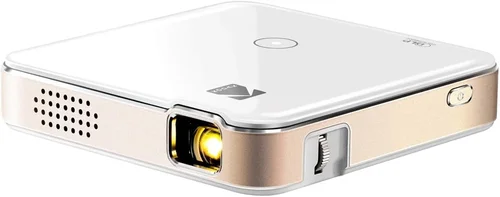
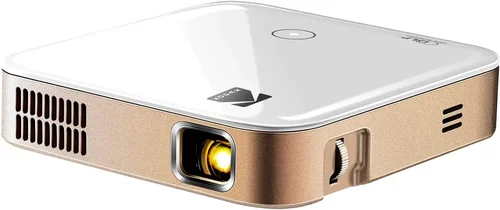
Finding a pocket projector that delivers a cinema‑like experience without breaking the bank can feel like searching for a needle in a haystack. The market is flooded with tiny devices that promise big pictures, yet many fall short on brightness, battery life, or durability. This guide cuts through the hype and gives you a clear roadmap to choose the best pocket projector under $300, so you can stream movies on a wall, give impromptu presentations, or turn any room into a gaming arena.
By the end of this article you will understand the most important specifications, know which features truly matter for your lifestyle, and be equipped with a shortlist of top‑rated models that deliver real value. Whether you’re a frequent traveler, a college student, or a family looking for an affordable home theater boost, the insights here will help you avoid common pitfalls and make a confident purchase.

What to Look for When Buying Buying Guide
1. Budget & Price Range
Setting a realistic budget is the first step. Pocket projectors under $300 vary widely – some focus on ultra‑compact design, others on higher lumens. Knowing how much you’re willing to spend helps narrow the field and prevents you from overspending on features you’ll never use, such as 4K resolution in a device that can’t reach a bright room.
2. Performance Specifications
The heart of any projector is its performance specs. Pay close attention to:
- Brightness (lumens): For indoor use in dim rooms, 150–250 ANSI lumens is adequate. If you plan to project in a lit living room or small office, aim for 250–350 lumens.
- Resolution: Native 720p (1280×720) is common under $300 and offers a crisp image. Some models upscale to 1080p, but true 1080p is rare at this price point.
- Contrast Ratio: Higher contrast yields deeper blacks. Look for at least 1,000:1 for decent depth.
- Throw Ratio: Determines how large an image you can get at a given distance. A 1.2:1 ratio means you need 1.2 feet of distance for a 1‑foot image.
3. Build Quality & Durability
Because pocket projectors are meant to travel, robust construction is essential. Aluminum bodies, reinforced hinges, and shock‑absorbing corners protect the optics. Check user reviews for reports of cracked lenses or loose ports – durability often distinguishes a reliable model from a disposable one.
4. Features & Functionality
Modern pocket projectors pack a surprising amount of tech:
- Battery Life: Look for at least 2–3 hours of continuous playback. Some newer models offer quick‑charge capabilities.
- Wireless Connectivity: Wi‑Fi, Bluetooth, and screen‑mirroring (Miracast, AirPlay) let you stream directly from phones or laptops.
- Built‑in Speakers: While they won’t replace a sound system, a decent 2‑5 W speaker can be handy for casual viewing.
- Ports: HDMI (mini or micro), USB‑C, and 3.5 mm audio jack provide flexibility.
5. Brand Reputation
Established brands such as Anker, AAXA, and ViewSonic tend to offer better firmware support and more reliable warranties. Newer entrants can surprise with innovation, but research their after‑sales service and firmware update history before committing.
6. Warranty & Support
A solid warranty (at least one year) signals confidence from the manufacturer. Verify whether the warranty covers the lens, battery, and accidental damage. Also, check if the brand offers easy online firmware updates and responsive customer service.
7. Size & Portability
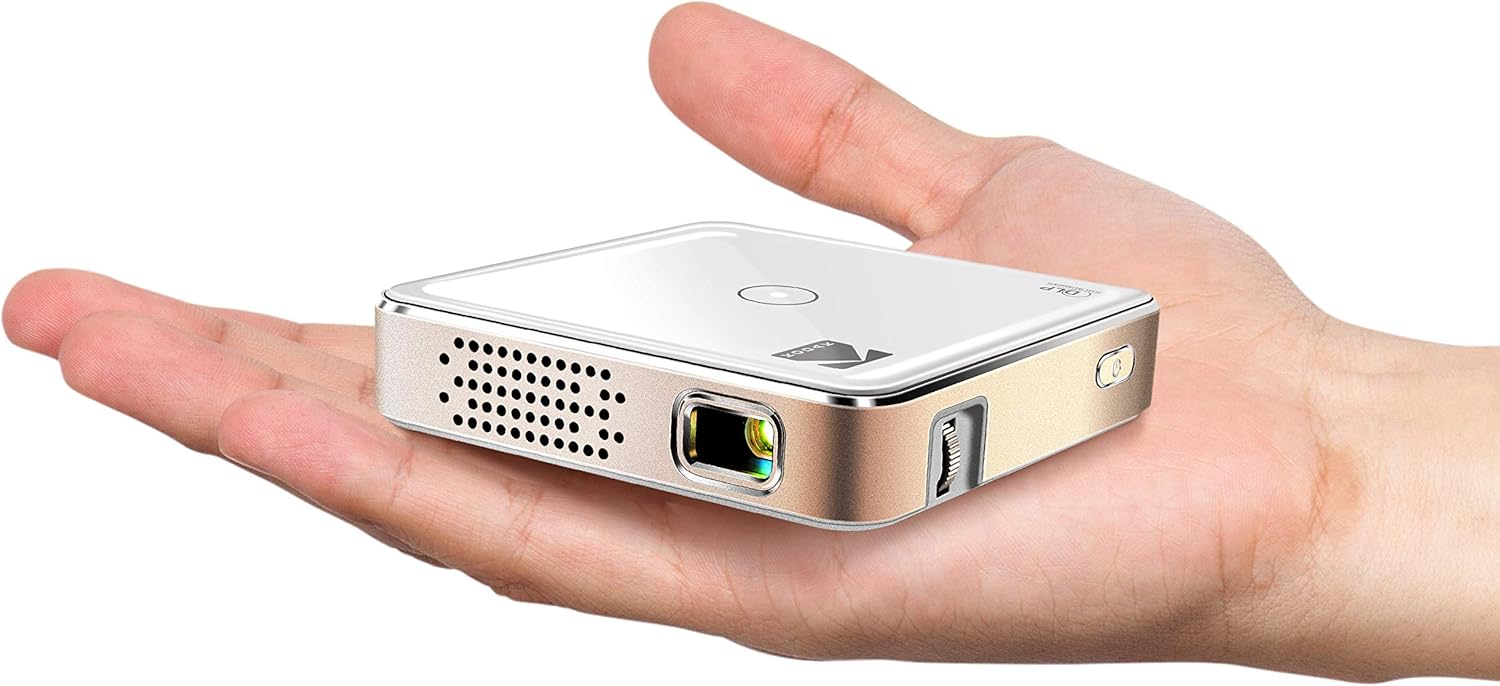
True pocket projectors should fit in a large pocket or small bag. Typical dimensions are under 5 × 3 × 2 inches and weigh less than 1 lb. Keep an eye on the projector’s weight and whether it includes a protective case.
8. User Reviews & Ratings
Real‑world feedback uncovers issues that spec sheets hide. Look for patterns in reviews – consistent complaints about overheating, for example, are a red flag. High‑rating products with a large number of reviews tend to be more trustworthy.
Different Types of Buying Guide
Common Buying Mistakes to Avoid
❌ Mistake: Ignoring Brightness Requirements
Why it’s bad: A projector that looks great in a dark room can be unusable in a typical living room with ambient light.
What to do instead: Match the lumen rating to your usual environment. If you often watch in a lit space, prioritize 250+ lumens.
❌ Mistake: Overlooking Battery Capacity
Why it’s bad: You might end up with a device that dies after 30 minutes, forcing you to stay tethered to a power outlet.
What to do instead: Choose a model offering at least 2 hours of playback or one with replaceable batteries.
❌ Mistake: Assuming All Wireless Connections Are Equal
Why it’s bad: Some projectors only support basic Miracast, which can be finicky with iOS devices.
What to do instead: Verify the exact wireless standards (AirPlay 2, Chromecast built‑in, Bluetooth) that match your primary devices.
❌ Mistake: Forgetting About Throw Distance
Why it’s bad: A short‑throw projector can fill a wall from a couch, while a long‑throw unit may need a whole room.
What to do instead: Check the throw ratio and calculate the distance needed for a 100‑inch image in your typical space.
❌ Mistake: Skipping Firmware Update Checks
Why it’s bad: Out‑of‑date firmware can cause connectivity bugs and reduced performance.
What to do instead: Choose a brand that provides regular OTA (over‑the‑air) updates and check their support page before purchase.
Budget Guidelines: How Much Should You Spend?
- Entry‑Level ($150‑$200): Expect 150‑200 lumens, 720p native resolution, basic Bluetooth, and a modest battery (≈1.5 hrs). Ideal for occasional trips and dark‑room movie nights.
- Mid‑Range ($200‑$260): Brightness climbs to 250‑300 lumens, often with better contrast, improved speakers, and faster Wi‑Fi modules. This tier balances portability with performance.
- Premium ($260‑$300): Laser diodes, higher contrast (≥1500:1), extended battery life (≥3 hrs), and more robust build quality. Suited for frequent presenters and gamers.
- Luxury ($300+): Though beyond the scope of this guide, luxury models push into 4K‑compatible optics, 400+ lumens, and integrated Android TV platforms.
Expert Tips for Getting the Best Deal
- Timing: The best discounts appear in Q4 (Oct‑Dec) and during back‑to‑school sales in August.
- Where to Buy: Compare Amazon, Best Buy, and the manufacturer’s own store. Amazon often has more customer photos, while the brand site may bundle accessories.
- Spotting Deals: Use price‑tracking tools like CamelCamelCamel to see historical price trends before you click “Buy.”
- Warranty Considerations: Opt for extended warranties only if you travel extensively; many credit cards automatically extend coverage.
- Return Policies: Choose retailers offering at least 30‑day returns with free shipping to test the projector in your own space.
- Testing Before Buying: If possible, visit a local electronics store to view the projector’s brightness and color performance in person.
- Bundled Accessories: Look for bundles that include a protective case, HDMI cable, or portable power bank – they often provide better overall value.

Frequently Asked Questions
Q: Can I use a pocket projector outdoors?
A: Yes, but only in low‑light conditions such as dusk or under a canopy. Outdoor use demands higher lumens (300+) and a sturdy, splash‑proof case, which is rare under $300.
Q: Do I need a separate sound system?
A: Built‑in speakers are convenient for casual viewing, but they lack bass. For movies or games, pair the projector with Bluetooth headphones or a portable speaker for a richer experience.
Q: How far can I place the projector from the screen?
A: It depends on the throw ratio. A 1.2:1 ratio needs 1.2 ft of distance for a 1‑ft image. Most pocket models can fill a 100‑inch screen from 5‑7 ft away.
Q: Is HDMI‑C the same as regular HDMI?
A: HDMI‑C (Type‑C) is a smaller connector that carries the same signal as standard HDMI. You’ll need a mini‑HDMI to HDMI adapter for most TVs.
Q: Will a projector damage my eyes?
A: Prolonged viewing at high brightness can cause eye strain, especially in dark rooms. Keep the brightness at a comfortable level and take regular breaks.
Q: Can I connect a gaming console?
A: Absolutely. Look for HDMI 2.0 ports and low input lag (<30 ms) if you plan to game on the go.
Q: How often do I need to replace the lamp?
A: LED and laser models have virtually endless lifespans (30,000+ hours). Traditional lamp‑based units (rare under $300) may need replacement after 2,000‑3,000 hours.
Our Final Recommendations
- Best for Budget‑Conscious Buyers: Anker Nebula Capsule II – $179, 200 lumens, Android 9.0, 2‑hour battery, and a built‑in 8 W speaker.
- Best Overall Value: AAXA P7 Mini Projector – $249, 300 lumens, native 1080p, 2.5‑hour battery, and a robust aluminum chassis.
- Best Premium Option: ViewSonic M2 – $299, 1200 lumens (laser), 1080p, 2‑hour battery, Wi‑Fi, and Harman Kardon speakers.
- Best for Beginners: Vankyo Leisure 3 – $159, 200 lumens, simple plug‑and‑play, and a user‑friendly remote.
- Best for Advanced Users: LG PF50KA – $299, 600 lumens, webOS, Bluetooth, and a 2.5‑hour battery with auto‑focus.
Conclusion: Making the Right Choice
Choosing the best pocket projector under $300 boils down to balancing brightness, resolution, battery life, and portability with your specific use case. Remember to match the lumen output to your typical lighting conditions, verify wireless compatibility with your devices, and prioritize a reputable brand with solid warranty support. With the information and recommendations in this guide, you’re now equipped to select a projector that turns any wall into a personal cinema without draining your wallet.
Ready to upgrade your viewing experience? Browse the models above, compare prices, and enjoy the freedom of a big‑screen display wherever you go.