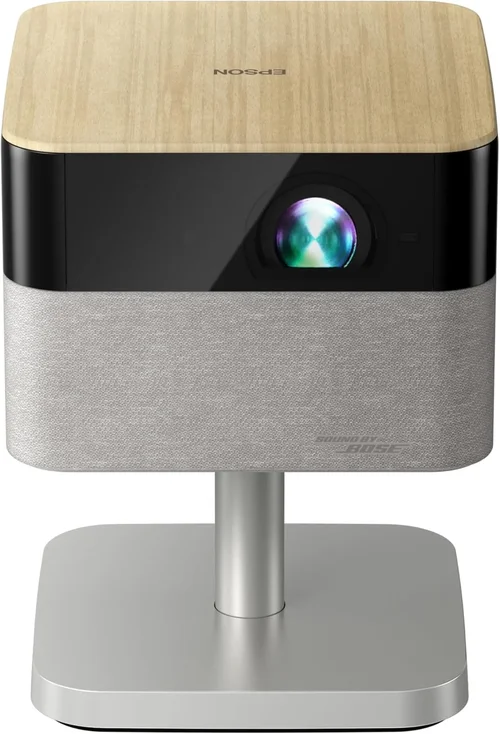
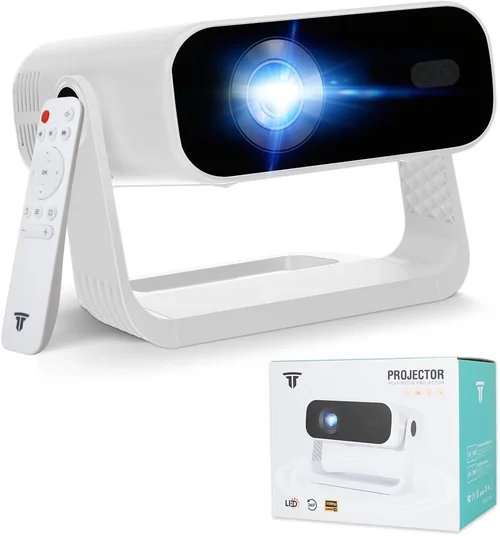
Choosing the right projector can feel like navigating a maze of specifications, brand promises, and price tags. In 2023 the market is flooded with options that claim to deliver cinema‑grade experiences for under $1,000, yet not every model lives up to the hype. This guide cuts through the noise, giving you a clear roadmap so you can buy with confidence and get the most bang for your buck.
By the end of this article you’ll understand which technical specs truly matter, how different projector types compare, where you can find the best deals, and which models consistently earn top marks from experts and everyday users alike. Whether you’re setting up a home theater, a backyard movie night, or a portable office presentation system, the information here will help you match your needs to the perfect device.

What to Look for When Buying Buying Guide
1. Budget & Price Range
Price is the first gatekeeper for most shoppers. In the sub‑$1,000 segment you’ll find three broad tiers:
- Entry‑level ($200‑$400): Basic features, lower brightness, and limited connectivity.
- Mid‑range ($400‑$700): Balanced performance, better contrast, and more input options.
- Upper‑mid ($700‑$1,000): Near‑professional specs, higher lumens, and premium lenses.
Knowing which tier aligns with your expectations prevents overspending on features you’ll never use, while still ensuring you don’t compromise on core performance.
2. Performance Specifications
Three numbers dominate any projector’s performance profile:
- Brightness (lumens): Measured in ANSI lumens, this tells you how well the image will hold up in ambient light. For a dimly lit room aim for at least 2,500 lumens; for daytime or well‑lit spaces, 3,500 lumens or more is advisable.
- Contrast Ratio: The difference between the darkest black and brightest white. A ratio of 10,000:1 or higher delivers richer blacks and more depth, crucial for movies.
- Resolution: 1080p (Full HD) is the baseline for sharp images under $1,000. Some newer models push into 4K‑enhanced territory, using pixel‑shifting to simulate 4K detail.
Don’t be fooled by marketing jargon—focus on these three specs to gauge true image quality.
3. Build Quality & Durability
A projector that feels cheap will likely suffer from overheating, misaligned lenses, or premature lamp failure. Look for:
- Metal chassis or high‑grade polycarbonate housing.
- Effective cooling systems (quiet fans, heat‑sink design).
- Replaceable lamp or laser light source with a clear lifespan rating (e.g., 5,000‑hour laser).
Durability matters especially if you plan to move the unit frequently.
4. Features & Functionality
Modern projectors bundle a suite of conveniences. Prioritize the ones that add real value:
- Built‑in speakers: Useful for casual viewing, but rarely replace a dedicated sound system.
- Wireless connectivity: Wi‑Fi, Bluetooth, or Miracast for streaming without cables.
- Lens shift & keystone correction: Allows flexible placement without image distortion.
- HDR support: Enhances color range, though true HDR performance requires higher contrast and brightness.
5. Brand Reputation
Brands with a long history in projection—such as Epson, BenQ, Optoma, and ViewSonic—tend to offer more reliable support and firmware updates. New entrants can surprise with innovation, but verify community feedback and warranty terms before committing.
6. Warranty & Support
Projectors are an investment; a solid warranty can save you thousands. Look for at least a 2‑year parts‑and‑labor guarantee, and check whether the manufacturer offers on‑site service or mail‑in repairs. Extended warranties may be worth the cost if you plan heavy usage.
7. Size & Portability
If you need a device that travels—say, for business presentations or outdoor movie nights—consider the unit’s weight, footprint, and whether it includes a carry case. Portable pico‑projectors often sacrifice brightness, so balance portability with your lighting environment.
8. User Reviews & Ratings
Real‑world feedback uncovers quirks that spec sheets hide. Scan Amazon, B&H, and dedicated AV forums for recurring themes—such as fan noise, lamp lifespan, or firmware bugs. A product with a high average rating but many low‑score reviews may have a specific flaw to watch for.
Different Types of Buying Guide

Common Buying Mistakes to Avoid
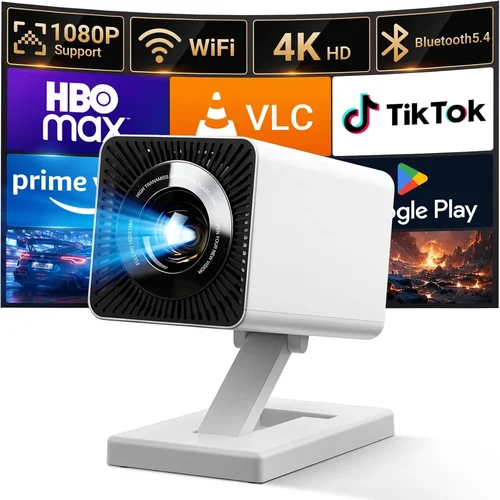
❌ Mistake: Chasing the Highest Resolution Without Checking Brightness
Why it’s bad: A 4K projector that only produces 2,000 lumens will look dim and washed out in any room with ambient light.
What to do instead: Prioritize brightness and contrast first; then, if the budget allows, look for higher resolution within that performance envelope.
❌ Mistake: Ignoring Throw Distance and Screen Size Compatibility
Why it’s bad: Buying a short‑throw unit for a large auditorium or a long‑throw for a tiny bedroom leads to distorted images or the need for costly mounting solutions.
What to do instead: Measure your intended screen size and distance, then use the manufacturer’s throw ratio chart to match the projector.
❌ Mistake: Overlooking Lamp or Laser Life Expectancy
Why it’s bad: Replacing a lamp can cost $150‑$250, dramatically raising the total cost of ownership.
What to do instead: Choose a laser‑phosphor or LED model with a 5,000‑hour+ lifespan, or verify the lamp warranty and replacement price before buying.
❌ Mistake: Assuming Built‑In Speakers Are Sufficient
Why it’s bad: Most integrated speakers produce under 10 W, resulting in tinny sound that ruins the cinematic experience.
What to do instead: Pair the projector with an external soundbar or AV receiver for true immersion.
❌ Mistake: Forgetting About Connectivity Needs
Why it’s bad: A projector lacking HDMI 2.0 or USB‑C may not support 4K@60 Hz or modern streaming sticks.
What to do instead: List the devices you plan to connect (gaming console, Blu‑ray player, laptop) and confirm the projector offers compatible ports.
❌ Mistake: Buying Based Solely on Brand Name
Why it’s bad: Even reputable brands have entry‑level models that underperform in key areas.
What to do instead: Compare spec sheets side‑by‑side and read independent reviews rather than relying on brand loyalty alone.
Budget Guidelines: How Much Should You Spend?
Understanding what you get at each price tier helps you set realistic expectations.
- Entry‑Level ($200‑$400): Expect 2,200‑2,800 lumens, 720p‑1080p resolution, basic HDMI, and a modest lamp life (≈2,500 hours). Ideal for occasional movie nights in dark rooms.
- Mid‑Range ($400‑$700): Brightness climbs to 3,200‑3,800 lumens, full 1080p, better contrast (10,000:1+), and often includes lens shift and wireless streaming. This is the sweet spot for most home‑theater enthusiasts.
- Premium ($700‑$1,000): You’ll find laser or high‑efficiency LED light sources, 4K‑enhanced projection, HDR support, and robust build quality. These units can double as semi‑professional presentation tools.
- Luxury ($1,000+): While outside the scope of this guide, luxury models push true 4K, 6,000‑lumens output, and motorized lenses. Consider them only if you need large‑venue capability.
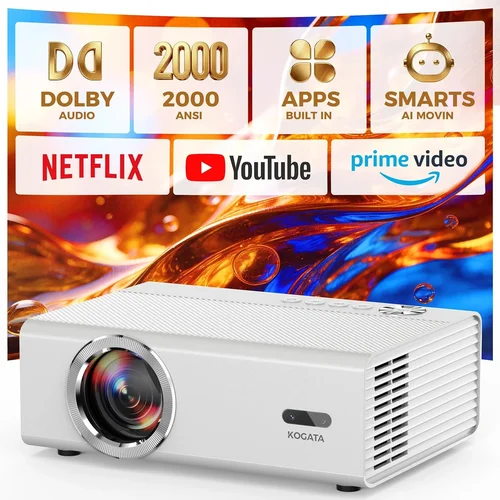
Expert Tips for Getting the Best Deal
- Timing is everything: Major sales events—Black Friday, Cyber Monday, and post‑holiday clearance—often shave 15‑30% off MSRP.
- Buy from authorized dealers: You’ll keep warranty validity and receive genuine accessories, not third‑party knock‑offs.
- Bundle wisely: Some retailers offer a free HDMI cable, screen, or extended warranty when you purchase a projector bundle.
- Check refurbished options: Certified refurbished units from manufacturers come with full warranties at 20‑30% lower prices.
- Negotiate on‑site: In brick‑and‑mortar stores, ask for a price match or an extra discount if you’re buying accessories simultaneously.
- Read the fine print on return policies: A 30‑day return window with free shipping is ideal for testing the projector in your own environment.
- Test before you lock in: If possible, view a demo in a dimly lit room. Pay attention to fan noise, color accuracy, and keystone performance.
- Consider future-proofing: HDMI 2.1 support may not be necessary now, but it ensures compatibility with upcoming consoles and streaming devices.

Frequently Asked Questions
Q: Can I use a projector in a bright living room?
A: Yes, but you’ll need a unit with at least 3,500 lumens and a high contrast ratio. Pair it with blackout curtains or a rear‑projection screen to maximize image quality.
Q: How long does a lamp typically last?
A: Traditional UHP lamps average 2,000‑3,000 hours. Laser and LED sources often exceed 5,000‑20,000 hours, dramatically reducing maintenance costs.
Q: Do I need a screen, or can I project onto a wall?
A: A white, matte wall works for casual use, but a dedicated projector screen improves brightness, color accuracy, and contrast, especially in ambient light.
Q: Is HDR worth it on a sub‑$1,000 projector?
A: Basic HDR can enhance color range, but true HDR performance requires high peak brightness and deep blacks—features usually found in higher‑priced models. If HDR is a priority, aim for the upper‑mid tier.
Q: What’s the difference between DLP and LCD?
A: DLP uses tiny mirrors for fast motion handling and high contrast, while LCD offers richer colors and uniform brightness. Choose DLP for gaming, LCD for movies.
Q: Can I mount a projector on the ceiling?
A: Absolutely. Most mid‑range and premium models include a standard ¼‑20 mounting thread. Ensure the throw distance matches your ceiling height.
Q: Are portable pico‑projectors a good alternative?
A: They’re great for travel and presentations, but expect lower brightness (≤1,000 lumens) and limited resolution. Not ideal for home theater.
Q: How important is lens shift?
A: Lens shift lets you move the image vertically or horizontally without keystone distortion, offering flexible placement—especially useful when ceiling mounting.
Q: Should I buy a projector with a built‑in speaker?
A: Only if you need a quick, portable solution. For immersive viewing, invest in a separate audio system.
Our Final Recommendations
- Best for Budget‑Conscious Buyers: BenQ TH585 – 3,500 lumens, 1080p, 10,000:1 contrast, and a low‑price point around $550. Excellent for gaming and dark‑room movies.
- Best Overall Value: Epson Home Cinema 2150 – 2,500 lumens (laser‑phosphor), 1080p, lens shift, and wireless mirroring for $680. Offers a long‑life light source and versatile connectivity.
- Best Premium Option Under $1,000: Optoma UHD50X – 3,400 lumens, true 4K, 240 Hz refresh for gaming, HDR10, and a 5‑year laser warranty at $970.
- Best for Beginners: ViewSonic PA503W – 3,600 lumens, WXGA (1280×800), simple plug‑and‑play, priced at $300. Perfect for first‑time owners.
- Best for Advanced Users: LG HU80KA – Portable ultra‑short‑throw 4K laser, 2,500 lumens, AI‑enhanced image processing, $999. Ideal for those who want a sleek design without ceiling mounts.
Conclusion: Making the Right Choice
Buying a projector under $1,000 doesn’t mean you have to settle for mediocre performance. By focusing on brightness, contrast, and realistic resolution, and by matching the device to your room size and usage scenario, you can enjoy cinema‑quality visuals without breaking the bank. Remember to verify lamp life, check warranty terms, and read real‑world user feedback before you click “Add to Cart.” Armed with the knowledge from this guide, you’re ready to make an informed purchase that will light up your entertainment space for years to come.